Fixed-Rate Re Billing for AI Products
This article explains how to use fixed-rate re billing for AI products, allowing you to charge sub-accounts a predictable flat rate per unit of AI usage (such as $0.50 per message) instead of a variable markup on token-based costs.
You'll discover how to configure pricing models per product, understand the mechanics of charge-time enforcement, and learn best practices for managing AI product re billing across your agency.
What is Fixed-Rate Re Billing?
Fixed-rate re billing allows you to charge sub-accounts a predictable flat rate for each unit of AI usage — such as $0.50 per Conversation AI message or $0.10 per Voice AI minute — instead of applying a percentage-based markup on top of the underlying token costs that HighLevel charges your agency.
This pricing model applies to Conversation AI and Voice AI products. You continue to pay HighLevel based on actual token consumption, but your sub-accounts see a simple, consistent line item on their invoices regardless of how token usage varies behind the scenes.
The economics of the spread between your actual cost and the fixed rate you charge are entirely yours to manage, giving you control over margin and pricing strategy while simplifying the customer experience.
Key Benefits
Fixed-rate re billing transforms how you sell and manage AI products by removing billing complexity and variability for your sub-accounts.
Understanding Pricing Models
HighLevel supports two distinct re billing models for AI products. You choose the model independently for each product (Conversation AI and Voice AI) and for each sub-account.
The sub-account is charged a percentage markup (e.g., 1.5x or 2x) on top of the actual token cost HighLevel charges your agency. This model ties the sub-account's bill directly to usage variability. It remains fully supported and is ideal for agencies with sophisticated customers who understand usage-based pricing.
The sub-account is charged a flat rate per unit of AI usage (e.g., $0.50 per Conversation AI message), regardless of the token cost incurred. The billing engine applies the fixed rate at charge time, bypassing the markup calculation entirely. This model provides billing predictability and is ideal for price-sensitive small-business customers.
You can configure Conversation AI with a fixed rate and Voice AI with a markup for the same sub-account. Each product's pricing model is independent.
How to Configure Fixed-Rate Re Billing
You can configure fixed-rate re billing in three locations within HighLevel. All three interfaces allow you to select the pricing model and enter the flat rate per product.
Go to one of the following locations in your HighLevel account:
- Manage Client → Re billing Settings for a specific location
- SaaS Plan Create/Update → Re billing Flow when building subscription plans
- AI Usage Dashboard for quick access to AI product pricing configuration
Locate the AI product you want to configure (Conversation AI or Voice AI). Each product's pricing model is configured independently.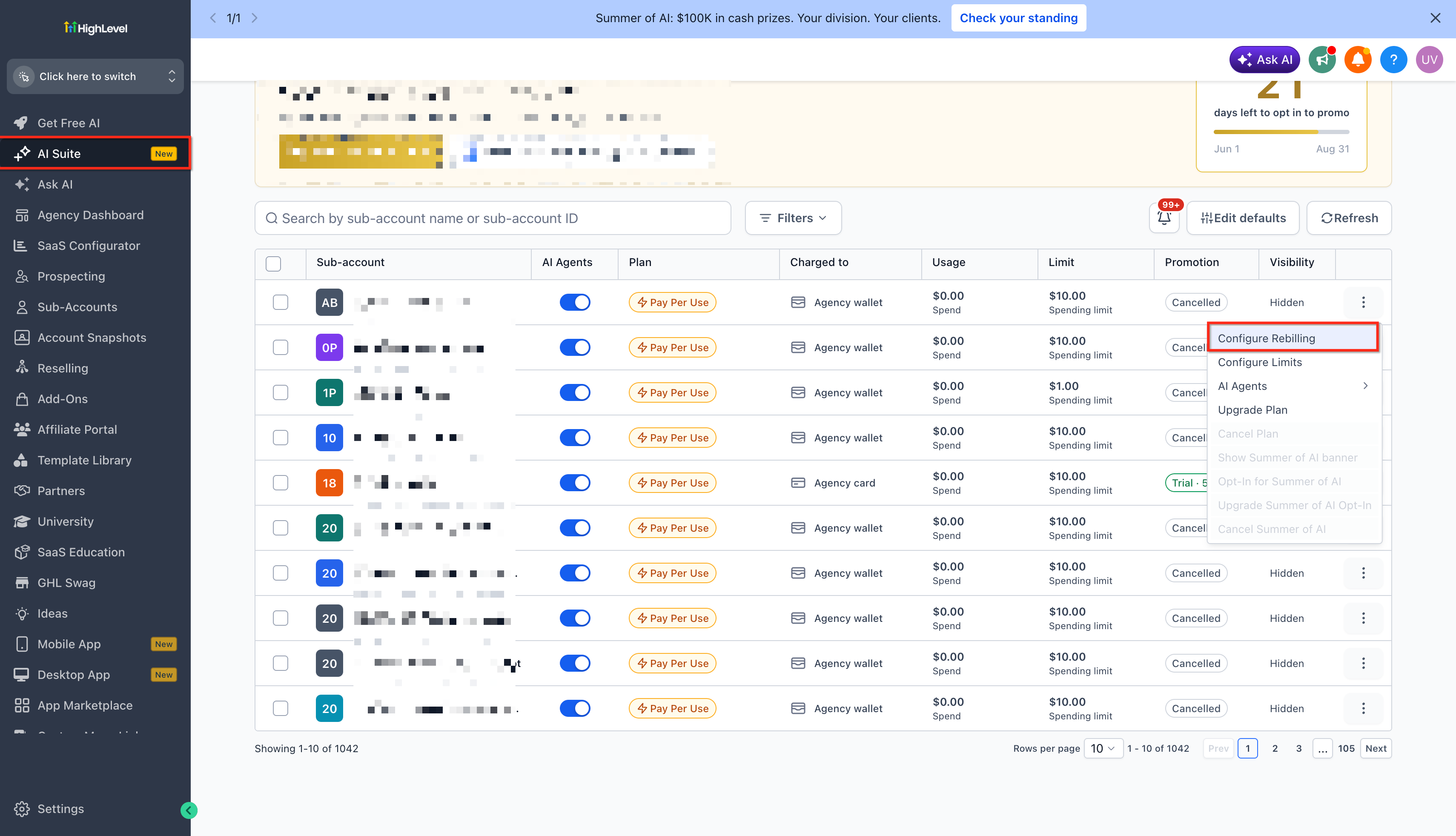
Select either "Markup" or "Fixed Rate" from the pricing model dropdown for the product. The interface will display different fields depending on your selection.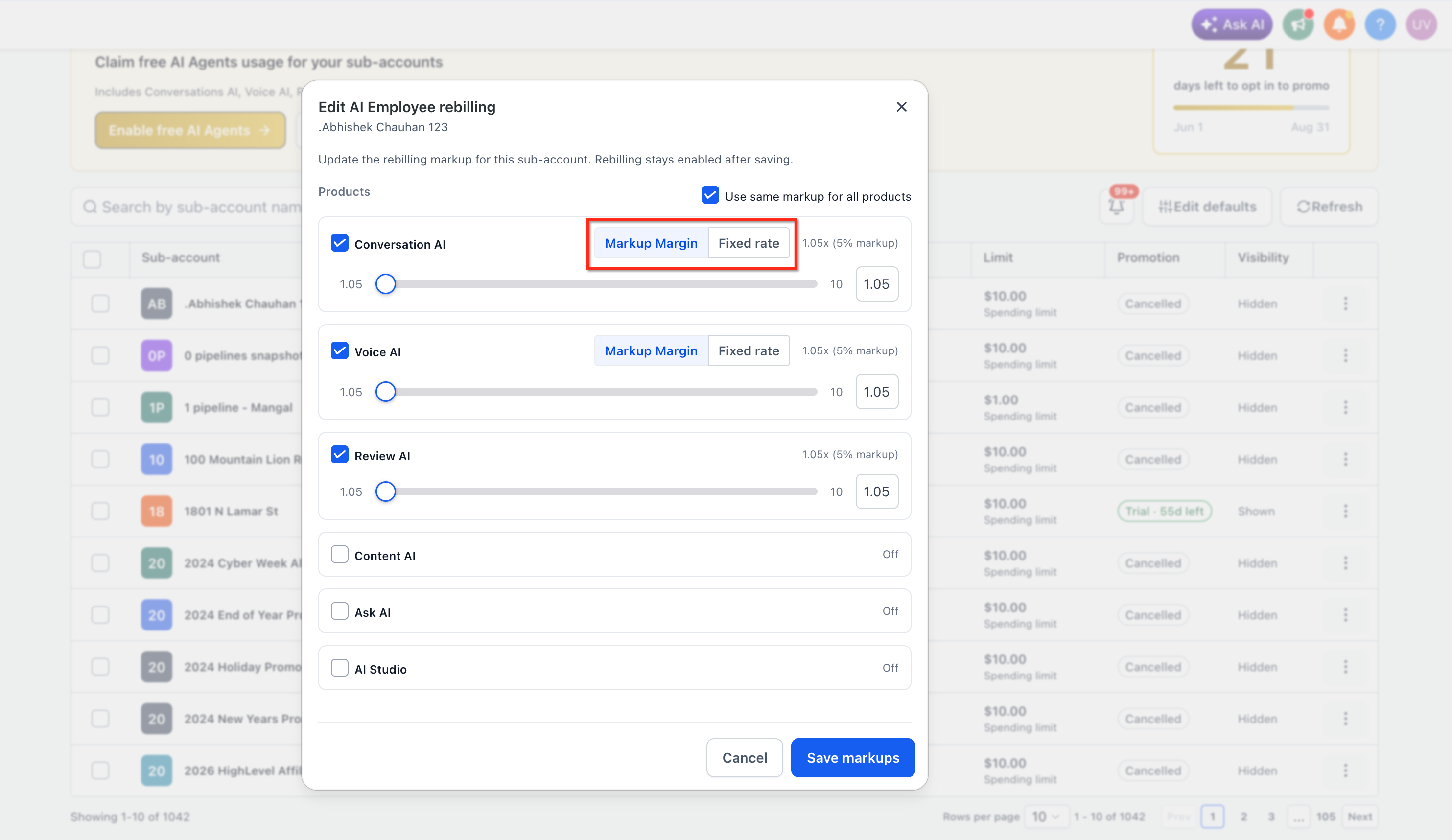
If you selected "Fixed Rate", enter the flat rate you want to charge per unit of usage (e.g., $0.50 per message for Conversation AI). If you selected "Markup", enter the multiplier (e.g., 1.5x or 2x).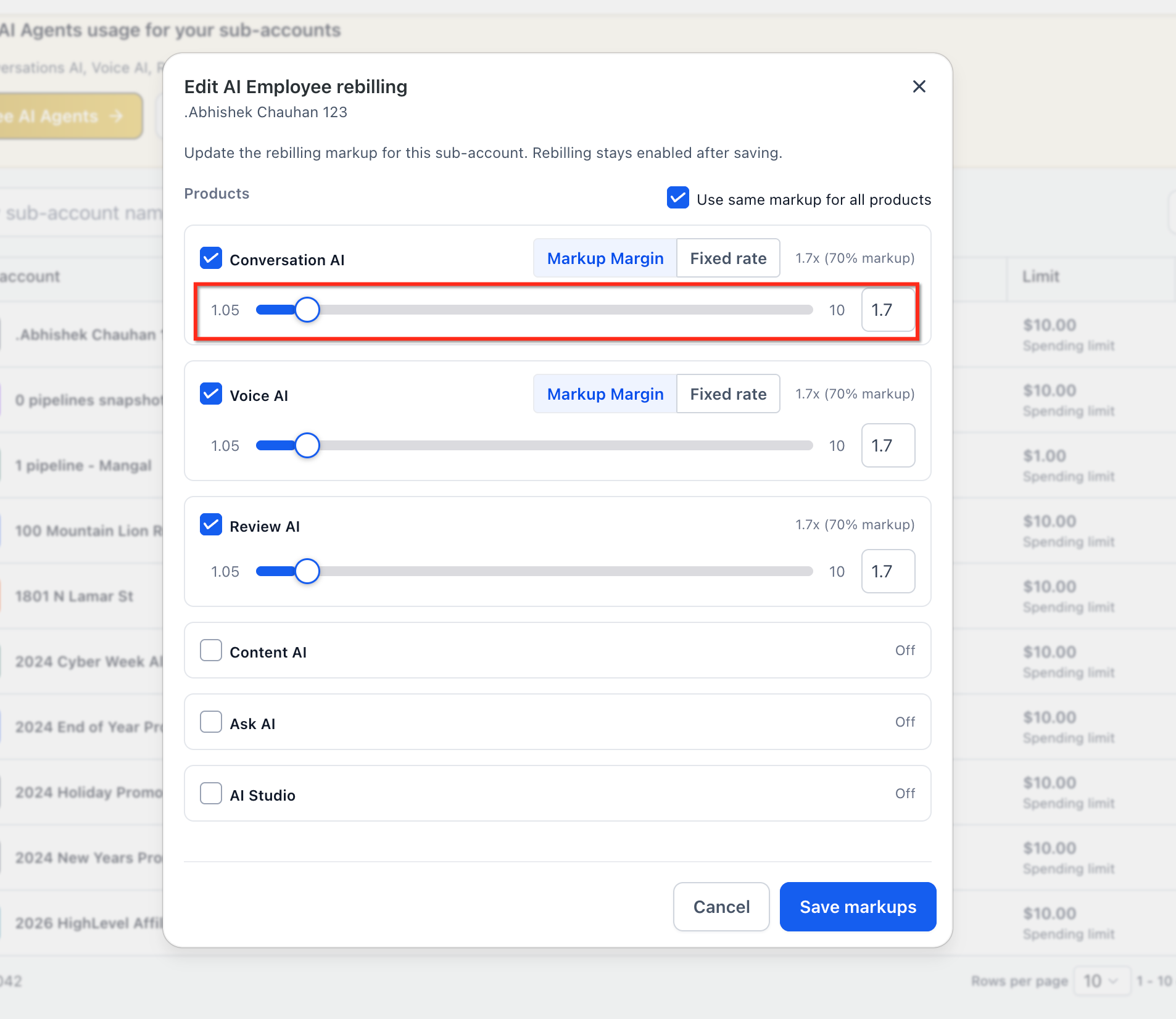
Click "Save Markups" to apply the pricing model. The configuration takes effect immediately for all future AI usage charges for the sub-account. Switching between markup and fixed rate is supported — the interface will restore the original state correctly if you toggle back before saving.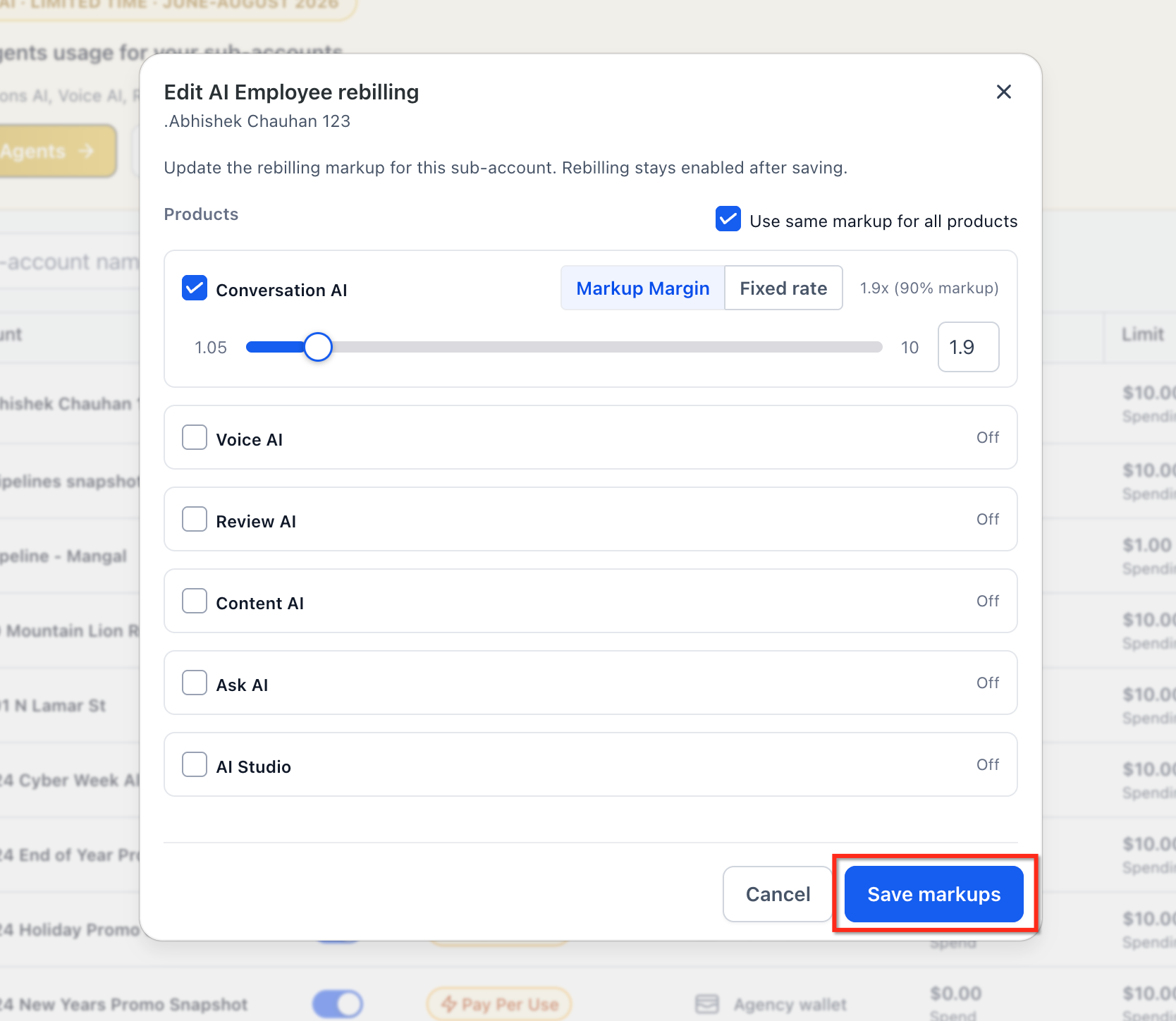
The pricing model and rate you configure apply only to the specific sub-account or subscription plan you're editing. Changes do not retroactively affect past charges.
How Charge-Time Enforcement Works
HighLevel's billing engine applies the configured pricing model at the moment a chargeable AI event occurs, ensuring that the correct rate is charged without delay or post-processing.
Here's how the system determines what to charge:
When a Conversation AI message is sent or a Voice AI call is completed, the billing engine receives a usage event with token consumption data from HighLevel's AI infrastructure.
The billing engine checks the rebilling configuration for the sub-account and product to determine whether the pricing model is set to "Markup" or "Fixed Rate".
If the pricing model is "Fixed Rate", the billing engine applies the configured flat rate (e.g., $0.50) directly, bypassing the markup calculation entirely. The actual token cost is ignored for the sub-account charge.
If the pricing model is "Markup", the billing engine calculates the sub-account charge as: (token cost × markup multiplier).
The calculated charge is recorded against the sub-account's billing cycle and appears on their next invoice as a line item for the AI product.
Your agency continues to be charged by HighLevel based on actual token usage, regardless of the pricing model configured for the sub-account. The fixed-rate model transfers pricing risk and margin management to your agency.
Frequently Asked Questions
Was this article helpful?
That’s Great!
Thank you for your feedback
Sorry! We couldn't be helpful
Thank you for your feedback
Feedback sent
We appreciate your effort and will try to fix the article