HighLevel Meetings: Reusable Links for One-Time & Recurring Calls
Meetings is HighLevel's native video meeting experience built on reusable links. Instead of generating a new URL for each call, you create one link and use it across multiple sessions — whether that's a single consultation or a year-long coaching series.
This guide covers how reusable links work, the benefits of one-time and recurring meetings, and how to set up a Meeting that your clients or team can join from the same URL every time.
What is Meetings?
Meetings is HighLevel's native, link-based meeting experience that lets you create a reusable URL for live video sessions, instead of generating a new link every time you meet. It's designed for coaching calls, client check-ins, team huddles, and any recurring touchpoint where you want a simple, consistent way for people to join.
Under the hood, Meetings uses HighLevel's real-time video capabilities (the same foundation that powers Interactive Video Rooms and other live experiences) so hosts and attendees can see, hear, and collaborate in a browser without extra software.
Key Benefits of Meetings
Understanding the core benefits makes it easier to decide when to use Meetings versus a traditional calendar invite or third-party tool.
Reusable Meeting Links
Reusable meeting links give you a persistent "room" that can be opened and closed as often as you like, without generating a new URL for each call. This solves one of the biggest sources of meeting friction: guests not knowing which link is the right one.
When you create a Meeting:
- HighLevel generates a single URL you can reuse indefinitely.
- You can share it once with your clients, students, or internal team.
- The same link works for today's call, next week's follow-up, and future check-ins or office hours (as long as you continue to use that meeting space).
In contrast, many calendar-based tools generate a new meeting URL for each occurrence in a recurring series by default, which can lead to multiple different links being used over time. Meetings is intentionally designed to behave more like a persistent room: one address, many sessions.
- A coach runs "Client A – Weekly Coaching Room" and sends that one link at onboarding.
- An agency runs "Design Team Standup" and pins the link in Slack or a community.
- A consultant adds the same link into multiple reminder emails, funnels, and automations.
[Screenshot: Example Meetings list showing each meeting name and its reusable link, with an icon to copy the URL.]
One-Time & Recurring Meetings
One-time and recurring options let you match how you actually work—whether that's a single strategy session or a long-term series with the same group. Meetings applies the same philosophy HighLevel uses for recurring calendars and webinars to live calls.
Ideal for single consultations, onboarding calls, audits, or special events. You still benefit from a clean, reusable link if you decide to meet again in the future, but you organize it as a single occurrence.
Perfect for weekly syncs, cohort coaching, mastermind groups, or ongoing client retainers. All sessions in the series use the same Meeting link, giving your audience a consistent place to show up—similar to how recurring webinars use one broadcast URL across the series.
By separating the link from the schedule, Meetings lets you update appointment times, adjust cadence, or change reminders without having to regenerate or replace the core URL.
[Screenshot: New Meeting setup panel with options for Meeting Name, Type (One-time vs Recurring), and scheduling details.]
Start Anytime, Join Instantly
Start-anytime behavior makes Meetings feel less like a fragile calendar invite and more like a dedicated "room" that's always ready when you are.
- Ad-hoc check-ins (e.g., "Can we jump into our usual Meeting link?")
- Office hours where the host may start slightly early or late
- Internal teams who want a standing "war room" or daily standup link
Simple, Frictionless Joining
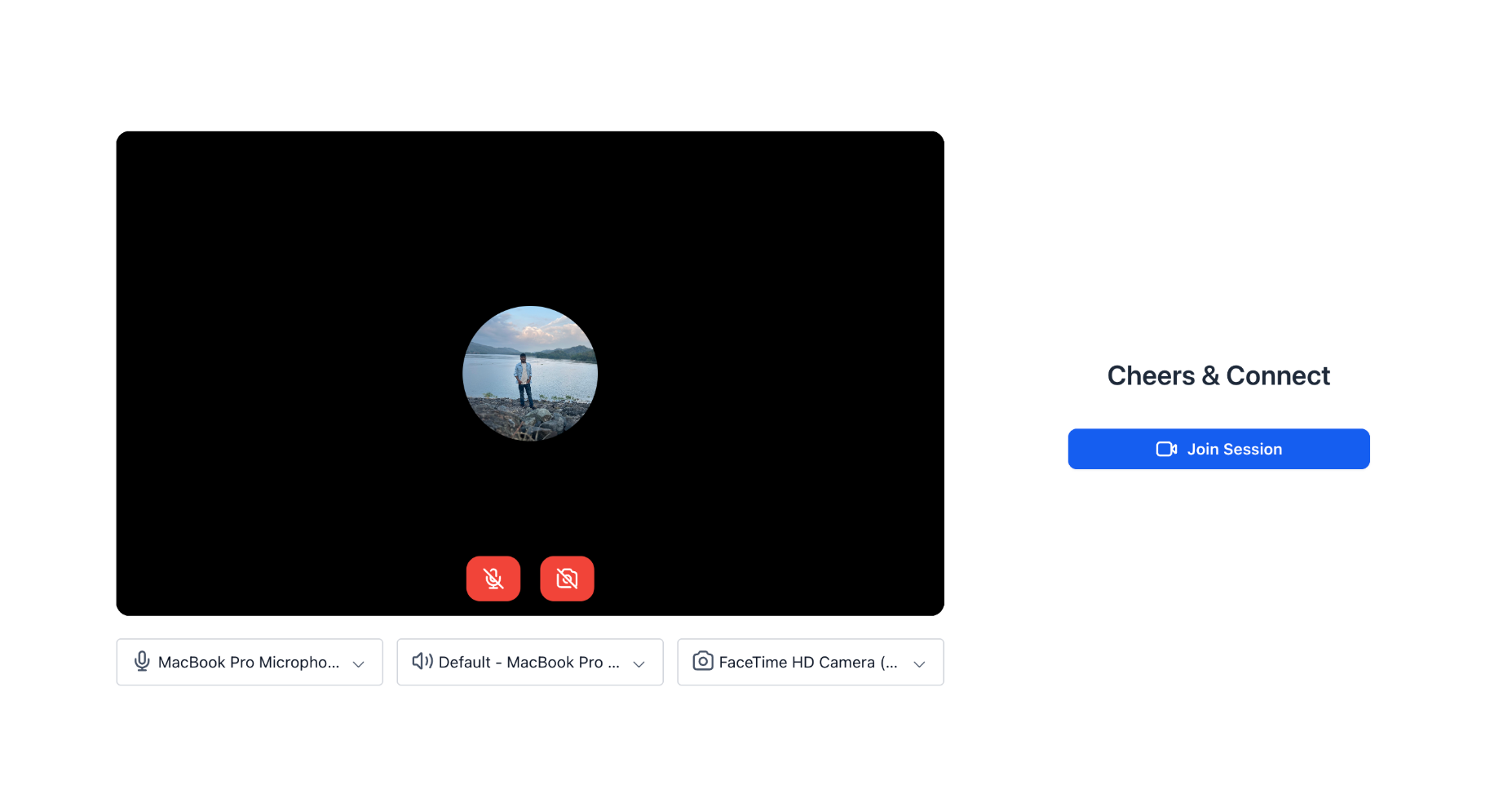
The joining experience is designed so that both tech-savvy and non-technical users can get into the room with minimal effort.
You can combine Meetings links with your existing HighLevel tools—for example, sending links via email/SMS campaigns or including them in membership areas and Communities posts where live sessions are expected.
Track Your Meeting History
Meeting history helps you keep a record of what has already happened so you can follow up effectively, analyze engagement, and maintain an audit trail when needed.
This visibility is especially important for recurring programs where you want proof of delivery—for example, coaching packages that promise a certain number of sessions or internal training meetings that need attendance logs.
Built to Just Work
The main goal of Meetings is to remove the hidden "link management" work that often sits between you and a smooth call.
Unlike one-time links that are specifically created to be used once and then disabled, Meeting links remain usable for future sessions so long as you keep using that Meeting.
The same URL works across multiple sessions, so you don't have to recreate or rotate the meeting link every week or month.
Because the link is persistent, guests are far less likely to click an old calendar invite with a now-invalid URL or end up on an error page because a previous occurrence has passed.
You can still use HighLevel calendars, cancellation/reschedule rules, and notifications to manage when people meet with you, while pointing all of those reminders to a single Meeting link. This combination—persistent links plus HighLevel's scheduling tools—gives you both reliability (the room always works) and control (you still decide who can book and when).
How to Access Your Personal Meeting URL
Every user in HighLevel automatically gets a personal Meeting URL that you can share with clients or team members. This reusable link allows others to join your meetings without needing to create new URLs for each session.
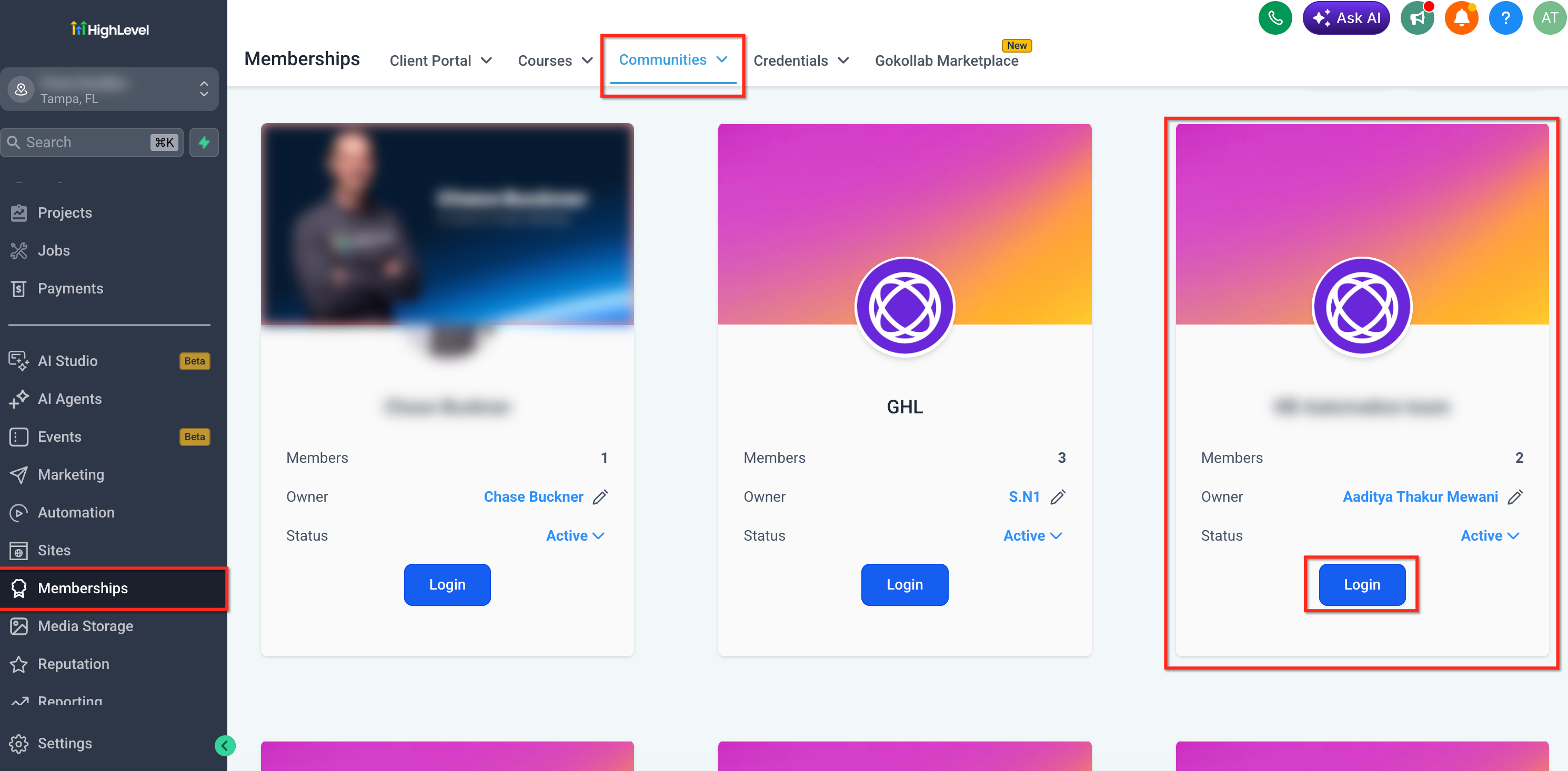
- In the left navigation menu, go to Memberships.
- Click on the Communities tab at the top of the page.
- Select the community where you want to access your meeting settings.
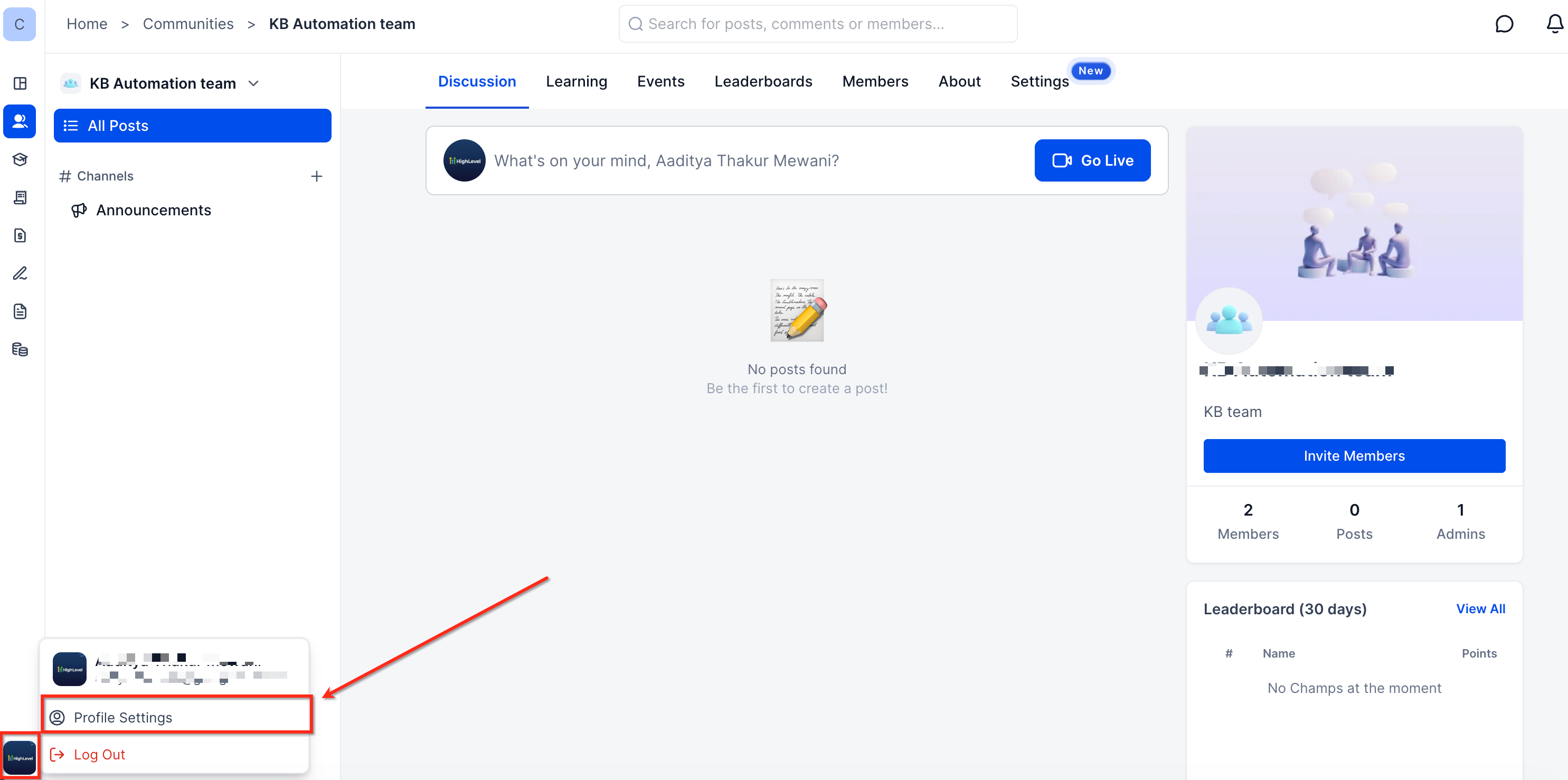
- Click on your profile icon (usually in the bottom-left corner) and select Profile Settings.
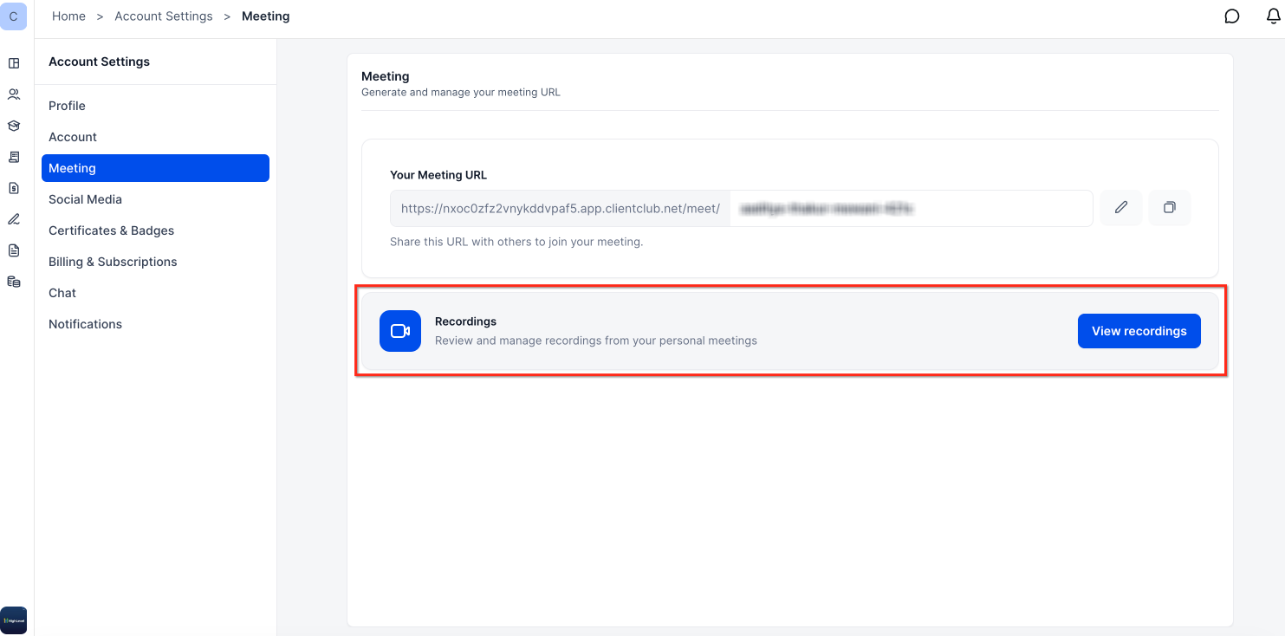
- In the Account Settings sidebar, click on Meeting.
- You'll see a section titled "Your Meeting URL" with your personal, reusable meeting link.
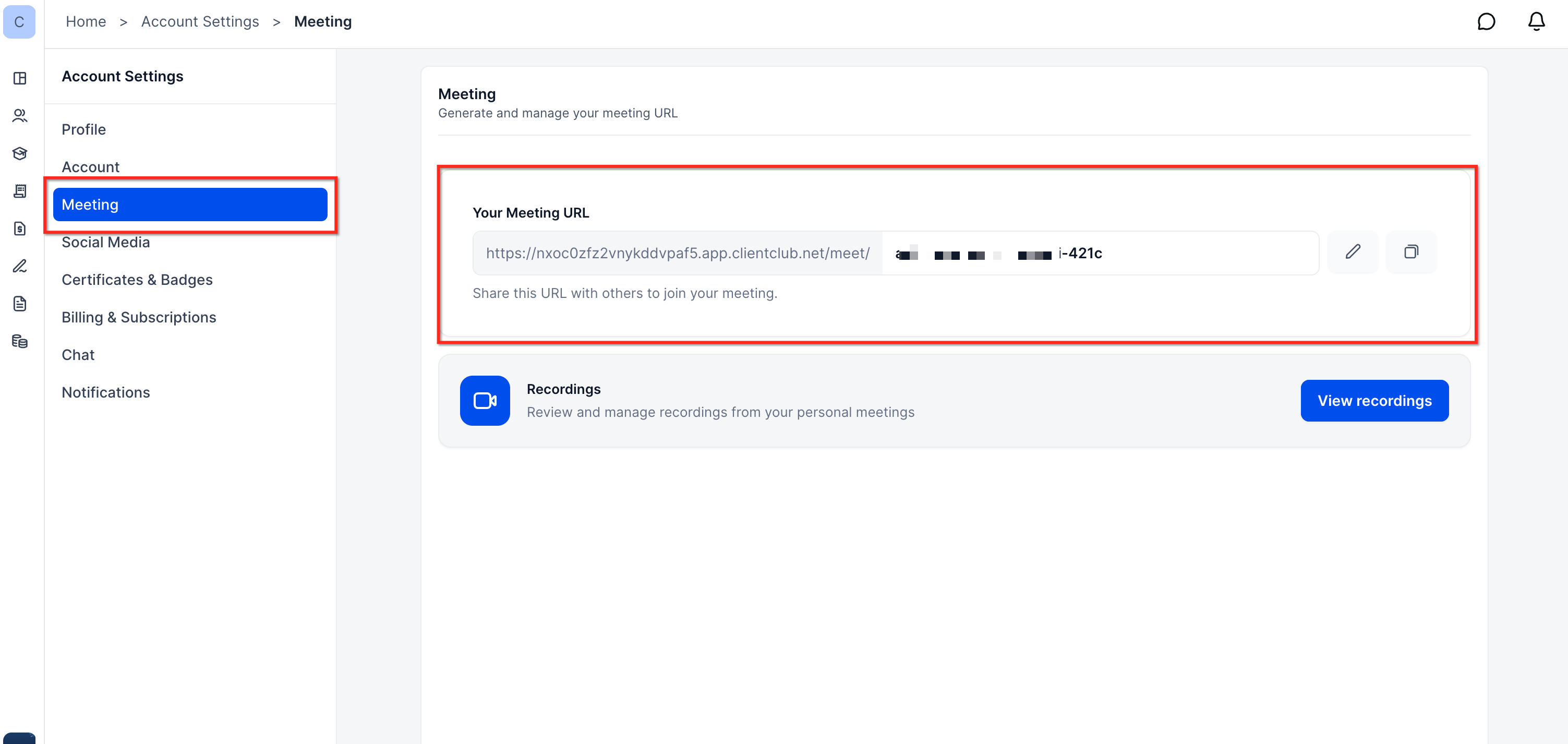
- Click the Copy icon next to your Meeting URL to copy it to your clipboard.
- Share this link with clients, team members, or anyone you want to meet with.
- You can use the same link for all future meetings—no need to generate new URLs for each session.
Add your personal Meeting URL to your email signature, calendar invites, or automated workflows so clients always have an easy way to join your meetings.
- In the same Meeting section, you'll see a Recordings card.
- Click View recordings to review and manage recordings from your personal meetings.
- This is helpful for reviewing past sessions, sharing replays with attendees, or keeping records for compliance or training purposes.
Frequently Asked Questions
Was this article helpful?
That’s Great!
Thank you for your feedback
Sorry! We couldn't be helpful
Thank you for your feedback
Feedback sent
We appreciate your effort and will try to fix the article