This article explains how White Label partners can access and share Grey Label API Documentation from the LeadConnector domain. It covers what changed, why the LeadConnector-hosted documentation is useful, how it helps reduce HighLevel branding exposure in customer-facing developer resources, and when partners should use it with customers, external developers, or integration teams.
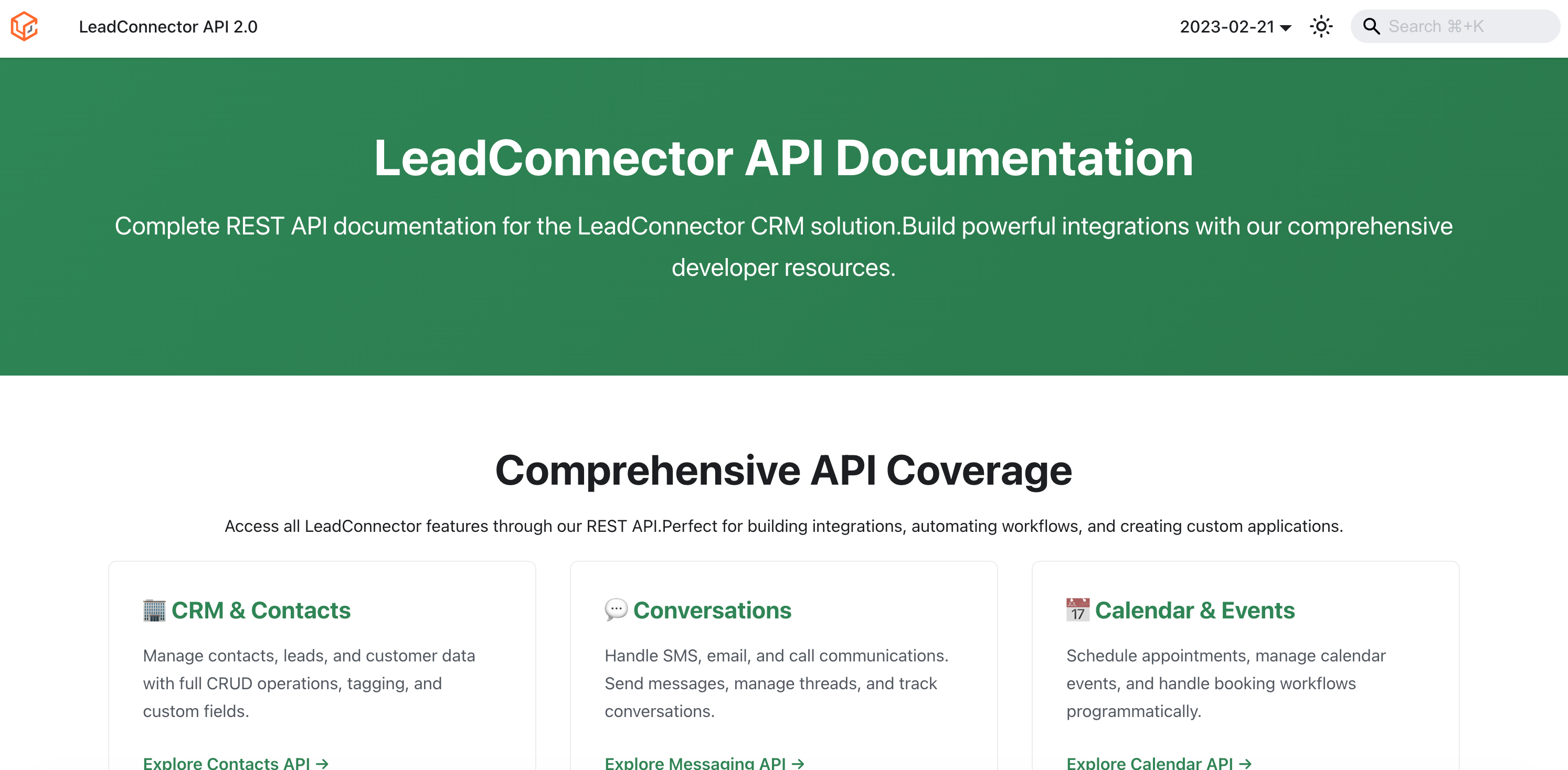
You can access the LeadConnector API Documentation here.
TABLE OF CONTENTS
- What is Grey Label API Documentation on the LeadConnector Domain?
- Key Benefits of Grey Label API Documentation
- When To Use the LeadConnector API Documentation
- LeadConnector API Documentation vs. API/Branded Domain
- How To Set Up Grey Label API Documentation Access
- Frequently Asked Questions
What is Grey Label API Documentation on the LeadConnector Domain?
Grey Label API Documentation gives White Label partners a developer documentation experience hosted on the LeadConnector domain. This allows agencies and partners to share API documentation with customers, developers, and integration teams without exposing HighLevel-specific branding in customer-facing resources.
API documentation is now available at the LeadConnector documentation site, giving partners a cleaner and more consistent way to support external development and integration workflows. This update is designed for agencies that need a more branded developer experience while still giving technical users access to the API reference materials they need.
Key Benefits of Grey Label API Documentation
Grey Label API Documentation helps partners create a more seamless technical experience for customers and external developers. By using the LeadConnector-hosted documentation, agencies can reduce brand confusion, simplify documentation sharing, and keep developer workflows aligned with White Label environments.
- Grey-labeled developer experience: Share API documentation from the LeadConnector domain without customer-facing HighLevel-specific branding.
- Easier documentation sharing: Provide customers, developers, and integration partners with a direct documentation link that better supports White Label use cases.
- Consistent partner experience: Keep developer documentation aligned with Grey Label and White Label environments.
- Reduced brand exposure: Help prevent customers from seeing platform-specific references when reviewing API documentation.
- Improved integration workflows: Make it easier for technical teams to access API documentation while building or maintaining integrations.
When To Use the LeadConnector API Documentation
The LeadConnector API documentation is best suited for partner-led, customer-facing, or external developer scenarios where a grey-labeled experience is preferred. It gives technical users access to API documentation while helping agencies maintain a more branded customer experience.
Use the LeadConnector API documentation when:
- Sharing API documentation with customers
- Providing documentation to an external developer or integration partner
- Supporting White Label or Grey Label customer environments
- Helping a customer’s technical team review API capabilities
- Reducing HighLevel-specific branding exposure in shared developer resources
For general developer resource navigation, partners may also reference the existing HighLevel API documentation and Developer Resources articles in the Help Center. The HighLevel API Documentation article remains the main Help Center resource for API documentation context, while the LeadConnector documentation link provides the grey-labeled documentation experience.
LeadConnector API Documentation vs. API/Branded Domain
The LeadConnector API documentation and the API/Branded Domain are different tools that serve different purposes. Understanding the difference helps prevent confusion when configuring branded experiences or sharing developer documentation.
LeadConnector API Documentation is the hosted documentation experience available at the LeadConnector domain. It is used for viewing and sharing grey-labeled API documentation.
API/Branded Domain is used to customize system-generated links in HighLevel, such as branded links sent from system-generated communications. It is not required to access or share the LeadConnector API documentation. The API/Branded Domain setup is covered separately in the Branding System-Generated Links article.
Important: No DNS or custom domain setup is required to access the LeadConnector API documentation.
Screenshot Placeholder: Add a comparison screenshot or callout graphic showing “LeadConnector API Documentation” versus “API/Branded Domain” to clarify the difference between documentation access and branded system-generated links.
How To Set Up Grey Label API Documentation Access
Accessing Grey Label API Documentation does not require a setup process inside HighLevel. Partners can open the LeadConnector documentation link and share it directly with customers, developers, or integration teams as needed.
To access and share the LeadConnector API documentation:
- Open the LeadConnector API documentation.
- Review the available API documentation based on the integration or development use case.
- Share the LeadConnector documentation link with customers, external developers, or integration partners when a grey-labeled documentation experience is preferred.
- Use the documentation alongside relevant Help Center resources, such as Private Integrations or Developer Marketplace setup, when building custom integrations or Marketplace apps. Private Integrations are used for secure custom connections, while Developer Marketplace resources support app development workflows.
- Confirm with the developer or customer which API areas, authentication method, scopes, or endpoints they need before beginning implementation.
Frequently Asked Questions
Q: Does this update change existing API functionality?
No. Based on the release note, this enhancement is focused on documentation hosting, branding, and reference updates. It does not indicate changes to API behavior, authentication, scopes, endpoints, or existing integrations.
Q: Do existing integrations need to be updated?
Existing integrations do not need to be updated solely because the documentation is now available on the LeadConnector domain. Developers should only update integrations if a separate API release or endpoint change requires it.
Q: Who should use the LeadConnector API documentation?
White Label partners, agencies, customers, external developers, and integration partners can use the LeadConnector documentation when a grey-labeled documentation experience is preferred.
Q: Can partners share the LeadConnector API documentation with customers?
Yes. The purpose of this enhancement is to help partners share API documentation directly with customers and developers without exposing HighLevel-specific branding in the documentation experience.
Q: Is a custom domain required to use the LeadConnector API documentation?
No. The documentation is already hosted on the LeadConnector domain. Partners do not need to configure DNS, an API/Branded Domain, or a whitelabel domain to access it.
Q: Is the LeadConnector API documentation the same as the API/Branded Domain?
No. The LeadConnector API documentation is used for viewing and sharing developer documentation. The API/Branded Domain is used for branding system-generated links.
Q: Should I use the LeadConnector documentation or the HighLevel API documentation?
Use the LeadConnector documentation when sharing documentation in customer-facing, White Label, or Grey Label scenarios. Use Help Center API articles when you need broader guidance, explanations, or support resources.
Q: Does the LeadConnector documentation remove all HighLevel branding?
The release note states that HighLevel branding and references were removed from documentation pages and API references to align with a grey-labeled experience.
Was this article helpful?
That’s Great!
Thank you for your feedback
Sorry! We couldn't be helpful
Thank you for your feedback
Feedback sent
We appreciate your effort and will try to fix the article