API Development
TypeScript/JavaScript SDK for OAuth 2.0 Automation
A developer-friendly SDK that automates OAuth 2.0 workflows, token management, and API integration for seamless app development.
What You'll Learn
The TypeScript/JavaScript SDK from HighLevel's API Center of Excellence streamlines OAuth 2.0 integration by automating app installations, token refreshes, and de-installation workflows. This guide covers the SDK's core capabilities, integration process, and how it simplifies authentication management for developers.
You'll discover how the database-agnostic design, embedded sample code, and automated SDK generation reduce complexity and support tickets while keeping your applications current with API updates.
1
What is the TypeScript/JavaScript SDK?
The TypeScript/JavaScript SDK is a solution from HighLevel's API Center of Excellence that streamlines OAuth 2.0 integration for developers. It automates critical aspects of OAuth workflows—including app installations, daily token refreshes, and de-installation processes—allowing you to focus on building applications without manually managing authentication.
Published on NPM as @gohighlevel/api-client, the SDK supports all public APIs and includes embedded sample code to accelerate implementation. Its database-agnostic design integrates seamlessly with your existing infrastructure, while automated SDK generation ensures alignment with API updates.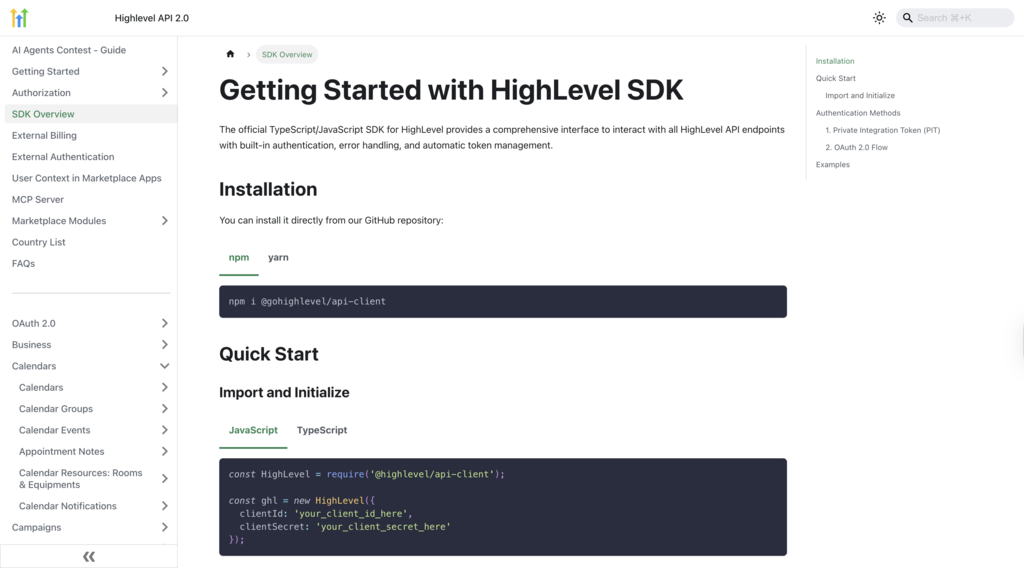
The SDK enhances your development process by providing automated, secure, and scalable authentication management that reduces complexity and accelerates time-to-market.
Full OAuth 2.0 Automation — Handles all app-installation scenarios including sub-account installations, bulk agency installations, and future automated installations without manual intervention.
Automatic Token Refresh — Refreshes tokens daily upon expiry to maintain uninterrupted API connectivity and authentication.
Database-Agnostic Design — Integrates with your preferred token management solution, ensuring compatibility with existing infrastructure.
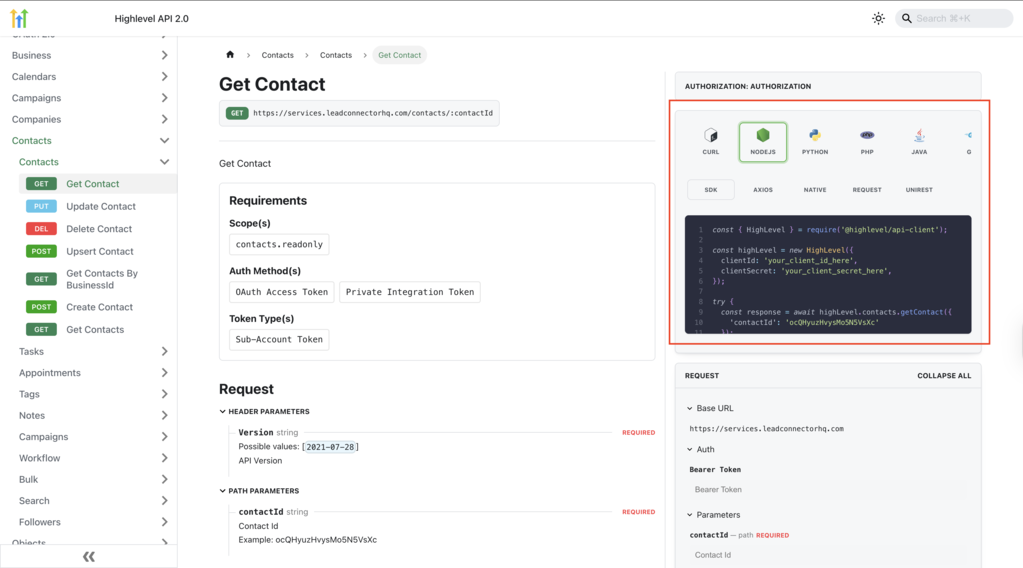
Embedded Sample Code — Provides practical code snippets for all public APIs, speeding up implementation and reducing trial-and-error.
Automated SDK Updates — Leverages fully automated SDK generation to evolve alongside API updates, ensuring continual alignment with feature enhancements.
Reduced Support Tickets — Abstracts complex OAuth 2.0 processes, minimizing implementation issues and support requests.
3
Automated OAuth 2.0 Management
The SDK abstracts the intricate OAuth 2.0 workflow by handling every step from app installation to token maintenance and uninstallation. This automation eliminates manual authentication management and ensures secure, reliable API access.
All Installation Scenarios — Manages sub-account installations, bulk agency installations, and future automated installation workflows.
Token Expiry Handling — Automatically refreshes tokens upon expiry to secure uninterrupted API access.
De-Installation Workflows — Streamlines app removal processes for enhanced security and proper cleanup.
4
Database-Agnostic Token Management
The SDK's flexible architecture allows you to integrate any database for token storage and management, ensuring seamless compatibility with your existing infrastructure and development preferences.
Universal Database Support — Connects effortlessly with your preferred database system without requiring specific storage solutions.
Consistent Token Handling — Ensures reliable token management regardless of underlying storage technology.
Scalable Configuration — Offers customizable options to meet varied application needs and scaling requirements.
5
Integration with Public APIs and Embedded Samples
The SDK supports every public API endpoint in HighLevel, embedding practical code snippets directly within API documentation to accelerate your implementation efforts and reduce setup complexity.
Complete API Coverage — Provides out-of-the-box integration with all public endpoints.
Embedded Sample Code — Features ready-to-use code snippets that reduce setup time and clarify proper usage patterns.
Smoother Onboarding — Facilitates faster learning for developers new to the HighLevel API ecosystem.
6
Automated SDK Generation
The SDK is designed to evolve alongside HighLevel's API offerings through fully automated generation processes. This ensures the SDK remains current with new features and changes without requiring manual updates from developers.
Self-Updating Capability — Automatically regenerates to align with API modifications and new endpoint releases.
Minimal Maintenance — Reduces the need for manual updates, keeping your development environment current without additional effort.
Latest Improvements — Empowers developers with immediate access to new API features and enhancements as they become available.
Getting Started
Ready to Automate Your OAuth 2.0 Workflows?
Follow the setup steps below to integrate the SDK into your TypeScript or JavaScript projects and start building with automated authentication.
A streamlined setup process ensures you can quickly integrate automated OAuth 2.0 handling into your TypeScript or JavaScript projects. Follow these steps to get started.
Step 1
Install the SDK via NPM
Run the following command in your terminal to install the SDK package:
npm install @gohighlevel/api-client
Step 2
Import the SDK into Your Project
Add the following import statement to your TypeScript or JavaScript file:
import { HighLevel } from '@gohighlevel/api-client';
Step 3
Configure OAuth 2.0 Credentials
Provide your app credentials and redirect URIs, setting appropriate permissions that align with your application's needs.
Step 4
Integrate Your Preferred Database
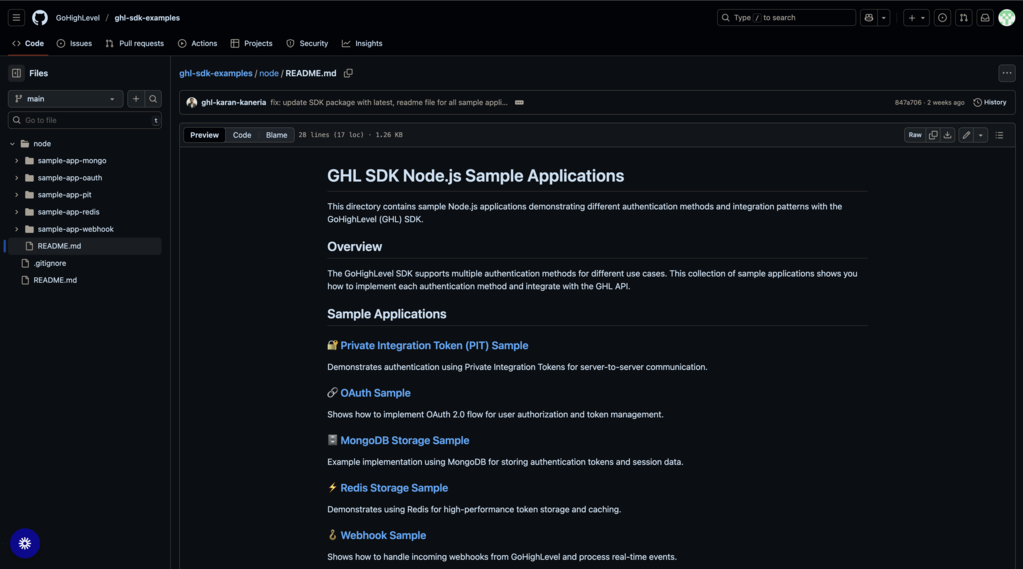
Configure token storage by integrating your chosen database solution, taking advantage of the SDK's database-agnostic design. The SDK includes sample implementations for MongoDB and Redis to help you get started.
Step 5
Test API Connectivity
Run a test API call using the sample code provided in the documentation to verify that token management and API connectivity work seamlessly.
Additional Resources
For advanced configurations, troubleshooting, and detailed implementation examples, consult the documentation available in the dedicated SDK repository and the Getting Started with SDKs guide.
8
Frequently Asked Questions
Q: What processes does the SDK automate?
The SDK automates OAuth 2.0 workflows including all installation scenarios (sub-account, bulk agency, and future automated installations), scheduled token refreshes upon expiry, and uninstallation procedures.
Q: How does the token refresh mechanism function?
The SDK automatically refreshes tokens upon expiry, ensuring continuous authentication without manual intervention. This daily refresh process maintains uninterrupted API connectivity.
Q: Can I use my existing database solution with this SDK?
Yes, the SDK's database-agnostic design allows you to integrate your preferred database for token management, ensuring compatibility with your existing infrastructure and development stack.
Q: Where can I find comprehensive documentation and sample projects?
Q: Are SDKs for other programming languages planned?
HighLevel plans to launch SDKs for PHP and Python, incorporating feedback from the developer community. These additional language options will follow the same automated OAuth 2.0 management approach.
Q: How can I provide feedback or report issues?
You can share feedback or report issues through HighLevel's community channels referenced in the SDK documentation, or by opening issues on the GitHub repository.
Q: Does the SDK support all HighLevel API endpoints?
Yes, the SDK supports all public APIs in the HighLevel platform, with embedded sample code provided in the documentation for each endpoint to accelerate implementation.
Q: How does automated SDK generation benefit developers?
Automated SDK generation ensures the SDK evolves alongside API updates, providing immediate access to new features and changes without requiring manual updates or maintenance from developers.