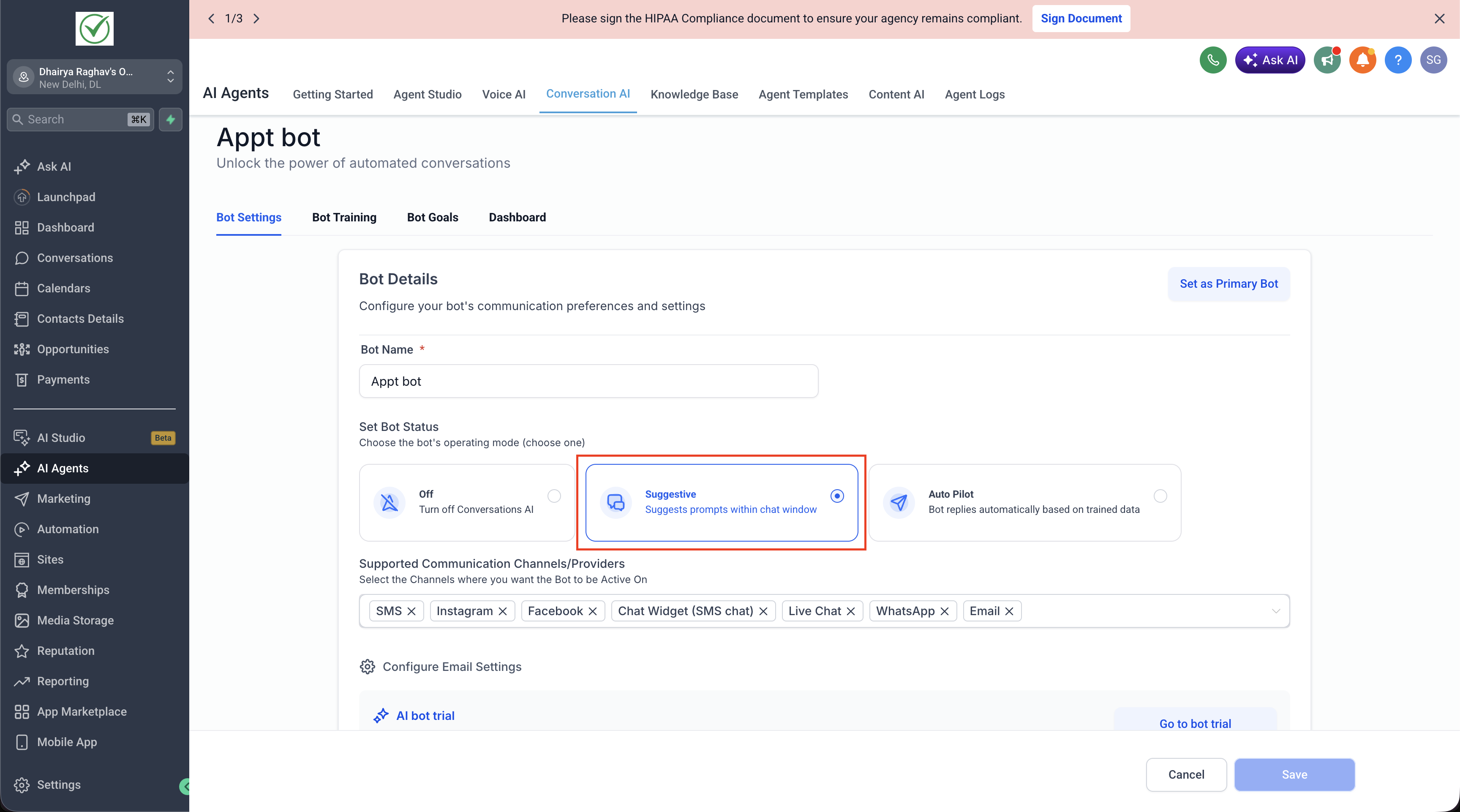
Conversations AI - Suggestive Mode

Modified on: Wed, 20 May, 2026 at 5:42 AM

Suggestive Mode

Suggestive mode is one of the three operating modes for a Conversation AI bot: off, suggestive, and auto-pilot.


How it works

When a bot is set to suggestive mode, it drafts reply messages for incoming conversations but does not send them automatically. A human agent reviews each draft, edits it if needed, and manually sends it.


When to use it

  • You want AI assistance without fully automated responses
  • A human needs to approve messages before they reach the customer
  • You're testing a new bot's output before going fully automated


How to enable it


From the UI

Go to:
AI Agents → Conversation AI → Select your bot → Set Mode to Suggestive


From the Public API

Pass mode as suggestive in the create or update employee API request.

Example:

{
"mode": "suggestive"
}


From Ask AI

Simply say:

“Create a Conversation AI agent in suggestive mode”


Notes

  • This is the default mode when no mode signal is detected during onboarding — it's the safest starting point
  • To switch to fully automated responses, update the bot’s mode to auto-pilot

Was this article helpful?

That’s Great!

Thank you for your feedback

Sorry! We couldn't be helpful

Thank you for your feedback

Let us know how can we improve this article!

Select at least one of the reasons
CAPTCHA verification is required.

Feedback sent

We appreciate your effort and will try to fix the article