Pay Per Sale commissions for Forms, Surveys, and Calendars allow you to reward affiliates when a tracked contact completes a qualifying purchase. Instead of paying only for a lead submission or booking, Affiliate Manager can connect affiliate-driven activity to real revenue. This helps businesses build sales-focused affiliate campaigns using more customer acquisition channels in HighLevel.
TABLE OF CONTENTS
- What is Pay Per Sale for Forms, Surveys, and Calendars?
- Key Benefits of Pay Per Sale for Forms, Surveys, and Calendars
- Pay Per Lead vs. Pay Per Sale
- Commission Types for Pay Per Sale
- Product-Based Attribution
- Pay Per Sale for Calendar Bookings
- How To Setup Pay Per Sale for Forms, Surveys, and Calendars
- Frequently Asked Questions
- Related Articles
What is Pay Per Sale for Forms, Surveys, and Calendars?
Pay Per Sale allows affiliates to earn commissions when a contact submits a Form, completes a Survey, or books a Calendar through an affiliate link and then completes a qualifying purchase within the tracking window. This gives businesses a revenue-based commission option for campaign sources that were commonly used for lead generation.
Key Benefits of Pay Per Sale for Forms, Surveys, and Calendars
Pay Per Sale helps align affiliate payouts with actual revenue outcomes. This is useful when you want affiliates to focus on generating customers instead of only driving submissions or bookings.
- Revenue-Based Rewards: Pay affiliates when their referred contacts complete a qualifying purchase.
- Flexible Commission Setup: Choose a flat dollar amount or a percentage of the sale value.
- Expanded Acquisition Channels: Use Forms, Surveys, and Calendars as sales-driven affiliate campaign sources.
- Improved ROI Tracking: Connect affiliate activity to revenue impact instead of only lead volume.
- Duplicate Reward Prevention: Keep Pay Per Lead and Pay Per Sale mutually exclusive to avoid paying twice for the same journey.
- Product-Based Attribution: Track sales only for associated products when products are configured.
Pay Per Lead vs. Pay Per Sale
Pay Per Lead and Pay Per Sale support different affiliate program goals. Choosing the correct model helps ensure affiliates are rewarded for the action that matters most to your business.
- Pay Per Lead: Affiliates earn a commission when a contact submits a Form, completes a Survey, or books a Calendar through an affiliate link.
- Pay Per Sale: Affiliates earn a commission when a tracked contact completes a qualifying purchase within the tracking window.
Use Pay Per Lead when the goal is to reward lead generation. Use Pay Per Sale when the goal is to reward revenue generated from affiliate-driven contacts.
Important: Pay Per Lead and Pay Per Sale cannot both be enabled for the same Forms, Surveys, or Calendar campaign setup.Commission Types for Pay Per Sale
Pay Per Sale commissions can be configured based on how you want affiliates to be rewarded for each qualifying purchase. This gives you flexibility to match your commission structure to your offer, pricing, and affiliate strategy.
You can configure Pay Per Sale commissions using:
- Flat Amount ($): Affiliates earn a fixed commission amount for each qualifying sale.
- Percentage (%): Affiliates earn a percentage of the sale value.
For example, you may choose a flat commission when every sale has a similar value, or a percentage commission when sale values vary by product or package.Product-Based Attribution
Product-based attribution helps ensure affiliates are rewarded only for the products connected to the campaign setup. When associated products are configured, Pay Per Sale tracking applies to those products instead of every possible purchase.
Pay Per Sale supports product-based attribution for Forms, Surveys, and Calendars. If products are associated with the campaign setup, only sales for those associated products are tracked for commission eligibility.
For Forms and Surveys embedded inside Funnels or Websites, product tracking depends on the Funnel or Website product configuration:
- If the Funnel or Website has products, only those Funnel or Website products are considered for Pay Per Sale tracking.
- If the Funnel or Website does not have products, Form-level products are not automatically surfaced for Pay Per Sale tracking.
Pay Per Sale for Calendar Bookings
Calendar Pay Per Sale is designed for bookings that include payment. This ensures affiliate commissions are tied to a completed purchase instead of only a scheduled appointment.
Pay Per Sale applies to Calendars only when payment is enabled. If payment is not enabled for the Calendar, the booking may still be useful for lead tracking, but it does not qualify for Calendar-based Pay Per Sale commission tracking based on this release.
How To Setup Pay Per Sale for Forms, Surveys, and Calendars
Proper setup ensures affiliate links, tracking windows, campaign sources, products, and commission rules work together correctly. Review your campaign source and payment flow before enabling Pay Per Sale so affiliates are credited only for qualifying sales.
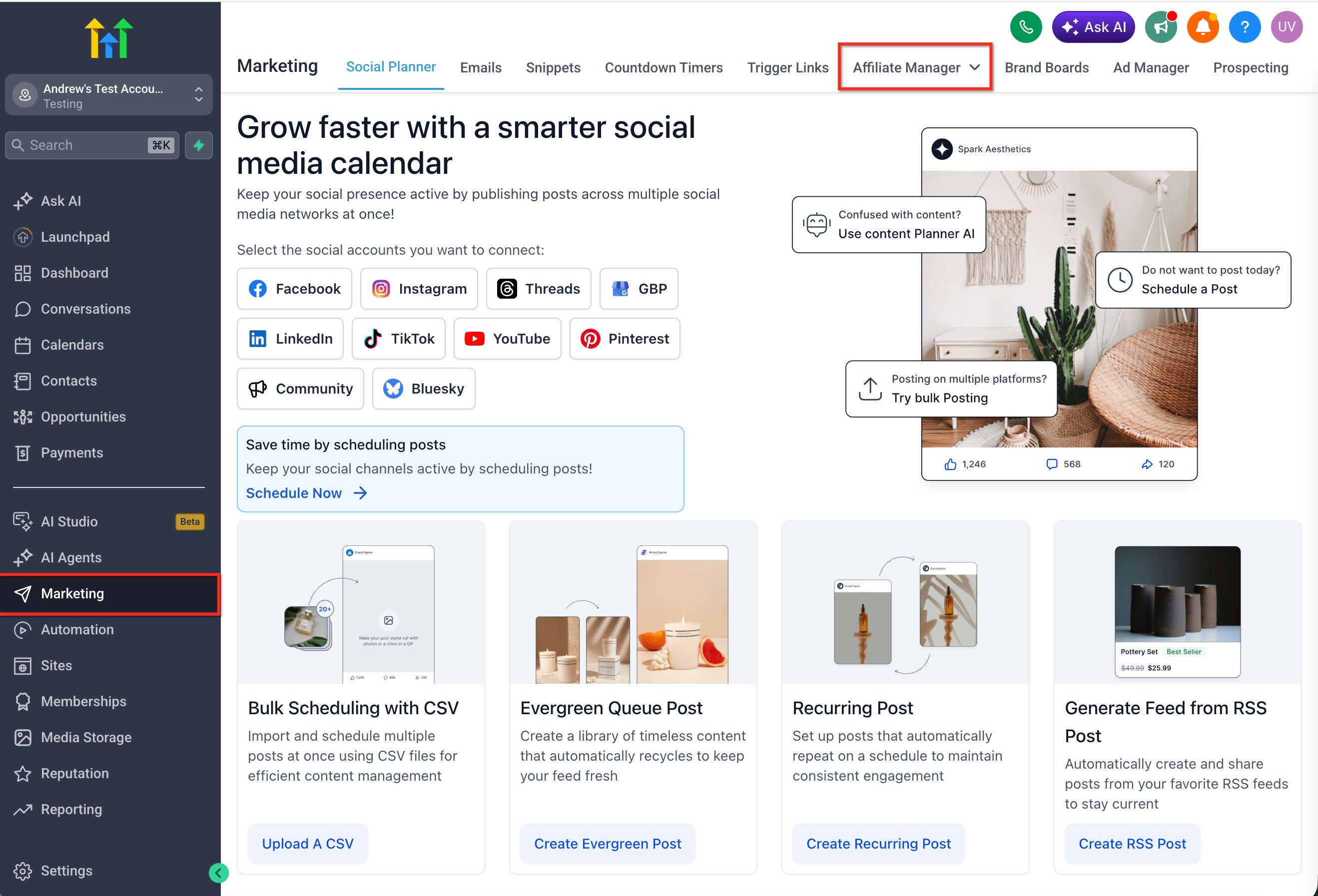
- Navigate to Marketing > Affiliate Manager in HighLevel.
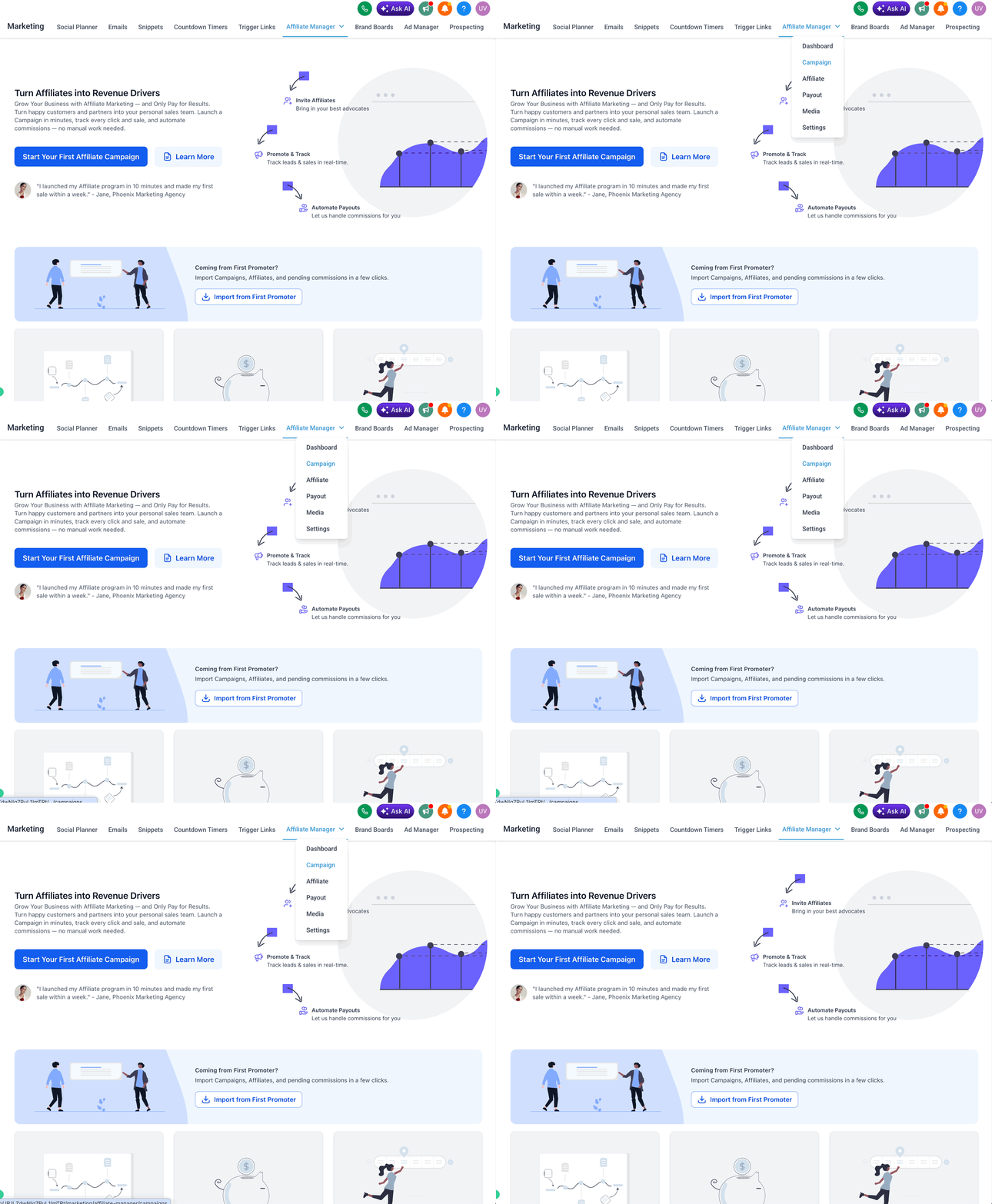
- Open the Campaigns area.
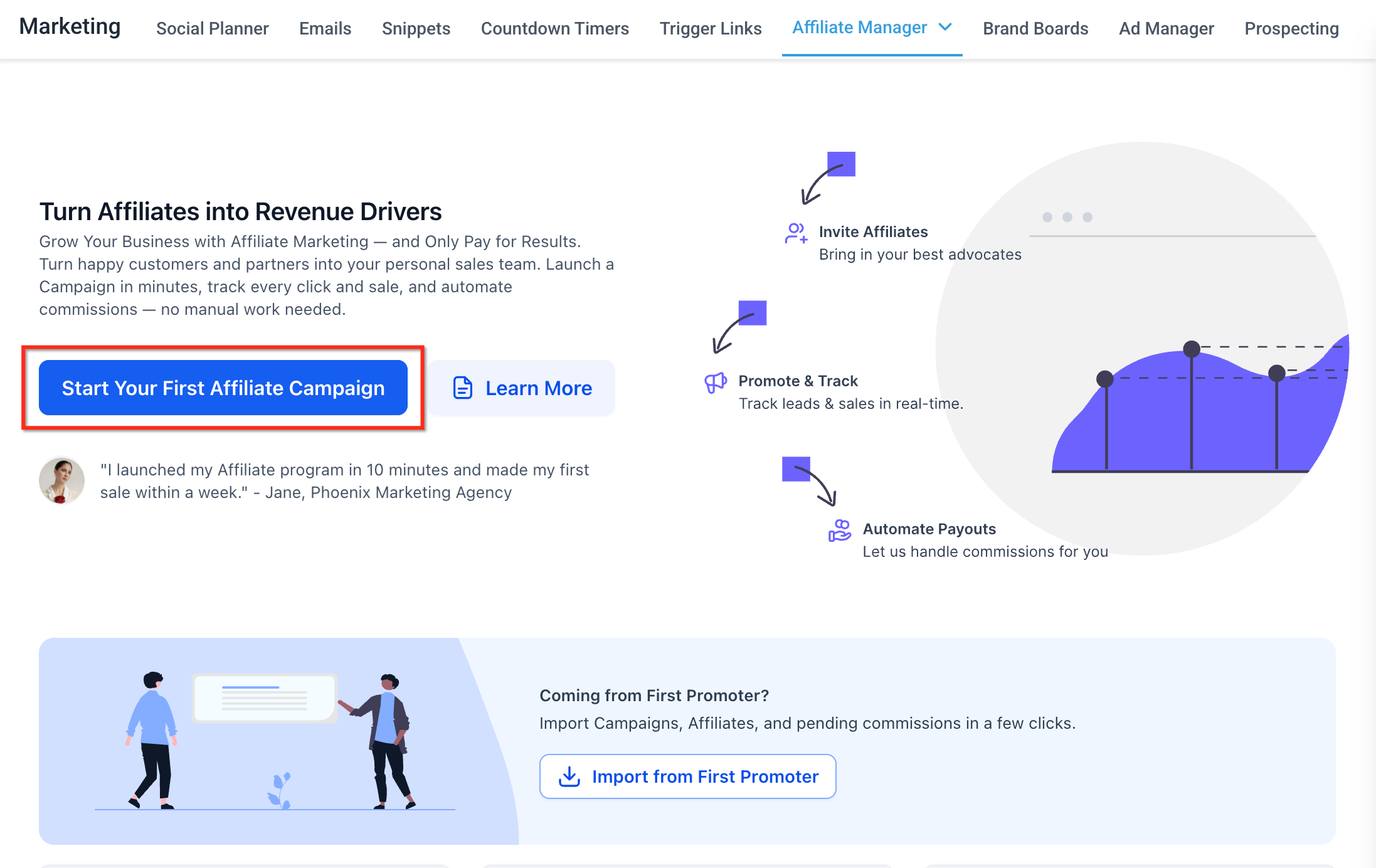
- Create a new affiliate campaign or open the campaign setup flow.
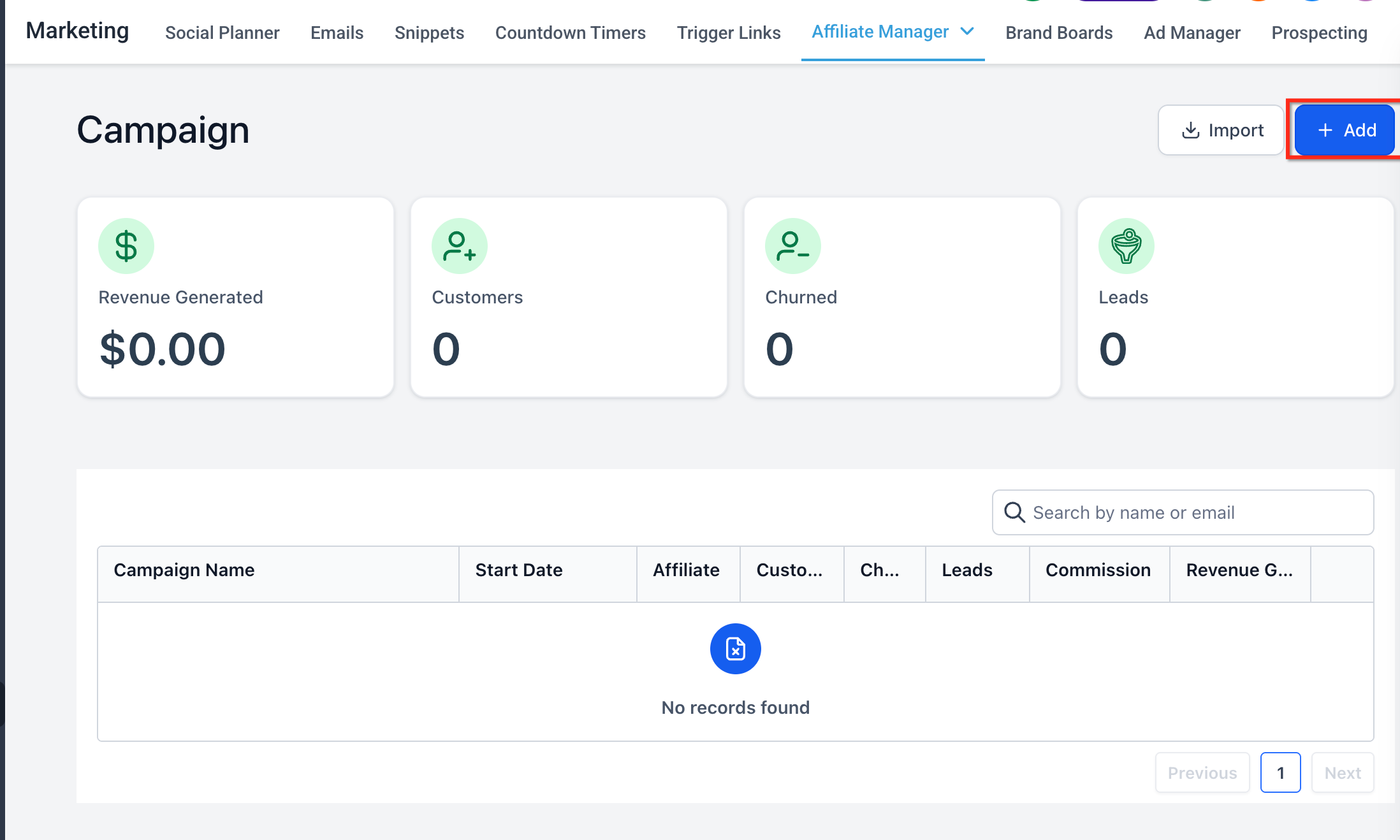
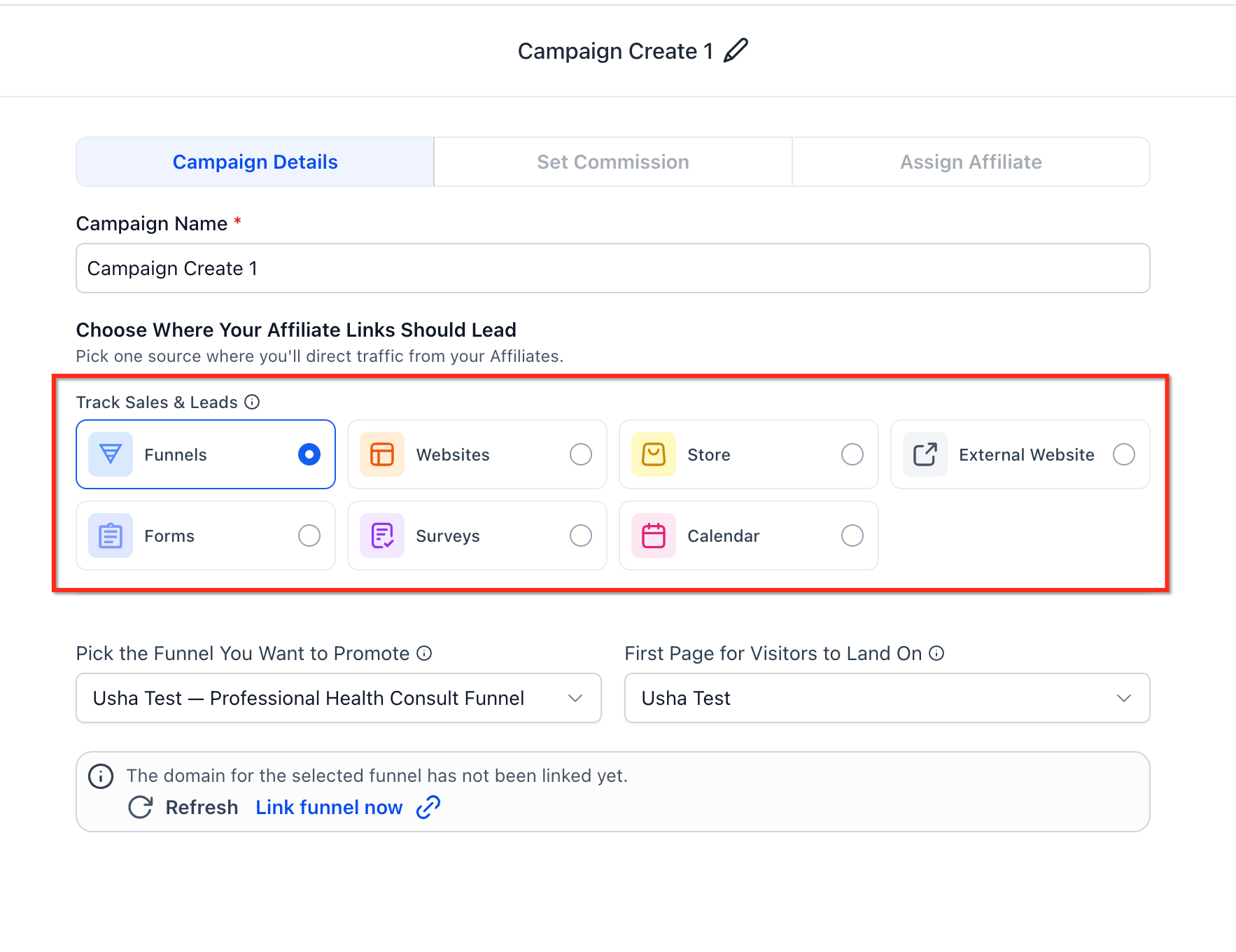
- Choose the campaign source: Forms, Surveys and Calendars.
- Select the specific Form, Survey, or Calendar that affiliates will promote.
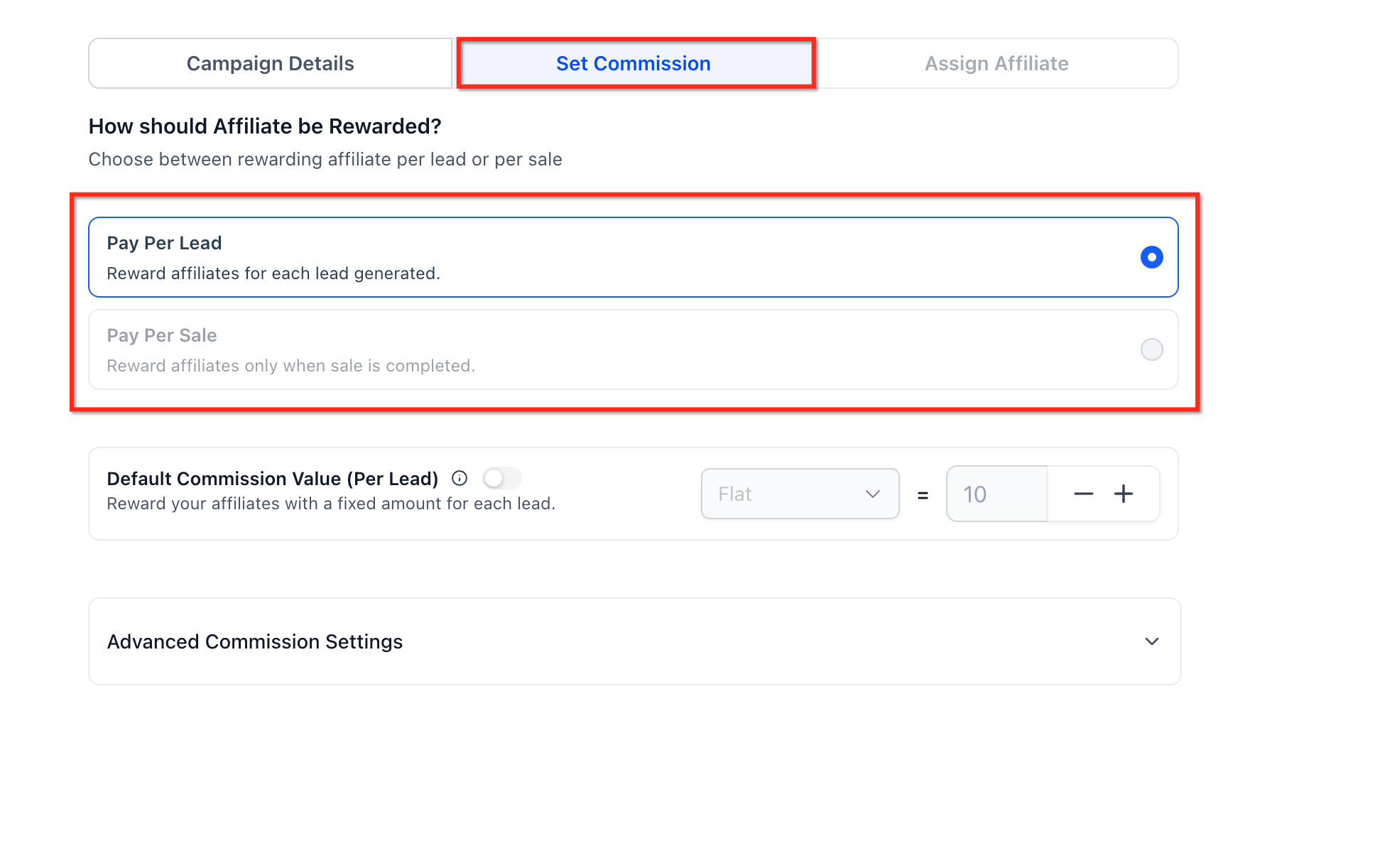
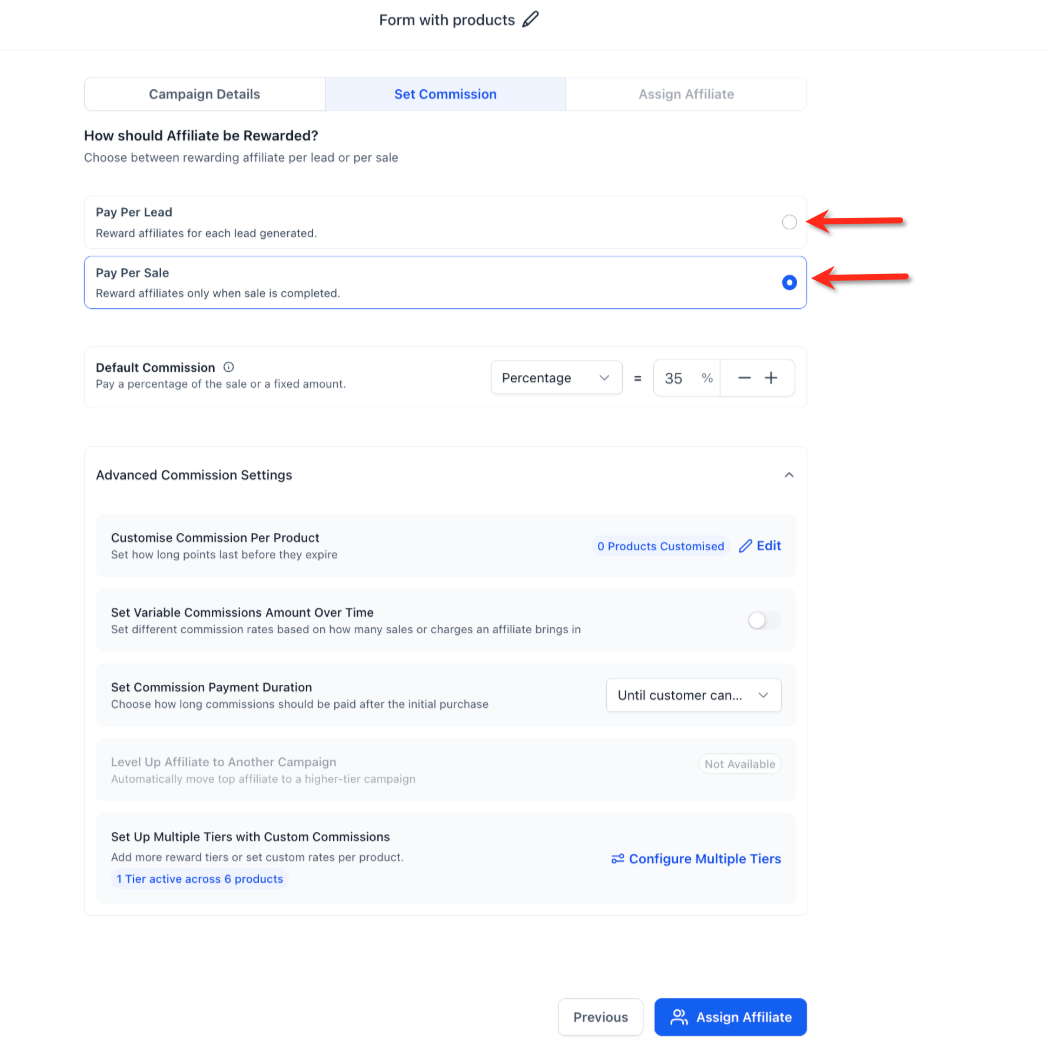
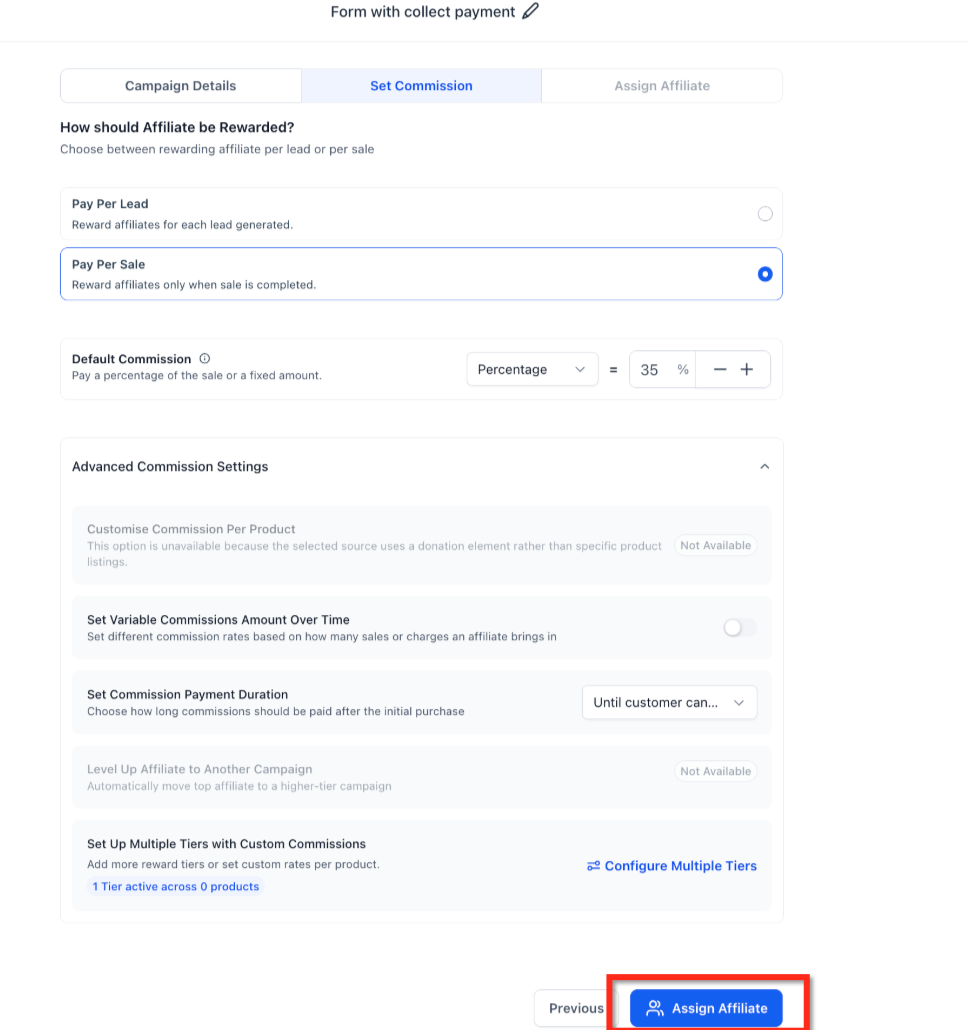
- In the commission setup, choose Pay Per Sale.
- Select the Pay Per Sale commission type: Flat amount ($) and Percentage (%) of the sale value.
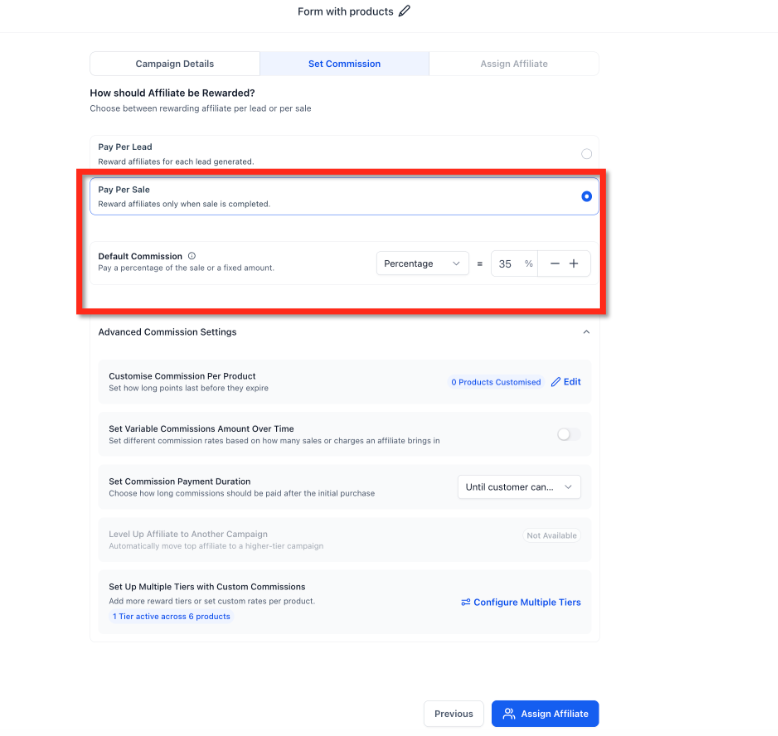
- Configure the commission value.
- Associate products if product-based tracking should apply.
- Review the tracking window settings for the campaign.
- Confirm that Pay Per Lead is not enabled for the same setup.
- For Calendar campaigns, confirm payment is enabled on the Calendar.
- Save or publish the campaign.
- Assign affiliates to the campaign and share their affiliate links.
Frequently Asked Questions
Q: Can I enable Pay Per Lead and Pay Per Sale together?
A: No. Pay Per Lead and Pay Per Sale are mutually exclusive for Forms, Surveys, and Calendar campaign setup. This prevents affiliates from receiving duplicate rewards for the same tracked journey.
Q: When does an affiliate earn a Pay Per Sale commission?
A: An affiliate can earn a commission when a contact submits a Form, completes a Survey, or books a Calendar through an affiliate link and then completes a qualifying purchase within the tracking window.
Q: Can I use a flat commission instead of a percentage?
A: Yes. Pay Per Sale commissions can be configured as either a flat dollar amount or a percentage of the sale value.
Q: Does Pay Per Sale work for Calendar bookings without payment?
A: No. For Calendars, Pay Per Sale applies only when payment is enabled.
Q: What happens when a Form or Survey is embedded inside a Funnel or Website?
A: If the Funnel or Website has products, only the Funnel or Website products are considered for Pay Per Sale tracking.
Q: Are Form-level products automatically used when a Form is embedded in a Funnel or Website with no products?
A: No. If the Funnel or Website has no products, Form-level products are not automatically surfaced for Pay Per Sale tracking.
Q: Can Pay Per Sale help reduce low-quality affiliate leads?
A: Yes. Since affiliates are rewarded when a qualifying sale occurs, Pay Per Sale can help align affiliate incentives with revenue instead of only submission volume.
Q: Should I use Pay Per Lead or Pay Per Sale?
A: Use Pay Per Lead when you want to reward submissions or bookings. Use Pay Per Sale when you want to reward affiliates only after a qualifying purchase.
Related Articles
Was this article helpful?
That’s Great!
Thank you for your feedback
Sorry! We couldn't be helpful
Thank you for your feedback
Feedback sent
We appreciate your effort and will try to fix the article