Requesting a Review for Template Category Reclassification
How to appeal when Meta reclassifies a Utility template as Marketing.
Overview
When submitting a WhatsApp message template under the Utility category, it may initially get approved as expected. However, Meta may automatically reclassify the template as Marketing after their internal review. This change can occur either instantly or over time.
This can happen if Meta's automated systems determine that the content aligns more with promotional messaging than transactional or service-related communication.
Good News: You Can Request a Review
Meta provides a 45-day window to manually appeal this reclassification. If your appeal is approved, the correct classification (utility) will be restored.
Steps to Raise a Review Request with Meta
Follow these steps to submit a review request via WhatsApp Manager:
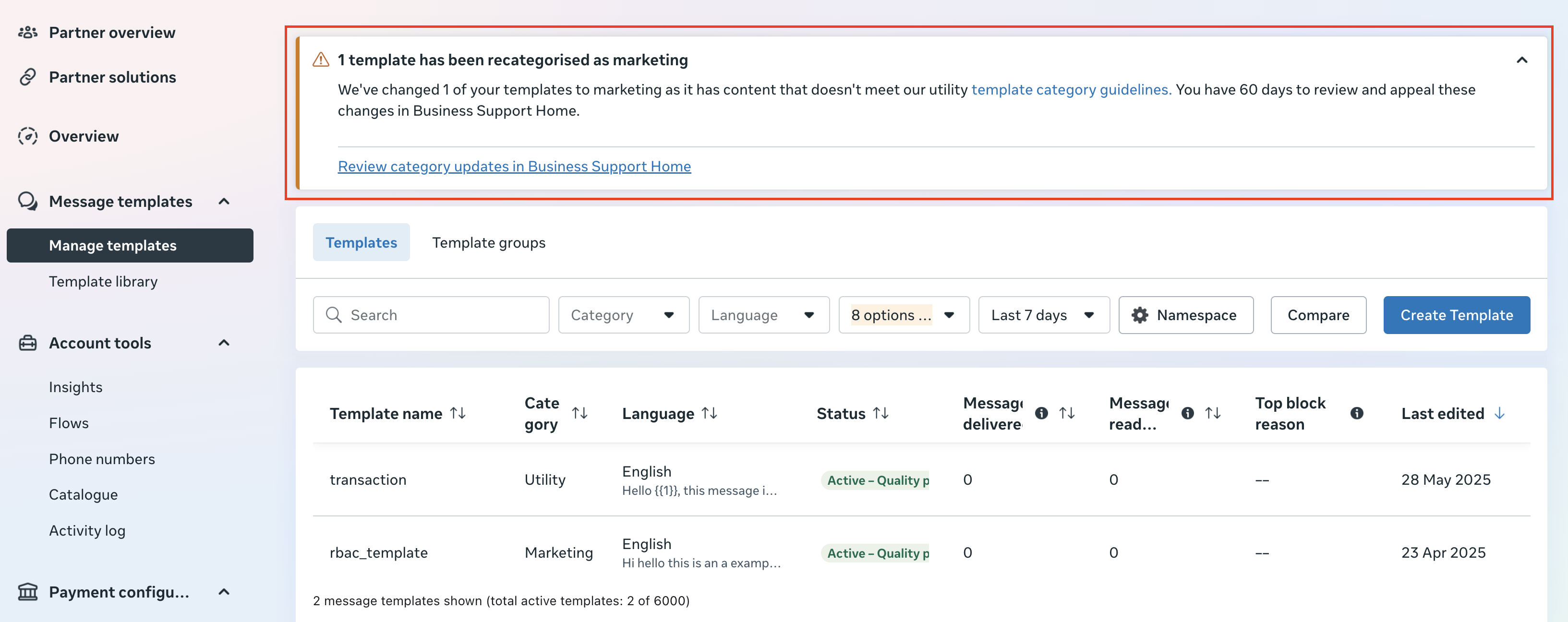
Go to Meta's WhatsApp Manager and log in with your Business Manager credentials, then go to the Manage Template tab for the affected Facebook Business account.
Go to Review category updates in Business Support Home, as highlighted below.
Select the template you wish to appeal, then click the "Request Review" button to submit it for evaluation.
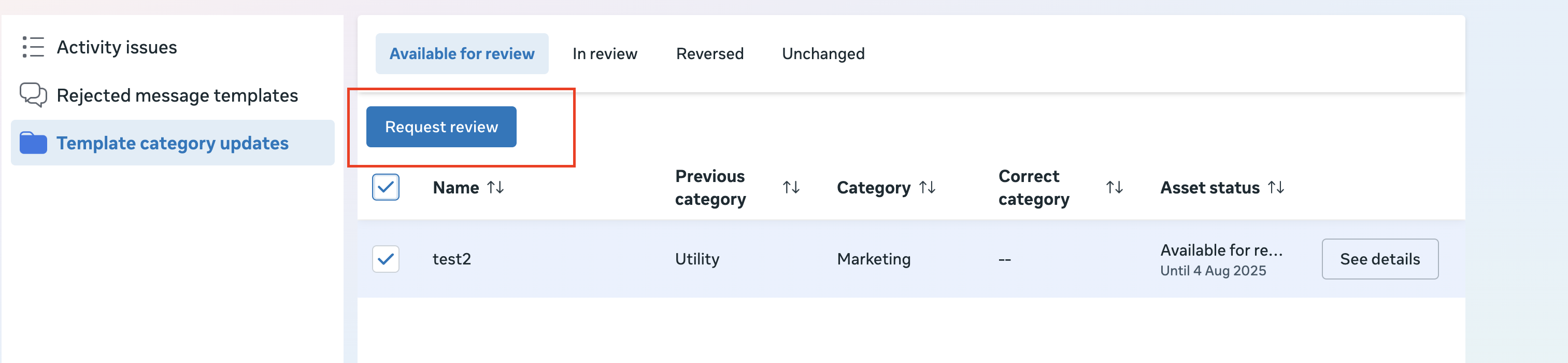
After the review request is submitted, the template will appear under the "In Review" tab. Meta will then evaluate the request and, if approved, update the template to the correct category.

Once the request is submitted, Meta will review it — typically within a few business days. Once Meta reviews and updates the category, the template will appear under the "Reversed" tab.

Best Practices to Avoid Reclassification
- Ensure your template content is strictly transactional or service-related
- Avoid any promotional language or call-to-action that might seem like marketing
- Use clear, concise wording focused on the user's request or account status
Was this article helpful?
That’s Great!
Thank you for your feedback
Sorry! We couldn't be helpful
Thank you for your feedback
Feedback sent
We appreciate your effort and will try to fix the article