You can automate sub-account creation in HighLevel using Zapier and the HighLevel API. This integration allows agencies to create new sub-accounts based on form submissions, workflow events, or other triggers without manually entering account details.
The integration uses Zapier Webhooks and HighLevel's supported APIs to create sub-accounts securely.
Important: Creating sub-accounts through the API requires the Founder Plan ($497/month), formerly Agency Pro, which includes Advanced API Access.
TABLE OF CONTENTS
- Prerequisites
- Step 1: Configure API Authentication
- Step 2: Create a Zap in Zapier
- Step 3: Configure a HighLevel Workflow
- Step 4: Configure the Create Sub-Account API Request
- Required API Headers
- Example Request Body
- Step 5: Test Sub-Account Creation
- Step 6: Add Users to the New Sub-Account
- Troubleshooting
- Frequently Asked Questions
- Related Articles
Prerequisites
Before getting started, ensure you have:
An active HighLevel Founder Plan subscription.
Agency-level access to HighLevel.
A Zapier plan that supports Webhooks.
An agency-level Private Integration Token (PIT) or OAuth 2.0 authorization.
The
locations.writeAPI scope.A form, workflow, or other event to trigger sub-account creation.
Note: The LeadConnector Zapier action "Add Account" was deprecated on February 21, 2022. Use Zapier Webhooks with the current HighLevel API instead.
Step 1: Configure API Authentication
HighLevel supports Private Integration Tokens and OAuth 2.0 for API authentication. For an internal agency integration using a Private Integration Token:
Open your HighLevel Agency account.
Navigate to Settings > Private Integrations.
Create a new agency-level Private Integration.
Assign the
locations.writescope.Generate and securely store the token.
Important: The token must be an agency-level token. Sub-account tokens cannot be used to create new sub-accounts.
For additional instructions, see Private Integrations: Everything You Need to Know.
Step 2: Create a Zap in Zapier
Configure a Zap to capture the information required to create a new sub-account.
Log in to Zapier and click Create Zap.
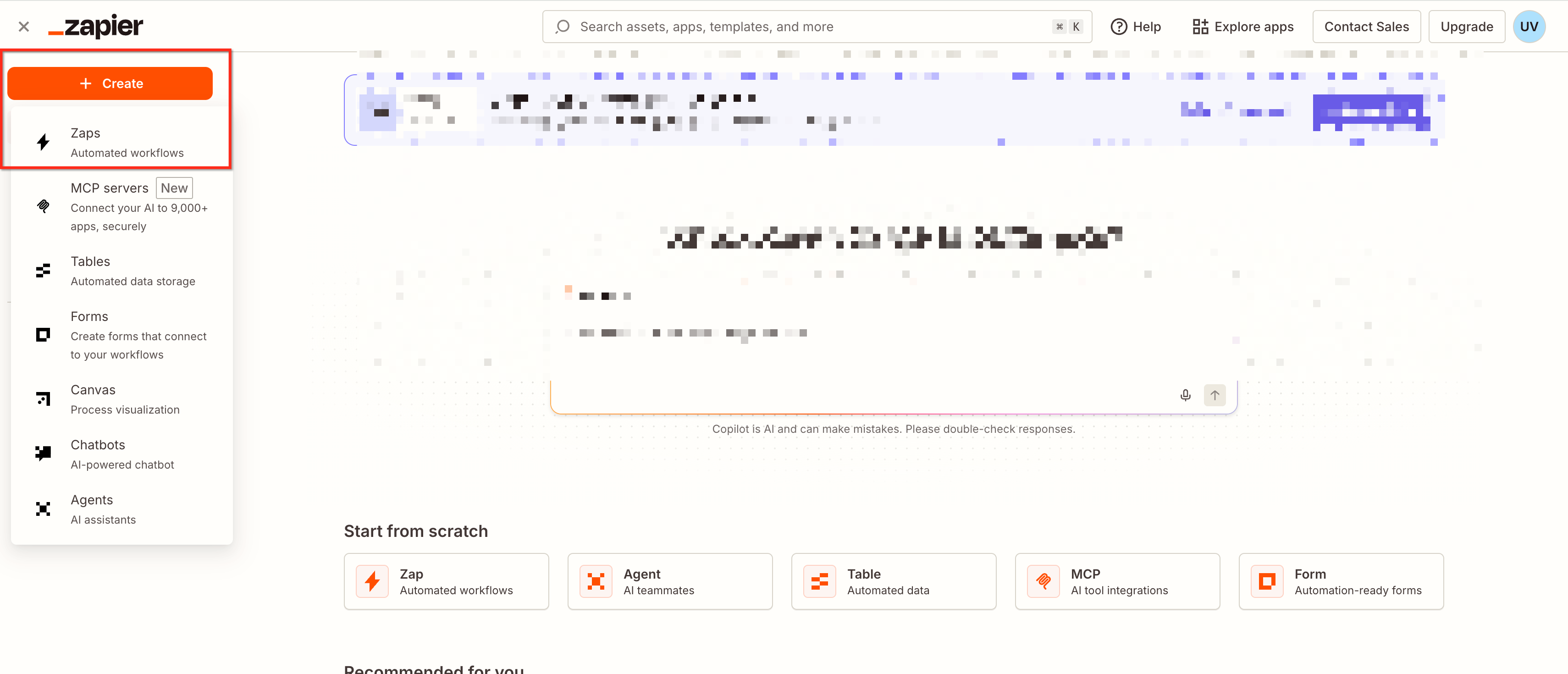
Select Webhooks by Zapier as the trigger.
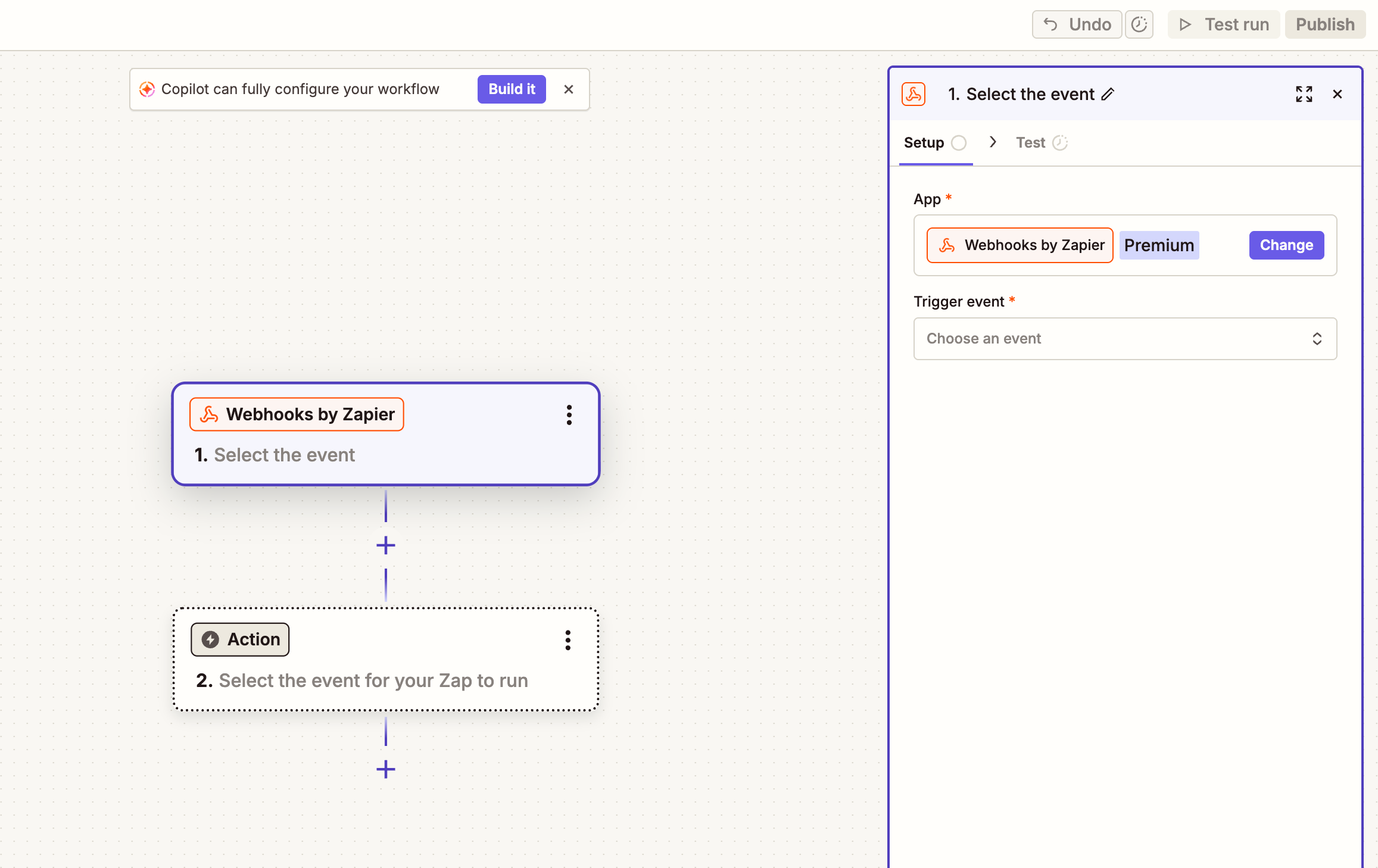
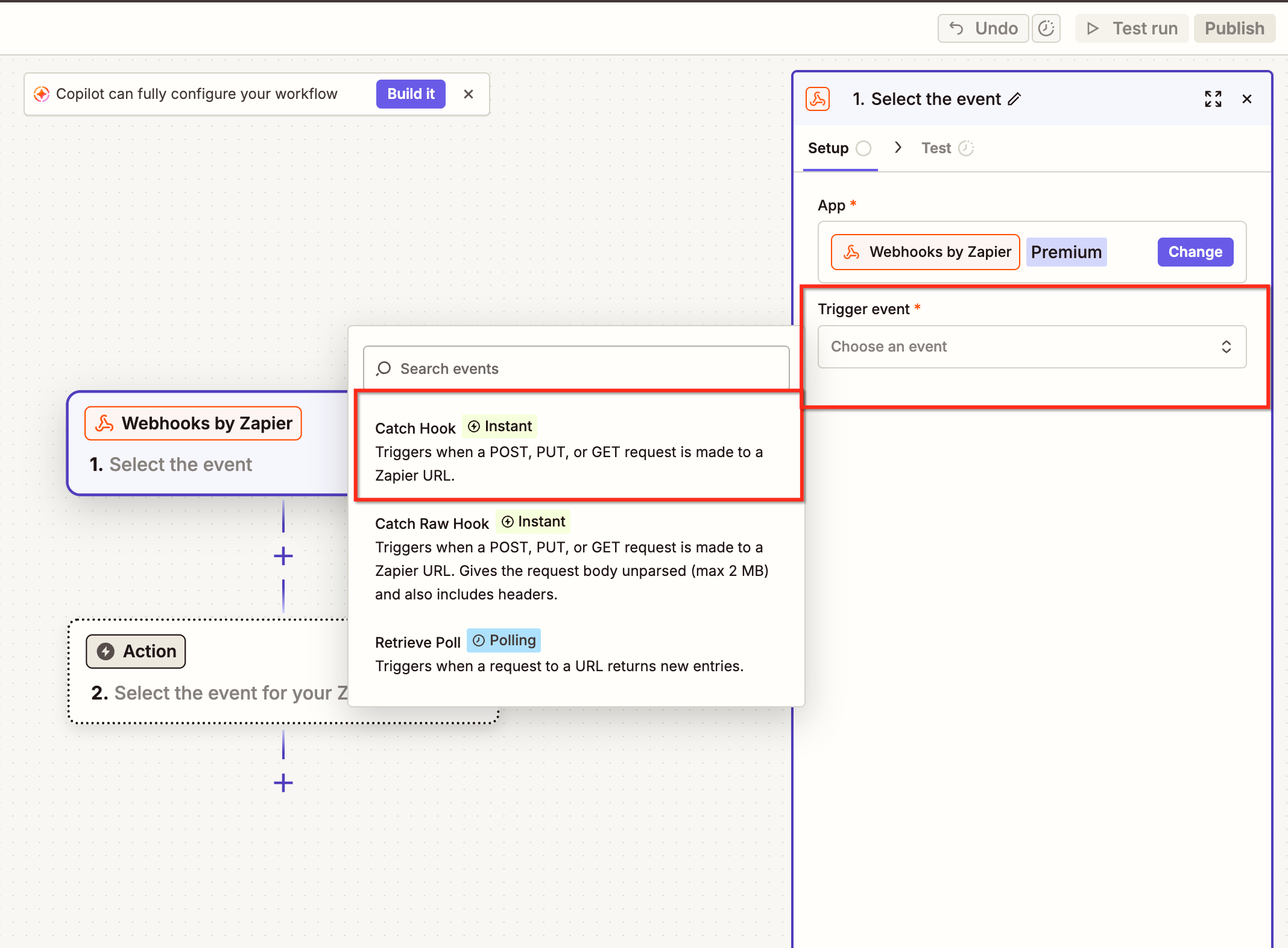
Choose Catch Hook.
Copy the generated webhook URL.
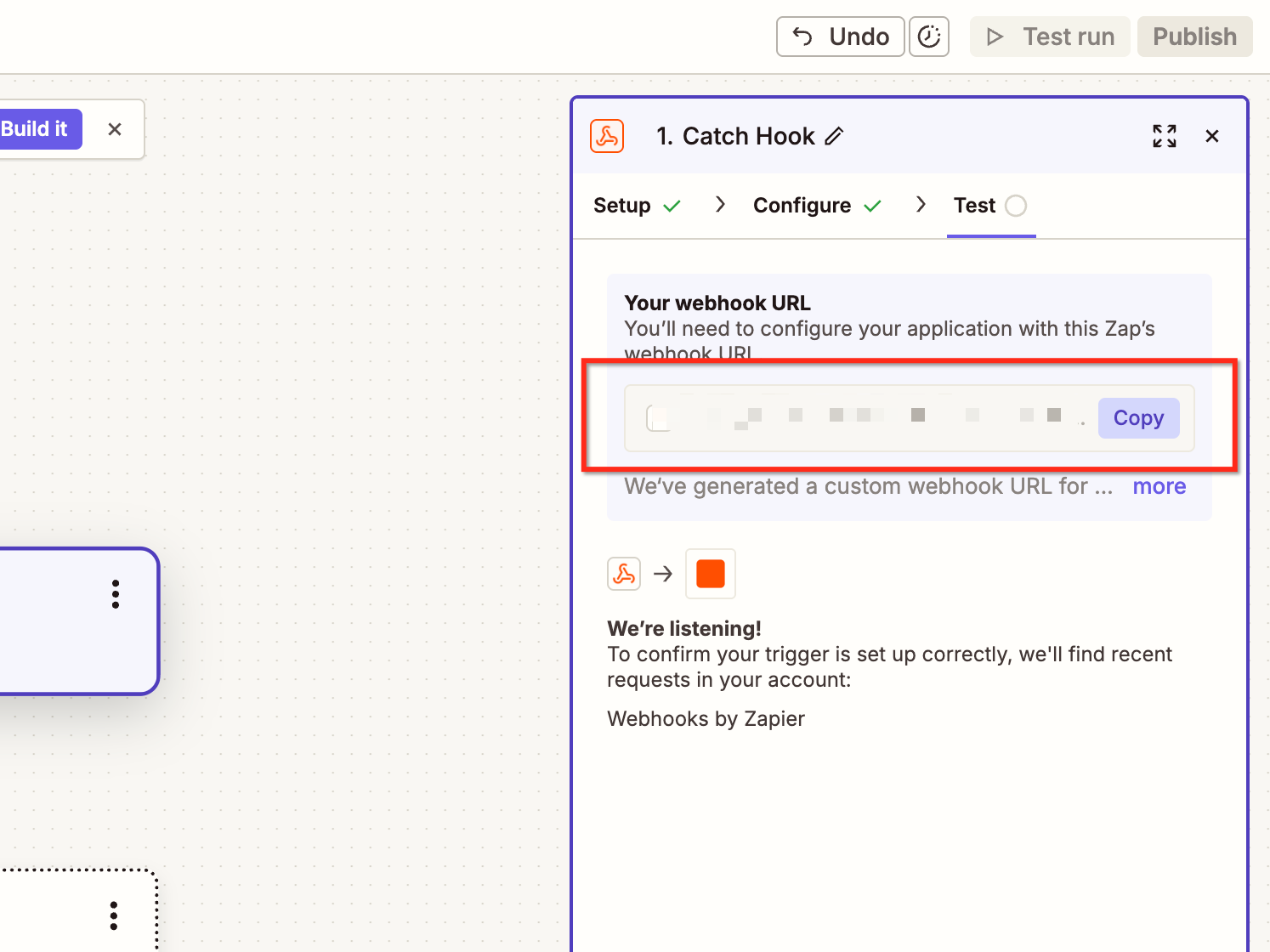
Keep the Zap open for testing.
Step 3: Configure a HighLevel Workflow
Create a workflow that sends customer information to Zapier.
Navigate to Automation > Workflows.
Create a new workflow.
Add a trigger, such as a form submission.
Add a Webhook action.
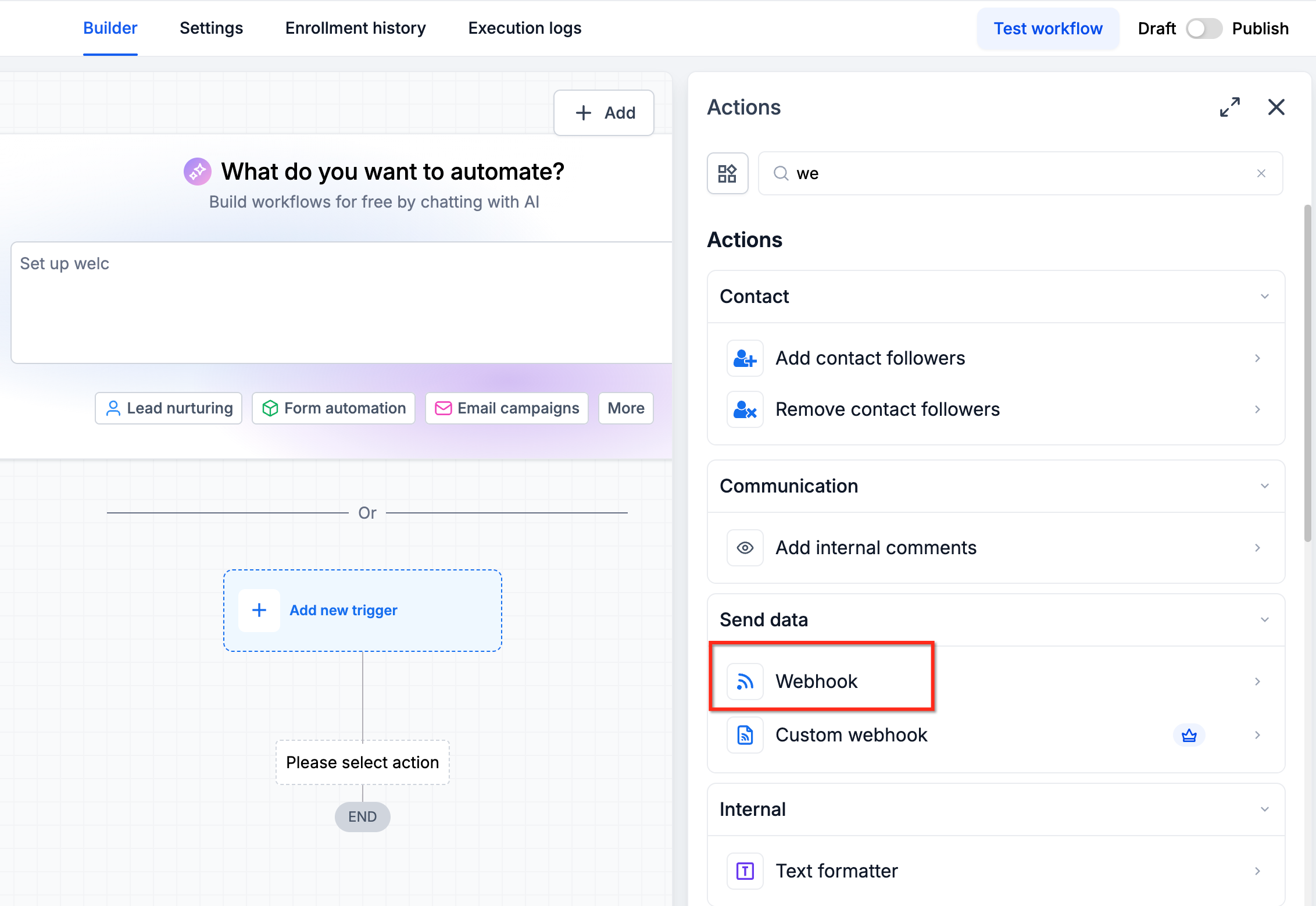
Paste the webhook URL copied from Zapier.
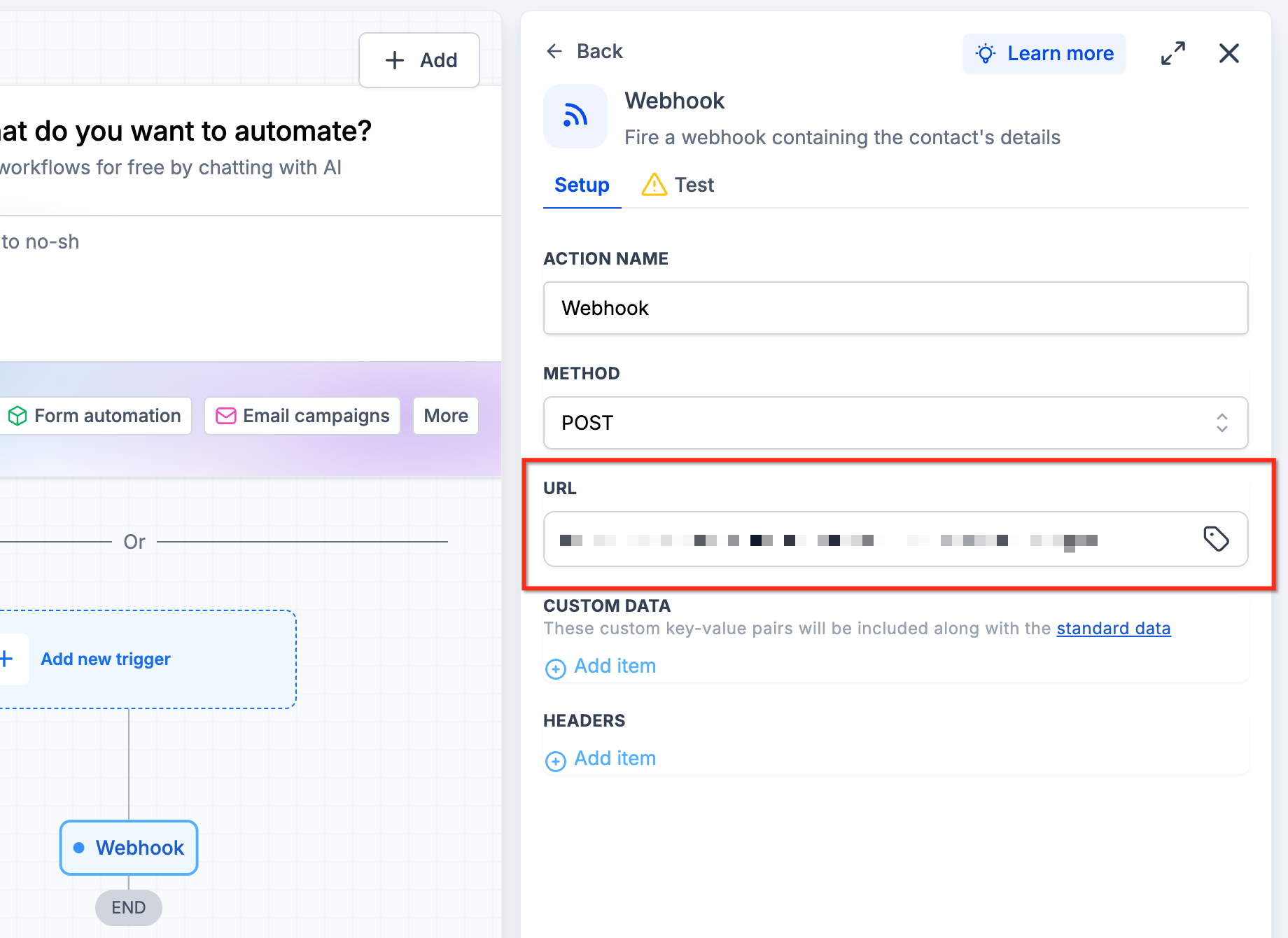
Configure the data to send.
Save and publish the workflow.
Submit a test form with sample data to verify that Zapier receives the required information.
Step 4: Configure the Create Sub-Account API Request
After receiving the trigger data, configure Zapier to send a request to the HighLevel Create Sub-Account API.
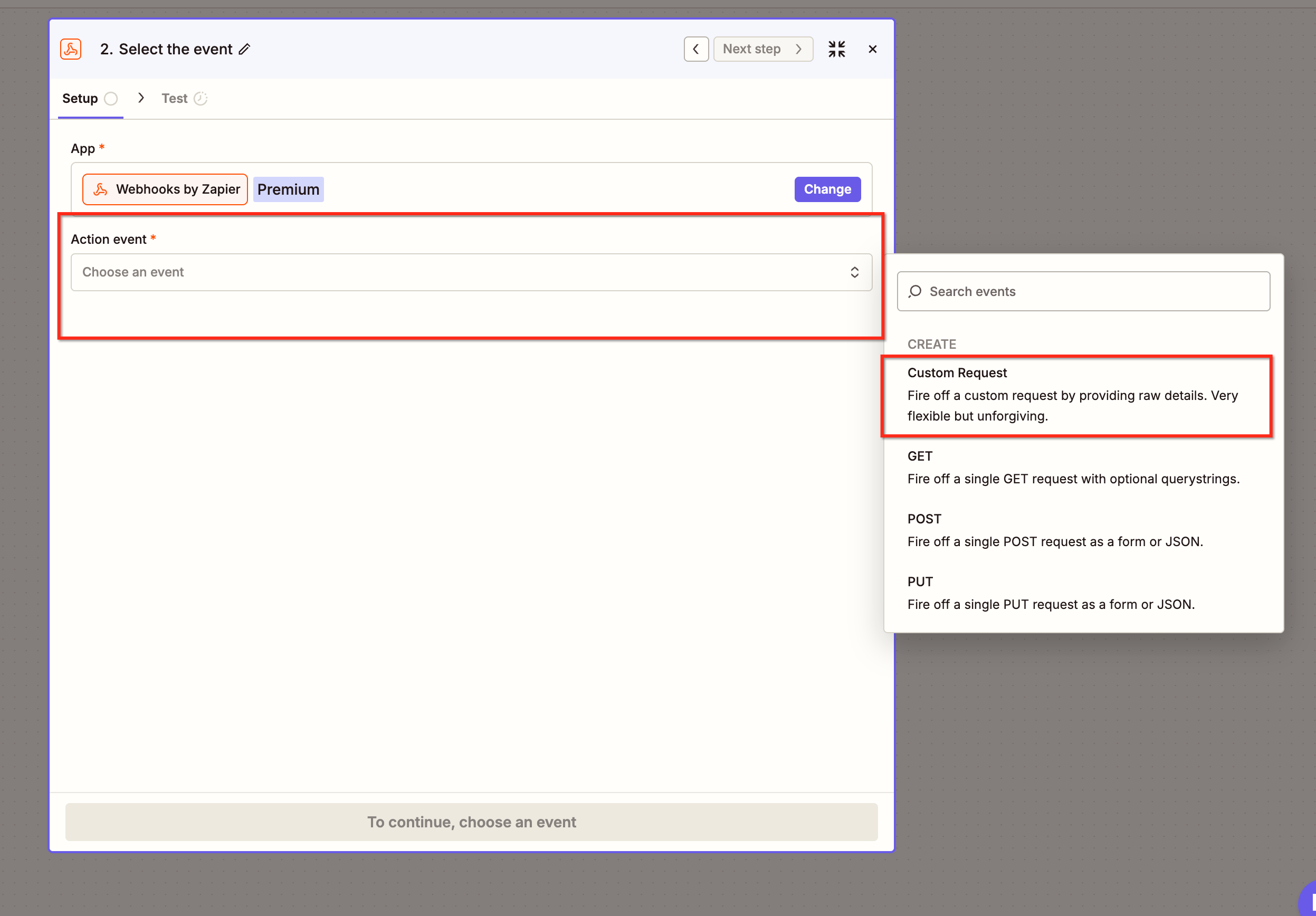
Add another Webhooks by Zapier step.
Select Custom Request.
Choose POST as the request method.
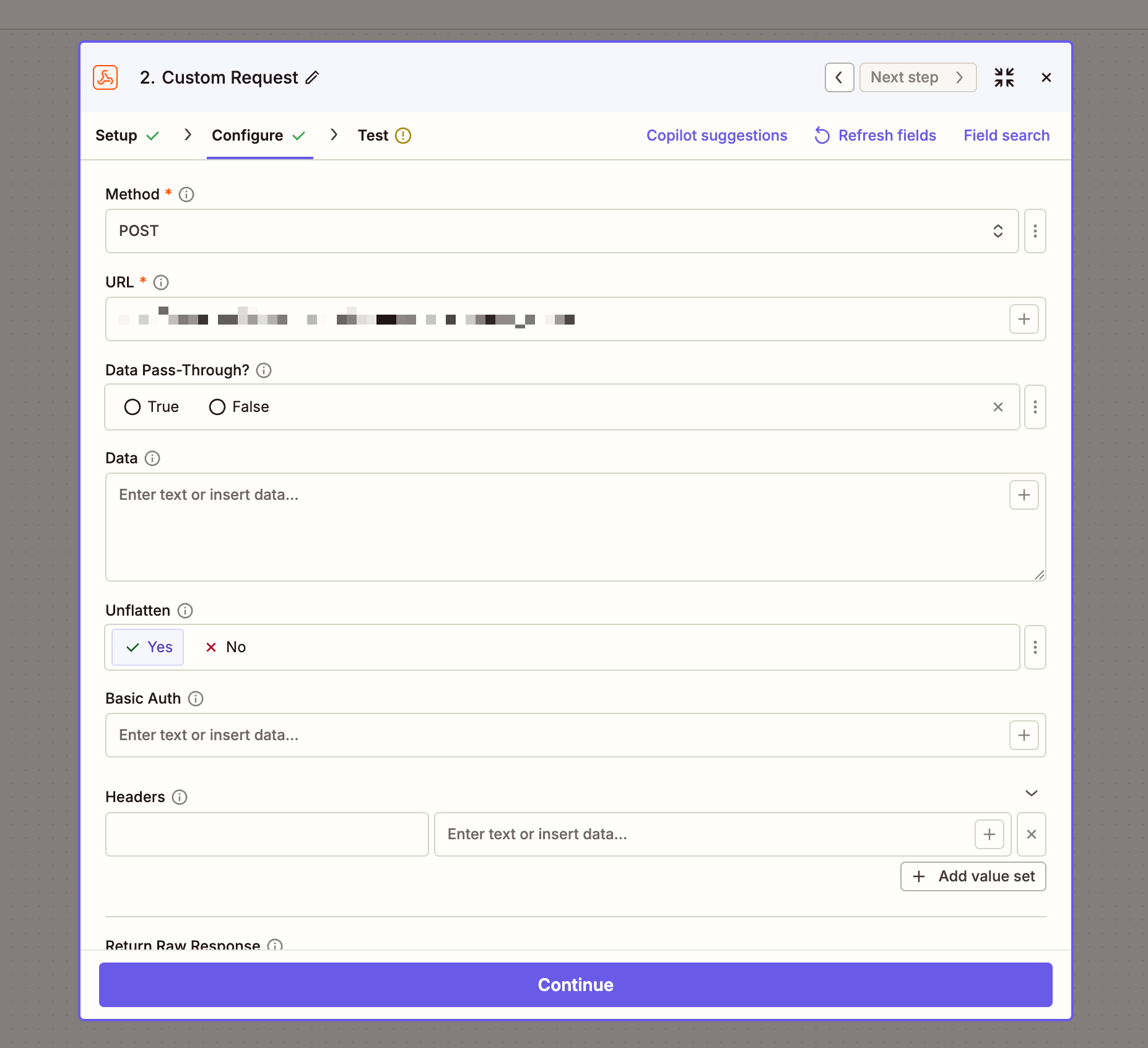
Configure the current Create Sub-Account endpoint using the HighLevel API Reference.
Set the required request headers.
Map the sub-account information from the previous Zap step.
Required API Headers
| Header | Value |
|---|---|
| Authorization | Bearer YOUR_ACCESS_TOKEN |
| Content-Type | application/json |
| Version | v3 |
Example Request Body
{
  "name": "Example Business",
  "companyId": "YOUR_AGENCY_ID",
  "phone": "+14100399400",
  "address": "123 Main Street",
  "city": "New York",
  "state": "NY",
  "country": "US",
  "postalCode": "10001",
  "website": "https://example.com",
  "timezone": "US/Eastern",
  "prospectInfo": {
    "firstName": "John",
    "lastName": "Doe",
    "email": "john@example.com"
  }
}
Replace the sample values with information from your Zapier trigger.
Note: The current API uses fields such as name, companyId, and prospectInfo. The legacy V1 request format should not be reused.
Step 5: Test Sub-Account Creation
After configuring the API request:
Click Test in Zapier.
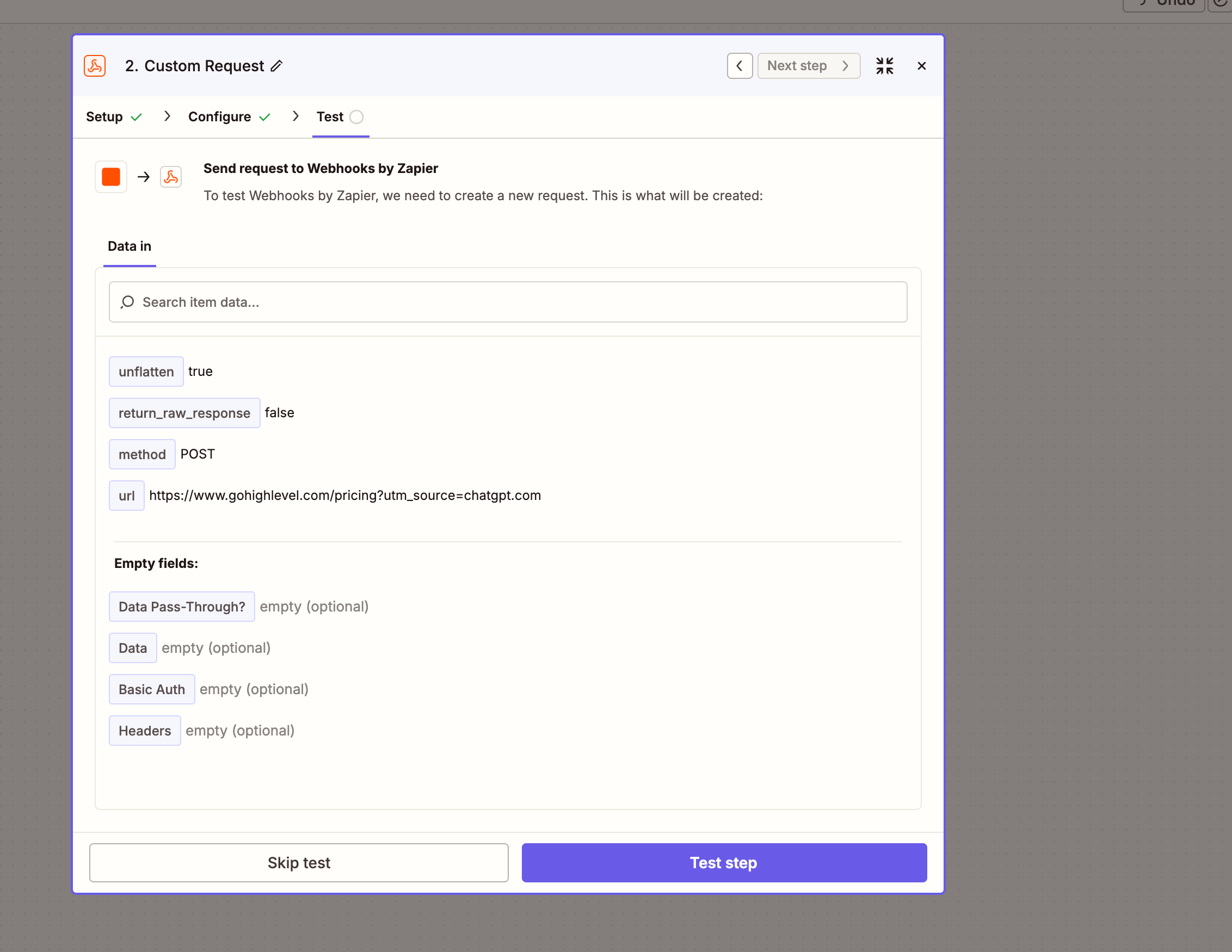
Review the API response.
Confirm that the response contains the new sub-account ID.
Open HighLevel and verify that the sub-account was created successfully.
Publish the Zap after successful testing.
Important: When using the new sub-account ID in subsequent Zap steps, map the ID dynamically from the API response instead of entering a fixed value.
Step 6: Add Users to the New Sub-Account
After creating the sub-account, you can configure an additional API request to create or assign users.
Add a new action in Zapier.
Select the supported HighLevel user-management API.
Configure the required authentication and permissions.
Map the newly created sub-account ID from the previous step.
Provide the required user information.
Test the request.
Important: User creation and assignment must use the currently supported API endpoints and request structures.
Troubleshooting
Sub-account creation fails
Verify that:
Your HighLevel subscription supports the Create Sub-Account endpoint.
The token is generated at the agency level.
The
locations.writescope is assigned.The request uses the correct API version.
Required fields are included in the request.
Zapier is not receiving webhook data
Ensure the workflow is published and the webhook URL is correct. Submit a new test form to generate sample data.
API returns an authorization error
Check the token, required scopes, and subscription eligibility.
New users are assigned to the wrong sub-account
Ensure the sub-account ID is dynamically mapped from the Create Sub-Account API response.
Frequently Asked Questions
Q: Which HighLevel plan is required to create sub-accounts using APIs?
The Founder Plan ($497/month), formerly Agency Pro, includes the advanced API access required for programmatic sub-account creation.
Q: Can I create sub-accounts using the Starter or Unlimited plan?
No. The Create Sub-Account API is restricted to the higher-tier subscription.
Q: Can I use legacy Agency API Keys?
Private Integration Tokens or OAuth 2.0 are recommended for new integrations. API V1 reached end-of-support on December 31, 2025.
Q: Do I need a paid Zapier plan?
You need a Zapier plan that supports the required Webhooks functionality.
Q: Can I automatically assign users to newly created sub-accounts?
Yes, using supported user-management APIs and the appropriate permissions.
Related Articles
Was this article helpful?
That’s Great!
Thank you for your feedback
Sorry! We couldn't be helpful
Thank you for your feedback
Feedback sent
We appreciate your effort and will try to fix the article