HighLevel lets restaurants choose whether customers must sign in to place online orders or book tables. With Never ask, Offer it, and Require it, restaurants can simplify guest checkout while giving returning customers faster access to saved information.
TABLE OF CONTENTS
- What Is Guest Checkout and Sign-in?
- Key Benefits of Guest Checkout and Sign-in
- Never Ask
- Offer It
- Require It
- Guest Sign-in and Account Options
- How to Set Up Guest Checkout and Sign-in
- Frequently Asked Questions
- Related Articles
What Is Guest Checkout and Sign-in?
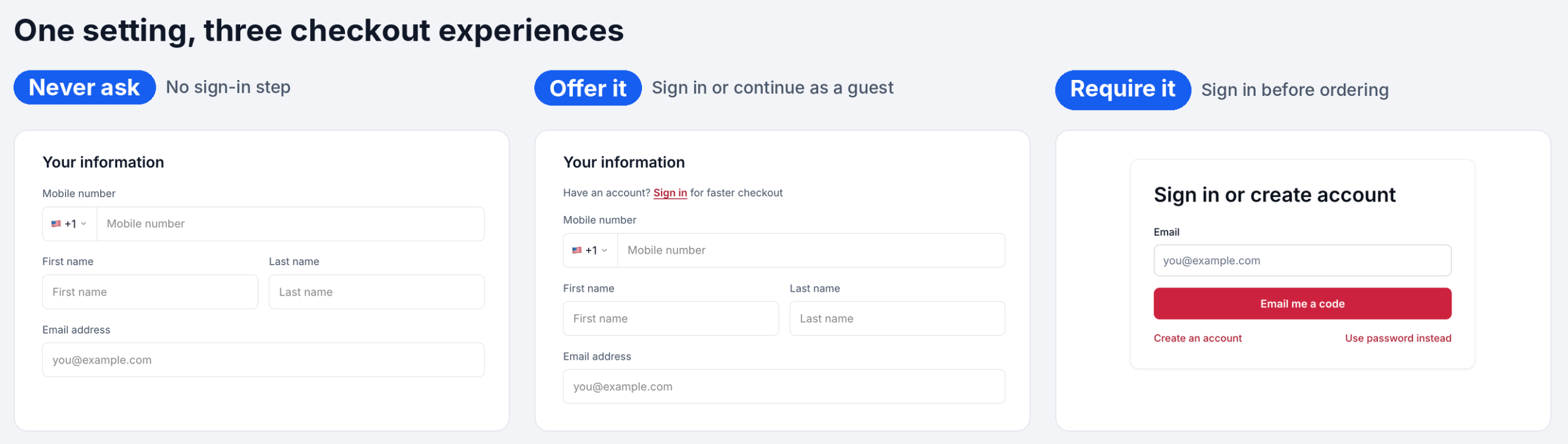
Guest Checkout and Sign-in lets restaurants control customer authentication during online ordering and table reservations. Instead of requiring every guest to create an account, restaurants can allow guest checkout, offer optional sign-in, or require authentication.
A single setting applies to both ordering and reservations.
Key Benefits of Guest Checkout and Sign-in
Flexible sign-in options reduce unnecessary checkout steps while helping returning guests complete orders and reservations faster.
Flexible Checkout: Allow ordering and booking without an account when sign-in is optional or disabled.
Reduced Friction: Help first-time customers complete orders without mandatory account creation.
Faster Repeat Visits: Automatically fill in saved details for signed-in customers.
Consistent Experience: Apply one sign-in preference to orders and reservations.
Easy Account Access: Support email verification codes, passwords, and account creation.
Restaurant Control: Choose the sign-in experience that best fits your business.
Never Ask
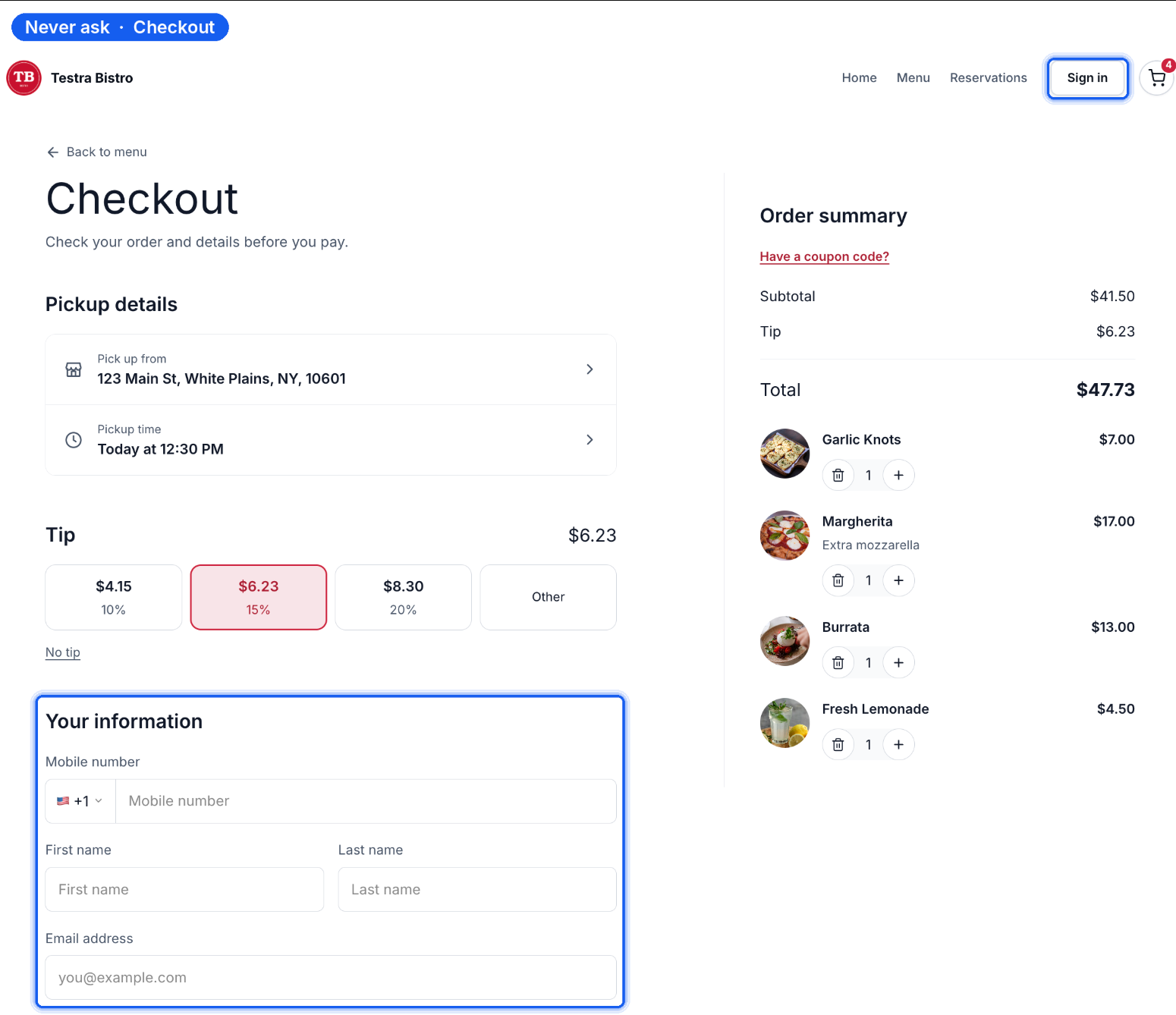
Never ask removes mandatory sign-in from online ordering and table reservations. Guests can complete checkout without an account, making it ideal for restaurants prioritizing a quick, simple experience.
Guests can place orders and book tables without signing in.
Checkout still collects mobile number, first name, last name, and email address.
The Sign in button remains in the website header for returning customers.
Offer It
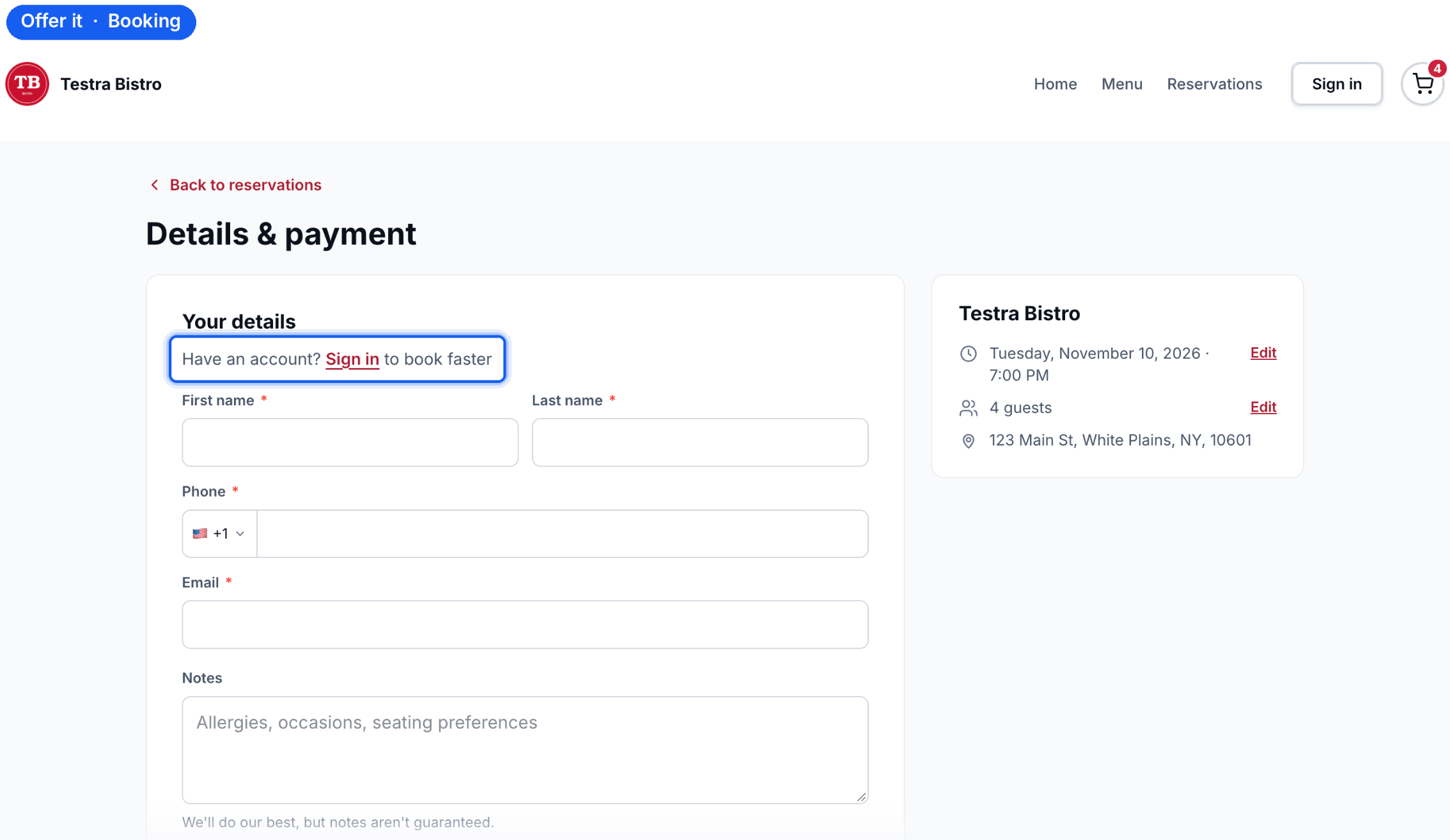
Offer it gives guests the choice to sign in for faster checkout or continue without an account. Sign-in happens within checkout, so customers don't need to leave the page.
Online Ordering Experience
Checkout displays Have an account? Sign in for faster checkout above the contact fields.
Guests can enter their information or select Sign in to access saved details.
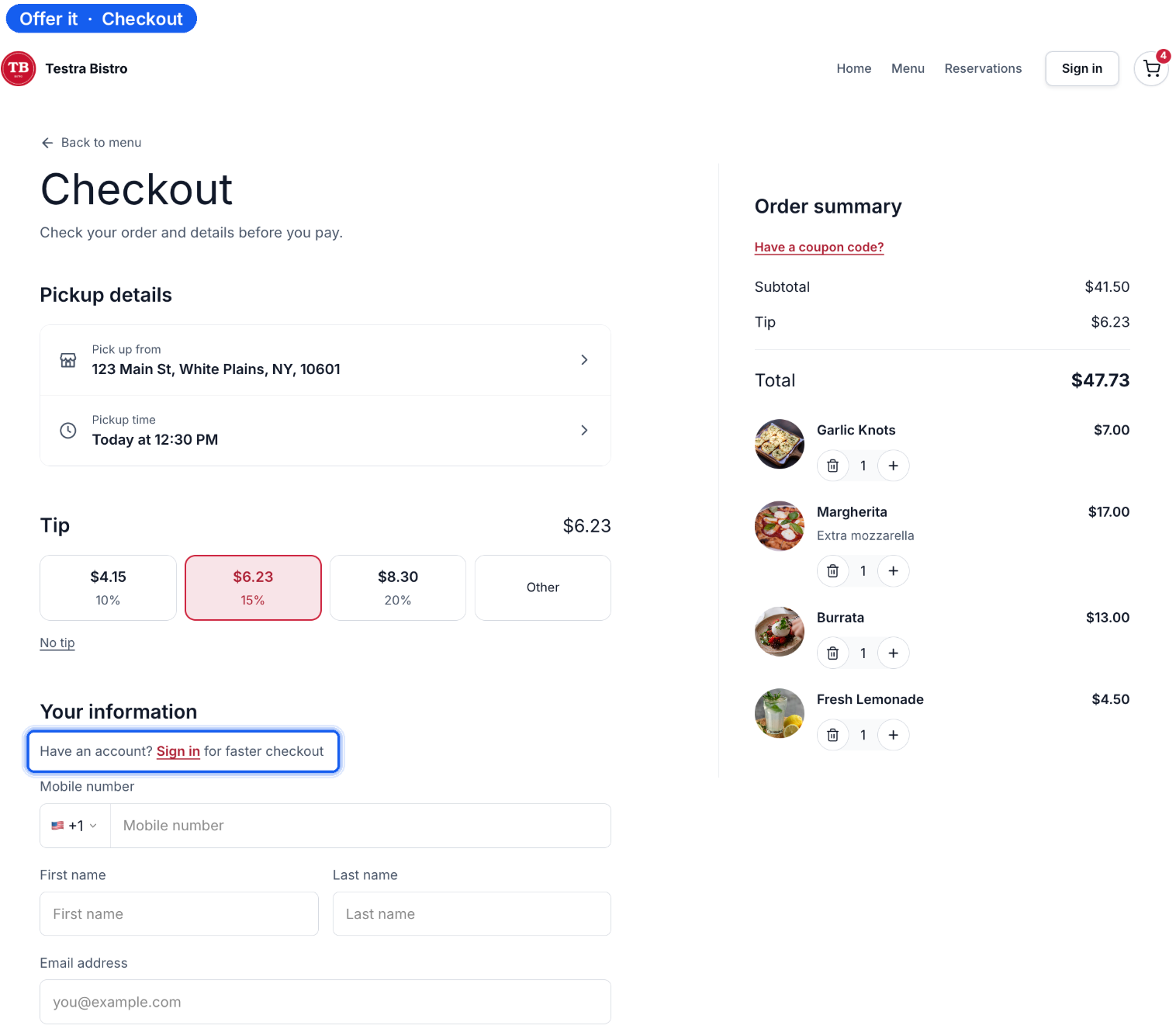
Selecting Sign in opens an embedded form with:
Email address field and Email me a code button.
Create an account and Use password instead options.
Continue as guest to return to the guest checkout form.
The order summary remains visible during sign-in.
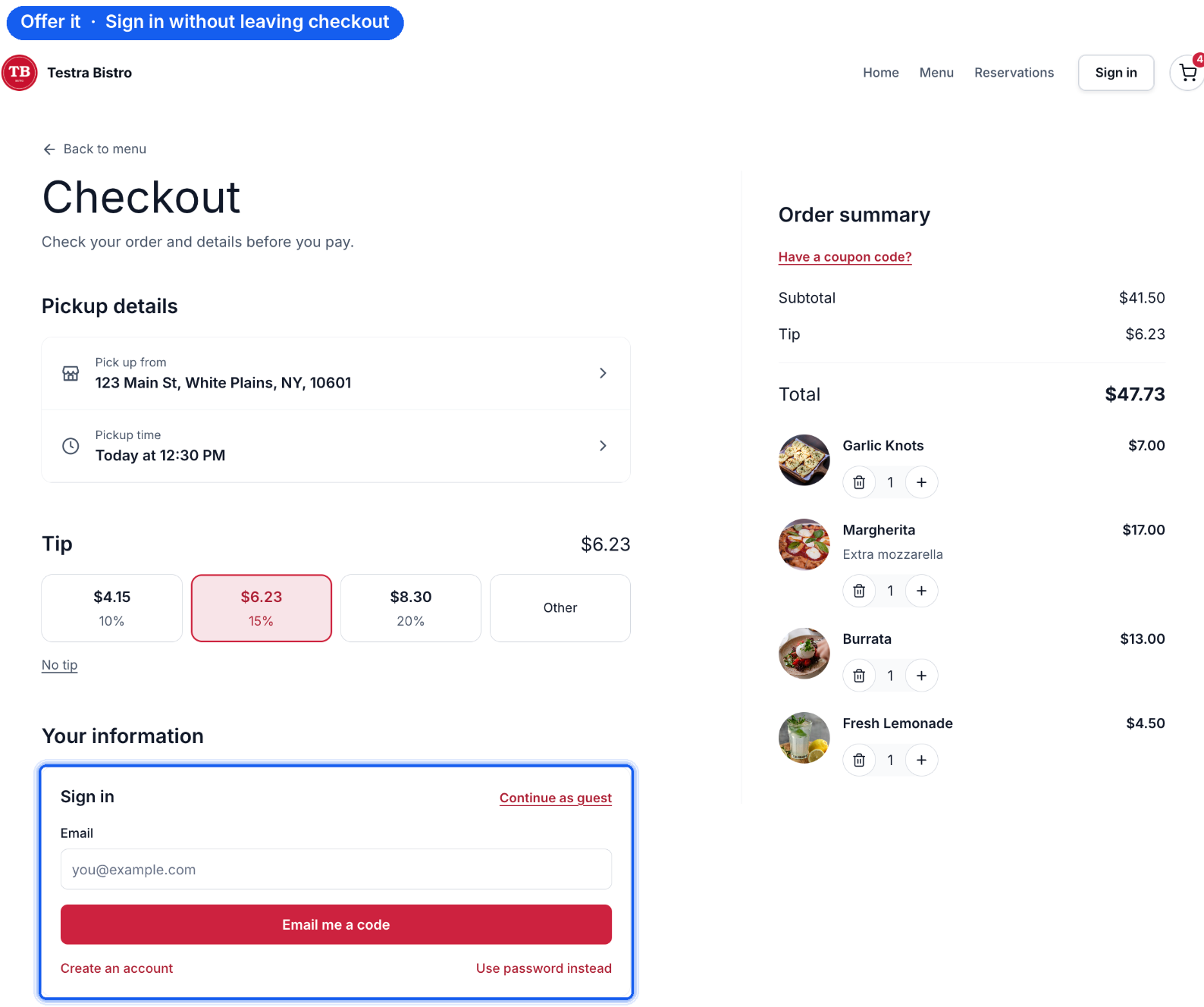
Table Reservation Experience
During booking, guests see Have an account? Sign in to book faster above their contact fields. They can sign in to use saved information or continue booking as guests.
Require It
Require it makes authentication mandatory before customers complete an online order or table reservation. This option is useful for restaurants that prefer account-based ordering and booking.
Customers must sign in or create an account before ordering or booking.
Guest checkout without authentication is unavailable.
Customers can authenticate using an email verification code or password.
Online Ordering Experience
Checkout displays Sign in or create account, where customers can enter their email, request a verification code, use a password, or create an account before proceeding.
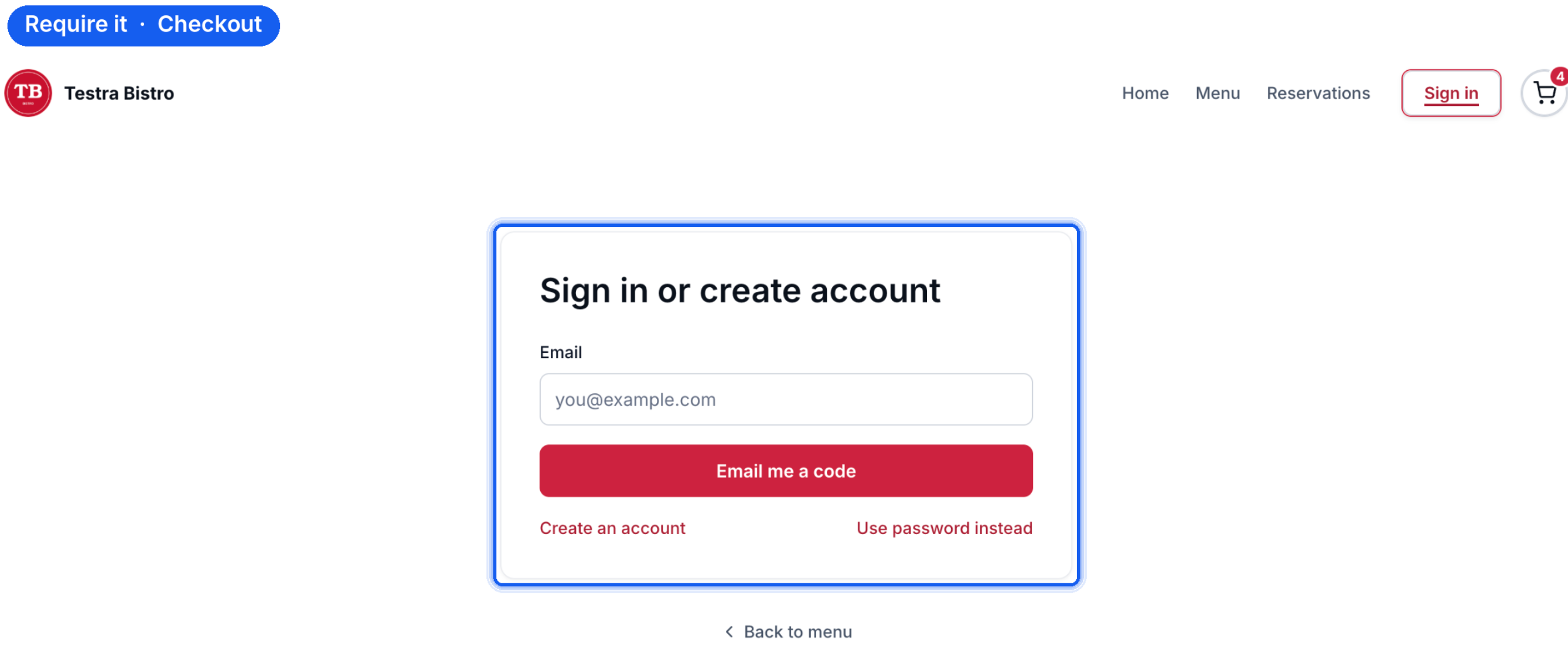
Table Reservation Experience
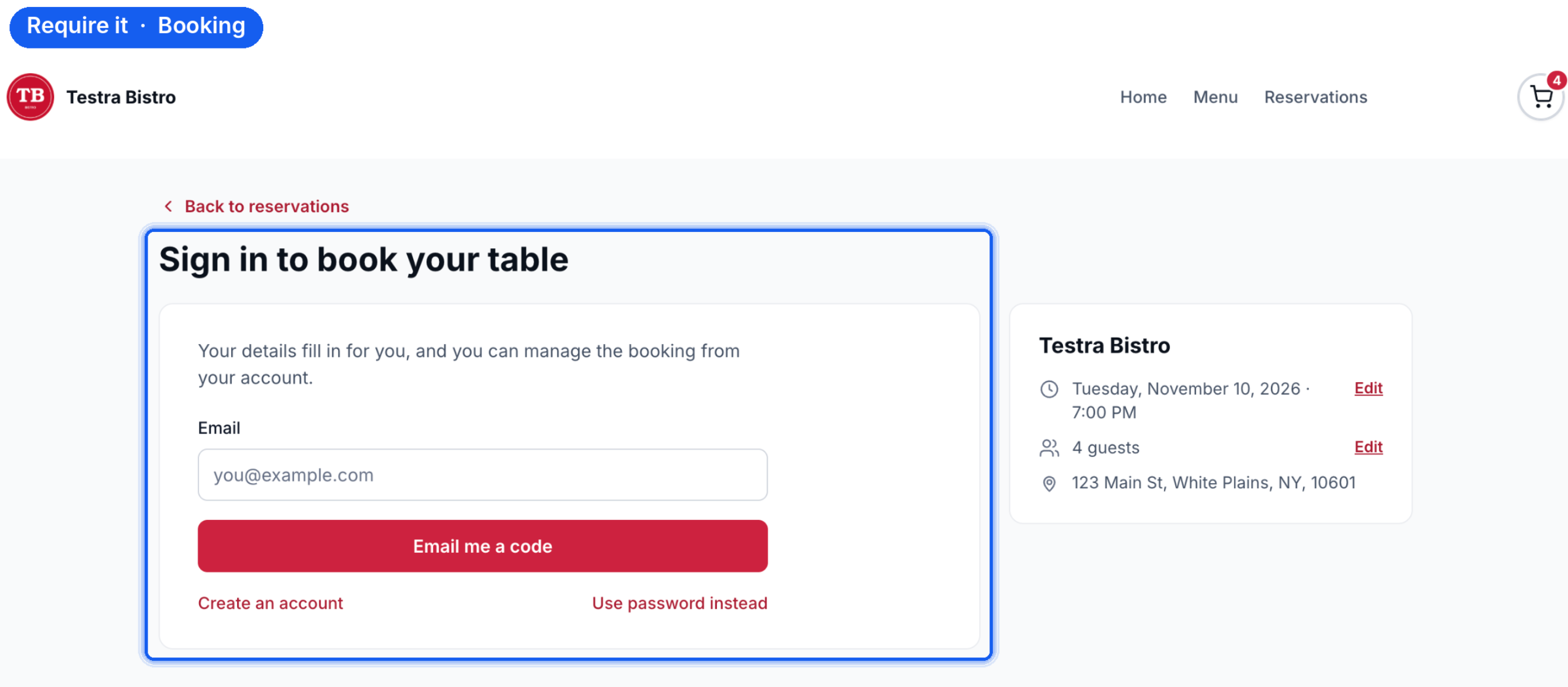
The booking page displays Sign in to book your table. Guests must authenticate before completing their reservation, while the booking summary remains visible.
Once signed in, guests can reuse saved information and manage bookings from their accounts.
Guest Sign-in and Account Options
HighLevel provides multiple authentication methods so customers can access saved details without repeatedly entering information.
Email Verification Code: Receive a one-time code by email to sign in.
Password Sign-in: Existing customers can select Use password instead.
Account Creation: New customers can select Create an account.
Signed-in customers benefit from saved information that can automatically populate during future orders and reservations.
How to Set Up Guest Checkout and Sign-in
Configuring the sign-in preference determines whether customers can check out as guests or must authenticate. The selected option applies to both online orders and table reservations.
Navigate to Restaurants → Restaurant Website in HighLevel.
Open Setup and sharing → Setup.
Locate the Sign-in card.
Under When guests check out or book, select:
Never ask: Guests order and book without signing in.
Offer it: Guests choose between signing in and continuing as guests.
Require it: Guests must sign in before ordering or booking.
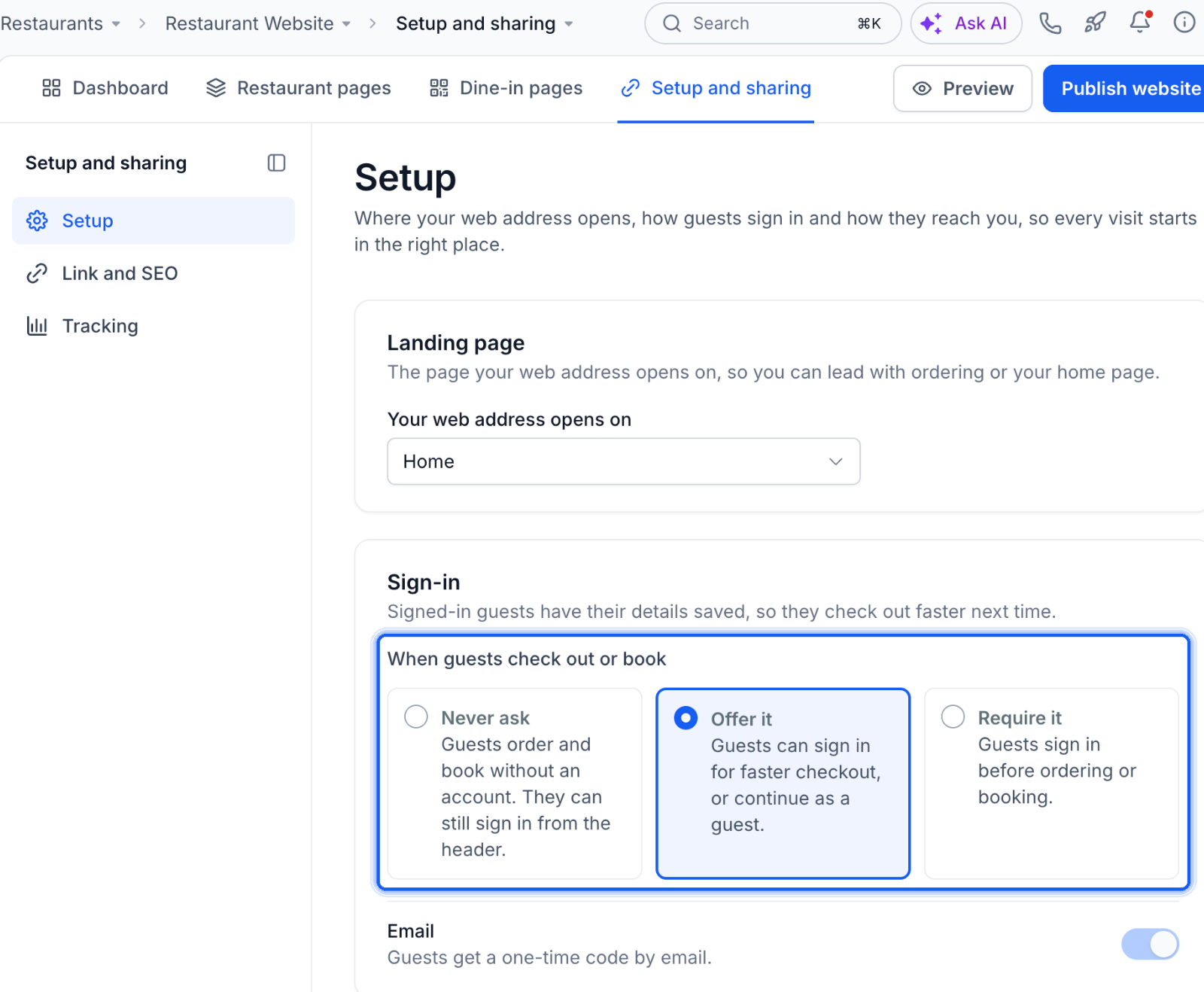
Review the available email sign-in option.
Click Save changes.
Click Preview and check both ordering and reservation flows to confirm the selected experience.
Important: One setting controls both online orders and table reservations. Separate sign-in requirements are not available through this setting.
Availability: This feature is available to eligible agencies participating in the Restaurants private beta.
For website configuration and publishing instructions, see Restaurant Website: How to Customize and Publish Your Site.
Frequently Asked Questions
Q: Can guests still sign in when Never ask is selected?
Yes. The Sign in button remains available in the Restaurant Website header.
Q: Can guests check out without providing contact details?
No. Guest checkout removes account authentication, but customers must still provide the requested contact information.
Q: What if a customer starts signing in but changes their mind?
With Offer it, they can select Continue as guest to return to the guest checkout form.
Q: Will signing in interrupt an ongoing order?
With Offer it, sign-in opens within checkout, and the order summary remains visible.
Q: Can I require sign-in for reservations but not orders?
No. The same setting applies to both ordering and reservations.
Q: Do existing customers need to create another account?
No. Customers with an existing restaurant website account can sign in using an email verification code or password. New customers can create an account.
Q: Is guest checkout available to all HighLevel restaurant accounts?
Currently, the feature is available to eligible agencies in the Restaurants private beta.
Related Articles
Was this article helpful?
That’s Great!
Thank you for your feedback
Sorry! We couldn't be helpful
Thank you for your feedback
Feedback sent
We appreciate your effort and will try to fix the article