Rich Link & Event Previews in Communities
Rich link and event previews transform how members interact with shared content in HighLevel Communities. Instead of clicking away to view videos or event details, members can watch videos, see event information, and register for events directly within posts and comments.
This article explains how rich previews work, which content types are supported, and how to use event preview cards to boost engagement and streamline community interactions.
What Are Rich Link & Event Previews?
Rich link and event previews are automatically generated visual cards that appear when you share supported links or mention events in community posts and comments. These previews display relevant information directly in the feed, allowing members to interact with content without navigating away from the conversation.
For links, this means embedded video players and contextual information about the shared content. For events, members see event details and registration options right in the post. Both preview types work seamlessly in posts and comments throughout your HighLevel Community.
Key Benefits
Rich previews create a more engaging and seamless experience for community members by reducing friction and keeping conversations flowing.
Rich Link & Video Previews
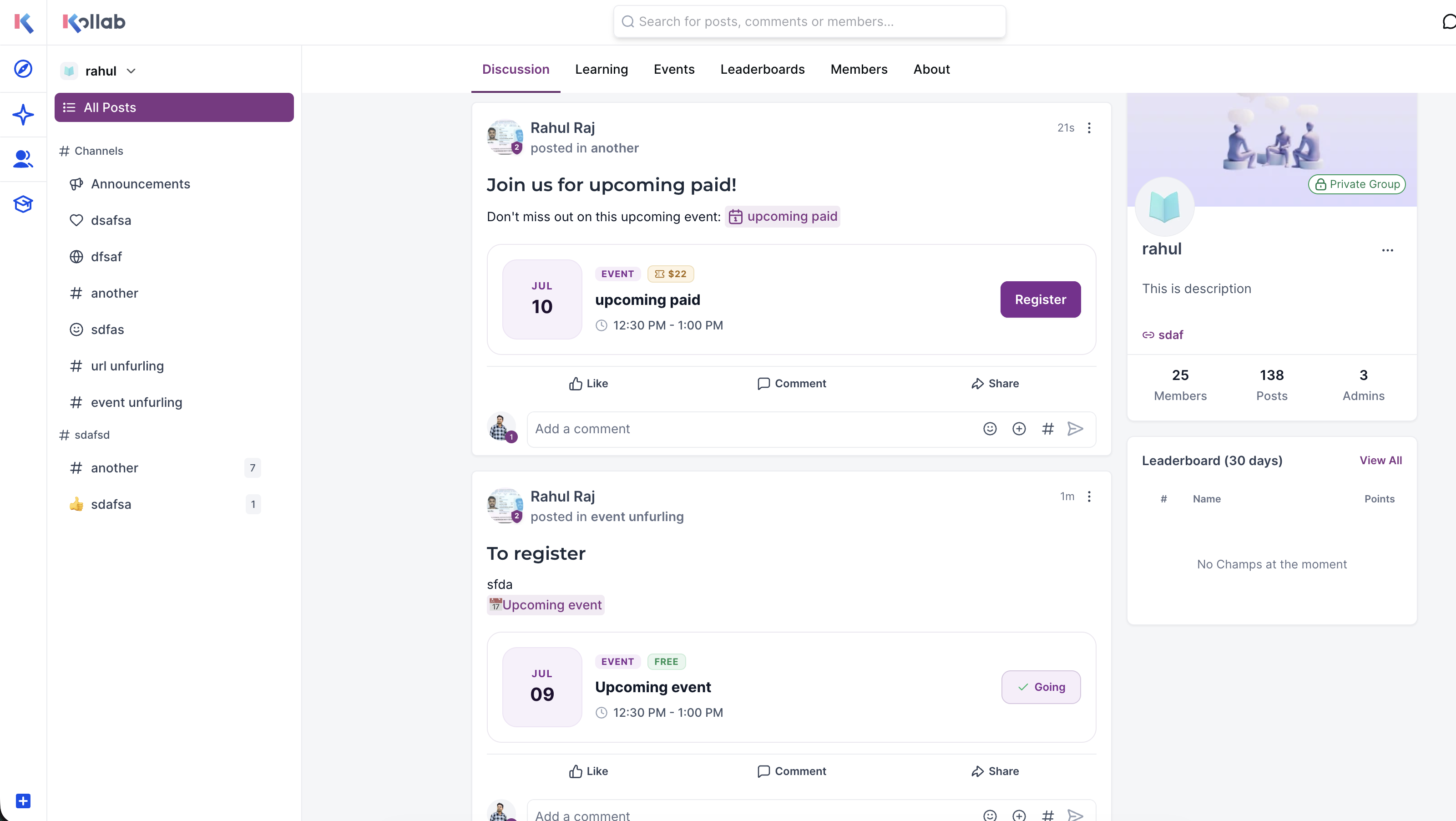
When you paste a supported link into a post or comment, HighLevel automatically generates a rich preview card that displays relevant information about the shared content. For video platforms like YouTube and Loom, the preview includes an embedded player that allows members to watch videos without leaving the feed.
Simply paste a supported link into any post or comment. The rich preview generates automatically without requiring any additional setup or formatting.
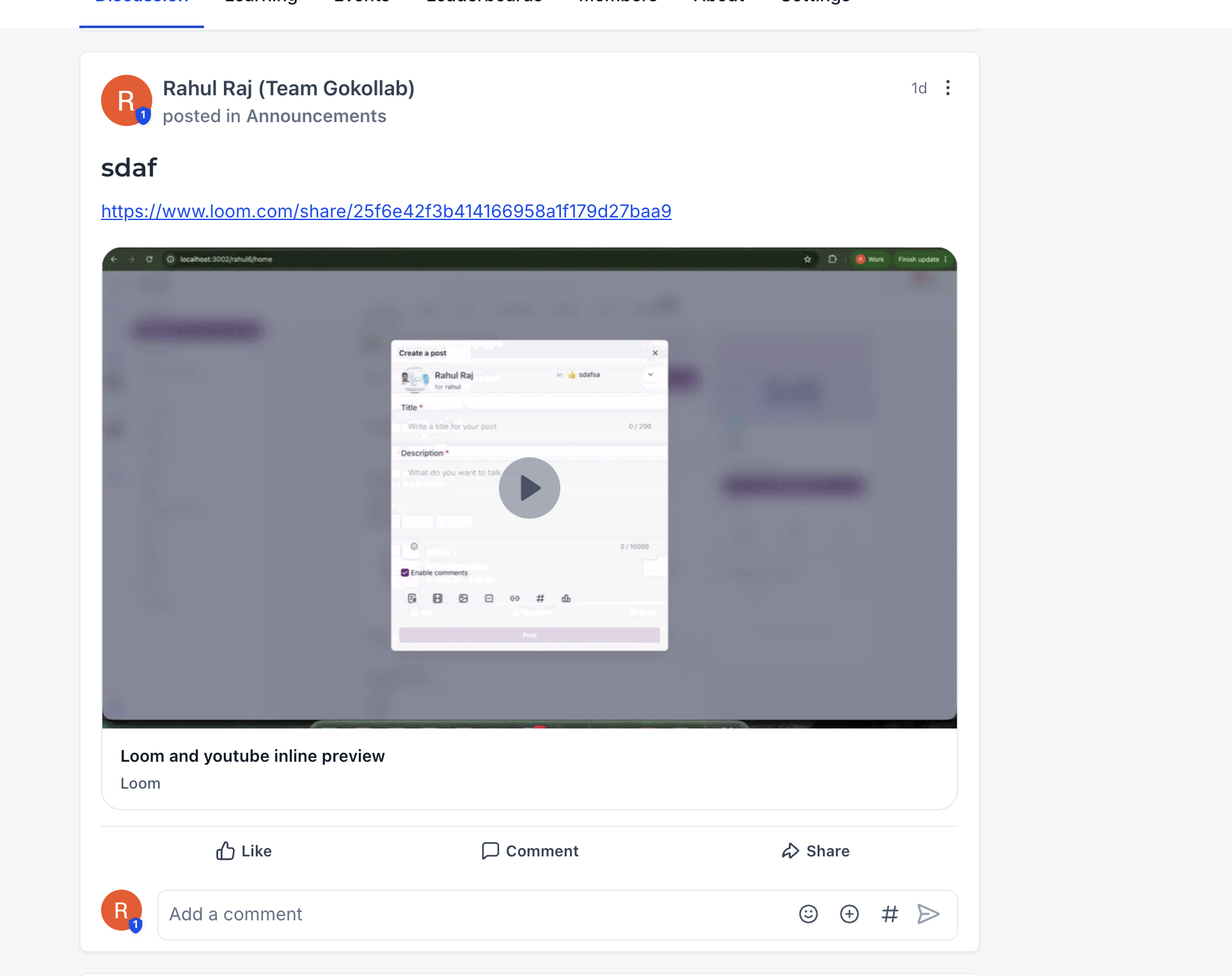
Supported videos from platforms like YouTube and Loom can be played directly within the feed. Members click the play button on the preview card to watch without leaving the conversation.
Rich link previews function consistently across both community posts and comments, ensuring a uniform experience regardless of where content is shared.
Preview cards display titles, descriptions, and thumbnails from the linked content, giving members helpful context before they decide to click through or watch.
Rich link previews currently support YouTube and Loom video platforms. When you paste links from these platforms, an embedded video player appears in the preview card.
Interactive Event Previews
Event preview cards make it easy to promote and share community events directly within posts. When you mention an event in a post, an interactive preview card displays the event's key details and allows members to register without leaving the conversation.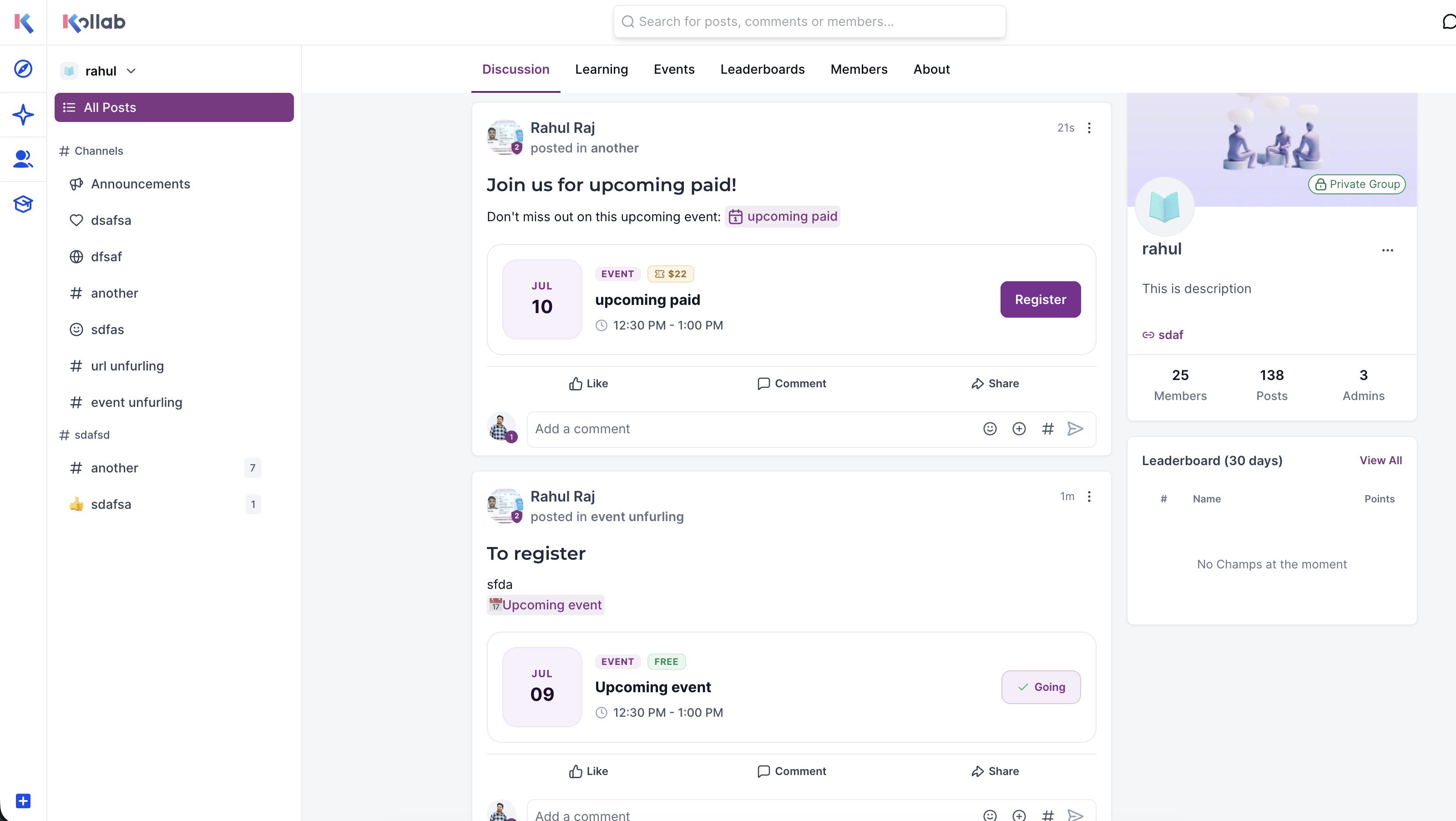
Mention an event in your post and an event preview card is automatically generated, displaying the event's essential information in a clean, organized format.
The preview card displays important event information including the event name, scheduled date and time, and current registration status. Members can quickly assess whether the event fits their schedule.
Members can register for events directly from the preview card in the post. This eliminates the need to navigate to the Events page just to sign up.
Event previews make events a natural part of community discussions. You can reference upcoming events in posts about related topics, making it easier for members to discover relevant events organically.
Event preview cards reduce the friction between discovering an event and registering for it. By embedding registration directly in posts, you can increase event attendance and engagement within your community.
How to Use Rich Previews in Your Community
Rich link and event previews require no special setup or configuration. Follow these simple steps to start using them in your community posts and comments.
Navigate to your HighLevel Community and create a new post or add a comment to an existing post.
For link previews: Paste a URL from a supported platform like YouTube or Loom directly into your post or comment.
HighLevel automatically generates the rich preview card as you type. You'll see the preview appear below your text, showing the video player, link information, or event details.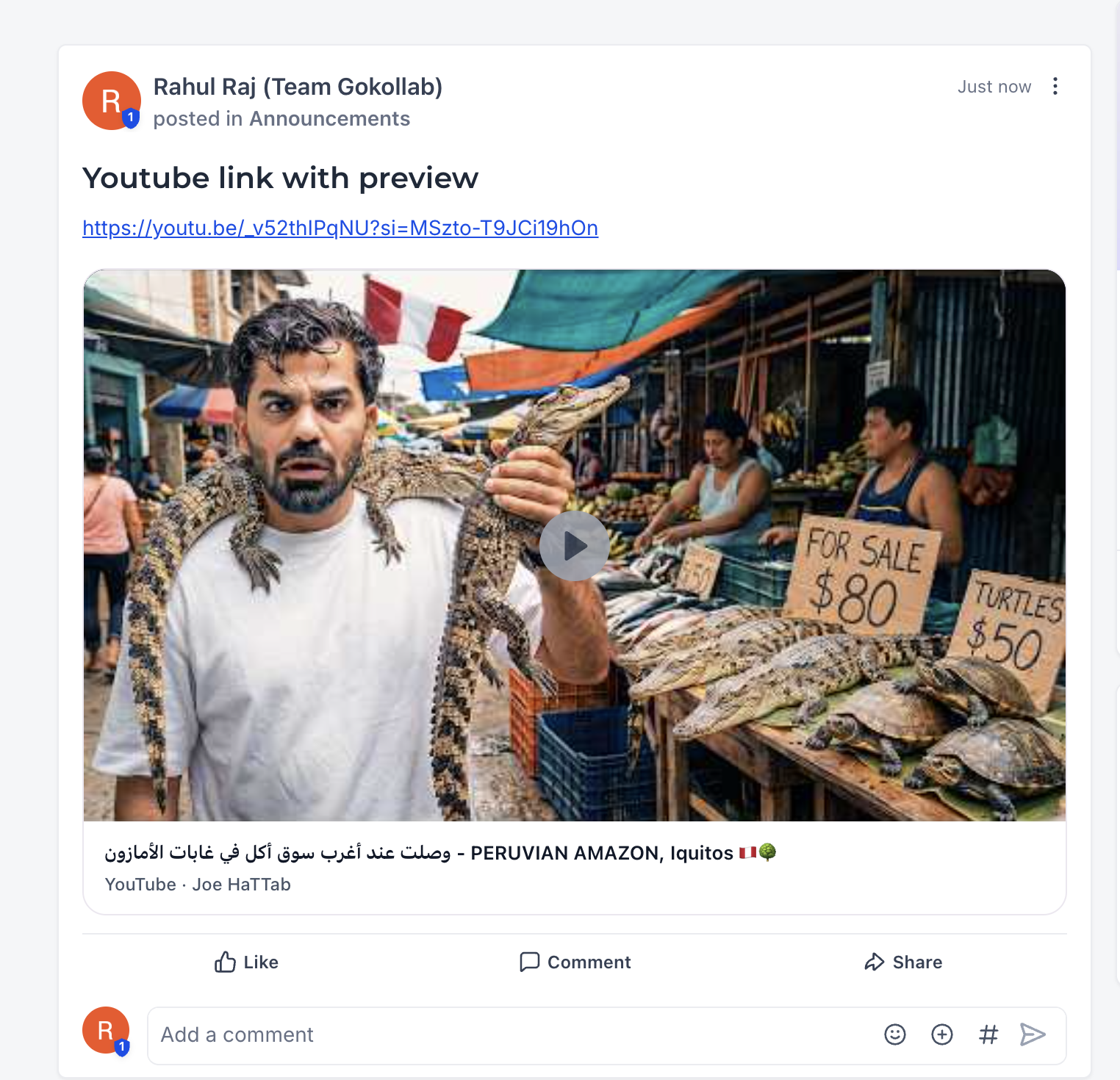
Publish your post or comment as usual. The rich preview will display in the feed, allowing members to interact with videos or event registration directly from the preview card.
Add context around your shared links and events to give members a reason to watch or register. A brief explanation of what the video covers or why the event matters can significantly increase engagement.
Use event previews when announcing webinars, workshops, or training sessions in discussion posts related to those topics. This helps members discover events naturally as they browse community content.
Frequently Asked Questions
Was this article helpful?
That’s Great!
Thank you for your feedback
Sorry! We couldn't be helpful
Thank you for your feedback
Feedback sent
We appreciate your effort and will try to fix the article