Transferring a domain out of HighLevel lets you move its registration and renewal management to another registrar without contacting Support for most standard transfers. HighLevel checks whether the domain is eligible, allows you to unlock it, and sends the EPP authorization code needed by the receiving registrar.
TABLE OF CONTENTS
- What Is Domain Transfer-Out?
- What Is Domain Transfer-Out?
- Key Benefits of Domain Transfer-Out
- Domain Transfer Eligibility
- How To Transfer-Out a Domain
- Frequently Asked Questions
- Related Articles
What Is Domain Transfer-Out?
Domain Transfer-Out is a self-service feature for moving an eligible domain purchased through or transferred into HighLevel to another domain registrar. It simplifies the first part of the transfer by checking eligibility, unlocking the domain when required, and providing the EPP authorization code used to verify the request.
The transfer begins in the domain’s Advanced Settings in HighLevel. After receiving the authorization code, you must complete the remaining transfer steps with the receiving registrar.
Important: Transfers to Cloudflare use a dedicated process and should not be completed through the standard EPP-code workflow. Follow Transfer Domain from HighLevel to Cloudflare for the current Cloudflare-specific instructions.
Note: Transfer-out of .uk TLD family (.uk , .co.uk , .org.uk ,.me.uk) requires support intervention
Key Benefits of Domain Transfer-Out
Self-service transfers: Start an eligible domain transfer directly from HighLevel.
Automated eligibility checks: Identify transfer restrictions before requesting an authorization code.
Simplified domain unlocking: Unlock the domain from the same transfer workflow when required.
Secure authorization: Receive an EPP code that verifies the transfer with the receiving registrar.
Registrar flexibility: Move an eligible domain to another supported registrar.
Clear exception handling: Follow dedicated processes for Cloudflare,
.ukdomains, and domains in cancelled accounts.
Domain Transfer Eligibility
Transfer eligibility protects domains from unauthorized movement and ensures that registry and registrar requirements are satisfied. Reviewing the eligibility result before starting the transfer helps you understand whether you can proceed immediately or must resolve a restriction first.
A domain may be ineligible for transfer when:
- It has been registered or transferred within past 60 days
- It is prohibited by the current registrar/registry for transfer
- It is already undergoing a transfer
When the domain is not eligible, review the message shown in the eligibility result and resolve the identified restriction before trying again.
Important: The standard self-service workflow is intended for domains accessible through an active HighLevel account. When the account has already been cancelled, submit a domain release request instead. Follow Release Purchased Domains from Cancelled Accounts and provide the requested ownership and account details.How To Transfer-Out a Domain
Completing each step in order ensures that HighLevel can verify the domain’s status and securely provide the authorization code. Requesting the EPP code starts the transfer process, but the transfer must still be submitted and completed through the receiving registrar.
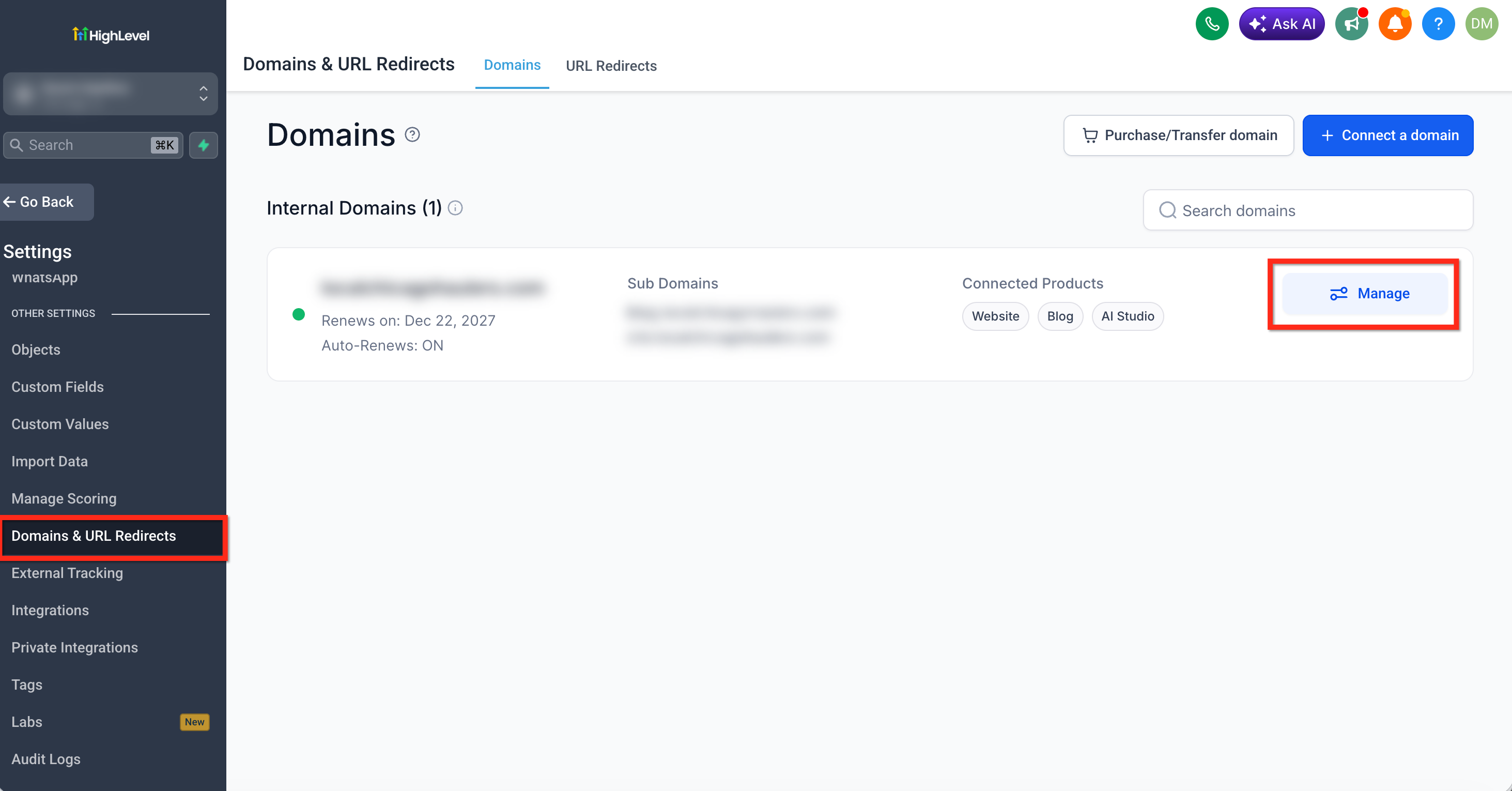
Step 1: Open the Domain Settings
Go to Settings > Domains & URL Redirects. Locate the domain you want to transfer and click Manage.
Step 2: Open Advanced Settings
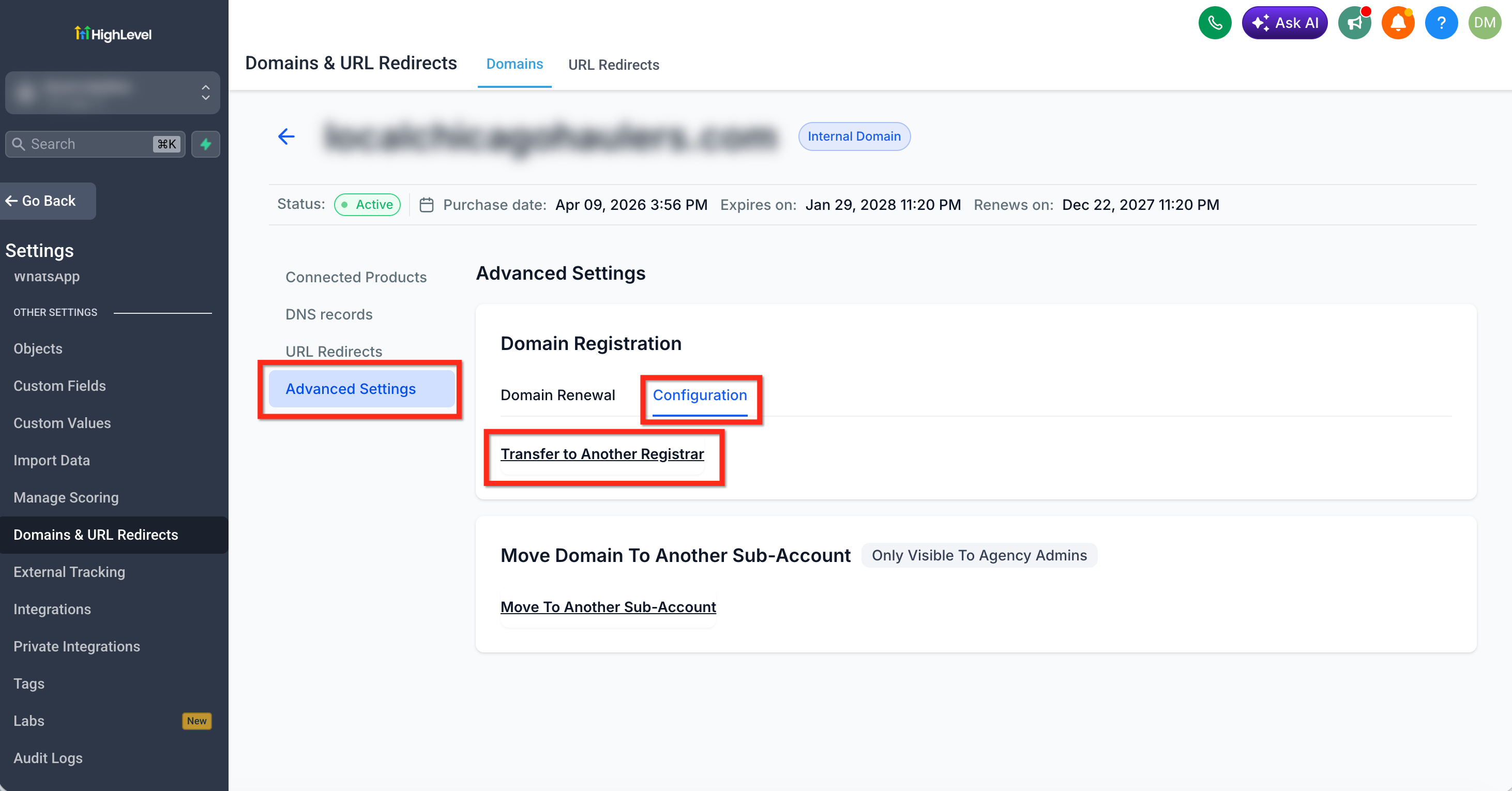
Select the domain’s Advanced Settings tab. Click Configuration then locate the Transfer to Another Registrar option.
Once you click Transfer to Another Registrar, the domain will automatically go through an eligibility check.
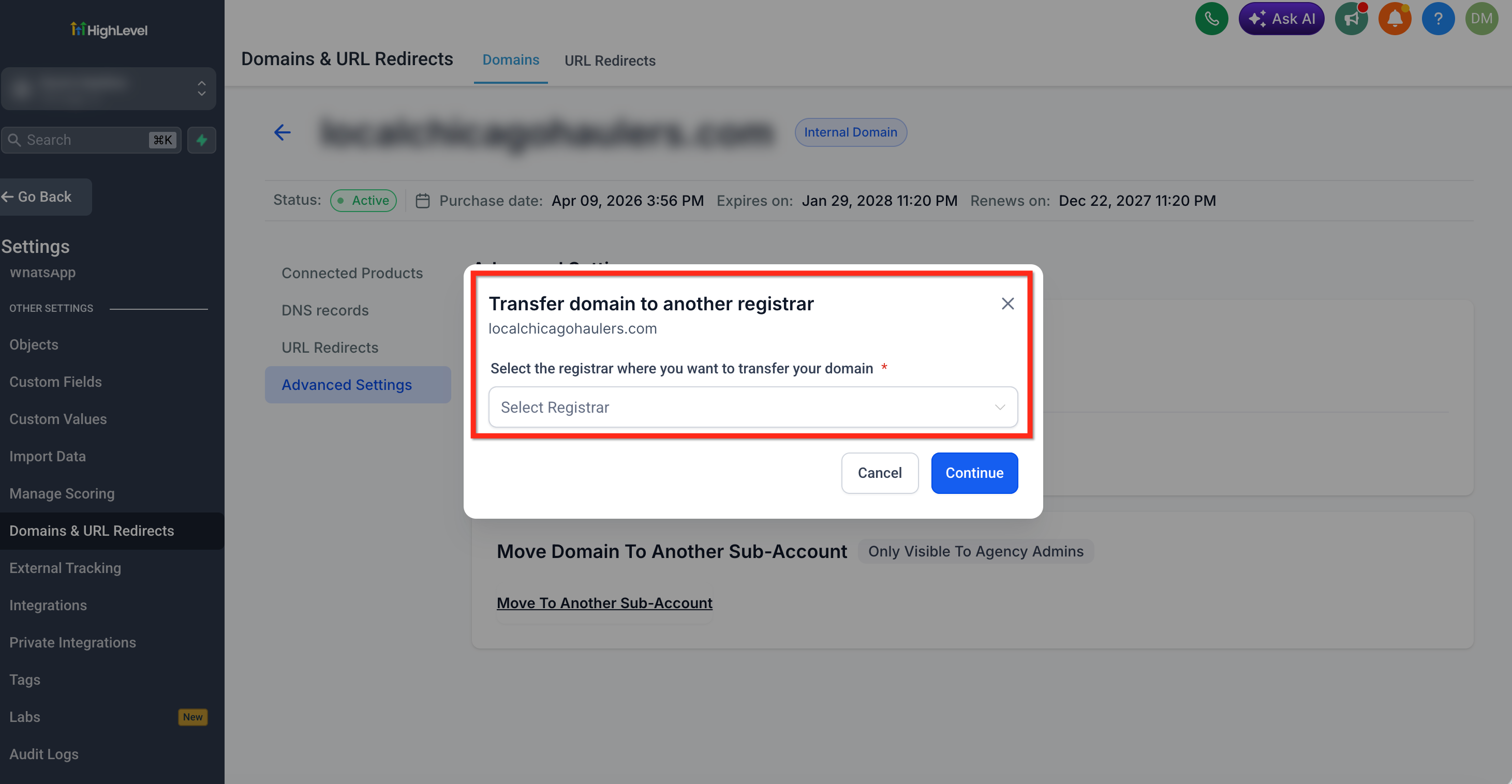
Step 3: Select a Registrar
Choose the registrar that will receive the domain from the available dropdown. Selecting the registrar does not complete the transfer. It identifies where you intend to move the domain before requesting the authorization code.
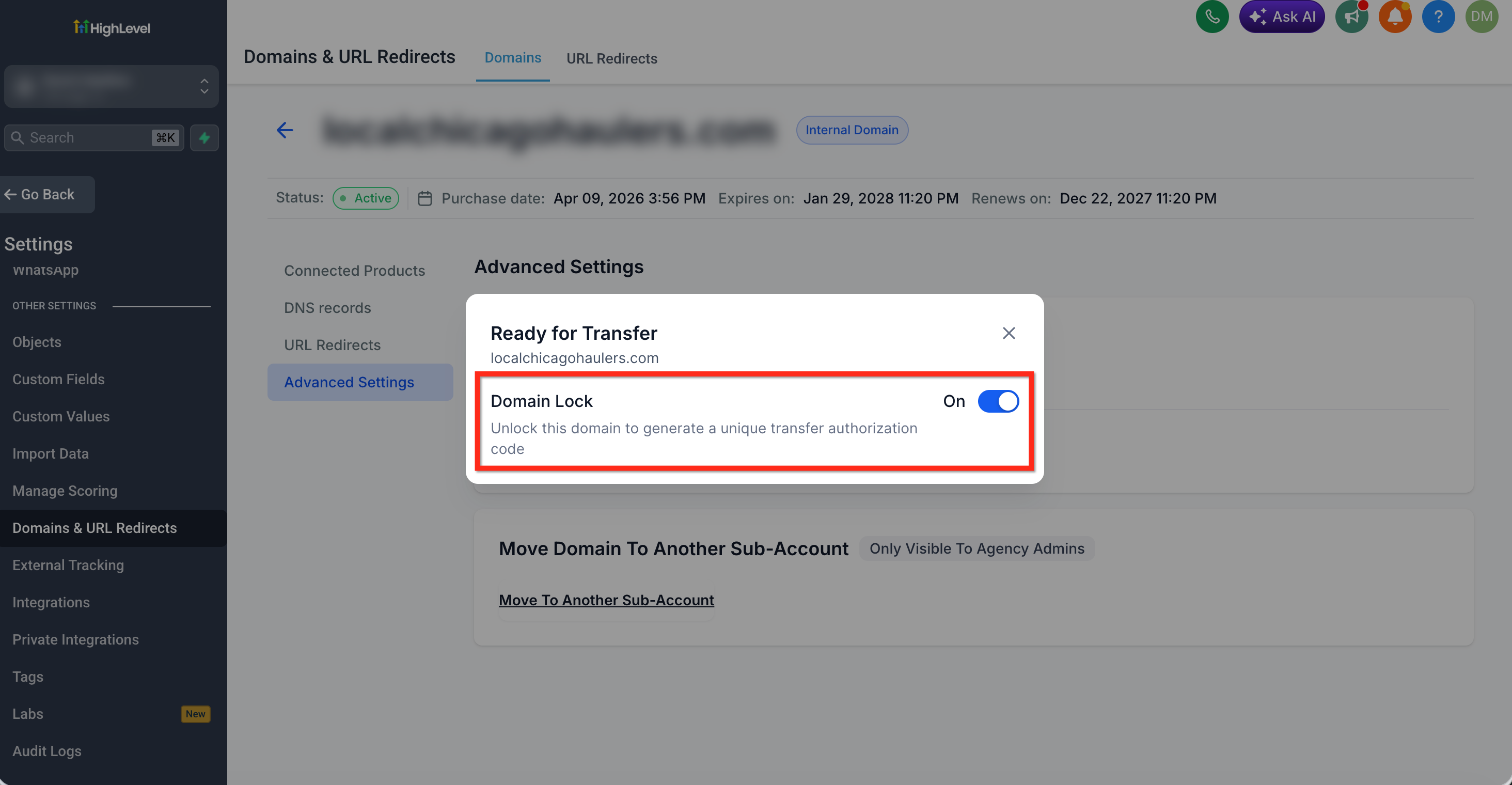
Step 4: Unlock the Domain
If the domain is locked, use the available control to unlock it. A registrar lock protects the domain against unauthorized transfers. The domain must be unlocked before the receiving registrar can complete the transfer.
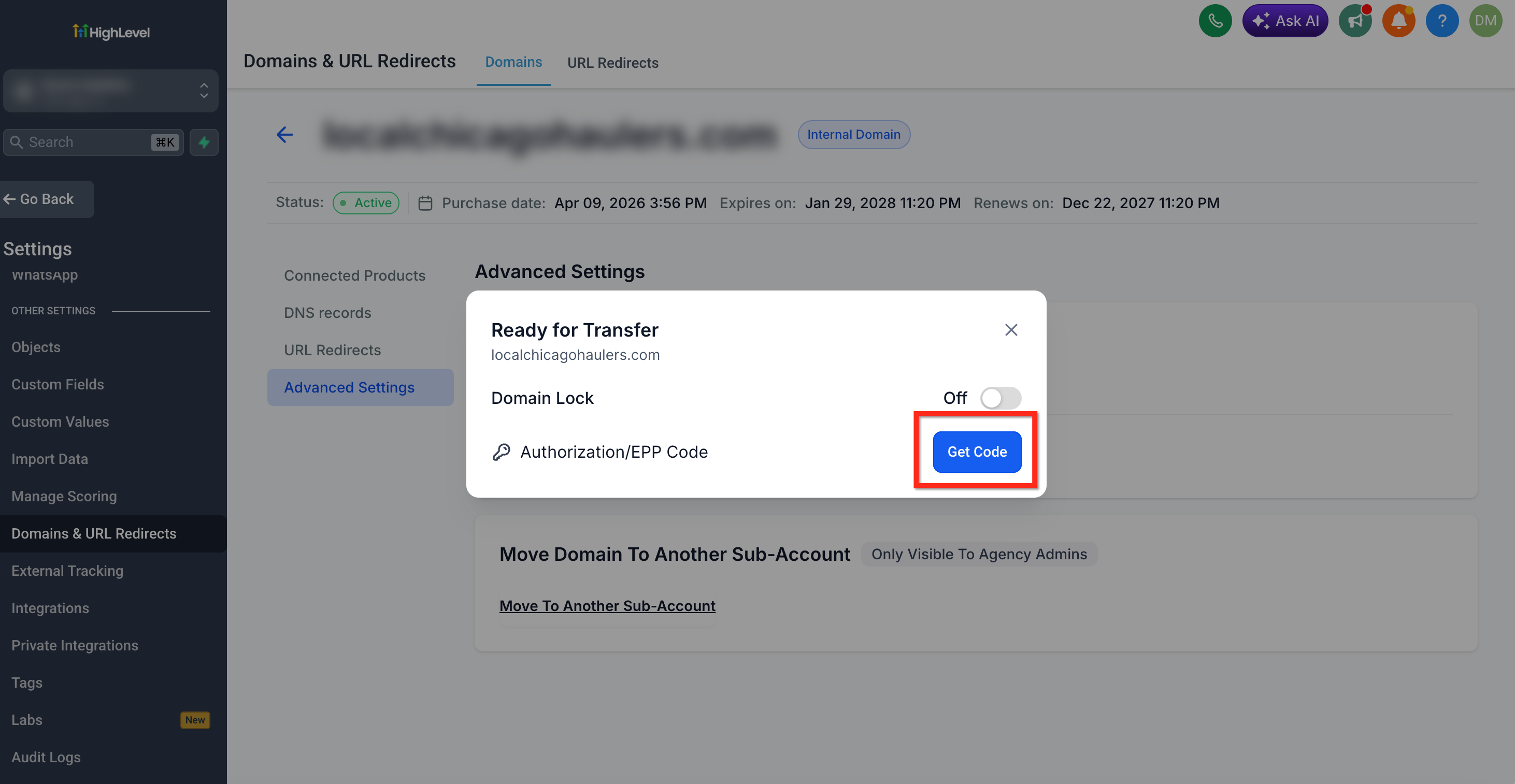
Step 5: Request the EPP Authorization Code
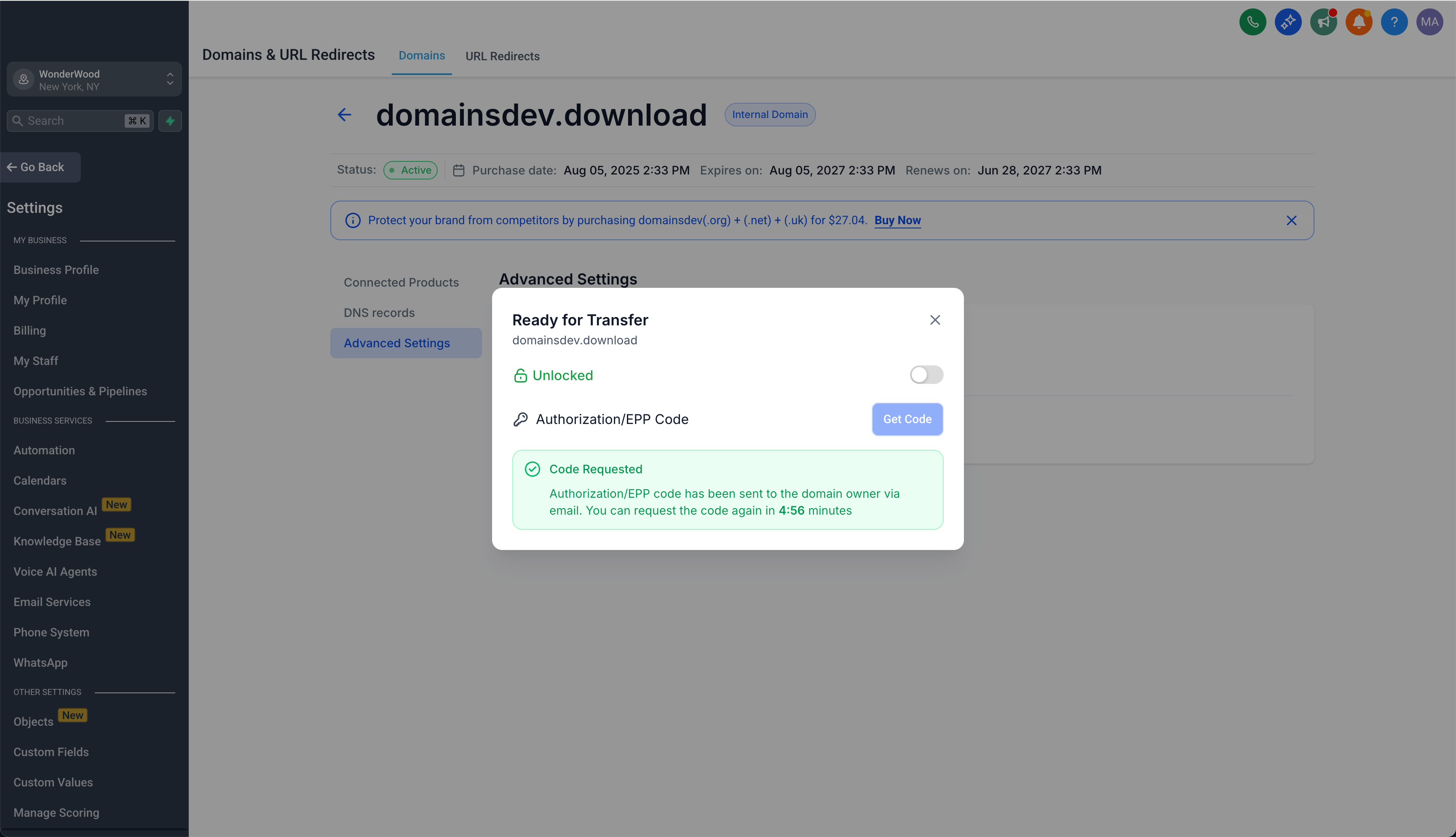
Click **Get Code** to request the EPP authorization code. The EPP code confirms that the person initiating the transfer is authorized to move the domain.
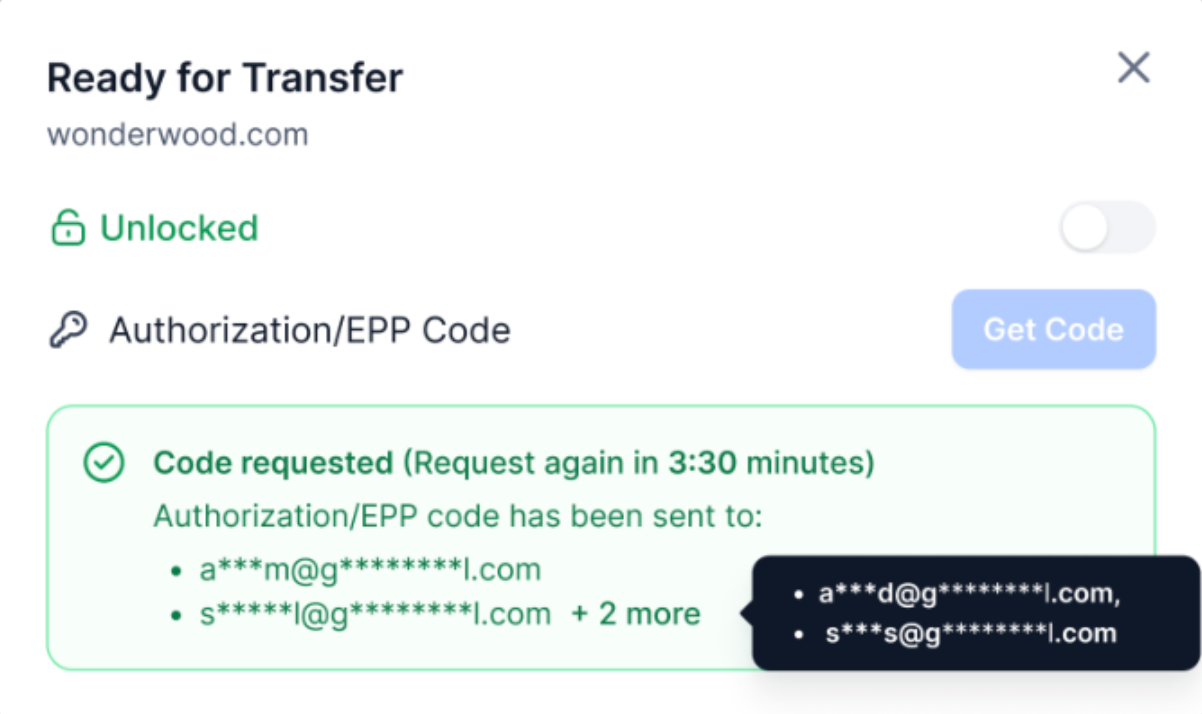
After the request succeeds, HighLevel displays the masked email addresses where the authorization code was sent. The EPP code itself is not displayed on this screen.
Step 6: Check the Authorized Email Inboxes
After you request the EPP authorization code, the confirmation screen shows the masked email addresses where HighLevel sent the code.
Email addresses are masked to protect the full address:
1. For a local part or domain segment with more than two characters, HighLevel shows the first and last characters and masks the characters between them.
2. For a two-character segment, HighLevel shows only the first character.
3. For a single-character segment, HighLevel masks the character completely.
4. The top-level domain, such as `.com` or `.org`, remains visible.
When the code is sent to more than two email addresses, HighLevel displays the first two masked addresses and a **+N more** indicator. Hover over the indicator to view the additional masked addresses.
Check the inboxes, spam folders, and filtered folders for the displayed email addresses. The EPP authorization code is sent by email and is not displayed on the transfer confirmation screen.
When the code does not arrive or another code is needed, wait at least five minutes before requesting it again. Use the most recently delivered code when completing the transfer.
Step 7: Complete the Transfer With the Receiving Registrar
Sign in to the receiving registrar and open its domain-transfer process. Enter the domain name and EPP authorization code, then complete any required payment, contact verification, or transfer approval steps.
Monitor the receiving registrar account and authorized email inboxes for status updates or approval requests. After the transfer is complete, confirm that the domain appears in the new registrar account, review the nameservers and DNS records, and test any connected websites, funnels, and email services.
Frequently Asked Questions
Q: Does requesting an EPP code complete the transfer?
No. Requesting the EPP code only provides the authorization needed to begin the transfer with the receiving registrar. You must submit and complete the transfer through that registrar.
Q: Can I transfer a domain that I connected to HighLevel but purchased elsewhere?
A domain purchased from another registrar remains managed by that registrar. Begin the transfer through the registrar where the domain is currently registered.
Q: Can I transfer a domain to Cloudflare using the standard process?
No. Cloudflare transfers use a dedicated workflow. Follow the Cloudflare transfer article for the applicable steps.
Q: Can I transfer a .uk domain with an EPP code?
The .uk extension family uses a different transfer process. Contact HighLevel Support for assistance.
Q: What should I do when my HighLevel account is cancelled?
Use the domain release request process for cancelled accounts. The standard transfer controls may not be available after account access ends.
Related Articles
Was this article helpful?
That’s Great!
Thank you for your feedback
Sorry! We couldn't be helpful
Thank you for your feedback
Feedback sent
We appreciate your effort and will try to fix the article