Connect AI agents and MCP-compatible clients to HighLevel using the HighLevel MCP Server. This allows AI assistants to securely retrieve data, execute tool calls, automate workflows, and interact with HighLevel services through a standardized HTTP connection.
TABLE OF CONTENTS
- What is HighLevel MCP Server?
- Key Benefits of HighLevel MCP Server
- Supported MCP Clients
- Prerequisites
- Generate a Private Integration Token
- Configure an MCP-Compatible Client
- Available MCP Tools
- Example MCP Workflows
- Contact Data Access Example
- Conversations Tool Example
- Opportunity Workflow Example
- Using MCP in Cursor
- Security and Authentication
- Best Practices
- Frequently Asked Questions
- Related Articles
What is HighLevel MCP Server?
The HighLevel MCP (Model Context Protocol) Server provides a secure way for AI agents and MCP-compatible applications to interact with HighLevel tools and services. Using the MCP Server, AI assistants can retrieve records, update data, automate workflows, and execute actions directly inside HighLevel.
The MCP Server supports integrations across multiple HighLevel services, including contacts, conversations, calendars, opportunities, payments, and locations.
Production MCP Endpoint
https://services.leadconnectorhq.com/mcp/Key Benefits of HighLevel MCP Server
The MCP Server helps developers and AI builders create secure, scalable, and AI-powered workflows inside HighLevel.
- Centralized AI Access: Connect AI agents to multiple HighLevel services through a single MCP endpoint.
- Secure Authentication: Use Private Integration Tokens with scoped permissions for secure access.
- Natural Language Automation: Allow AI assistants to execute workflows using conversational prompts.
- Multi-Service Connectivity: Access contacts, conversations, opportunities, calendars, payments, and more.
- MCP-Compatible Flexibility: Connect with Cursor, Windsurf, OpenAI Playground, Claude-compatible clients, and custom MCP applications.
Supported MCP Clients
The HighLevel MCP Server supports MCP-compatible applications that can connect through HTTP.
Supported clients include:
- Cursor
- Windsurf
- OpenAI Playground
- Claude-compatible MCP clients
- Custom MCP-compatible applications
Prerequisites
Proper setup ensures secure and reliable MCP access for your AI workflows.
Before configuring the MCP Server, make sure you have:
- Access to a HighLevel location
- A Private Integration Token
- Required integration scopes enabled
- An MCP-compatible client
Generate a Private Integration Token
Private Integration Tokens allow MCP-compatible clients to securely authenticate with HighLevel services.
How To Create a Token
- Log in to HighLevel.
- Open the desired sub-account/location.
- Navigate to Settings
. - Click Private Integrations.
- Select Create New Integration.
- Choose the required scopes.
- Click Create Integration.
- Copy and securely store the generated token.
Configure an MCP-Compatible Client
Adding the MCP endpoint and authentication headers allows your AI client to discover and execute HighLevel MCP tools.
Example MCP Configuration
{ "mcpServers": { "prod-ghl-mcp": { "url": "https://services.leadconnectorhq.com/mcp/", "headers": { "Authorization": "Bearer <your-token>", "locationId": "<your-location-id>" } } } }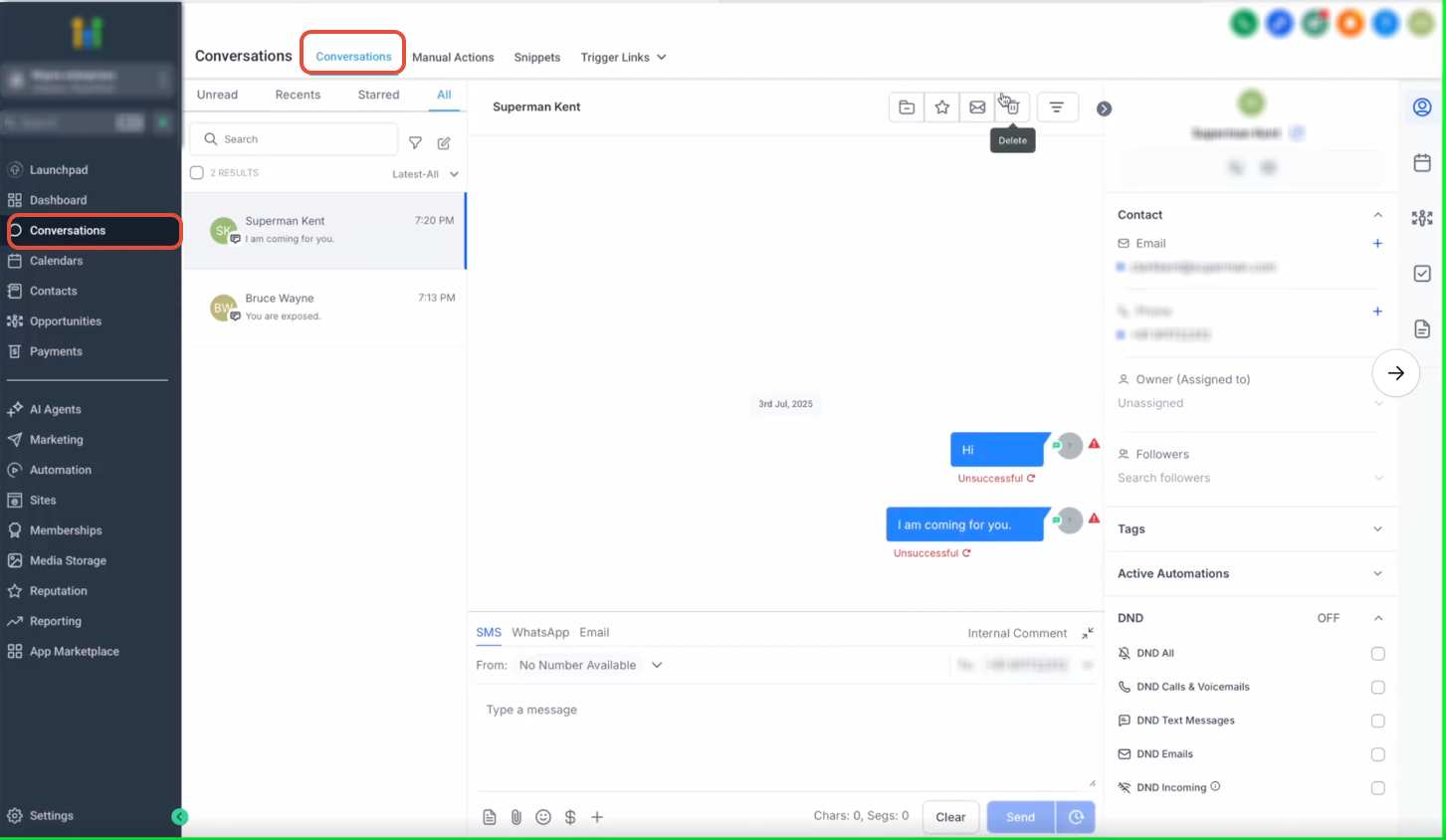
Required Scopes
Scopes control which HighLevel resources and actions AI agents can access. Grant only the permissions required for your workflows.
Recommended Scopes
Contacts
- View Contacts
- Edit Contacts
Conversations
- View Conversations
- Edit Conversations
- View Conversation Messages
- Edit Conversation Messages
Opportunities
- View Opportunities
- Edit Opportunities
Calendars
- View Calendars
- Edit Calendars
- View Calendar Events
- Edit Calendar Events
Payments
- View Payment Orders
- View Payment Transactions
Other
- View Custom Fields
- View Forms
- View Locations
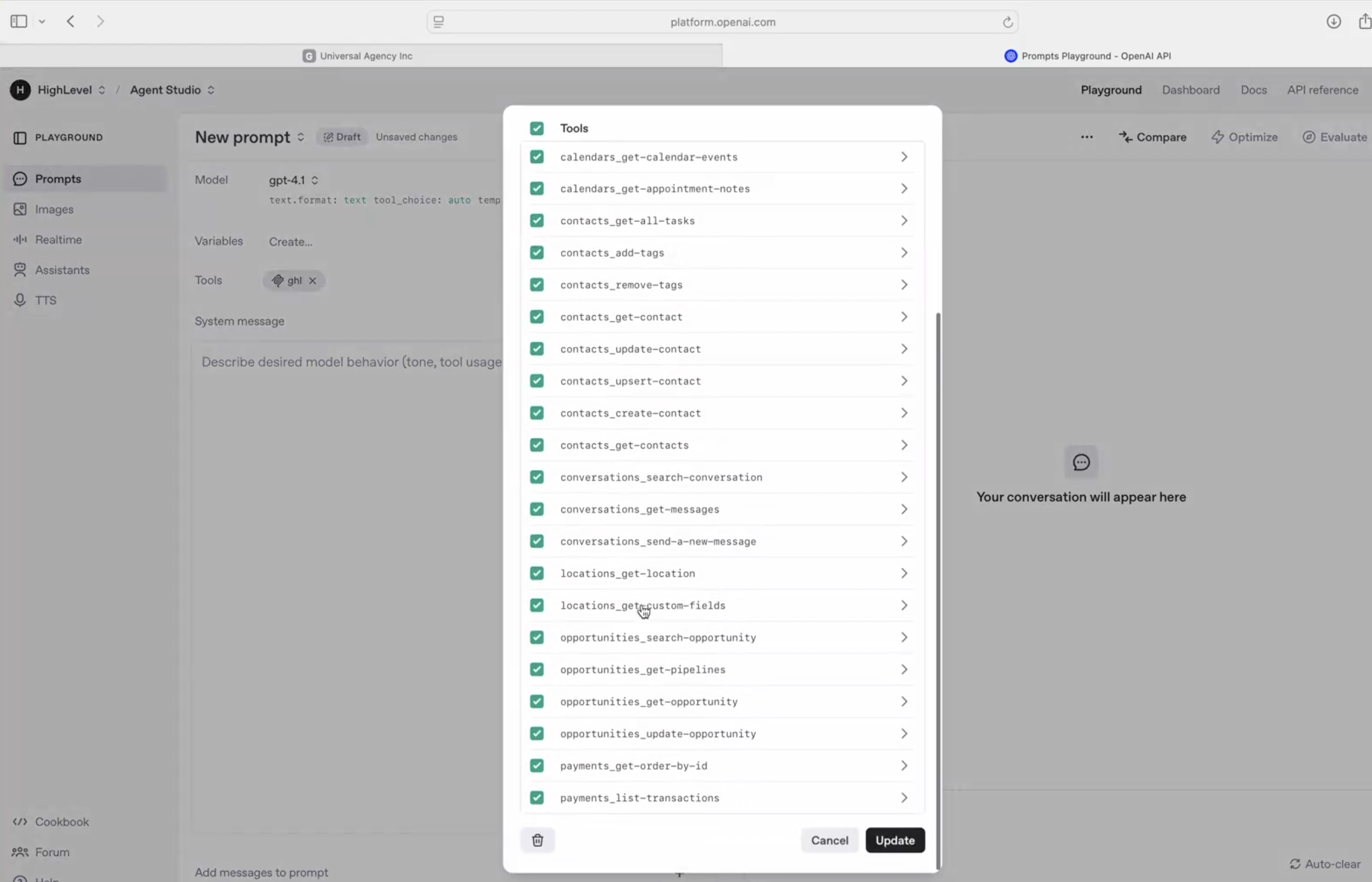
Available MCP Tools
The HighLevel MCP Server currently includes tools across multiple HighLevel services.
Calendar Tools
calendars_get-calendar-eventscalendars_get-appointment-notes
Contact Tools
contacts_get-all-taskscontacts_add-tagscontacts_remove-tagscontacts_get-contactcontacts_update-contactcontacts_upsert-contactcontacts_create-contactcontacts_get-contacts
Conversation Tools
conversations_search-conversationconversations_get-messagesconversations_send-a-new-message
Location Tools
locations_get-locationlocations_get-custom-fields
Opportunity Tools
opportunities_search-opportunityopportunities_get-pipelinesopportunities_get-opportunityopportunities_update-opportunity
Payment Tools
payments_get-order-by-idpayments_list-transactions
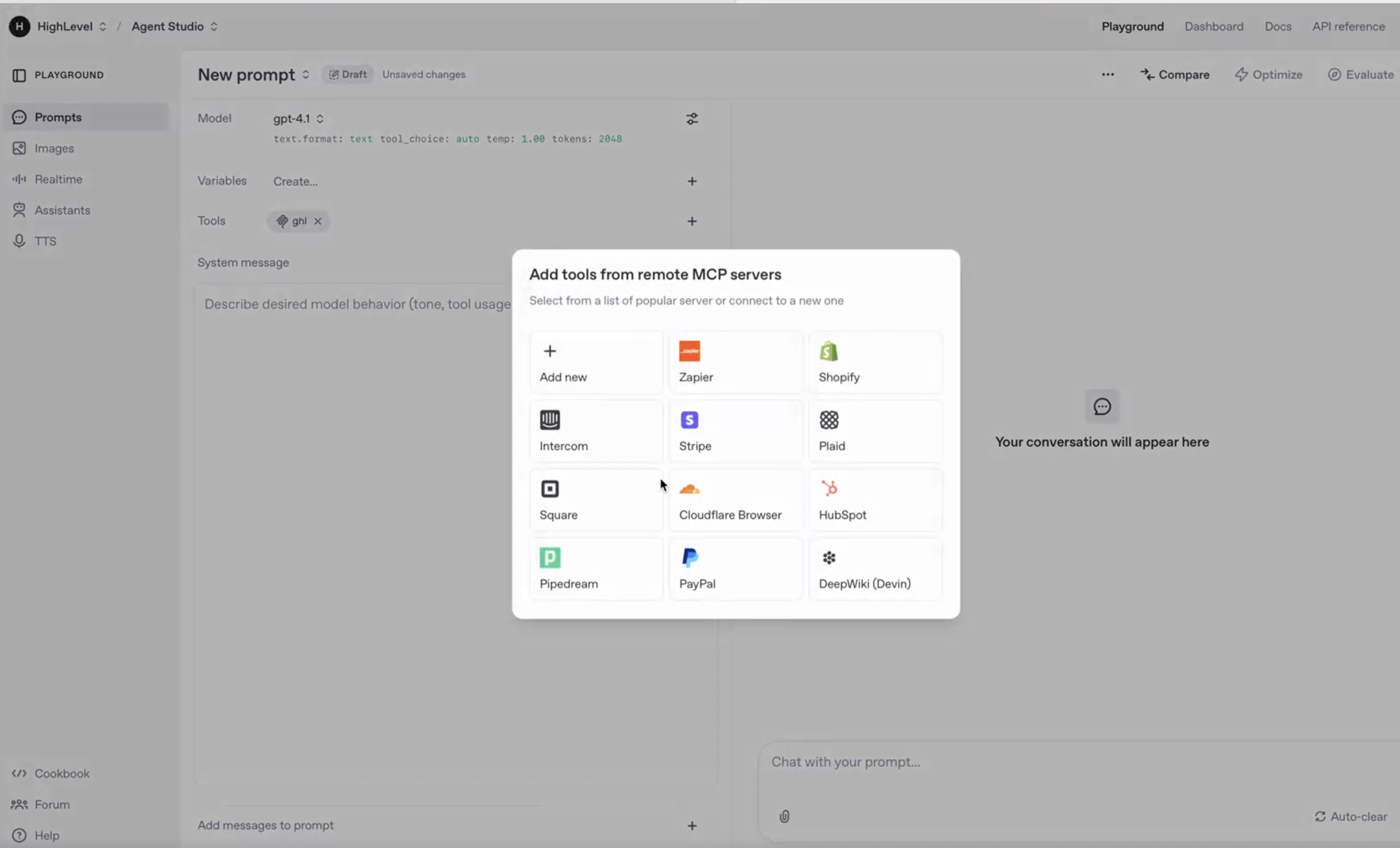
Example MCP Workflows
The MCP Server enables AI agents to perform actions inside HighLevel using natural language requests and MCP tool execution.
Common MCP Workflows
- Searching contacts
- Updating opportunities
- Sending messages
- Retrieving calendar events
- Managing conversation history
- Accessing payment data
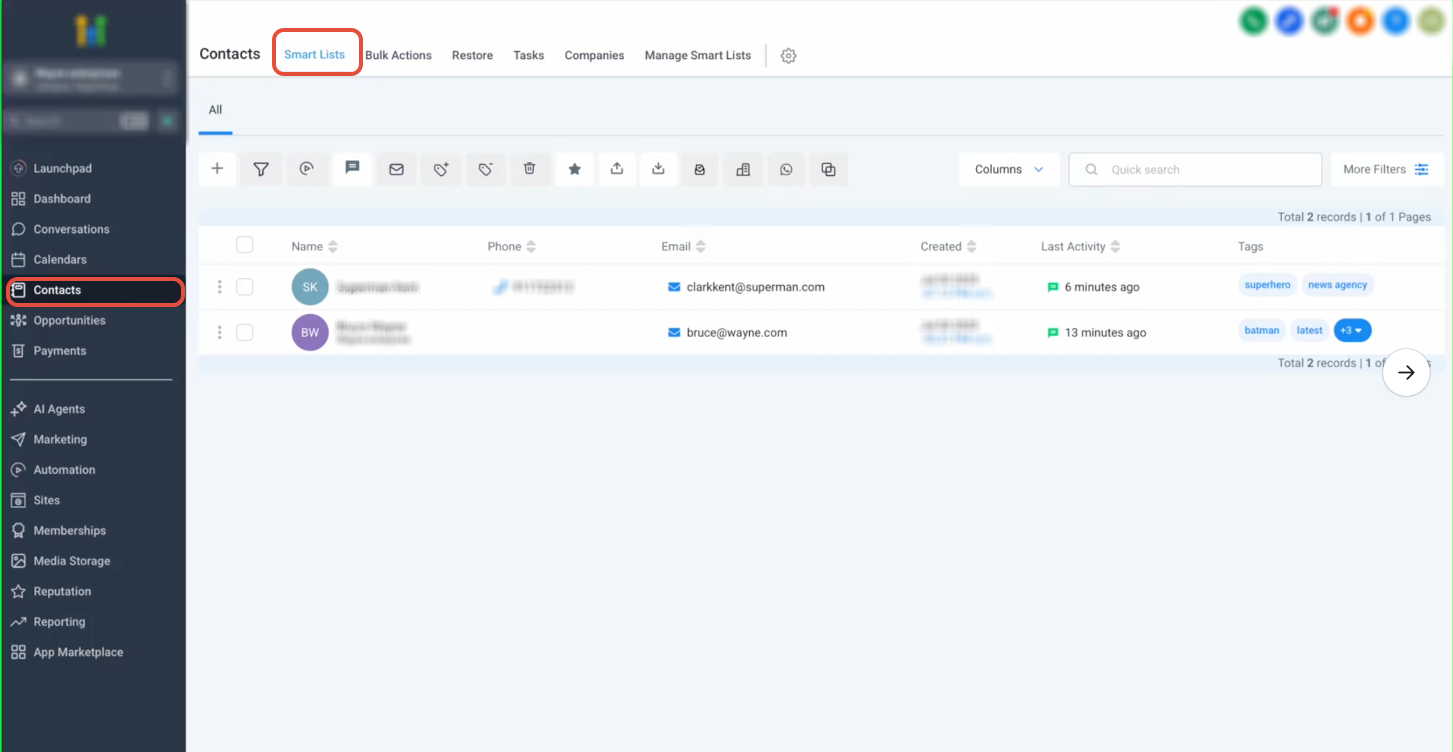
Contact Data Access Example
AI agents can retrieve and manage contact data directly through MCP tools.
Supported Contact Actions
- Find contacts
- Read contact details
- Access tags
- Review recent activity
- Manage tasks
Conversations Tool Example
Conversation tools allow AI agents to retrieve messages and send replies directly from MCP-compatible clients.
Supported Conversation Actions
- Search conversations
- Retrieve message history
- Send new messages
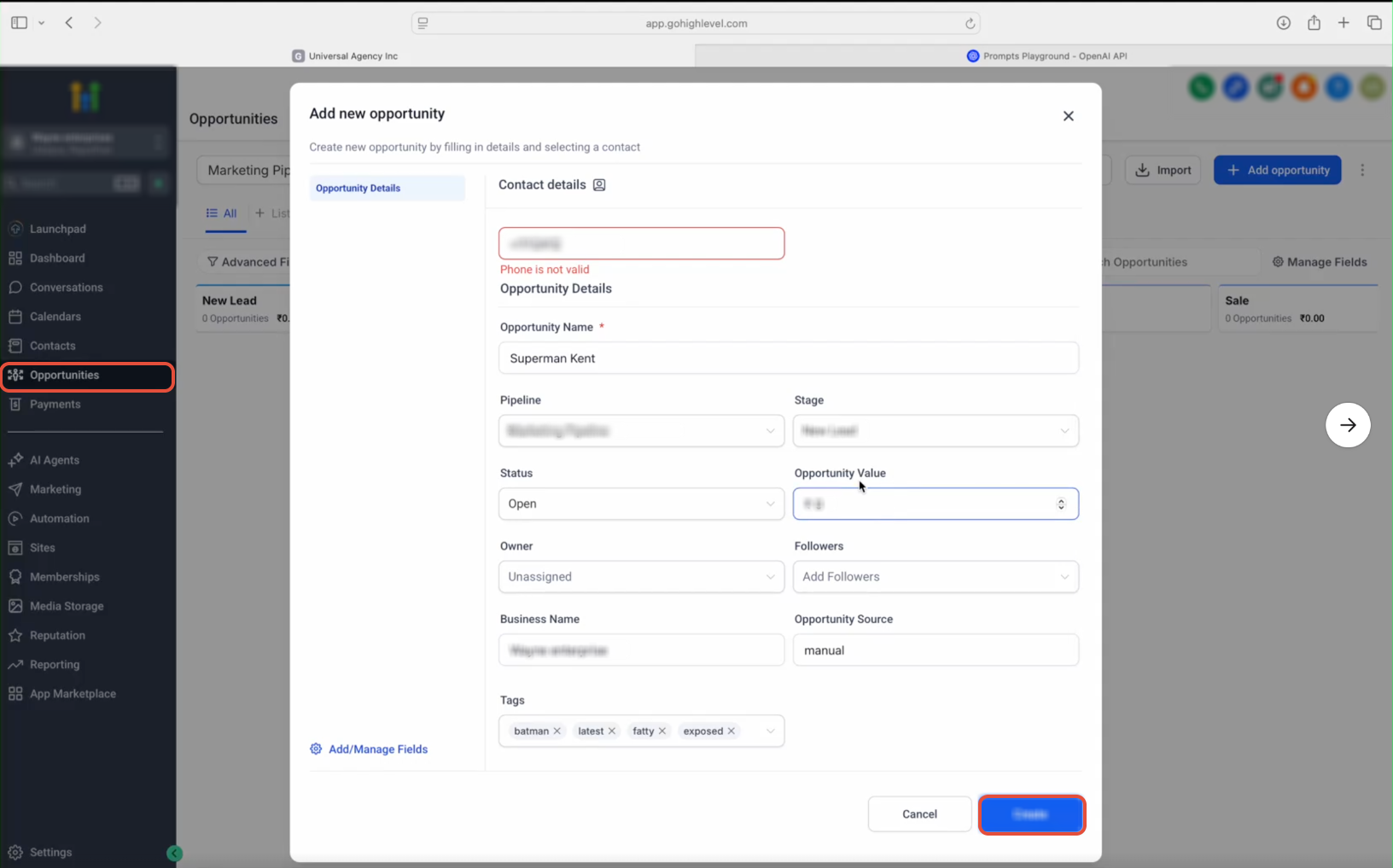
Opportunity Workflow Example
Opportunity tools help AI agents interact with pipelines and manage sales workflows directly through MCP tools.
Supported Opportunity Actions
- Retrieve pipelines
- Search opportunities
- Update opportunity records
- Manage sales workflows
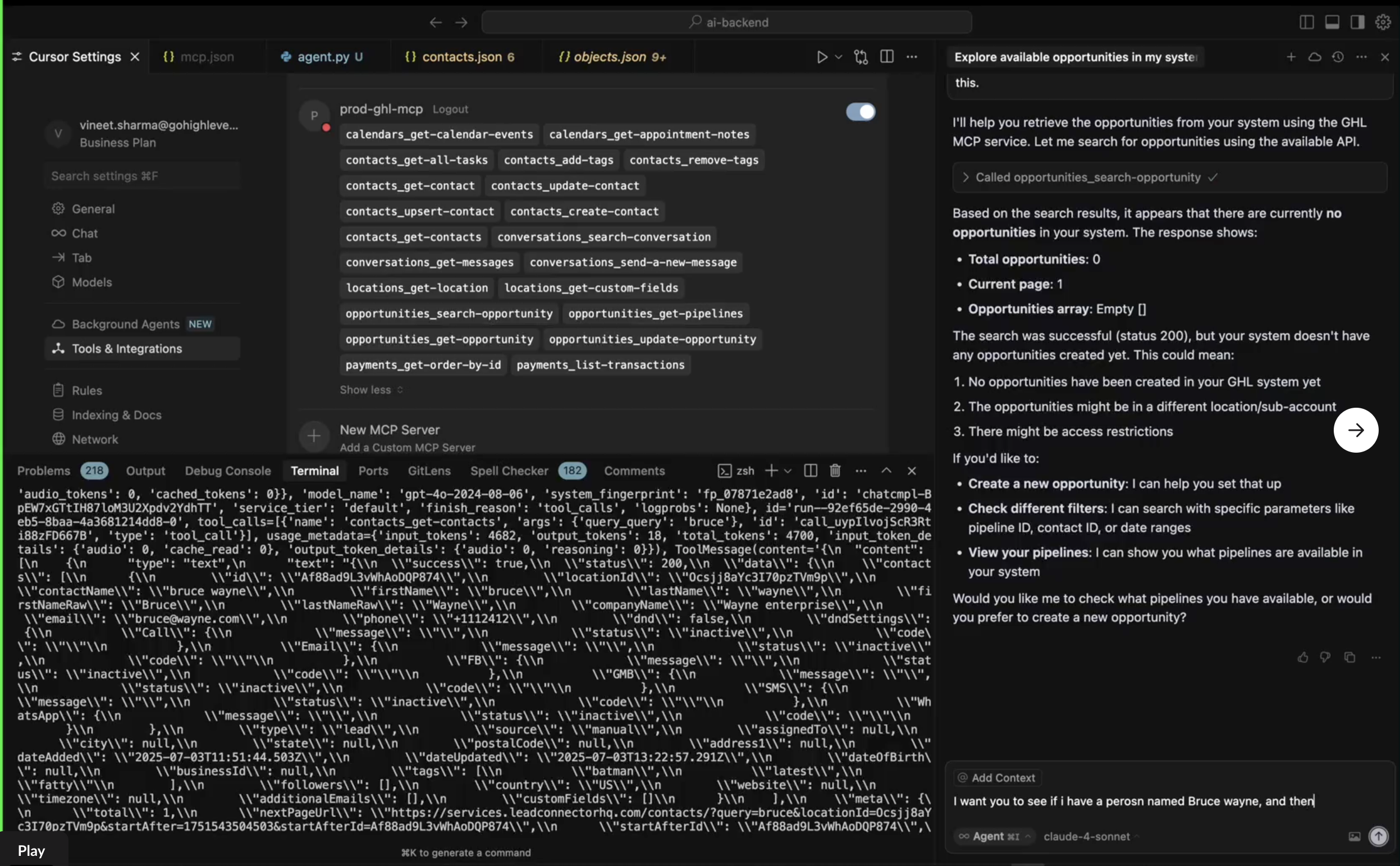
Using MCP in Cursor
Cursor can connect directly to the HighLevel MCP Server using MCP configuration settings. Once connected, Cursor can discover tools, execute MCP actions, and interact with HighLevel using natural-language prompts.
Cursor MCP Capabilities
- Discover available tools
- Execute MCP tool calls
- Query HighLevel data
- Trigger updates using AI prompts
Security and Authentication
The MCP Server uses token-based authentication to secure AI access to HighLevel resources.
Each request requires:
- A valid Private Integration Token
- A valid
locationId
Keep integration tokens secure and avoid exposing them publicly.
Best Practices
Following security best practices helps improve reliability and reduce unauthorized access risks.
- Use only the scopes required for your workflows.
- Store tokens securely.
- Test integrations before production deployment.
- Monitor AI activity when enabling write permissions.
- Rotate integration tokens periodically.
Frequently Asked Questions
Q: What does MCP stand for?
MCP stands for Model Context Protocol. It is a standardized protocol that allows AI agents and copilots to securely interact with external tools and services.
Q: What MCP clients are supported?
Supported clients include Cursor, Windsurf, OpenAI Playground, Claude-compatible MCP clients, and custom MCP-compatible applications.
Q: How do I authenticate with the MCP Server?
Authentication requires a valid Private Integration Token and locationId, which must be added to the MCP client configuration headers.
Q: Can AI agents update HighLevel data using MCP?
Yes. MCP tools support both read and write actions depending on the scopes assigned to the Private Integration Token.
Q: What services are currently supported?
The current MCP release supports contacts, conversations, calendars, opportunities, payments, locations, and custom fields.
Q: Is OAuth currently supported?
No. OAuth support is planned for a future release.
Q: Can I use MCP with custom AI agents?
Yes. Any custom application that supports MCP over HTTP can connect to the HighLevel MCP Server.
Related Articles
Was this article helpful?
That’s Great!
Thank you for your feedback
Sorry! We couldn't be helpful
Thank you for your feedback
Feedback sent
We appreciate your effort and will try to fix the article