The Add Inbound Message capability lets you post inbound messages to Conversations by supplying a Contact ID, without first resolving a Conversation ID. This reduces calls, simplifies logic, and ensures messages appear in the correct CRM thread with minimal overhead. Use this guide to understand the benefits, setup, payload structure, threading behavior, and best practices.
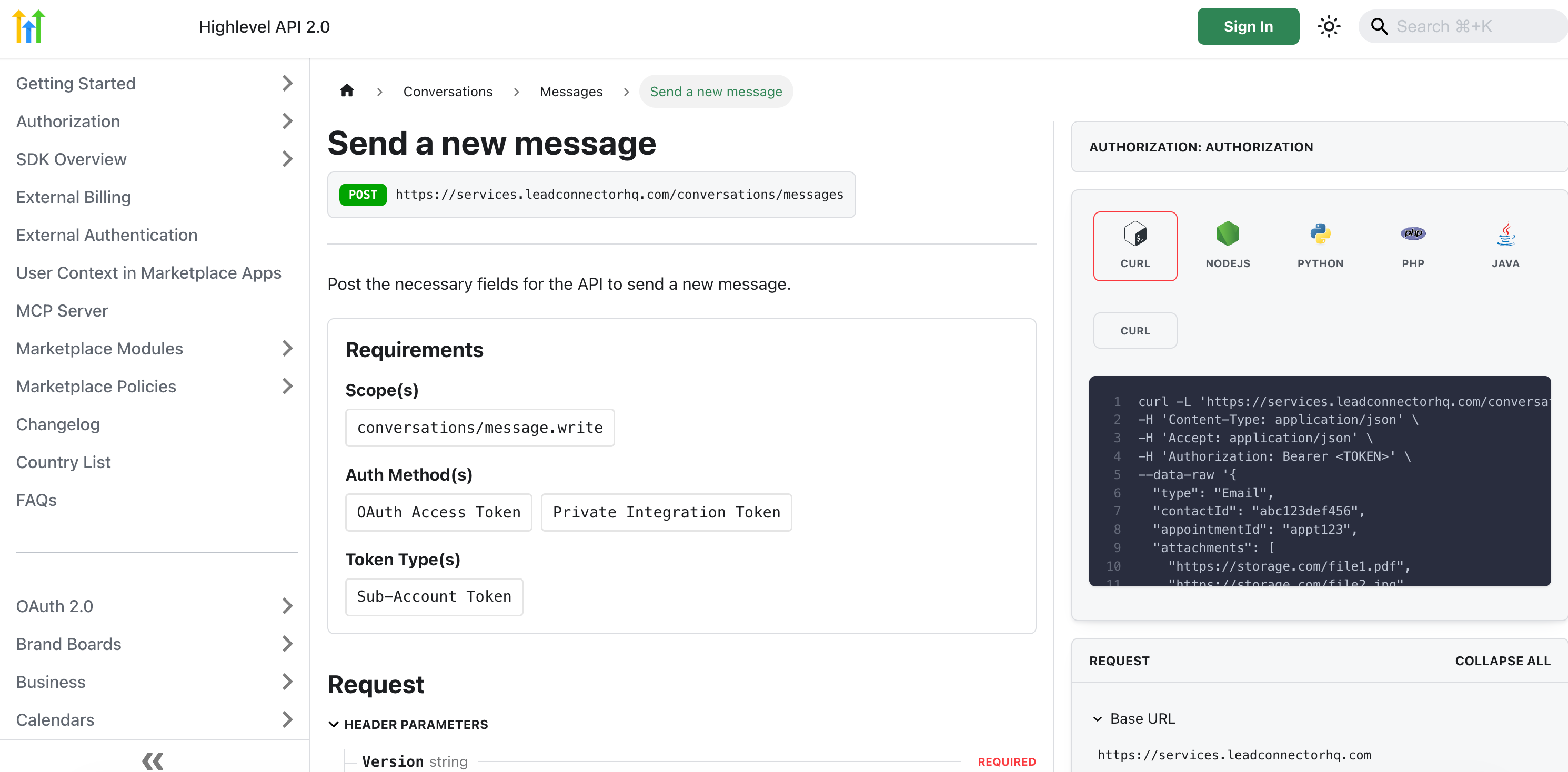
IMPORTANT: You can find the Complete REST API documentation for HighLevel CRM platform here. HighLevel API Documentation - Send a new message.
TABLE OF CONTENTS
- What is Add Inbound Message (Contact-Based)
- Key Benefits of Add Inbound Message
- Endpoint Overview & Payload (Conceptual)
- Threading & Association Rules
- Setup & Requirements
- Channel Considerations & Attachments
- Idempotency, Retries & Rate Limits
- Error Handling & Common Responses
- Testing & Verification
- Frequently Asked Questions
What is Add Inbound Message (Contact-Based)
Add Inbound Message accepts a Contact ID and posts a new inbound message into the appropriate conversation—either appending to an existing thread or creating a new one. This makes integrations faster and more reliable when ingesting messages from providers, webhooks, or imports where the contact is already known.
- Provide Contact ID + channel + content; the system handles thread association.
- If a matching conversation exists, the message is appended; otherwise, one is created.
- Works across common channels (e.g., SMS/MMS, Email, WhatsApp, Messenger, Instagram, Web Chat).
Key Benefits of Add Inbound Message
These advantages map directly to fewer network round-trips, clearer developer flows, and a better agent experience in the CRM.
Fewer API calls: avoid conversation lookup/creation in common inbound flows
Simpler flow control: reduce branching for “conversation exists vs not”
Cleaner CRM UX: messages land in the right thread automatically
More resilient integrations: fewer calls mean fewer transient failure points
Backward compatible: existing “by Conversation ID” patterns continue to work
Endpoint Overview & Payload (Conceptual)
The following shapes illustrate how to structure requests and consume responses. Field names are representative; align your implementation to the latest developer docs in your environment.
HTTP
Request (representative)
Response (representative)
Threading & Association Rules
Threading rules determine whether the system appends your message to an existing conversation or creates a new one. Understanding these rules prevents duplicate or fragmented threads.
Existing thread (same channel): If the contact has an open conversation on the same channel, the message is appended to that thread.
No suitable thread: The system creates a new conversation and returns
conversationIdin the response.Multiple endpoints per contact: When a contact has multiple addresses for the same channel (e.g., two phone numbers or emails), include the endpoint hint (e.g.,
endpoint.phoneorendpoint.email) to disambiguate.Multi-location context: Ensure your auth context or payload targets the correct location/workspace if the contact exists in multiple locations.
Archival/closed threads: If only closed/archived threads exist, a new conversation is created.
Setup & Requirements
Preparing credentials, scopes, and environment context ahead of time improves reliability and shortens integration time.
Access & scopes: Confirm API access and the required Conversations/Contacts scopes for your role.
Authentication: Use OAuth or API key per your environment’s standards.
Contact resolution: Have a reliable way to obtain/validate Contact IDs upstream (e.g., by phone/email match).
Location context: Calls should resolve to the correct location that owns the contact and conversation data.
Channel Considerations & Attachments
Each channel enforces unique rules. Validate payloads to avoid delivery failures or rejected uploads.
SMS/MMS: Observe character and media size/type limits; prefer media URLs reachable by the system.
WhatsApp: Respect template/free-form constraints; ensure media types meet WhatsApp specs.
Email: Provide proper MIME types; support for text/HTML bodies and attachments.
Messenger/Instagram: API platform limits and rate caps may apply; validate media dimensions.
Web Chat: Rich content support depends on widget capabilities; fall back to text if needed.
Idempotency, Retries & Rate Limits
Network hiccups and provider timeouts are normal. Idempotency and disciplined retry logic prevent duplicate messages and improve user trust.
Idempotency: Always include an
idempotencyKey. Retries with the same key should not create duplicates.Retry policy: Retry on
5xx/timeouts with exponential backoff. Respect429responses and theRetry-Afterheader when present.Observability: Log your request ID and
providerMessageIdto correlate with downstream systems.
Error Handling & Common Responses
Standardising error handling reduces investigation time and avoids user-visible inconsistencies.
- 400 Bad Request — invalid contactId, missing channel, malformed content, unsupported attachment type/size
- 401/403 — auth failed or insufficient scope/role for the location
- 404 Not Found — contactId not found or not visible in your location context
- 409 Conflict — idempotency key collision or duplicate submission detected
- 413 Payload Too Large — attachments exceed size limits
- 429 Too Many Requests — rate limit exceeded; backoff and retry
- 5xx — transient provider/system error; retry with the same idempotencyKey
Testing & Verification
A repeatable test plan ensures messages thread correctly and appear in the CRM as expected before production rollout.
Happy path: Post an inbound with known
contactIdand confirm it appears in the correct conversation.No thread case: Post for a contact with no open conversation and verify a new
conversationIdis returned.Endpoint ambiguity: Test a contact with multiple numbers/emails; include endpoint hints and confirm correct threading.
Attachments: Validate permitted media and confirm rendering in the CRM timeline.
Resilience: Simulate timeouts and ensure your idempotent retries do not create duplicates.
Frequently Asked Questions
Q: Can I still post inbound using a Conversation ID?
Yes. Existing flows remain supported. Contact-based inbound is an additive shortcut.
Q: What happens if I omit the channel?
The request is rejected. Provide channel and, when needed, a disambiguating endpoint field.
Q: How is the conversation selected when multiple threads exist?
The system prefers an open thread on the same channel. If not found, it creates a new conversation.
Q: How do I handle duplicates when retrying after a timeout?
Include an idempotencyKey with every request and reuse it on retries.
Q: Can I backfill historical inbound messages?
Yes. Provide metadata.timestamp reflecting the original time, the message is ordered accordingly in the timeline.
Q: How do I target the right location if a contact appears in more than one?
Use credentials or headers tied to the intended location/workspace. Calls should be scoped to the location that owns the contact.
Was this article helpful?
That’s Great!
Thank you for your feedback
Sorry! We couldn't be helpful
Thank you for your feedback
Feedback sent
We appreciate your effort and will try to fix the article