Welcome to an overview of the LaunchPad for agency accounts in HighLevel! This feature brings a guided, video-based onboarding experience to agency users, making it easier than ever to get started and realize value quickly.
IMPORTANT: The new Agency LaunchPad is available to eligible agency accounts on the $97, $297, and $497 plans that were created on or after June 5, 2025. Agency accounts created before this date do not currently have access to the new Agency LaunchPad.
TABLE OF CONTENTS
- What is the Agency LaunchPad?
- Use Agency LaunchPad
- Accessibility in LaunchPad
- Frequently Asked Questions
What is the Agency LaunchPad?
LaunchPad for Agency Accounts is a curated onboarding tool designed specifically for marketing agencies and SaaSpreneurs using HighLevel. Instead of landing in a new Agency Account and having no idea what to do first, this LaunchPad guides new admins through essential setup steps using short tutorial videos and actionable prompts. This approach helps new users understand what to do next, reducing confusion and accelerating their path to success.
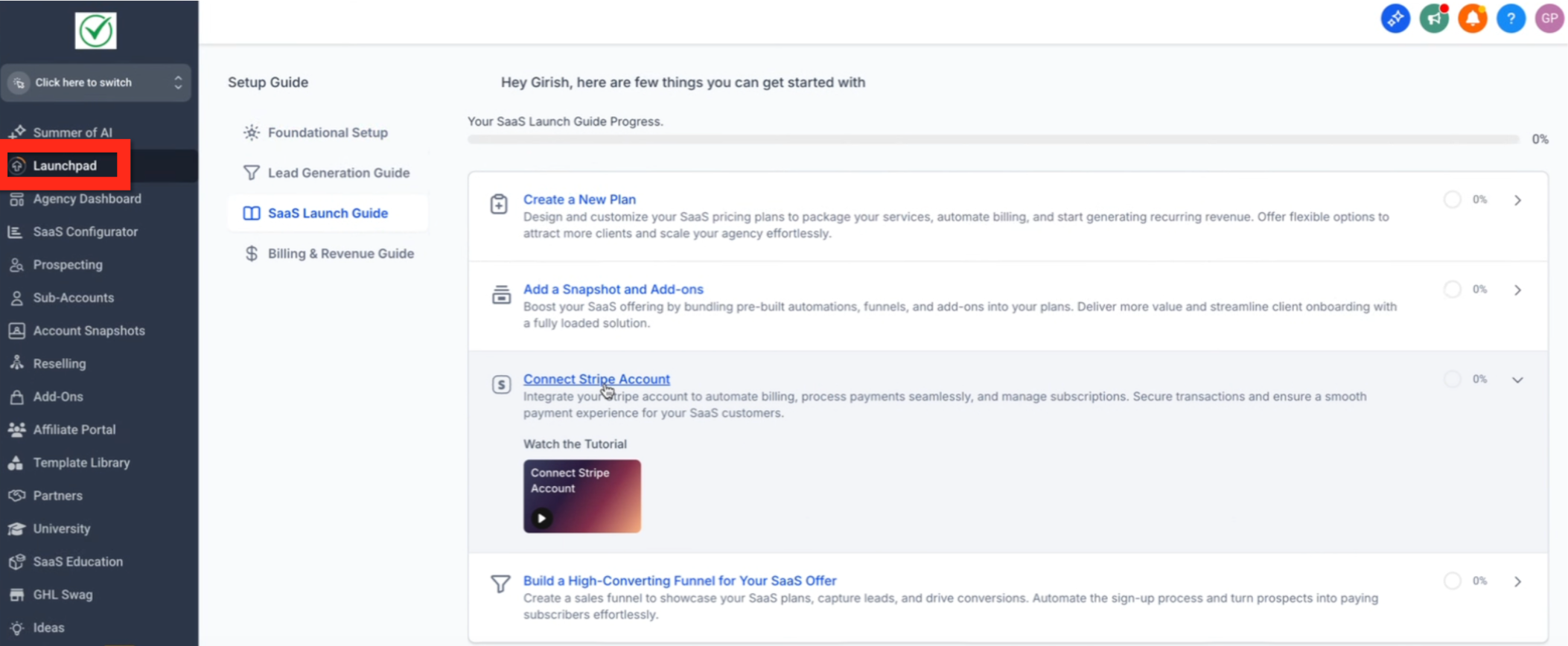
LaunchPad for Agency Accounts offers several advantages that help agencies onboard faster and more effectively:
- Accelerated Onboarding: Users are guided through key setup actions, reducing the learning curve and time to value.
- Video-Based Guidance: Each action includes a short, focused video tutorial, making complex steps easy to follow.
- Greater Immediate Clarity: By providing clear, actionable guidance, Agencies are more likely to know exactly what to do next.
For agencies on the Unlimited Plan, a designated Agency Sub-Account can help standardize which sub-account is used as the primary onboarding reference.
Use Agency LaunchPad
- Log in to your HighLevel agency account.
- In the Agency View, locate LaunchPad in the navigation menu.
- If your eligible account does not show LaunchPad, verify that your user role has permission to access it.
- If LaunchPad is still unavailable after confirming your permissions, contact HighLevel Support for assistance.
- If your agency account was created before June 5, 2025, the new Agency LaunchPad is not currently available for that account.
- Navigate to LaunchPad (if you don't see it you can wait for the rollout or ask support to activate it).
- Admins can hide LaunchPad by role permissions. If you don’t see it, verify your role permissions or ask an agency admin.
- Review the Guided Actions: The LaunchPad presents a series of key onboarding actions. Just start with the one that is most relevant to you.
- Click, Watch, Use: Click on any action to navigate directly to that part of HighLevel, watch the video to learn what to do, then use the platform to perform the action.
- Return to LaunchPad: Navigate back to the LaunchPad.
- Track Your Progress: As you complete actions, the LaunchPad will update to reflect your progress.
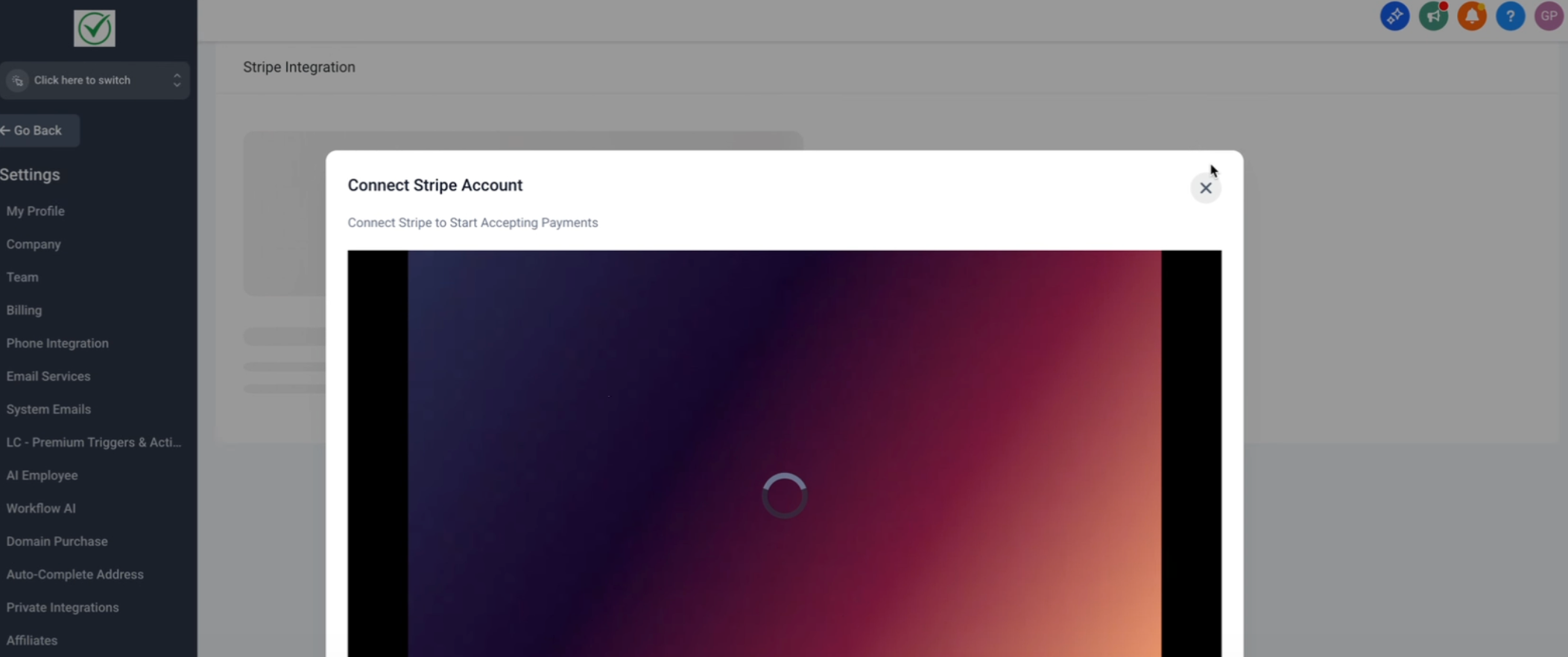
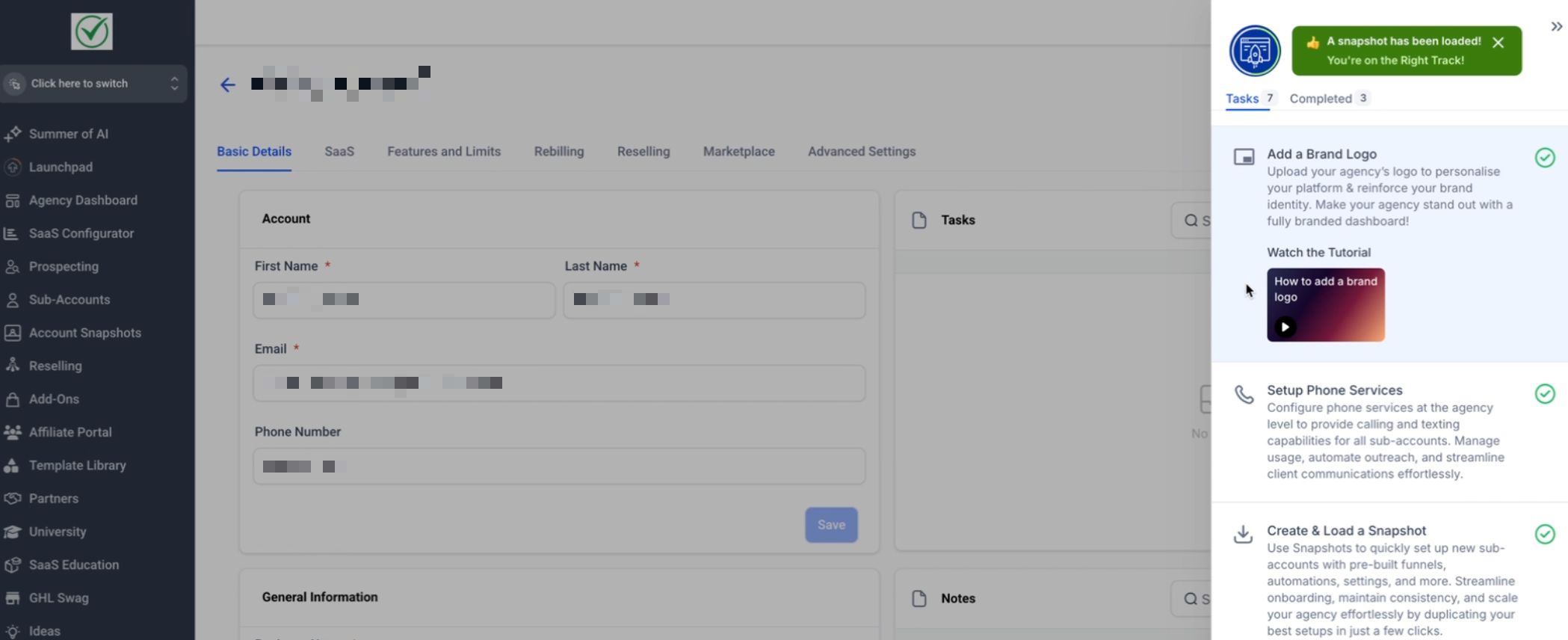
Note: LaunchPad tutorials support Picture-in-Picture (PiP), so you can follow the video while completing steps in the same tab.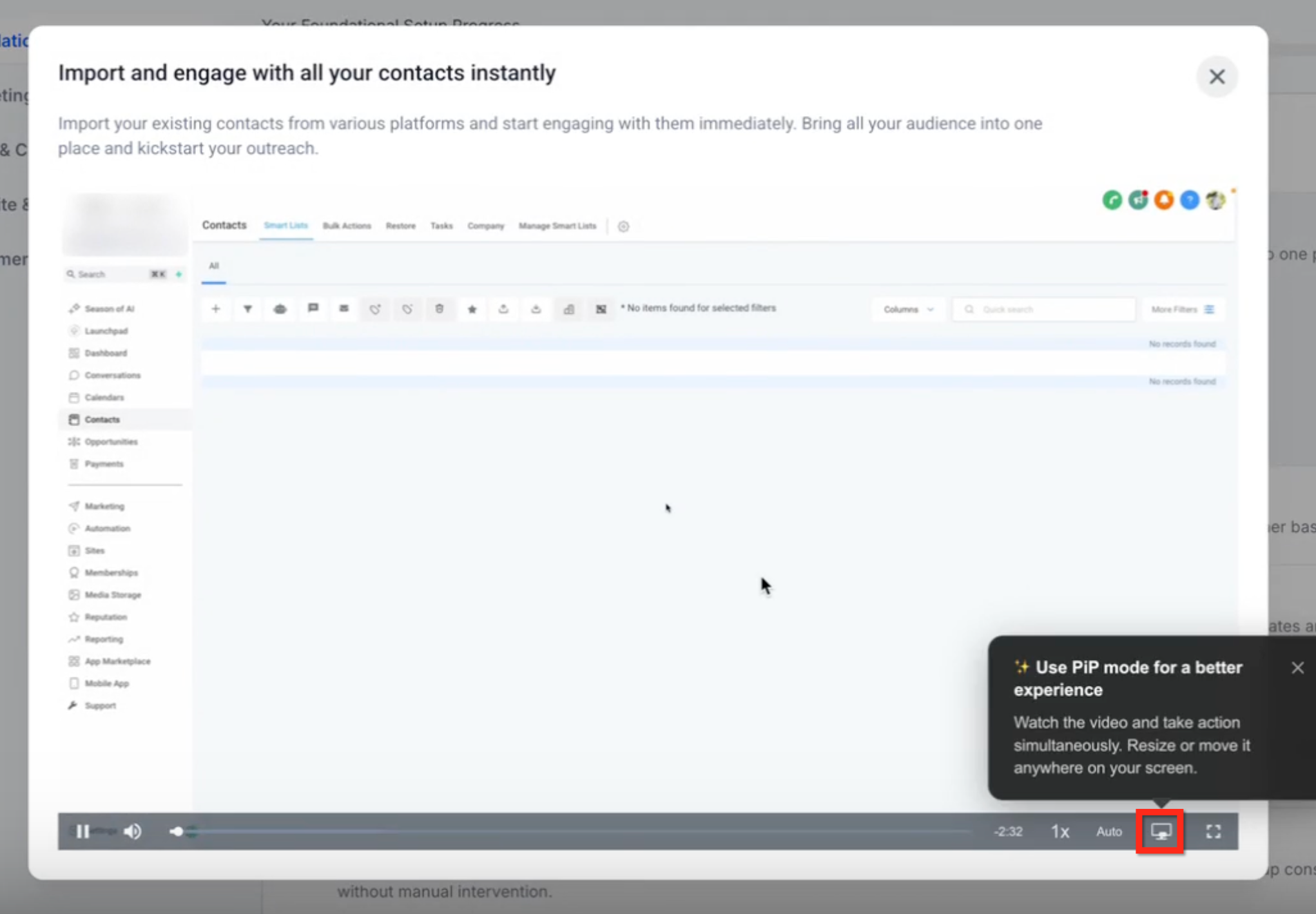
Accessibility in LaunchPad
LaunchPad includes improvements that help users complete guided onboarding actions with screen readers and keyboard-only navigation.
- Screen readers announce step progress, provide clearer modal context, and communicate form validation feedback.
- Keyboard-only navigation supports predictable access to interactive elements, Enter/Space activation where supported, and Escape to close supported modals.
- Focus indicators and focus behavior are more consistent across dialogs and steps.
- Accessibility labels, announcements, and alt text are translated across 13 locales, including English, Spanish, French, and German, to improve pronunciation and comprehension.
Frequently Asked Questions
Q: Who gets access to Agency LaunchPad?
Agency accounts on the $97, $297, and $497 plans are eligible when the agency account was created on or after June 5, 2025.
Agency accounts created before June 5, 2025 do not currently have access to the new Agency LaunchPad.
What should I do if I don't see Agency LaunchPad?
The next step depends on when your agency account was created:
- Account created on or after June 5, 2025: Confirm that your user role has permission to access LaunchPad. If you are eligible and LaunchPad is still unavailable, contact HighLevel Support.
- Account created before June 5, 2025: The new Agency LaunchPad is not currently available for the account. Waiting for rollout or requesting activation from Support is not required.
Q: Can I access the tutorial videos outside of the LaunchPad?
At this time, the videos are integrated into the LaunchPad experience and are not available as a standalone library.
Q: How does this impact onboarding for sub-accounts?
Sub-accounts have their own LaunchPad experience, which is similar to the Agency LaunchPad.
Q: Can my agency hide LaunchPad for some users or accounts?
Yes. Admins can control LaunchPad visibility at the role level. They can also turn LaunchPad on or off per sub-account and by SaaS plan, if applicable.
Was this article helpful?
That’s Great!
Thank you for your feedback
Sorry! We couldn't be helpful
Thank you for your feedback
Feedback sent
We appreciate your effort and will try to fix the article