Funnel URL indexing issues can happen when search engines discover duplicate or unexpected URL variations for the same funnel page. This may include random numbers being added to funnel URLs, Google indexing a non-preferred URL, or duplicate paths appearing in Google Search Console. This guide explains how to clean up funnel URLs, choose unique page paths, use canonical tags, and apply redirects when needed in HighLevel.
TABLE OF CONTENTS
- What is URL Indexing in Funnels?
- Key Benefits of Fixing Funnel URL Indexing Issues
- Removing Random Numbers from Funnel URLs
- How to Fix It
- Understanding Funnel URLs and Funnel Step URLs
- Using Canonical Tags for Preferred Funnel URLs
- How to Add a Canonical Tag
- Using 301 Redirects for Changed Funnel URLs
- Checking Google Search Console After Updates
- Avoiding Accidental Noindex Tags
- Frequently Asked Questions
- Related Articles
What is URL Indexing in Funnels?
URL indexing is the process search engines use to discover, crawl, and store funnel page URLs so they can appear in search results. Clean and consistent funnel URLs help search engines understand which page should be treated as the preferred version. In HighLevel, funnels can include a funnel-level URL and individual step URLs, so it is important to keep paths unique and organized.
URL indexing issues may appear when:
- A funnel URL has random numbers added to the end
- Google indexes a URL variation instead of the preferred URL
- Multiple versions of the same funnel page are accessible
- A funnel path conflicts with another page or funnel step
- A redirect or canonical tag is missing or configured incorrectly
Key Benefits of Fixing Funnel URL Indexing Issues
Clean funnel URLs make it easier for visitors and search engines to understand where each page belongs. Resolving URL conflicts also helps prevent duplicate content signals and keeps reporting in tools like Google Search Console easier to review.
- Cleaner URLs: Remove unnecessary random numbers from funnel URLs when the page path can be made unique.
- Improved SEO clarity: Help search engines identify the preferred version of a funnel page.
- Better Tracking Accuracy: Reduce confusion when reviewing funnel URLs in Google Search Console or analytics tools.
- Stronger Visitor Experience: Keep shared links clean, readable, and easier to recognize.
- Reduced Duplicate URL Conflicts: Prevent multiple pages or funnel steps from competing for the same path.
Removing Random Numbers from Funnel URLs
Random numbers are usually added to a funnel URL when the page path is already being used by another page or funnel step on the same domain. HighLevel automatically adds a unique number string to help prevent duplicate URL conflicts.
How to Fix It
- Go to Sites. Open Funnels.
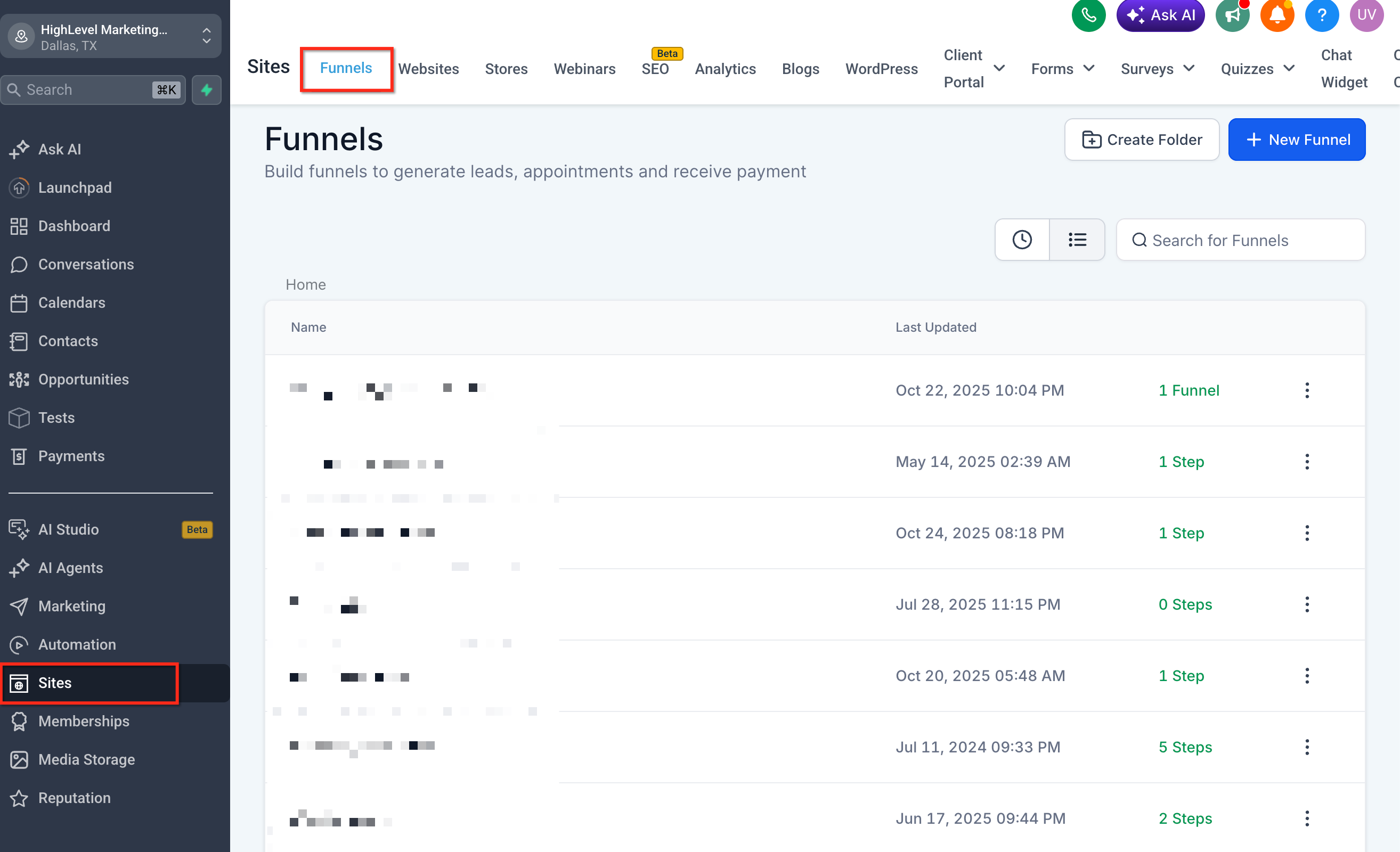
- Select the affected funnel.
- Select the funnel step where the random numbers are appearing.
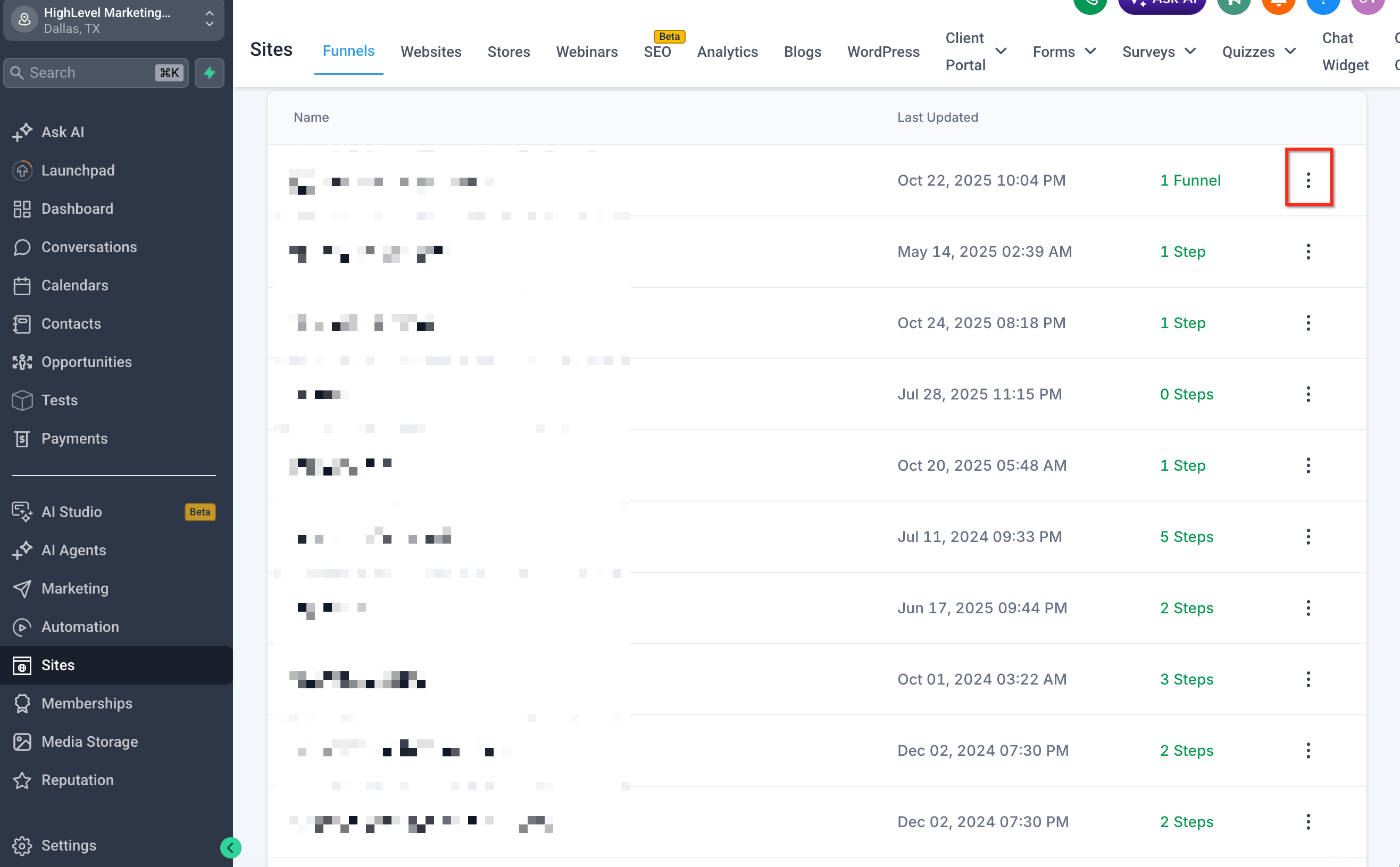
- Open the funnel step settings.
- Locate the Path field.
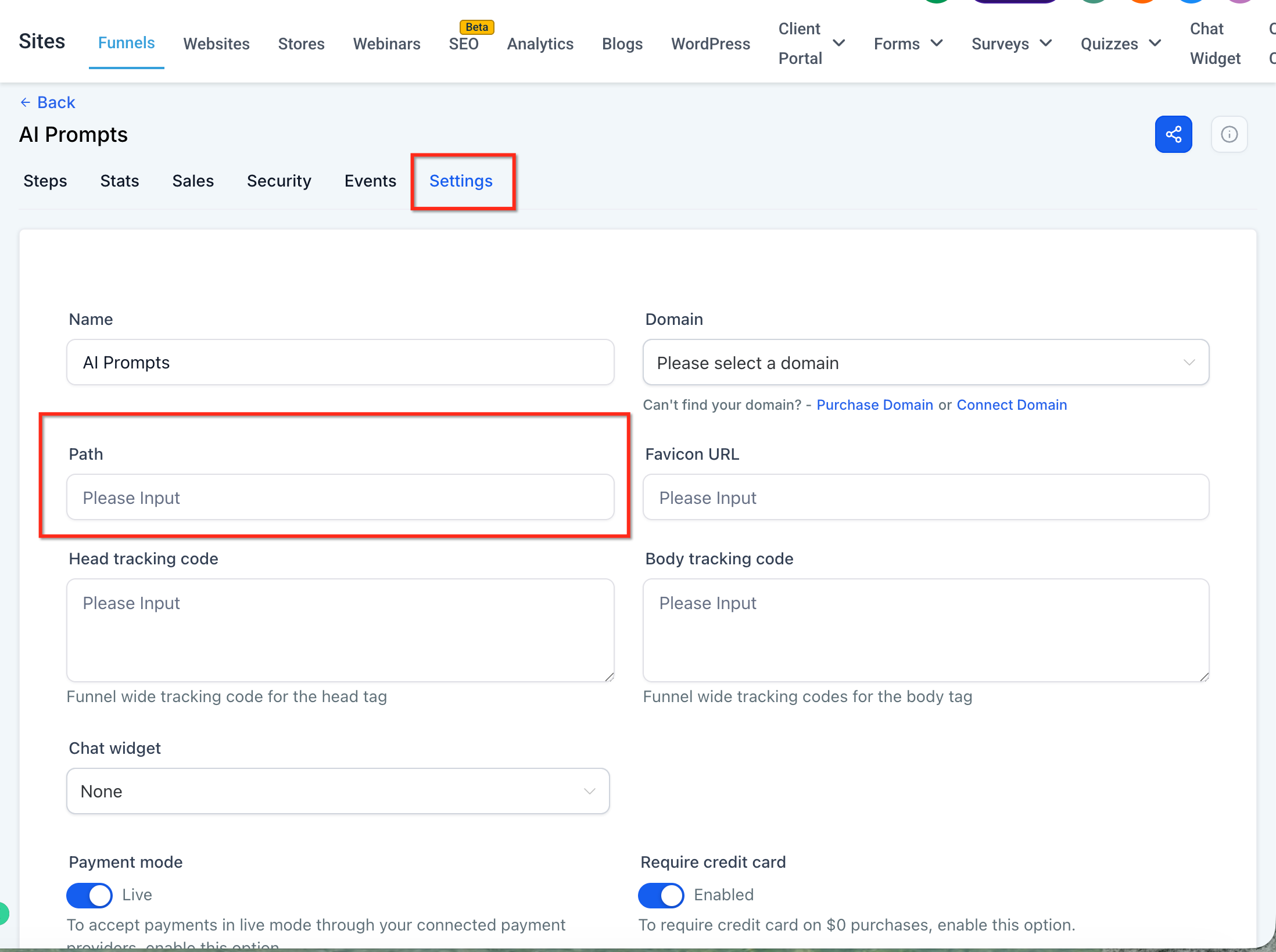
- Enter a unique path that is not already being used on the same domain.
- Save your changes.
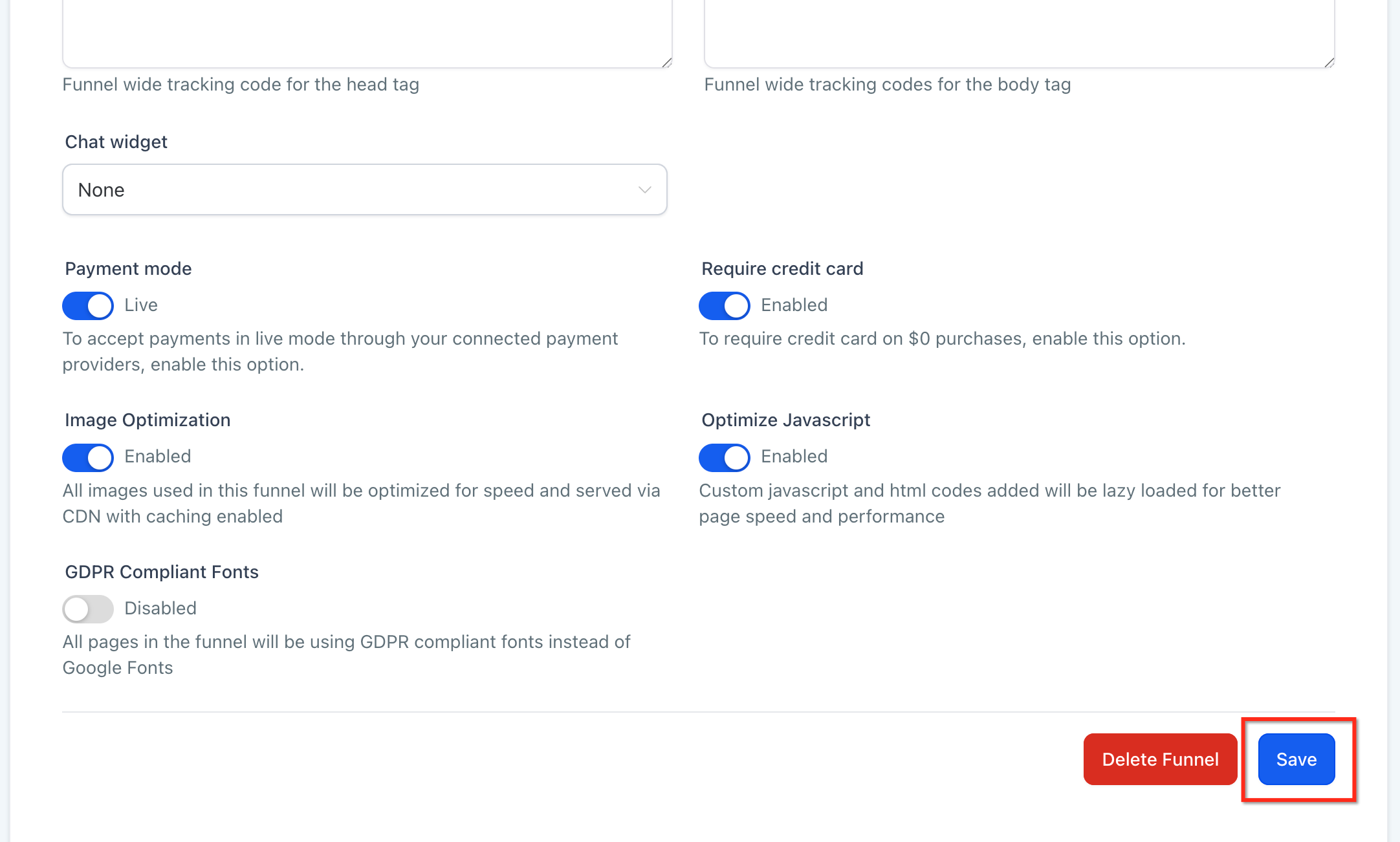
- Once the path is updated, the random numbers should no longer appear at the end of the funnel URL.
Important: Each page path should be unique on the same domain. If two funnel steps, website pages, or other published pages use the same path, HighLevel may adjust the URL to prevent a conflict.Understanding Funnel URLs and Funnel Step URLs
Funnels can have multiple URL levels, and each level affects how visitors and search engines access the funnel. Understanding the difference helps prevent path conflicts and makes it easier to troubleshoot indexing issues.
A funnel may include:
Funnel URL: The main URL assigned to the funnel. This usually loads the first step in the funnel.
Step URL: The URL assigned to an individual funnel step or page.
Nested Path: A deeper URL path used to organize pages, funnels, e-commerce pages, or webinars.
HighLevel’s Funnel Paths article explains that funnel URLs and step URLs are separate path levels, which is why changing one path may not automatically update every URL in the funnel.
Using Canonical Tags for Preferred Funnel URLs
Canonical tags tell search engines which URL should be treated as the preferred version when duplicate or similar URLs exist. They do not redirect visitors or change the URL shown in the browser.
Use a canonical tag when multiple URL versions remain accessible but one should be treated as the main version for search engines.
Example Canonical Tag:

<link rel="canonical" href="https://www.example.com/preferred-page-url" />
How to Add a Canonical Tag
- Go to Sites. Open Funnels.
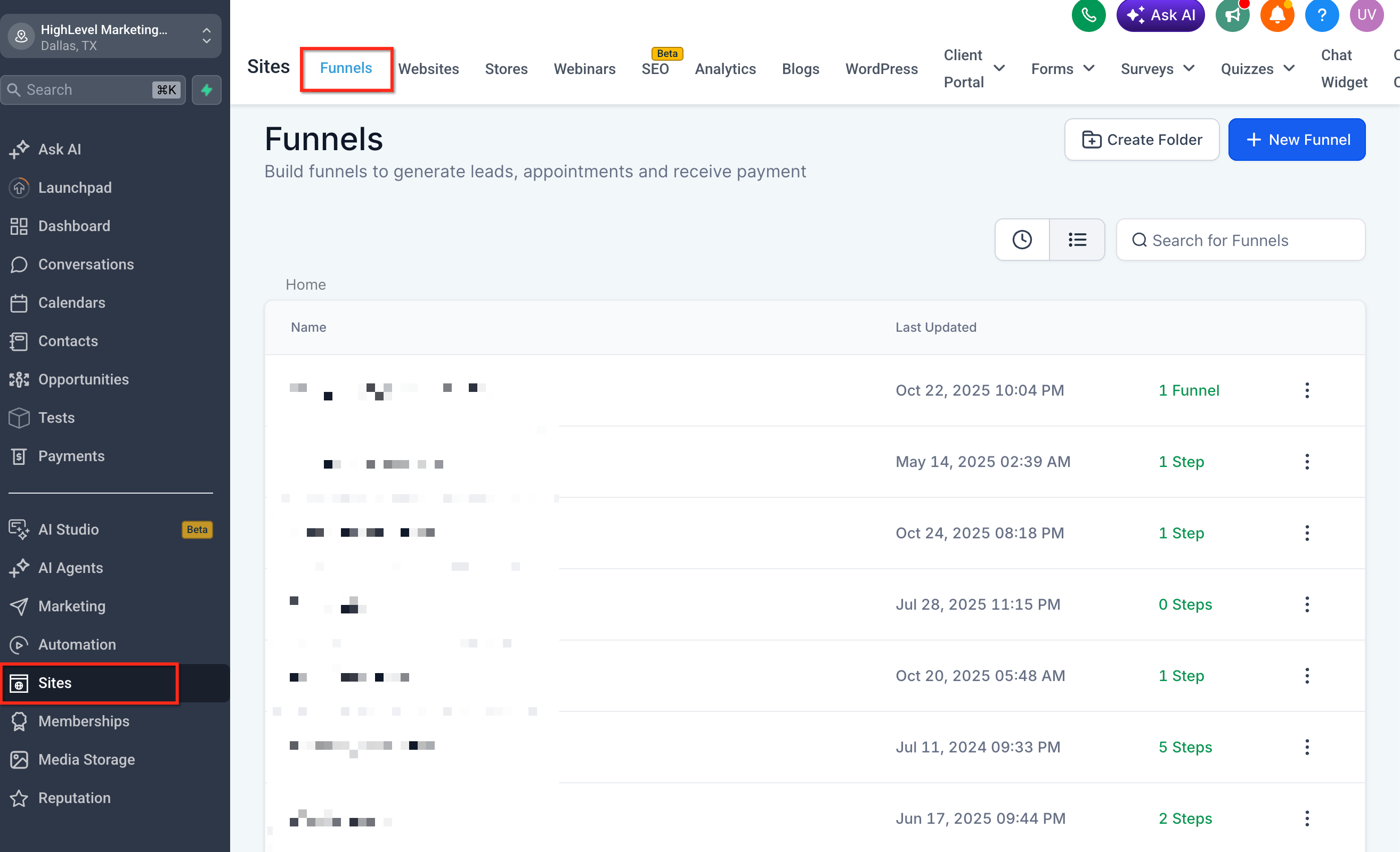
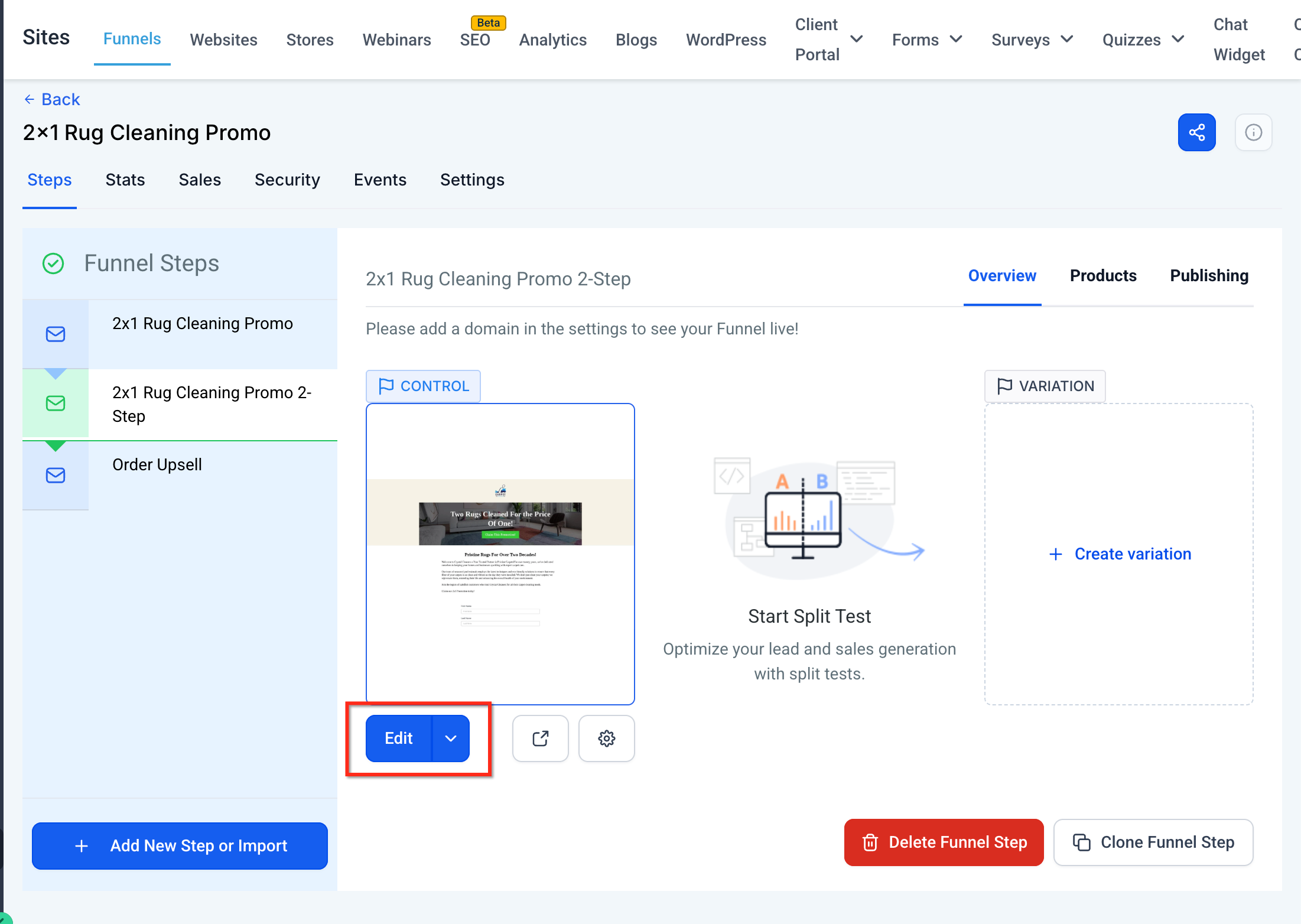
- Select the affected funnel.
- Click on Edit and Navigate to the SEO Settings.
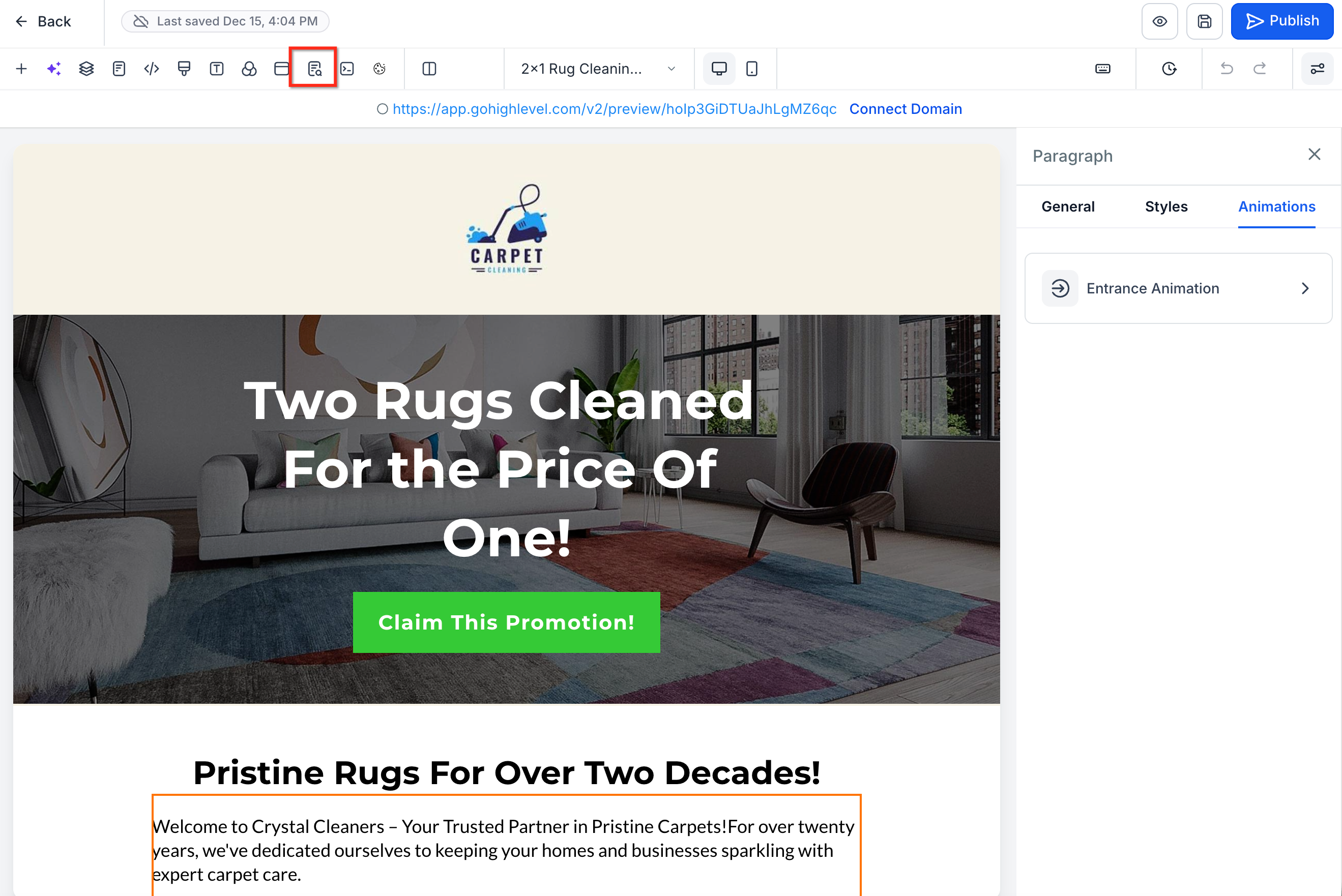
- Open SEO Meta Data.
- Locate the custom meta tags area.

- Add the canonical tag using the preferred funnel page URL.

- Save your changes.
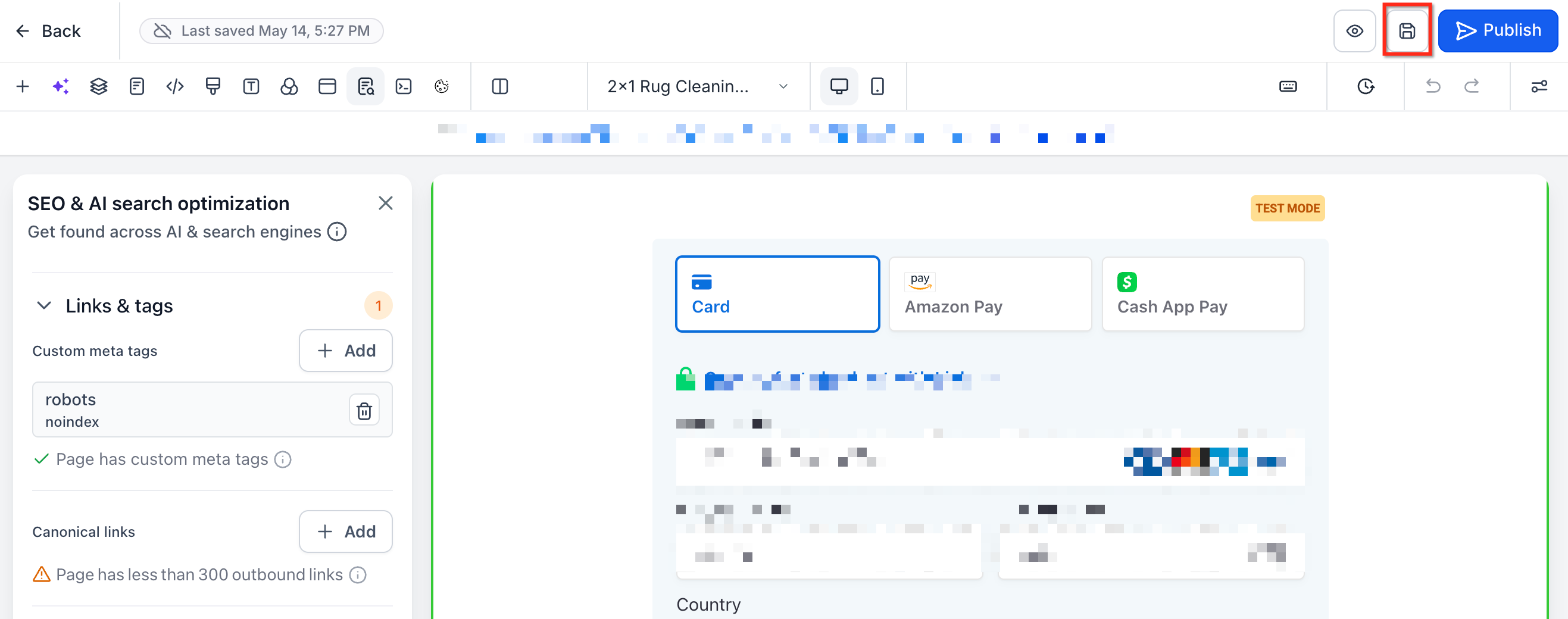
- Custom meta tags can be added to HighLevel funnels and websites through the SEO metadata/custom meta tag area.
Using 301 Redirects for Changed Funnel URLs
A 301 redirect sends visitors and search engines from an old URL to a new URL. This is useful when a funnel URL has changed and the old URL should no longer be used.
Use a 301 redirect when:
The old URL should automatically send visitors to the new URL
A funnel page path has changed
Existing links, ads, or shared URLs still point to the old path
You want to avoid visitors landing on an outdated or unavailable page
HighLevel provides URL redirects under Sites > URL Redirects.
Canonical Tag vs. 301 Redirect

Use a canonical tag when multiple URLs are still accessible, but search engines should treat one as preferred.

Use a 301 redirect when visitors should automatically be sent from the old URL to the new URL.
Checking Google Search Console After Updates
Google Search Console helps confirm which URL Google has discovered, crawled, and selected for indexing. After changing a funnel path, adding a canonical tag, or creating a redirect, Google may need time to recrawl the page and update search results.
Recommended Steps:
- Open Google Search Console.
- Use the URL Inspection Tool.
- Enter the preferred funnel URL.
- Review the indexed URL and canonical URL information.
- Request indexing for the preferred URL, if needed.
HighLevel can help configure funnel URLs, redirects, and custom tags, but Google controls when pages are crawled and updated in search results.
Avoiding Accidental Noindex Tags
Noindex tags tell search engines not to index a page. These tags should only be used when you intentionally want a funnel or website page to stay out of search results.
Do not add a noindex tag while troubleshooting a funnel URL that should appear in search results. HighLevel has a separate article for disabling search engine indexing with custom tags, which is a different use case from fixing URL indexing issues.
Example Noindex Tag:

<meta name="robots" content="noindex">

Only use this when the page should not appear in search results.
Frequently Asked Questions
Q: Why are random numbers appearing at the end of my funnel URL?
A: This usually means the path is already being used by another page or funnel step on the same domain. HighLevel adds a unique number string to prevent duplicate URL conflicts.
Q: How do I remove random numbers from a funnel URL?
A: Open the affected funnel step, locate the Path field, and enter a unique path that is not already being used on the same domain. Save the changes.
Q: Can HighLevel force Google to index a specific URL?
A: No. HighLevel can help you configure paths, redirects, and canonical tags, but Google controls crawling and indexing.
Q: How long does it take Google to update an indexed URL?
A: Timing varies. After making updates, use Google Search Console’s URL Inspection Tool to request indexing for the preferred URL.
Q: Should I use a canonical tag or a redirect?
A: Use a canonical tag when multiple URLs remain accessible but one should be preferred by search engines. Use a 301 redirect when visitors should automatically be sent from an old URL to a new URL.
Q: Will changing a funnel path break existing links?
A: Existing links that use the old path may stop working unless a redirect is created. Add a 301 redirect if the old URL is already being used in ads, emails, social posts, or other shared links.
Q: Do www and non-www versions matter?
A: Yes. Search engines may treat www.example.com/page and example.com/page as separate URL versions. Use consistent domain formatting and canonical tags or redirects when needed.
Q: Should I add a noindex tag to fix duplicate URLs?
A: No, not unless you want the page removed from search results. For duplicate URL issues, use a unique path, canonical tag, or redirect depending on the situation.
Related Articles
Was this article helpful?
That’s Great!
Thank you for your feedback
Sorry! We couldn't be helpful
Thank you for your feedback
Feedback sent
We appreciate your effort and will try to fix the article