Conversation AI’s New Query Detection Flow helps HighLevel better understand what a contact is asking during an active conversation. Instead of treating every message as a standalone request, Conversation AI reviews recent conversation context to identify whether the contact is asking a new question, continuing a previous topic, requesting support, or asking about your products, services, pricing, or business information.
TABLE OF CONTENTS
- What is Conversation AI’s New Query Detection Flow?
- Key Benefits of Conversation AI’s New Query Detection Flow
- How Conversation AI Detects New Queries
- Example: Follow-Up Question
- Example: Topic Change
- Example: New Inquiry After an Earlier Conversation
- How Training Data and Knowledge Sources Support Query Detection
- How To Setup Conversation AI’s New Query Detection Flow
- Frequently Asked Questions
- Related Articles
What is Conversation AI’s New Query Detection Flow?
This improvement helps Conversation AI deliver more relevant responses using the available bot training, Knowledge Sources, conversation history, and configured instructions. The update works automatically and does not require users to enable a new setting or rebuild their existing Conversation AI setup.
Conversation AI already uses conversation history and training to support more accurate replies, and related setup options are managed through the standard Conversation AI configuration experience.
Key Benefits of Conversation AI’s New Query Detection Flow
The New Query Detection Flow improves how Conversation AI understands customer intent during real conversations. This helps reduce mismatched replies, supports smoother conversation continuity, and allows the bot to use the most relevant available information before responding.
- Improved Conversation Understanding: Conversation AI can better recognize whether a contact is continuing an existing topic, asking a brand-new question, or changing direction in the conversation.
- More Accurate Query Identification: The bot can identify customer intent more clearly, helping it decide whether the message is a follow-up, support request, sales question, appointment-related inquiry, or business information request.
- Better Use of Training Data: When the customer’s request is detected more accurately, Conversation AI can better reference the appropriate training data, Knowledge Sources, FAQs, and configured bot instructions.
- Smoother Customer Experience: Contacts receive replies that feel more connected to the conversation, especially when they ask follow-up questions or switch topics.
- No Additional Setup Required: Existing Conversation AI users receive the benefit automatically without needing to turn on a new feature or recreate their bots.
How Conversation AI Detects New Queries
Conversation AI uses recent conversation context to understand the relationship between the latest customer message and the messages that came before it. This helps the bot determine whether it should continue the current thread, answer a new question, or shift to a different type of request.
The query detection process generally works like this:
- Reviews recent conversation context
Conversation AI evaluates the latest message alongside prior messages in the conversation. - Identifies the customer’s intent
The bot determines whether the contact is asking a new question, following up on an earlier topic, asking for support, or requesting information about the business. - Matches the request to available information
Conversation AI uses relevant training data, Knowledge Sources, bot instructions, and conversation history to prepare the most appropriate response. - Generates a context-aware response
The final reply is based on the detected intent and the most relevant available information.
Example: Follow-Up Question
A contact asks, “What packages do you offer?” After receiving a response, they ask, “Does the second one include support?”
Conversation AI can treat the second message as a follow-up to the package discussion instead of a separate, unrelated question.
Example: Topic Change
A contact starts by asking about appointment availability, then later asks, “What is your cancellation policy?”
Conversation AI can detect that the contact has shifted from booking availability to policy information and respond using the relevant business or Knowledge Source content.
Example: New Inquiry After an Earlier Conversation
A contact previously discussed pricing, then returns later and asks, “Do you offer services for commercial properties?”
Conversation AI can treat this as a new business-related question while still considering useful conversation history where appropriate.
How Training Data and Knowledge Sources Support Query Detection
Accurate query detection helps Conversation AI understand what the customer is asking, but response quality also depends on the information available to the bot. Clean, updated, and well-structured training data gives Conversation AI better material to reference when generating replies.
HighLevel supports Conversation AI training through tools such as Web Crawler and Custom Bot Responses, and Knowledge Sources can include content such as tables, rich text, file uploads, FAQs, web crawler sources, and web search sources. These sources help Conversation AI retrieve relevant information before generating a response.
To support better responses, review the following areas regularly:
- Bot training content
- Custom Bot Responses or FAQs
- Knowledge Sources
- Website crawler sources
- Uploaded files or rich-text Knowledge Base content
- Bot goals, personality, and additional instructions
- Duplicate, outdated, or conflicting information
How To Setup Conversation AI’s New Query Detection Flow
The New Query Detection Flow is automatic and does not require manual setup. Existing Conversation AI bots can benefit from the improved detection flow without requiring a new toggle, migration, or separate configuration.
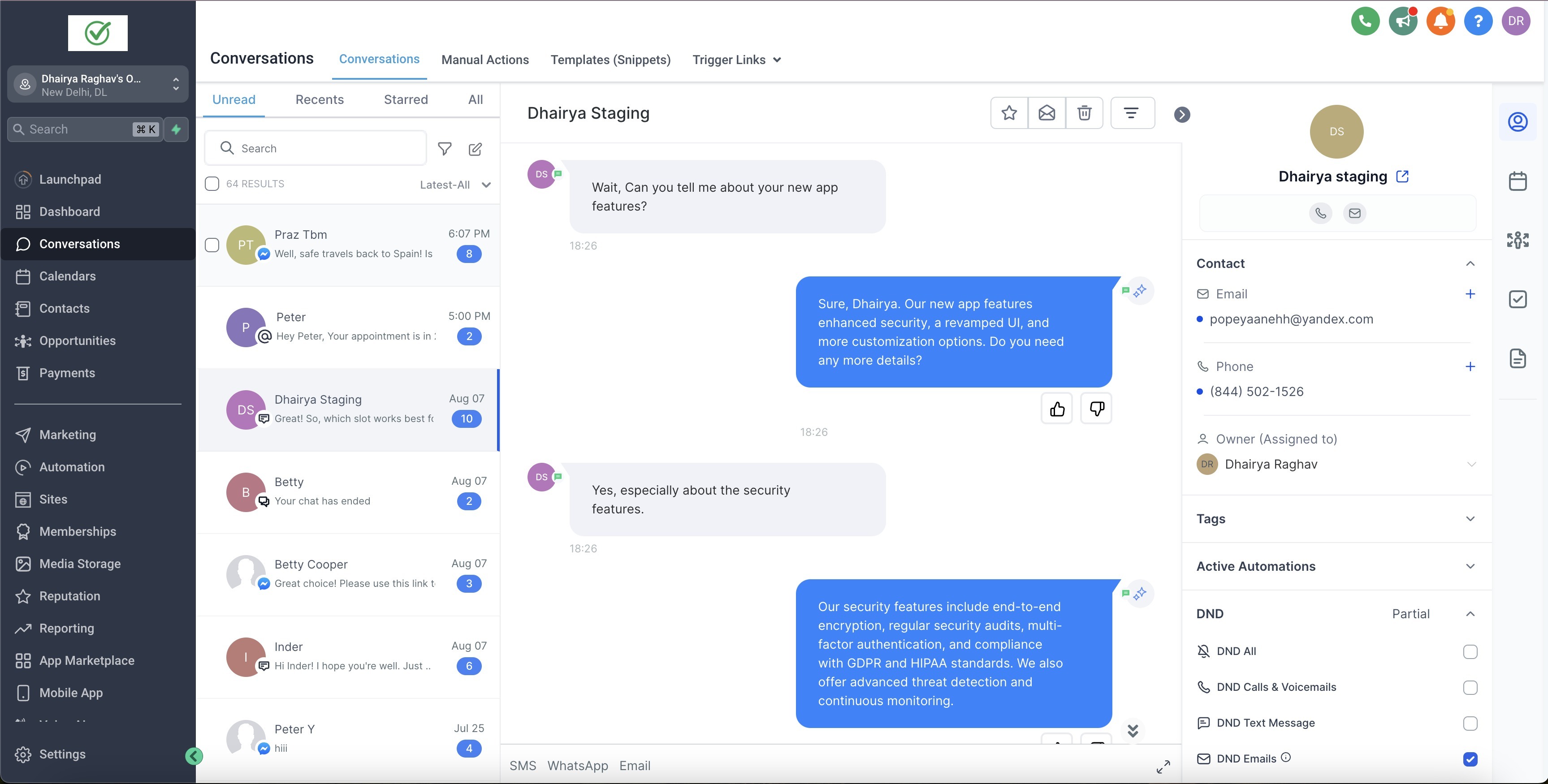
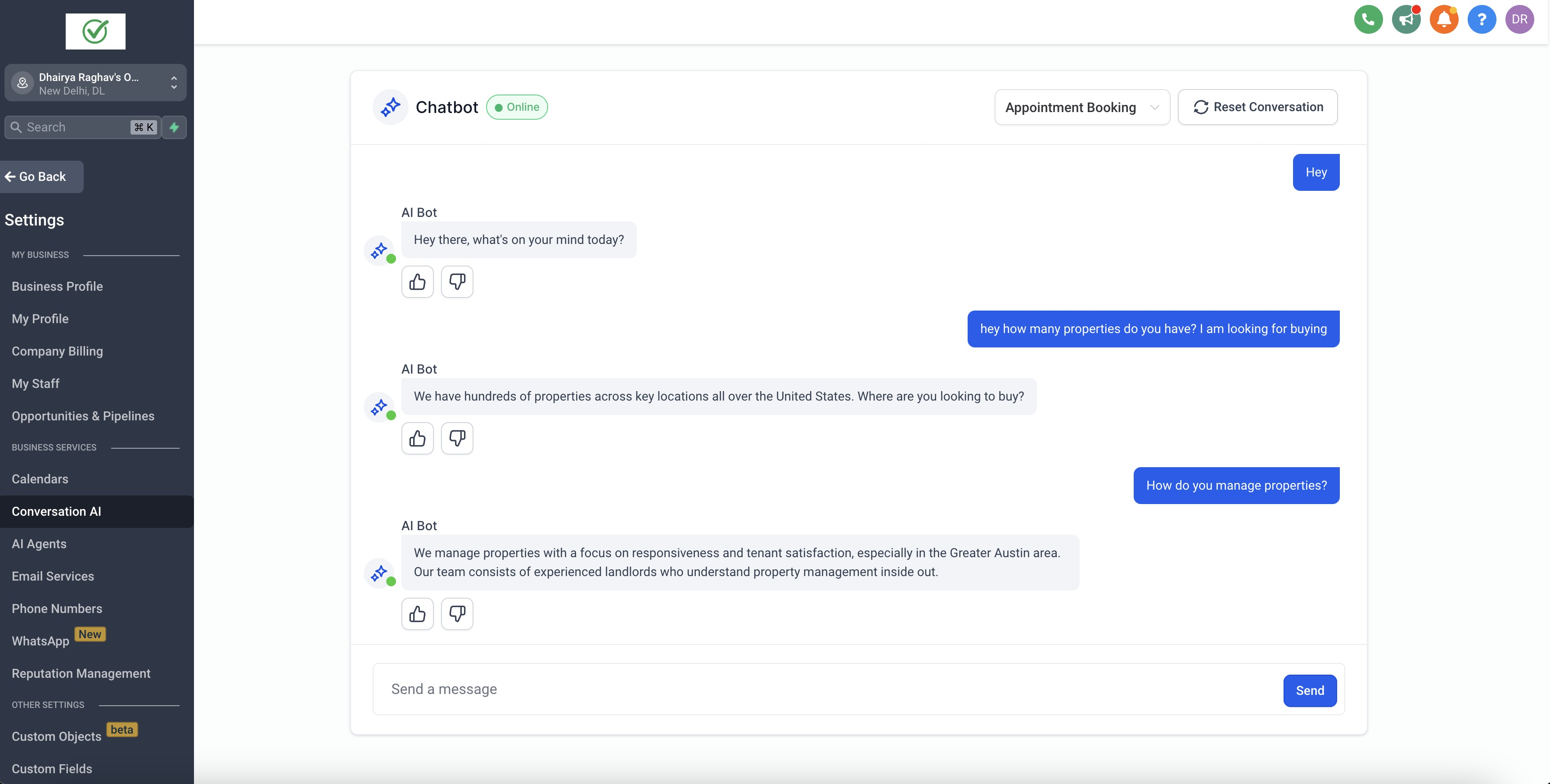
To get the best results, use the steps below to review your current Conversation AI setup:
- Open your Conversation AI settings
Review your active bot configuration, assigned channels, and response behavior. - Confirm your bot instructions are clear
Make sure the bot’s goals, personality, and additional instructions reflect how your business wants Conversation AI to respond. - Review your training data
Check that your Web Crawler content, Custom Bot Responses, FAQs, and other training materials are accurate and up to date. - Review your Knowledge Sources
Confirm that Knowledge Sources contain current information and are structured clearly so Conversation AI can retrieve the right content. - Test common customer questions
Send sample messages that include follow-up questions, topic changes, and new inquiries to confirm the bot responds as expected. - Review AI response details when needed
If a response seems inaccurate, review the response information or source content connected to the reply, then update the training or Knowledge Source content as needed.
Frequently Asked Questions
Q: Do I need to enable the New Query Detection Flow?
A: No. The improvement works automatically and does not require a new setting to be enabled.
Q: Will this change my existing Conversation AI bot setup?
A: No. The update improves how Conversation AI understands customer messages, but it does not replace your existing bot configuration, training data, goals, instructions, or workflows.
Q: Do I need to retrain my bot?
A: No retraining is required for the feature to work. However, reviewing and updating your training data can improve the quality of responses.
Q: Does this work with existing training data and Knowledge Sources?
A: Yes. Conversation AI can use your existing training data and Knowledge Sources when generating responses. Better-organized and up-to-date content can improve the results.
Q: What should I do if Conversation AI gives an inaccurate response?
A: Review the bot’s training data, Knowledge Sources, FAQs, and instructions. If available, review AI response information in the conversation to understand which content influenced the reply.
Q: Does this affect Conversation AI workflow actions?
A: Conversation AI workflow actions use bot prompt settings, training data, and conversation history when generating replies. Review your workflow action setup separately if you are using Conversation AI inside workflows.
Q: Does this replace Knowledge Base Triggers?
A: No. Query detection helps Conversation AI understand the customer’s message, while Knowledge Base Triggers let users control when specific Knowledge Base content should be used during a conversation.
Q: Can I control whether Conversation AI responds to a specific contact?
A: Yes. Bot response behavior can still be managed through the available Conversation AI controls. The New Query Detection Flow improves understanding, but it does not remove existing bot status or configuration options.
Related Articles
- Conversation AI Bot Explained
- Conversations - How to Add Internal Comments & Mention Users
- Workflow Action - Edit Conversation
- How to Use Knowledge Base Triggers in Conversation AI
Was this article helpful?
That’s Great!
Thank you for your feedback
Sorry! We couldn't be helpful
Thank you for your feedback
Feedback sent
We appreciate your effort and will try to fix the article