Display blog content directly on a HighLevel funnel or website using the Blog Post element. This makes it easy to highlight recent articles, organize posts by category or author, and keep your pages fresh with published blog content.
TABLE OF CONTENTS
- What is the Blog Post Element?
- How To Set Up the Blog Post Element
- Frequently Asked Questions
- Related Articles
What is the Blog Post Element?
The Blog Post element allows you to pull published blog content into a funnel step or website page inside HighLevel. Instead of sending visitors only to your main blog site, you can feature blog posts directly inside specific pages to support SEO, increase content visibility, and create more targeted browsing experiences. This is helpful when you want to showcase recent articles, highlight posts from a specific category, or surface content written by a particular author.
The Blog Post element is designed for users who already have a blog set up in HighLevel with at least one published post. Once added to the page, the element can display blog content based on the sorting or filtering option you choose.
How To Set Up the Blog Post Element
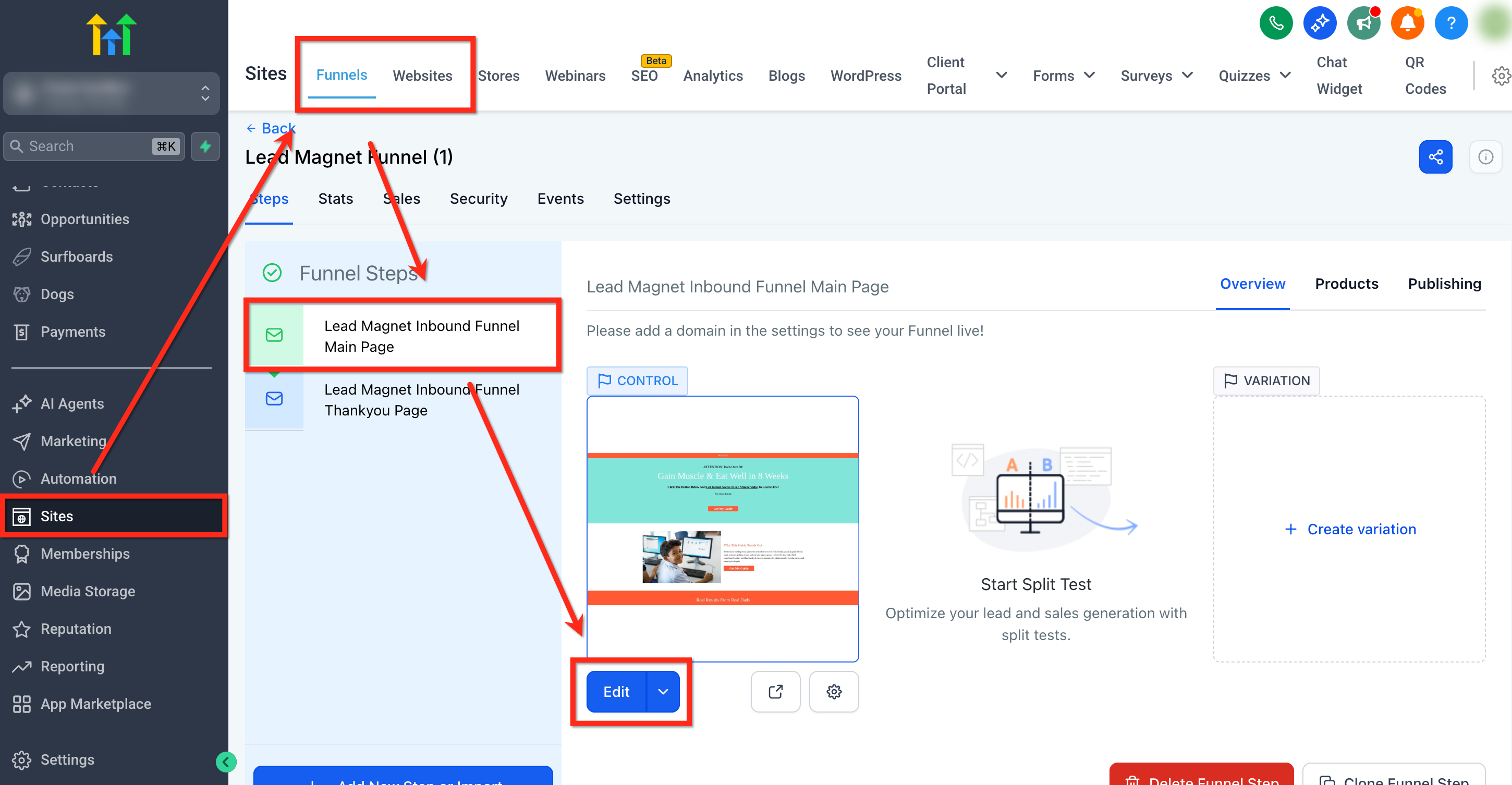
Go to Sites and open Funnels or Websites. Select the specific funnel step or website page you want to edit and click Edit.
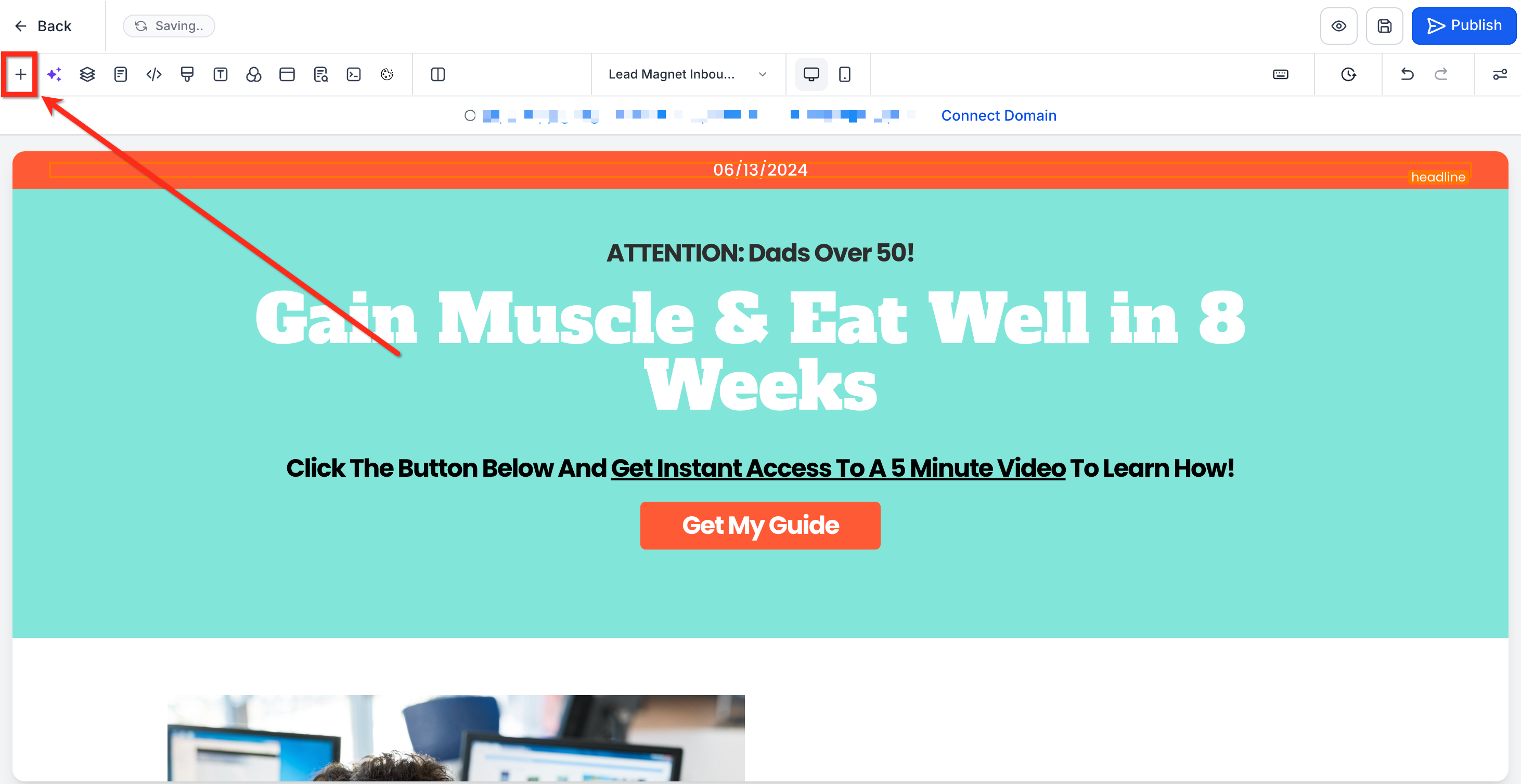
- Click Add Elements.
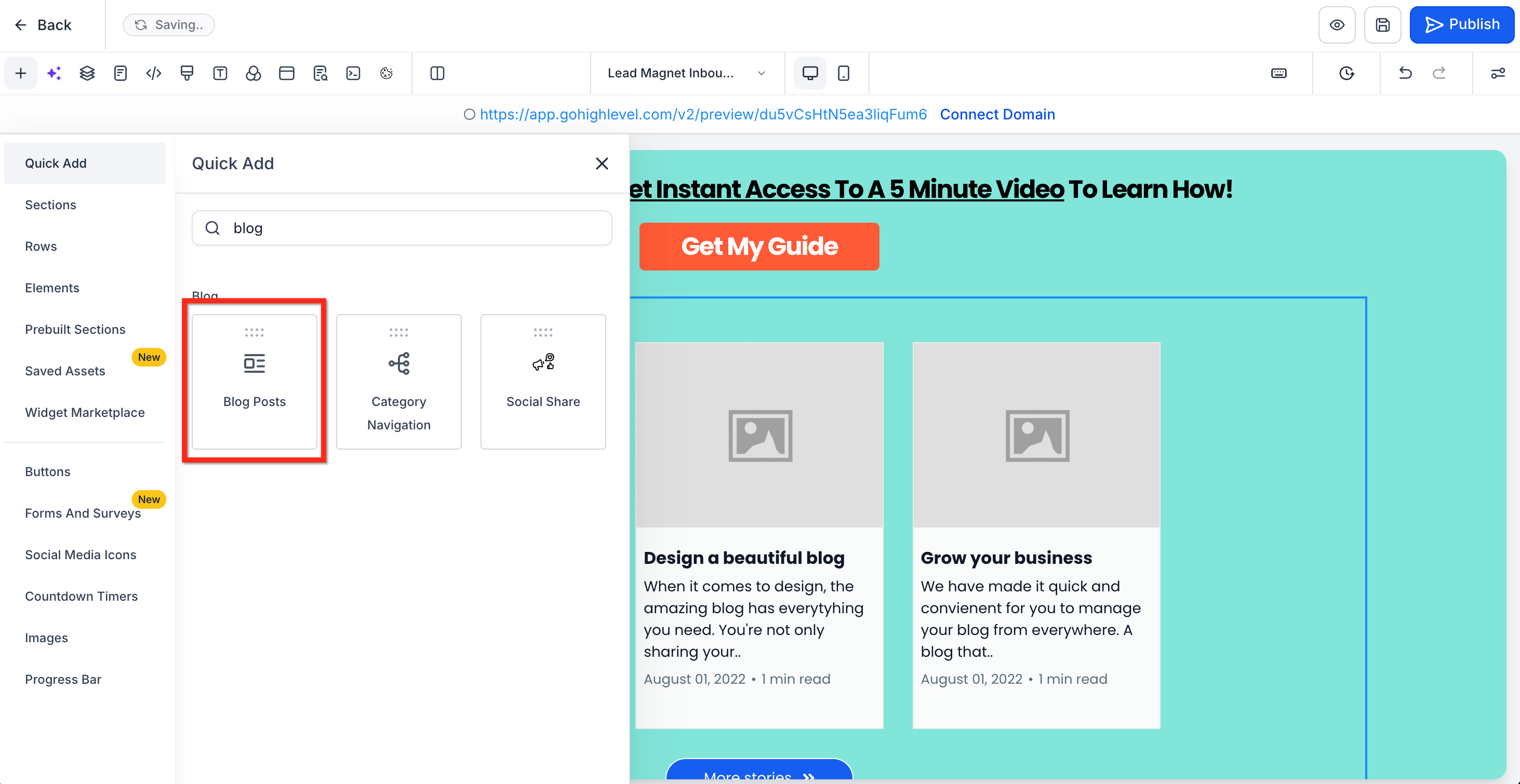
Locate and drag the Blog Posts element into the desired area on the page.
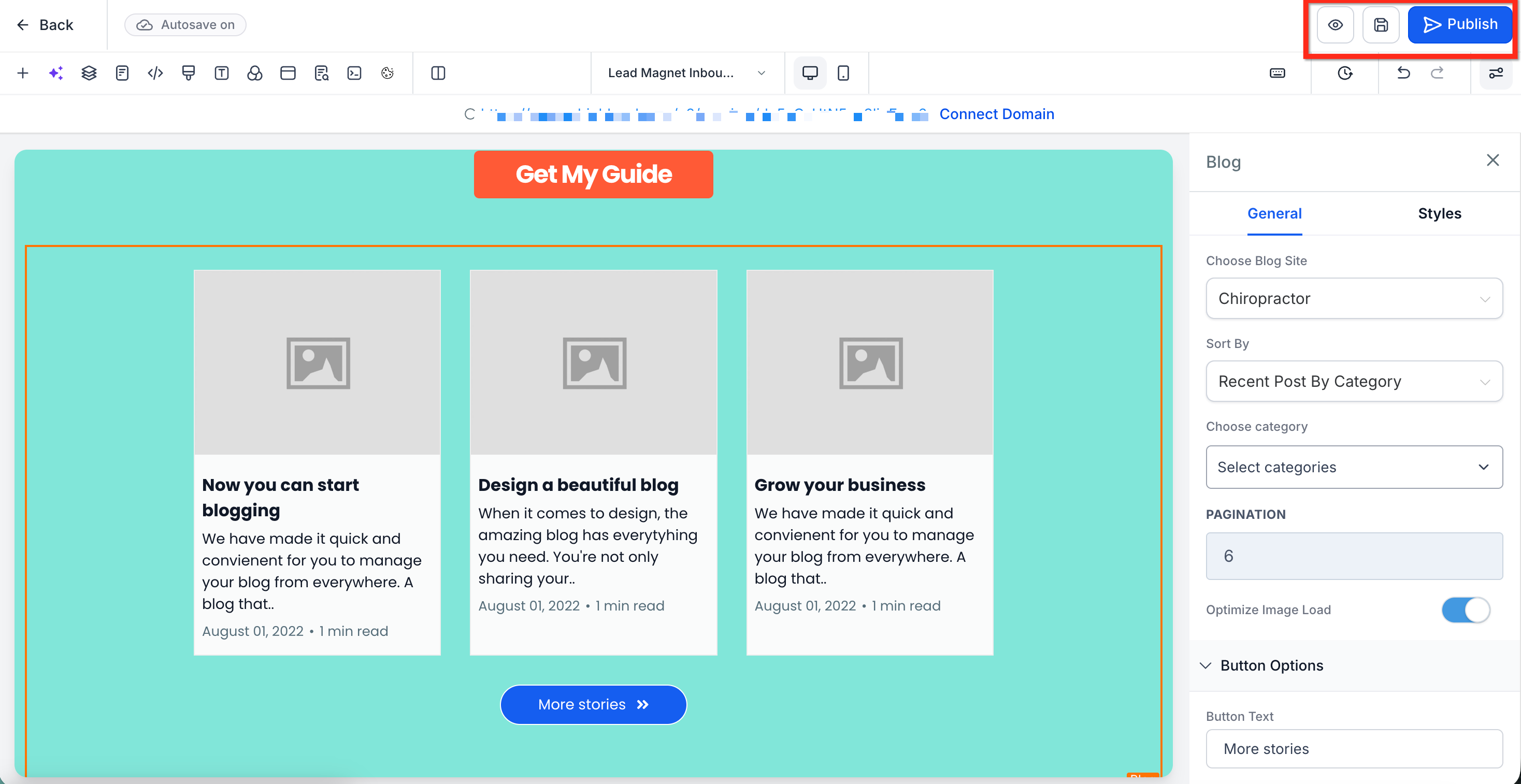
- Click the element to open the element settings. From here you can choose how the blog content should be displayed:
Display Style: Select how the element looks on the page.
Choose Blog Site: Select the blog that the content will come from.
Sort By: Select which blogs will show first. Choose from Recent Posts, Recent Posts by Category and Recent Posts by Author.
Choose Categories: Select the categories to be included.
Pagination: Select how many blogs to feature.
Button Options: Customize the button text and colors.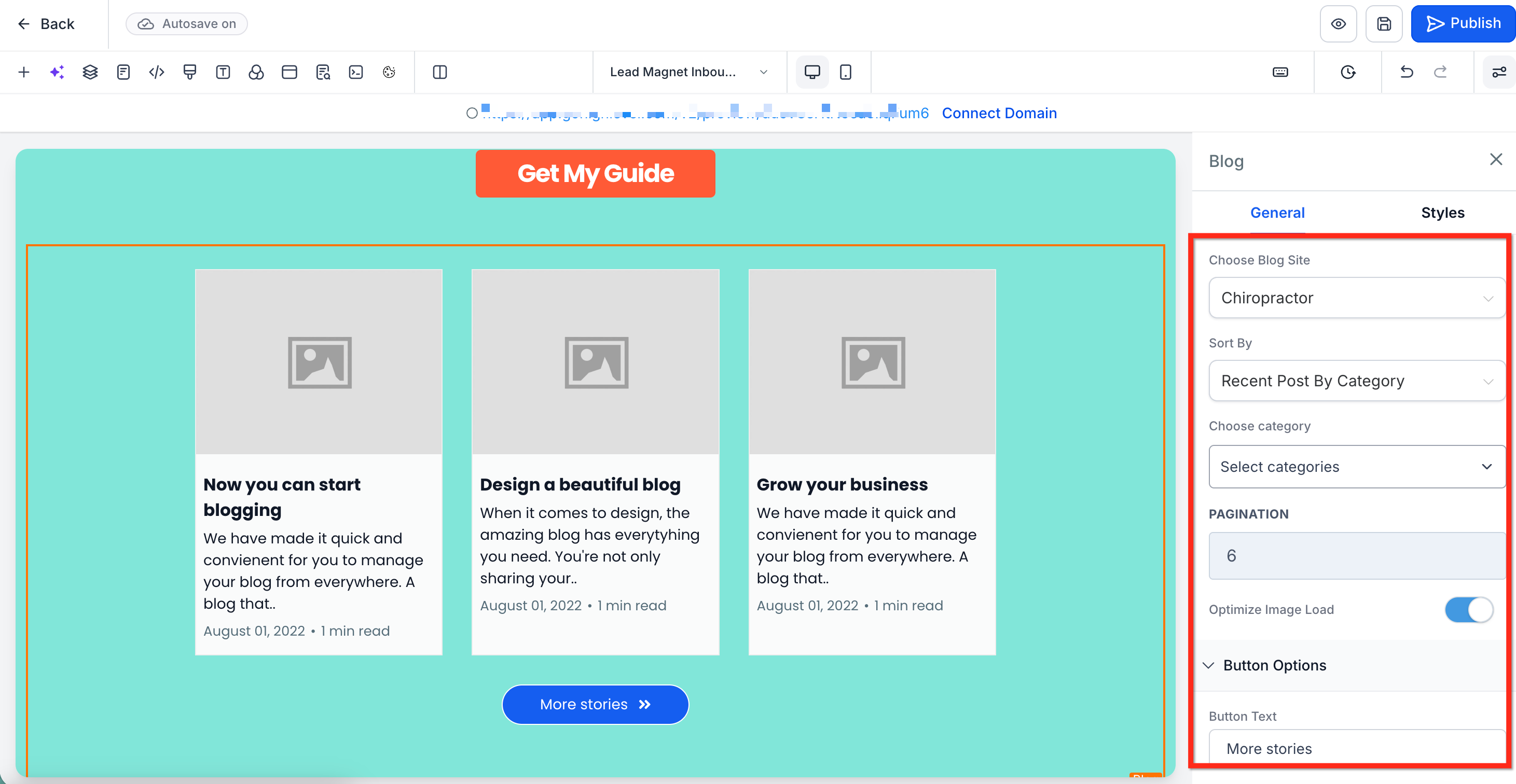
Save your changes and Publish the site/funnel.
Frequently Asked Questions
Q: What happens if no posts appear after adding the element?
Check that your blog is created correctly, posts are published, and the selected category or author filter matches available content.
Q: Can I use this element to make a content-based landing page?
Yes. The element can help support landing pages or resource pages that use blog content to educate visitors before conversion.
Related Articles
Was this article helpful?
That’s Great!
Thank you for your feedback
Sorry! We couldn't be helpful
Thank you for your feedback
Feedback sent
We appreciate your effort and will try to fix the article