TABLE OF CONTENTS
- Mentioning and Tagging Profiles in Posts from the Social Planner
- Key Benefits of Tagging and Mention Profiles
- Key Information
- How to Add a Mention or Tag to Posts
What is @Mention or Tag Profile in Social Planner?
The @Mention feature in Social Planner lets you reference supported social profiles or pages while creating a post. For supported platforms such as Facebook and LinkedIn, Social Planner can recognize and display matching pages as you type a mention. On platforms such as Instagram and TikTok, you can manually enter the account’s @username in the post content.
Mention behavior varies by social network, so the available search, tagging, and display options depend on the platform selected for the post.
Key Benefits of Tagging and Mention Profiles
- Improves Post engagement for customers
- Brands and influencers often use @Mentions strategically to cross-promote each other's content
- On some platforms, @Mentions contribute to the searchability of content
Key Information
- This will not work in CSV and other options like Review Posting, RSS Posting.
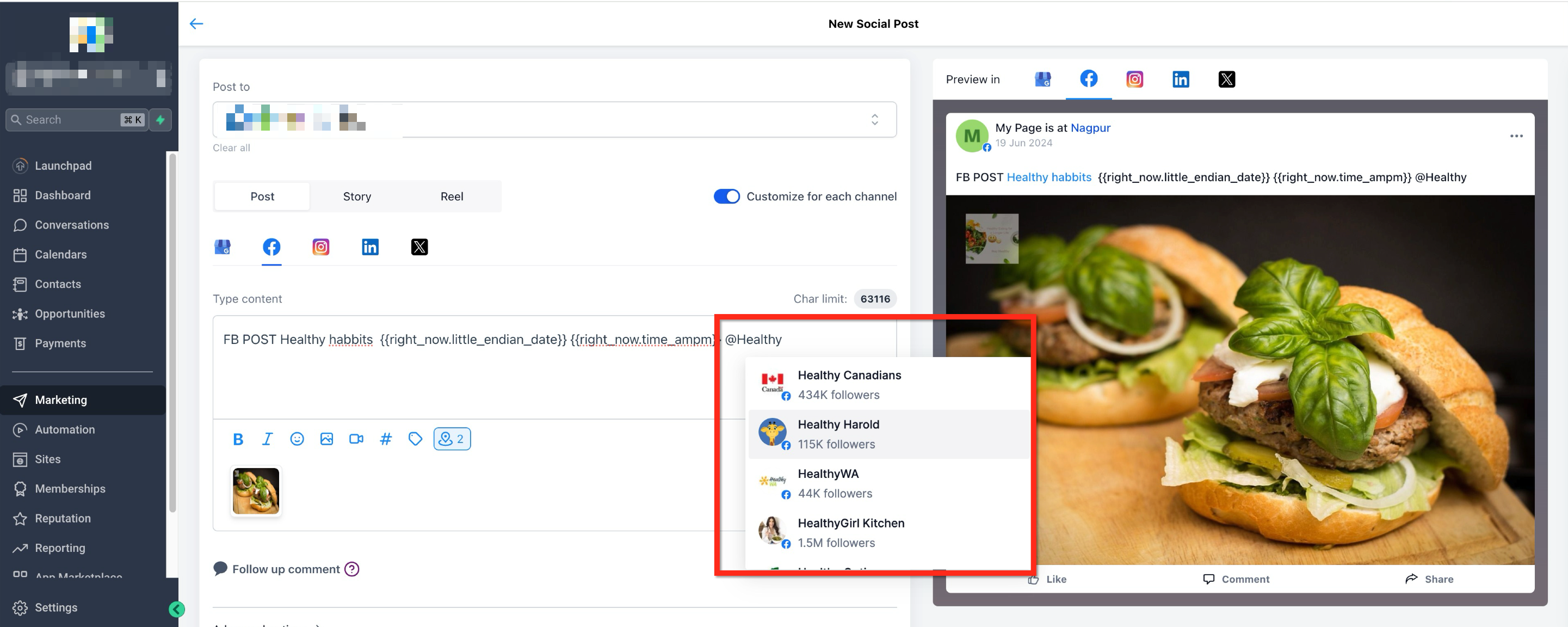
- The tag will appear highlighted (in blue) in the preview. This visual highlight confirms that the tag was recognized successfully by the system.
- Auto-suggestions for mentions are not available for Instagram. You’ll need to type @username manually, and the person being tagged must have their settings enabled to allow mentions.
How to Add a Mention or Tag to Posts
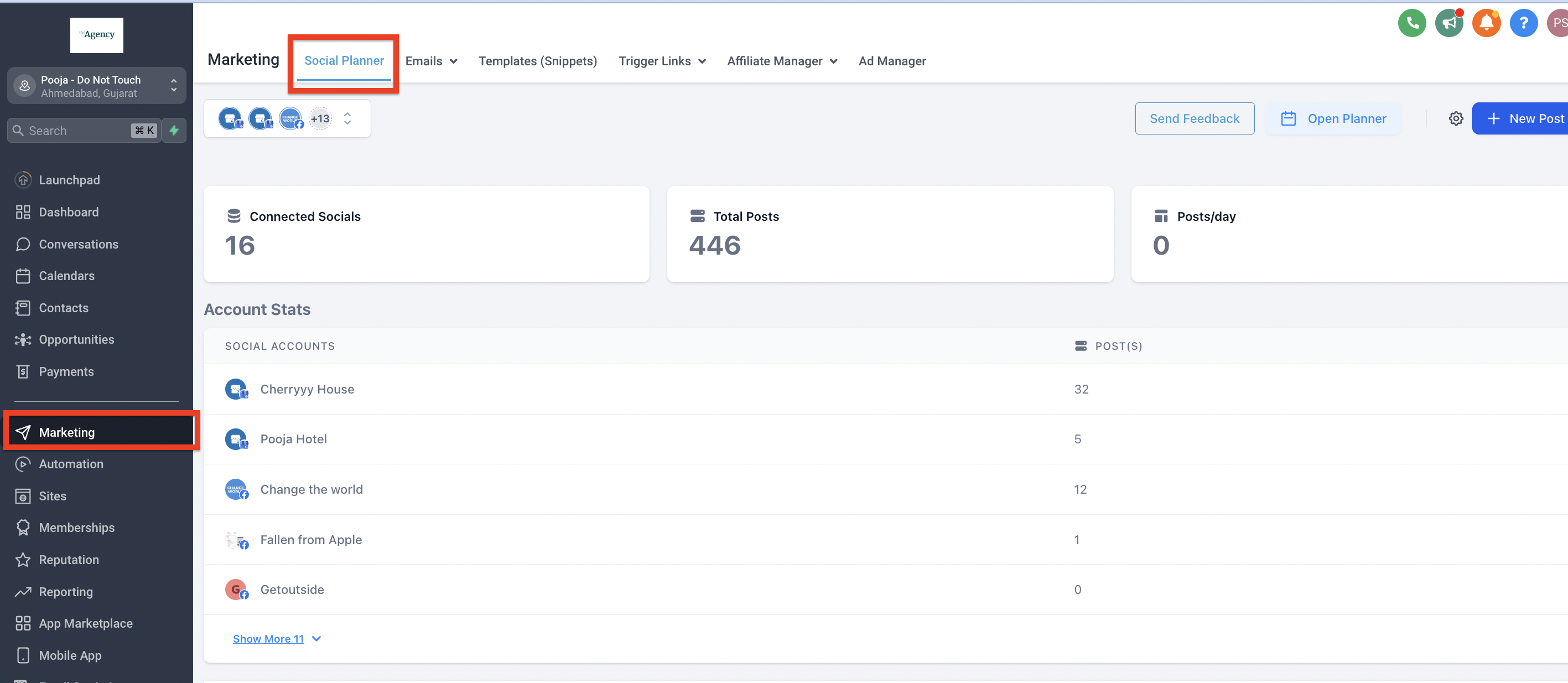
Step 1: Navigate to the Social Planner
- On the left-side navigation bar, select Marketing
- Click the SocialPlanner tab on the top navigation ribbon
Step 2: Create a New Post
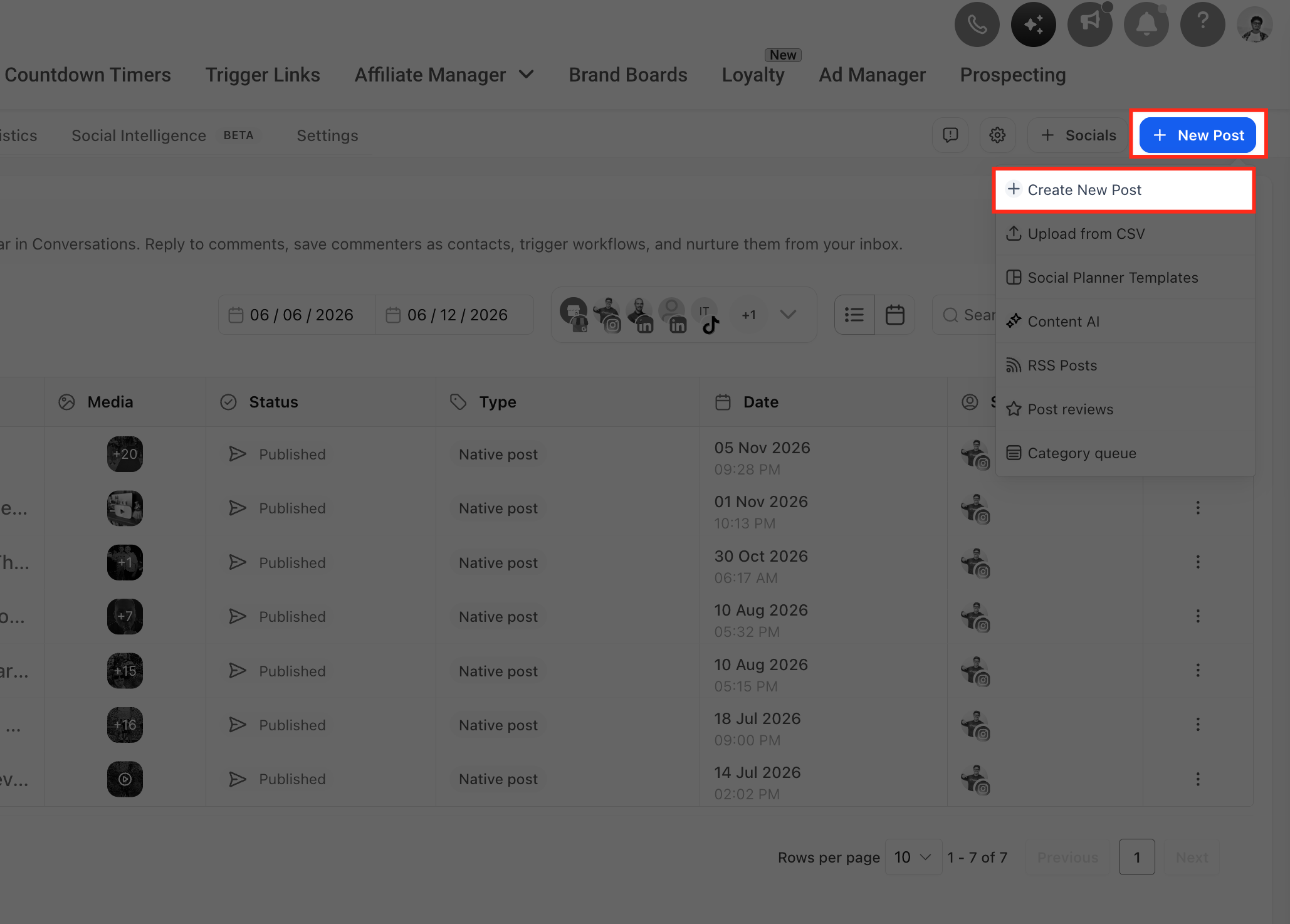
- Click the blue + NewPost Button
- From the dropdown, select + Create New Post
Step 3: Select Socials
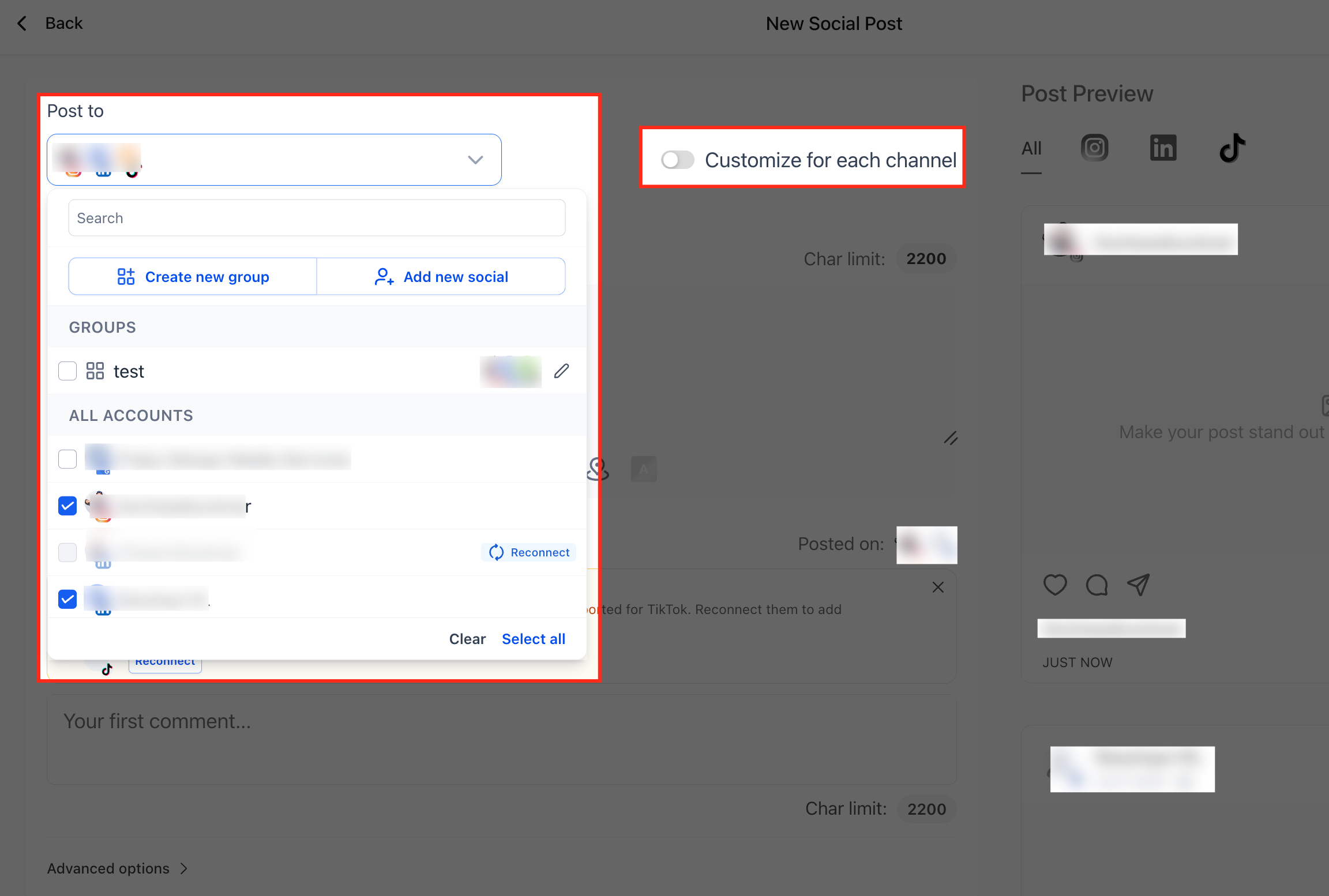
- While creating new post, selects the social
- If more than one social channel is selected, it will ask you to enable the customise for each channel option.
Step 4: Write Post
- Create the post for each social channel
- To mention a profile, use the @ followed by the username of the profile you would like to tag
- After typing in the first few letters, recommended options will populate
Frequently Asked Questions
Q: Why don't I see mention suggestions for Instagram?
Instagram does not provide profile suggestions through Social Planner when you type @. Enter the Instagram account's exact @username manually in the post content.
Q: Why does my @mention appear as plain text?
Mention behavior depends on the social platform. Some networks support searchable mentions inside Social Planner, while others only allow you to manually enter the account's @username.
Q: Can I mention Facebook Pages in Social Planner?
Yes. When Facebook supports the page being mentioned, type @ followed by the Page name and select the matching Page from the available results.
Q: Can I mention LinkedIn profiles or pages?
Social Planner supports mentions for LinkedIn Company Pages. Type @ followed by the company name and select the correct Page when it appears in the results.
Q: Can I use mentions when publishing to multiple social platforms?
Yes, but mention behavior can differ between platforms. Use Customize for Each Channel when you need different mention text or platform-specific content for each selected social network.
Q: How do I know if Social Planner recognized a mention?
Recognized mentions appear highlighted in the Social Planner preview. Review the preview before publishing to confirm that the intended profile or Page was selected.
Q: Do @mentions work with CSV, RSS, or Review posts?
No. The mention feature is not supported for posts created through CSV, RSS Posting, or Review Posting.
Q: Why can't I find the Facebook or LinkedIn Page I want to mention?
Search results depend on the social platform and the profiles or Pages available through that platform's integration. Try entering the Page name carefully and confirm that you are searching for a supported Page type.
Was this article helpful?
That’s Great!
Thank you for your feedback
Sorry! We couldn't be helpful
Thank you for your feedback
Feedback sent
We appreciate your effort and will try to fix the article