The new List View transforms how you can interact with your opportunities by providing a detailed, streamlined, and customizable view. Here’s what you can do with it:
TABLE OF CONTENTS
How to Access the List View:

Navigate to your Opportunities section and switch to the List View from the top right toggle.
Feature List:
- Opportunities in a Listed View:See all your opportunities organized in a clear, tabular format. This makes it easier to scan through and find the information you need quickly.

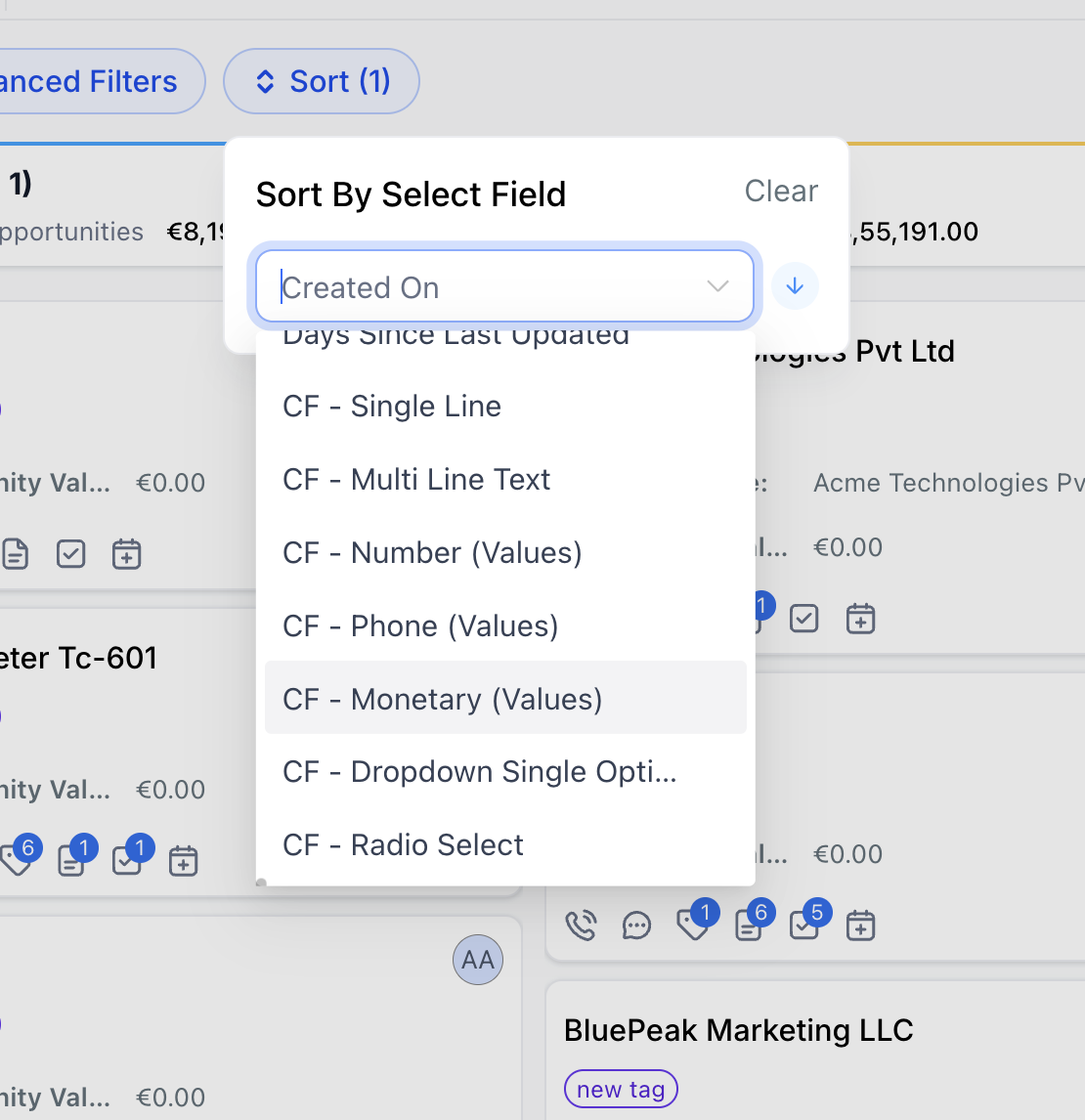
Sorting Across Fields: Sort opportunities using default fields and supported custom fields so you can prioritize records based on business-specific data.
1. Go to Opportunities and switch to List View.
2. Click Sort.
3. Select the field you want to sort by (default fields or supported custom fields).
4. Choose Ascending or Descending.
Supported custom field types
- Single Line
- Multi Line Text
- Dropdown (Single Select)
- Radio Select
- Number
- Monetary
- Phone
- Date
- Customizable Fields: Choose which fields you want to display in your list view. You can resize and rearrange the fields as well.

Primary Contact Notes
Add Primary Contact Notes to the Opportunities List view to see notes from an opportunity's primary contact directly in the list.Open Customize Columns and enable Primary Contact Notes to display the column.
Like other supported List view columns, you can resize and sort the Primary Contact Notes column and include it in saved views. The column updates when a new note is added to the opportunity's primary contact.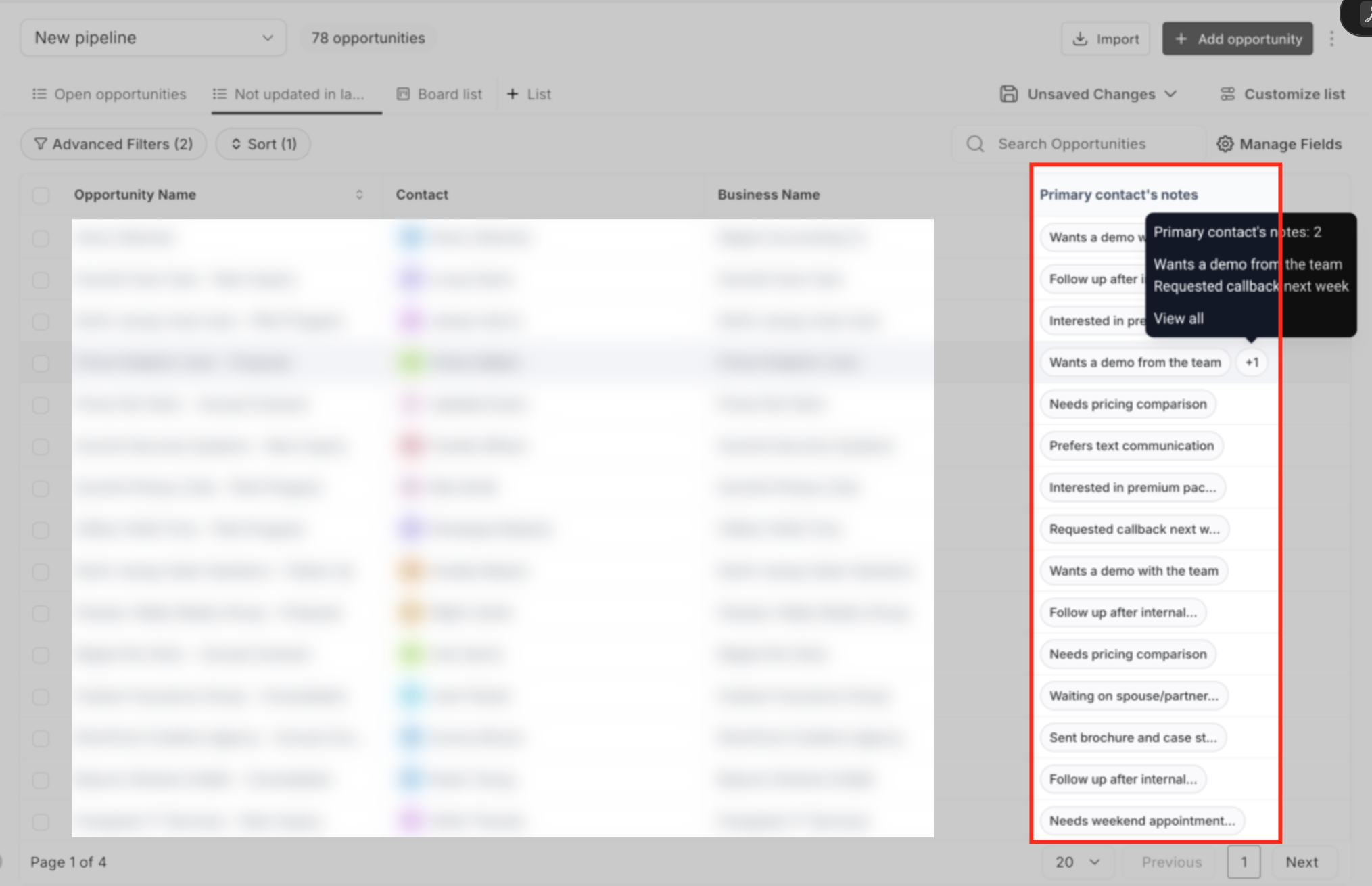
- Full Feature Parity with Board View:All the powerful features you use in the board view are available in the list view too. This includes advanced filters to narrow down your search and robust search functionality to quickly find specific opportunities.

Viewing All Pipelines in One List
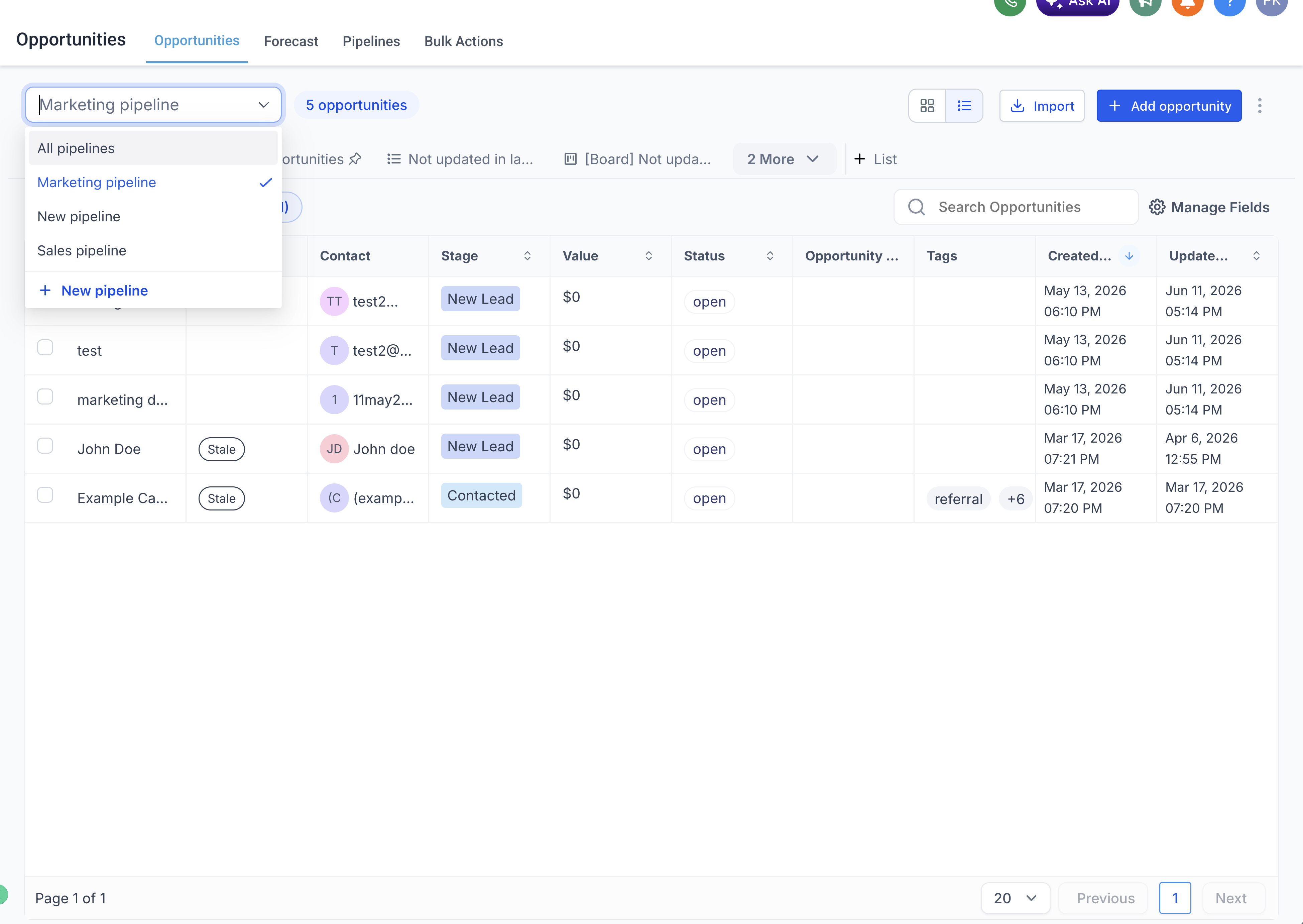
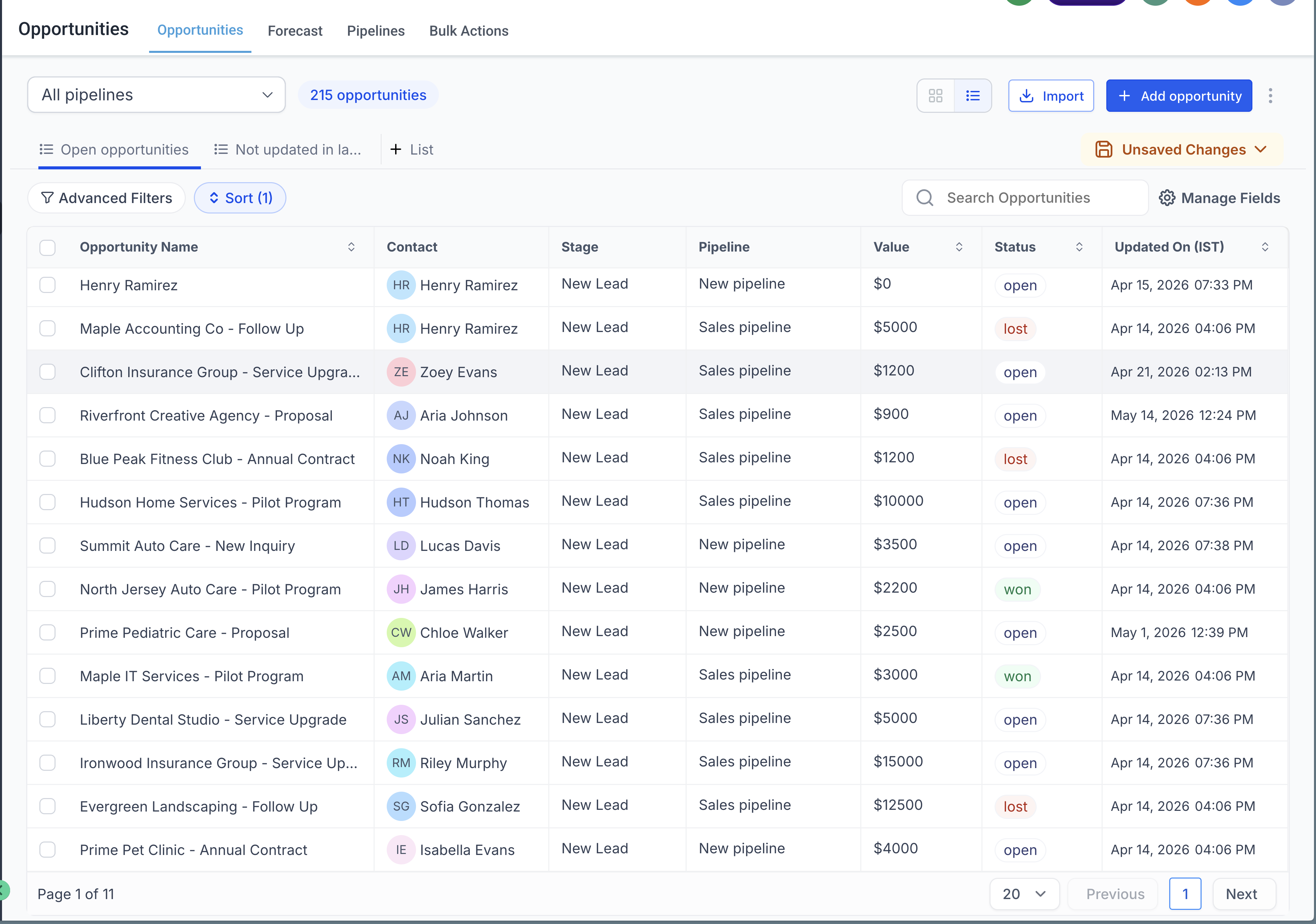
The pipeline dropdown includes an All Pipelines option that brings opportunities from every pipeline into a single unified list — so you don't have to switch between pipelines one at a time.
How to use it:
- Open Opportunities and make sure you're in List view. All Pipelines is only available in List view.
- Open the Pipeline dropdown at the top left and select All Pipelines.
- The list now shows opportunities across every pipeline. The Pipeline column tells you which pipeline each opportunity belongs to.
- (Optional) Save the view as a Smartlist to return to it later.
Good to know:
- List view only. All Pipelines is disabled in Kanban (Board) view, since a board is organized by the stages of a single pipeline. Switch to List view to enable it.
- Smartlists are List type only. Any Smartlist saved from the All Pipelines view is a List-type Smartlist; Kanban board Smartlists are not supported for this view.
- Sorting by stage is not supported in this view — it falls back to sorting by Created date.
Benefits of the List View
The List View offers several key advantages that can enhance your productivity and streamline your workflow:
- Enhanced Visibility: With more opportunities displayed in the same view, you can get a comprehensive look at your pipeline without having to switch between screens.
- Increased Customization: Tailor your columns to display the information that matters most to you. This customization ensures that your view is always aligned with your specific needs and preferences.
- Improved Efficiency: By enabling sorting, filtering, and exporting directly from the list view, you can manage your opportunities more efficiently, saving time and reducing the effort needed to perform routine tasks.
Was this article helpful?
That’s Great!
Thank you for your feedback
Sorry! We couldn't be helpful
Thank you for your feedback
Feedback sent
We appreciate your effort and will try to fix the article