The Agency Owner role is the primary user in agency account management, enhancing decision-making and communication processes. This role provides additional privileges and streamlines ownership transfers, contributing to efficient and effective agency operations.
Covered in this Article
What is the Agency Owner's Role?What are the functionalities of this role?
What are the benefits of this role?
What are some excellent Usage Cases for this feature?
How to Configure the Agency Owner Role?Transferring Ownership:
FAQsQ: Can an agency account have multiple Agency Owners?
Q: What happens if an Agency Owner is deleted from the system?
Q: Can other Agency Admins change the Agency Owner's user role?
Q: Will the introduction of the Agency Owner role impact the permissions and functionalities of the Agency Admin role?
Q: Who can I transfer ownership to?
Q: Do I stop being the owner as soon as I send the request
Q: How long is the invitation link valid?
Q: Why am I asked for a one-time code?
Q: The new owner didn't get the email. What should they do?
What is the Agency Owner's Role?
The Agency Owner role is designed to establish a primary User for an agency account and facilitate critical communications and actions through them. The role will have the same permissions as an Agency Admin but with additional privileges, such as the ability to transfer ownership and being the main point of contact for account-related actions, such as account deletion or payments.
What are the functionalities of this role?
The functionalities of the Agency Owner role include:
- Serving as the primary User for an agency account, making them the main point of contact for critical communications and actions.
- Retaining the same permissions as an Agency Admin, ensuring they can manage and oversee all aspects of the agency account.
- Possessing the exclusive ability to transfer ownership to another user with an Agency Admin role provides account management flexibility.
- Preventing other Agency Admins from changing the Agency Owner's role or deleting their account without transferring ownership ensures account leadership stability.
- Collaborating with other users in the agency account to make crucial decisions and manage the team effectively.
What are the benefits of this role?
The Agency Owner role brings several benefits to agency account management:
- Clear Hierarchy: By establishing a primary user, the Agency Owner role creates a clear hierarchy within the agency account, making decision-making and responsibility delegation more efficient.
- Streamlined Communication: Having a designated point of contact for critical communications and actions ensures that important information is directed to the right person, leading to faster response times and better overall communication within the agency.
- Enhanced Control: The Agency Owner can transfer ownership, offering better control over agency account management and facilitating smooth transitions when needed.
- Stability and Security: Preventing unauthorized role changes or account deletions ensures that the Agency Owner maintains stability in the account leadership, contributing to a secure and well-managed agency environment.
- Improved Collaboration: The Agency Owner role fosters better collaboration between team members, as they have a clear leader to turn to for guidance, support, and decision-making. This can result in a more cohesive and productive team dynamic.
What are some excellent Usage Cases for this feature?
Agency Merger: Two agencies decide to merge their operations. The Agency Owner from one agency can transfer their ownership to the Agency Owner of the other agency, streamlining the merger process and consolidating account management.
Ownership Handover: The current Agency Owner is leaving the company or moving to a different department. They can transfer the ownership to a trusted Agency Admin, ensuring a smooth transition of responsibilities.
Account Deletion: The Agency Owner serves as the main point of contact for account-related actions, such as account deletion. If the agency decides to close its account, the platform can directly communicate with the Agency Owner for approval.
Billing and Payments: The Agency Owner can act as the primary contact for billing and payment-related communications, streamlining financial management for the agency and the service provider.
Team Restructuring: The Agency Owner can efficiently manage team roles and responsibilities, making strategic decisions on role assignments or transferring ownership when required, based on the agency's needs and growth.
Conflict Resolution: When conflicts arise between team members, the Agency Owner can step in as the primary decision-maker, using their authority to resolve disputes and maintain a harmonious work environment.
Strategic Planning: The Agency Owner can lead strategic planning sessions for the agency, leveraging their role as the primary user and decision-maker to set goals and develop action plans for the team.
Access Control: The Agency Owner can oversee access control for the agency account, ensuring only authorized users can access the account and its resources.
Compliance and Security: The Agency Owner can work closely with the platform provider to ensure the agency meets all compliance and security requirements, acting as the main point of contact for related communications.
Collaboration with External Partners: The Agency Owner can serve as the primary contact for external partners, such as clients, vendors, or other agencies, streamlining communication and collaboration while maintaining a clear line of responsibility.
How to Configure the Agency Owner Role?
For agencies newly created after this feature's release, The first Agency Admin added to the agency account will be marked as an agency owner.
For Existing agencies, we chronologically identify the first User added to the account with the below permissions setup.
User type: Agency
User role: Admin
Based on the above, We will change the user role in the backend from admin to owner.
Transferring Ownership:
Ownership transfer now happens in three stages: you choose the new owner, confirm it's you with a one-time code, and the new owner accepts by email. You stay the owner until the new owner accepts.
Before you start:
- Only an Agency Admin can become the owner. If the person you want isn't an Agency Admin yet, change their role to Agency (User type) and Admin (User role) first.
- Make sure you have a verification method set up on your profile (email, SMS or an authenticator app), because you'll be asked for a one-time code.
.
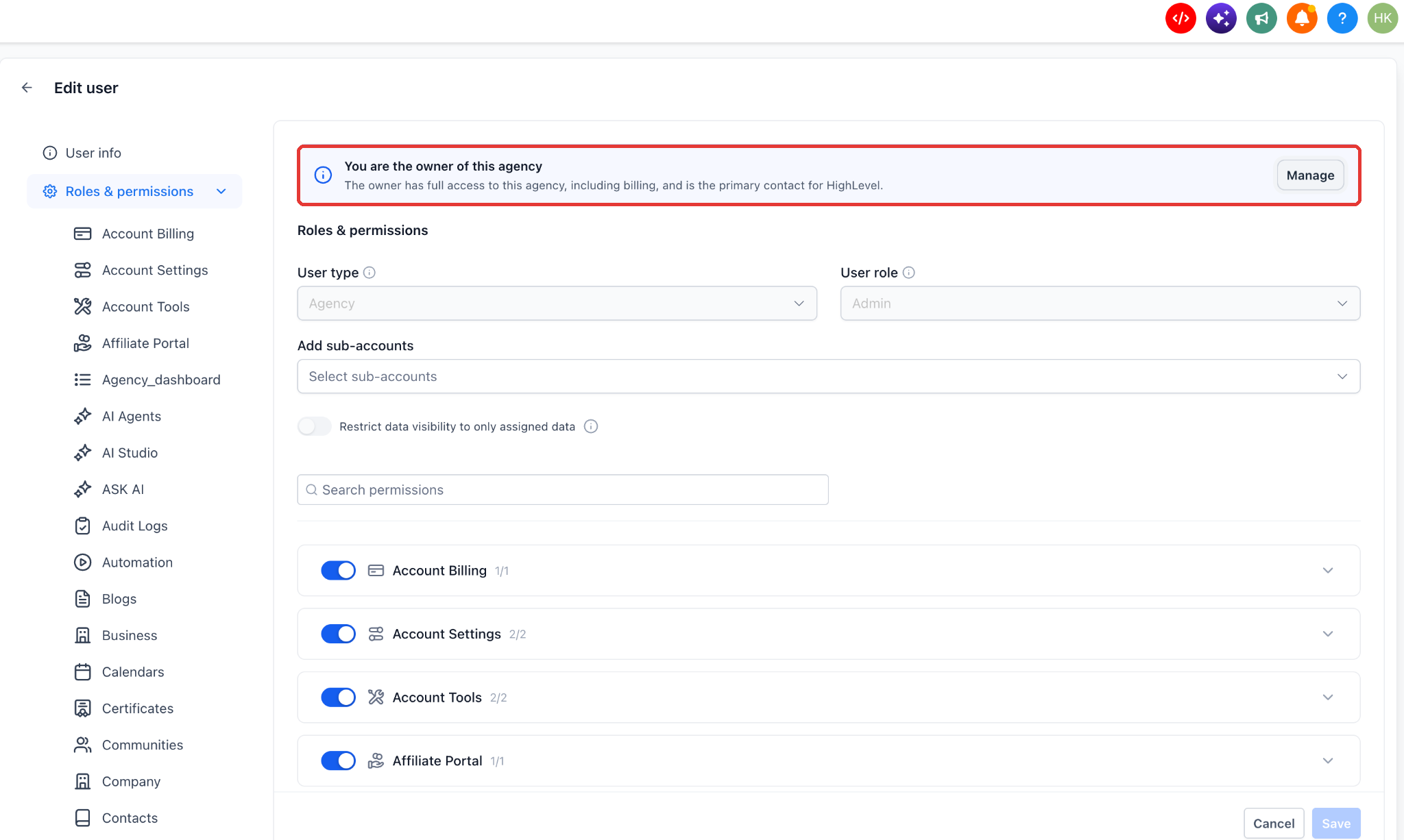
Go to Agency view > Settings > Users. Edit your own user and open Roles & permissions. At the top you'll see the banner 'You are the owner of this agency'. Click Manage.
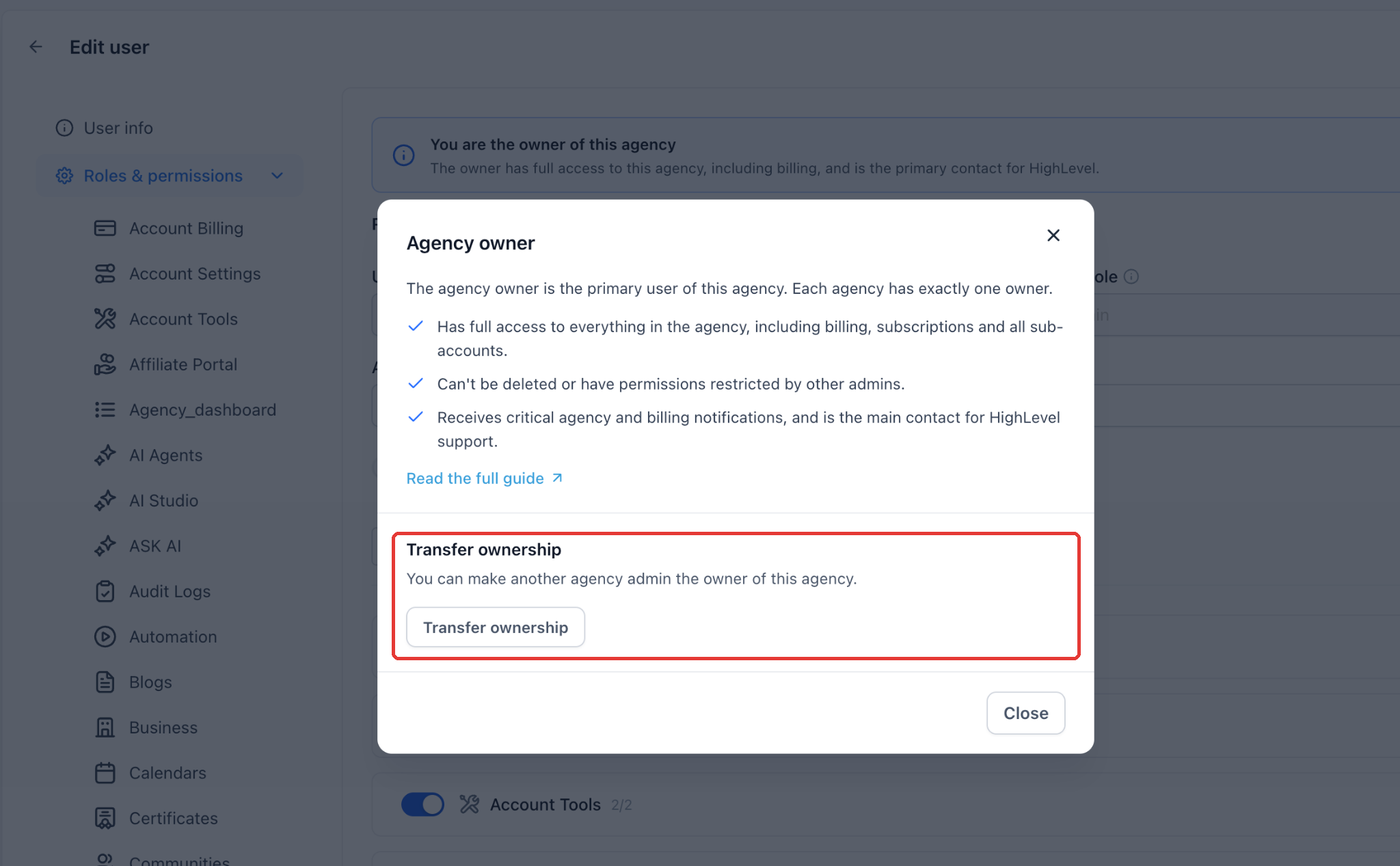
The Agency owner window opens. It explains the role and has a Transfer ownership section. Click Transfer ownership.
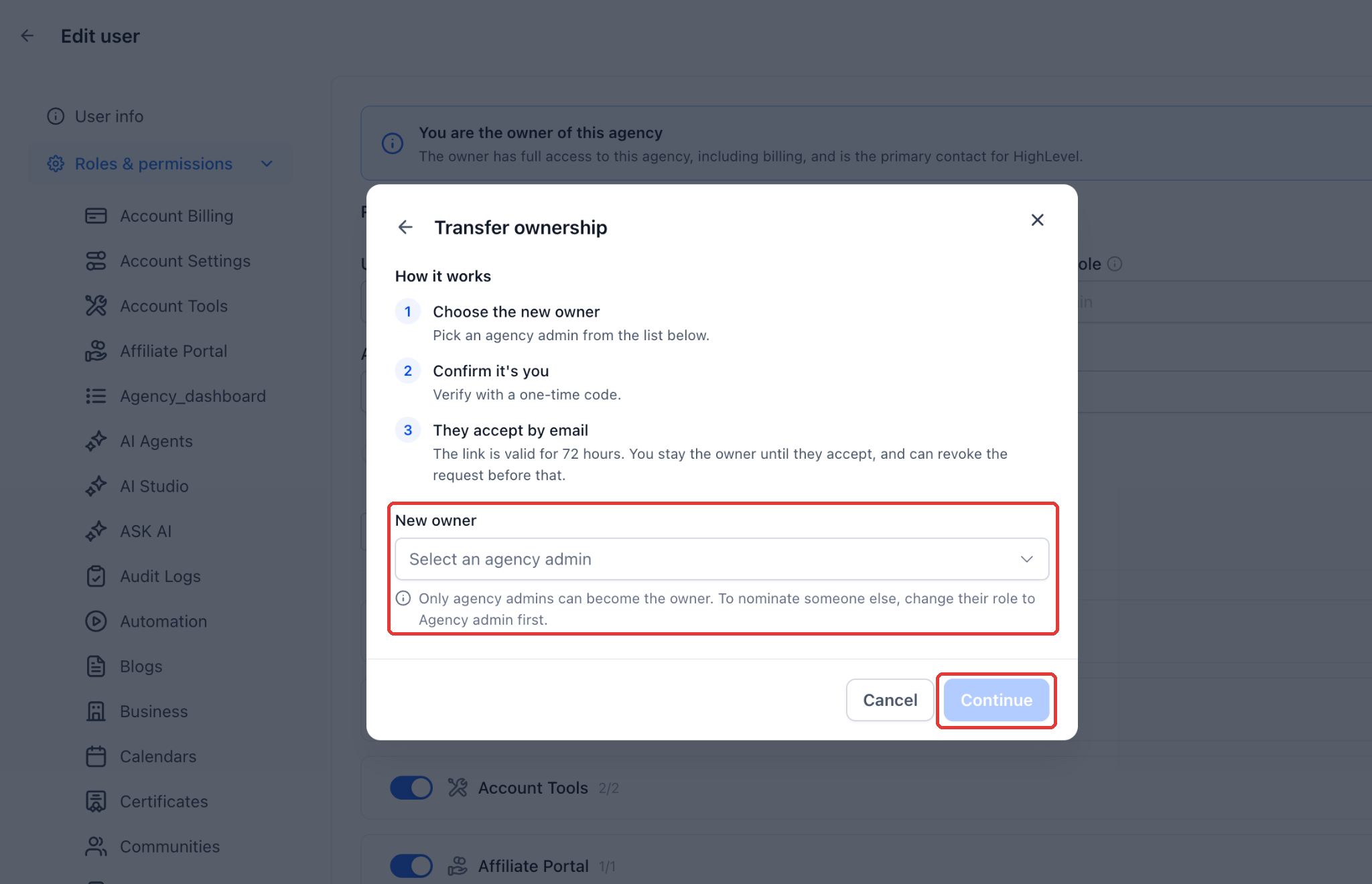
Choose the new owner. The Transfer ownership window shows how the process works. Under New owner, select an Agency Admin from the dropdown, then click Continue.
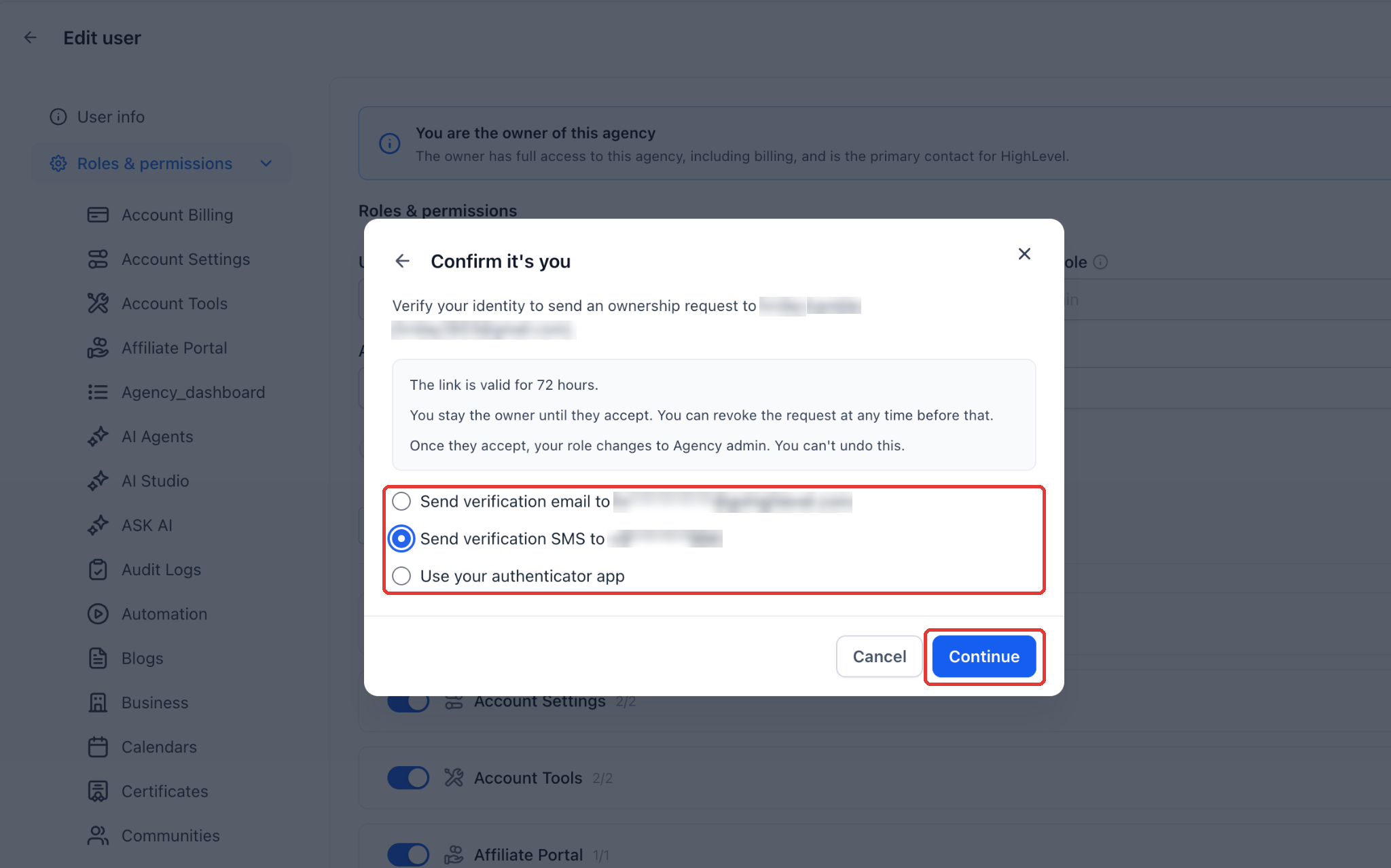
Confirm it's you. Pick how you want to receive your one-time code: a verification email, a verification SMS, or your authenticator app. You'll only see the methods set up on your agency. Click Continue.
Enter the 6-digit code and click Send request.
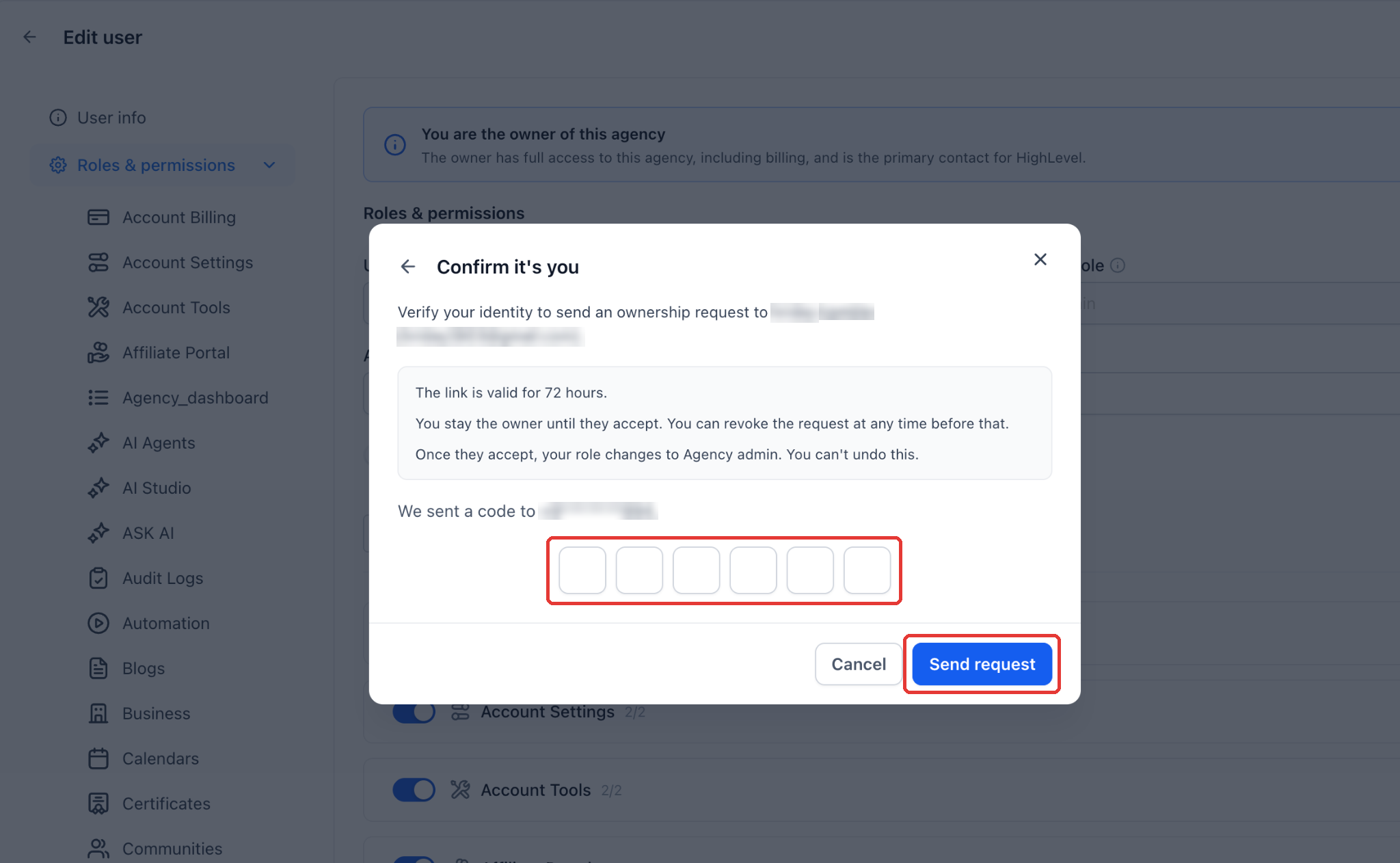
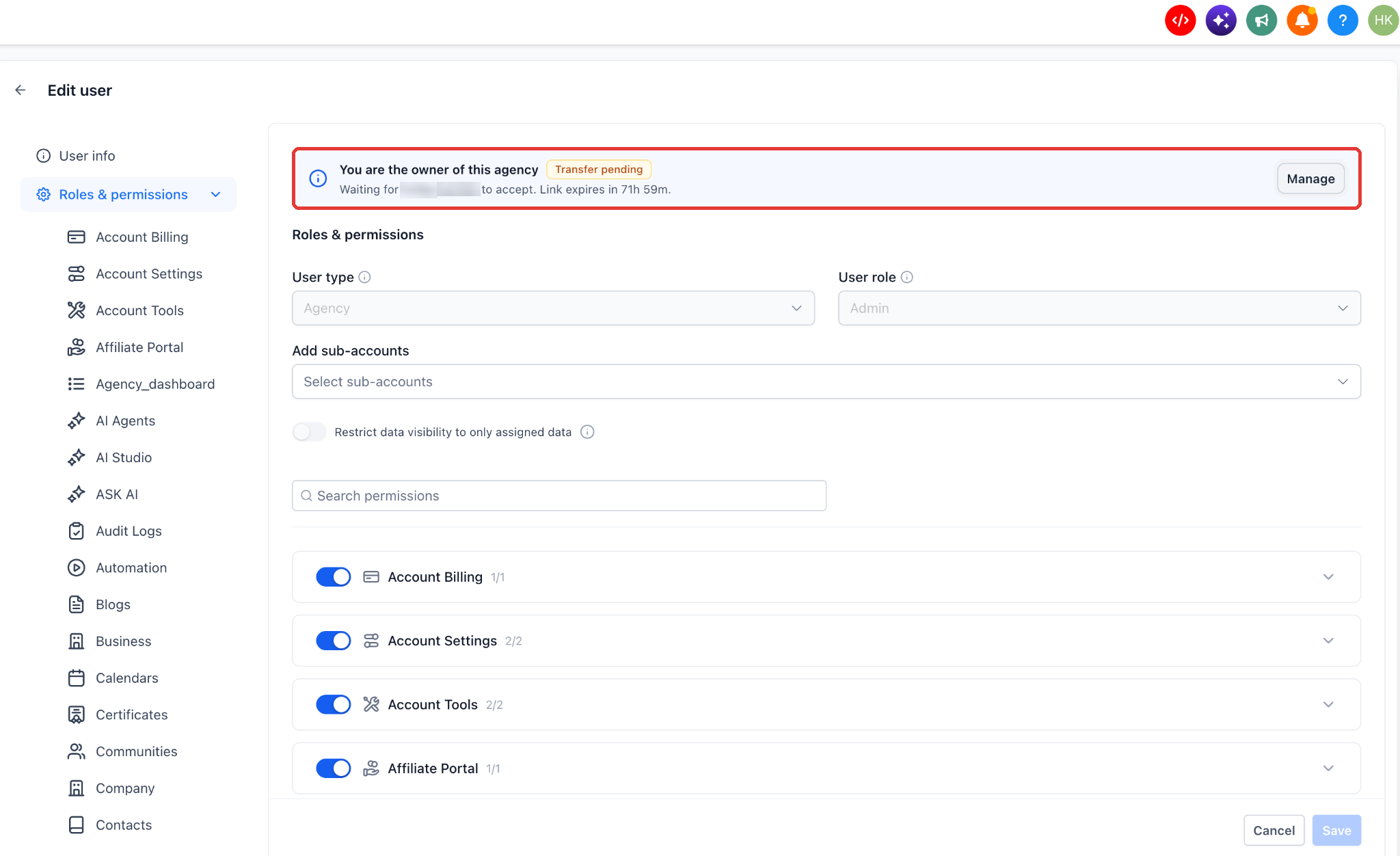
Track the request After the request is sent, the Agency owner window shows the new owner with the status Awaiting acceptance, when it was sent, and when it expires. The banner on your profile also shows Transfer pending.
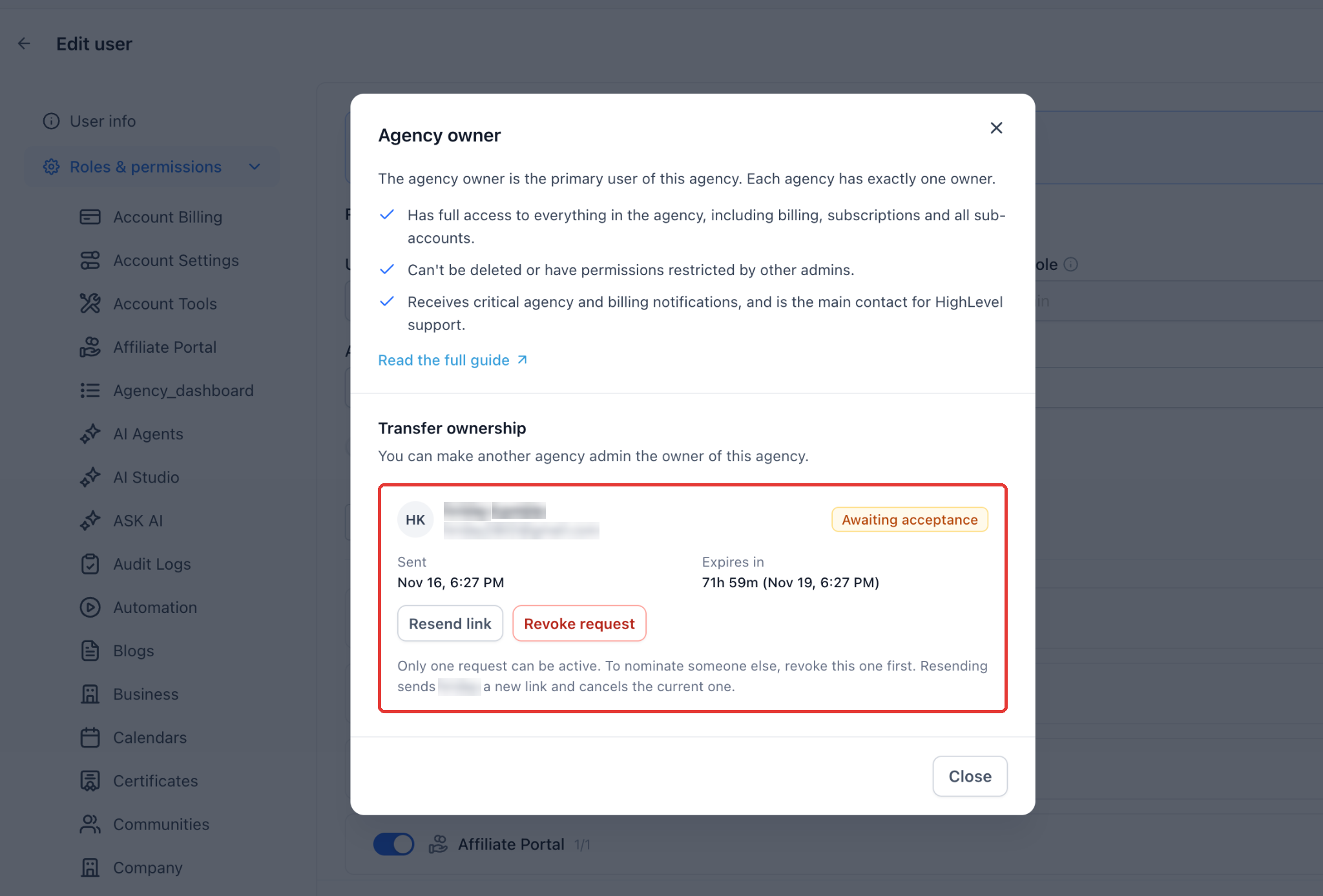
Resend link: Sends the new owner a fresh link and cancels the current one. Revoke request: Cancels the request. You stay the owner. Only one request can be active at a time. To nominate someone else, revoke the current request first.
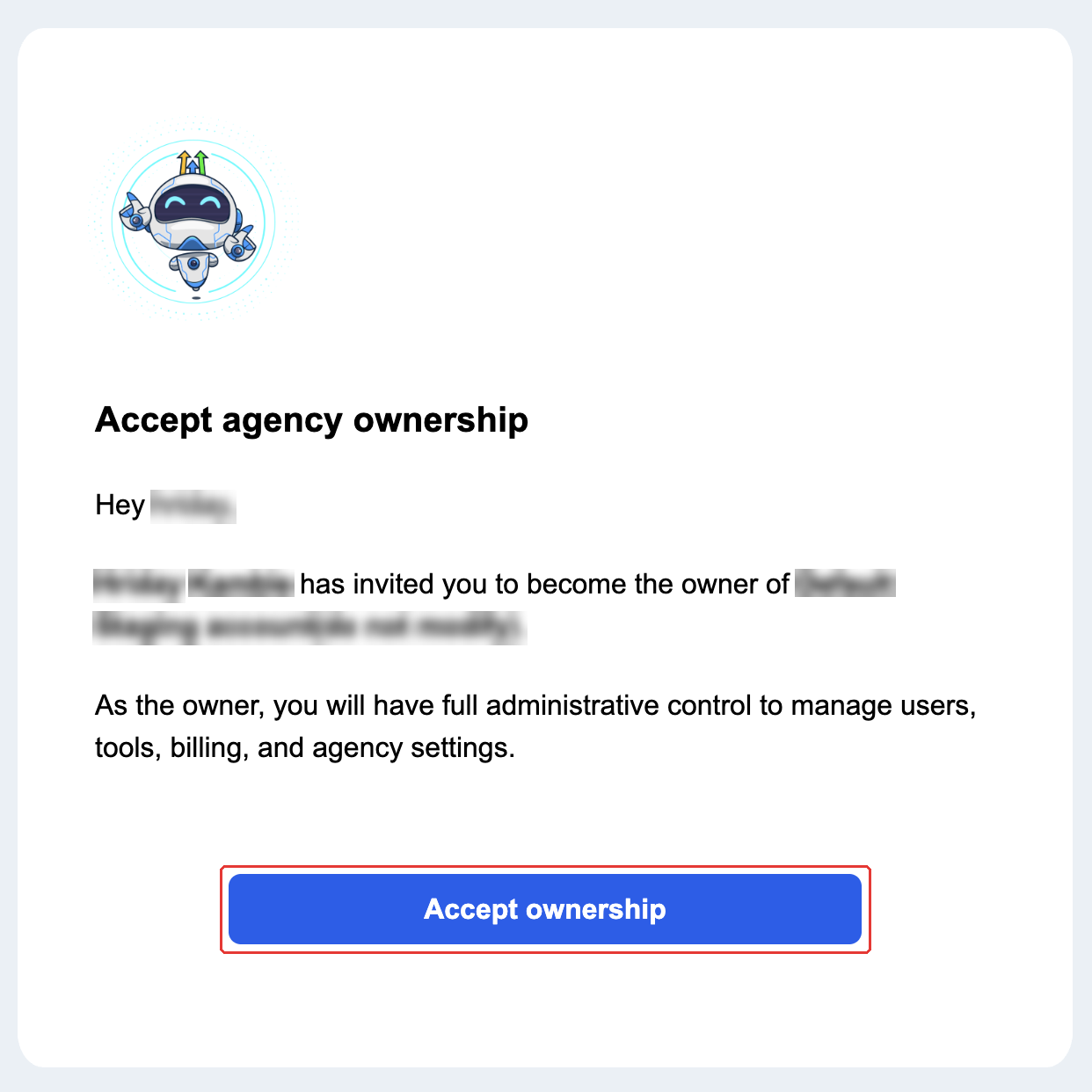
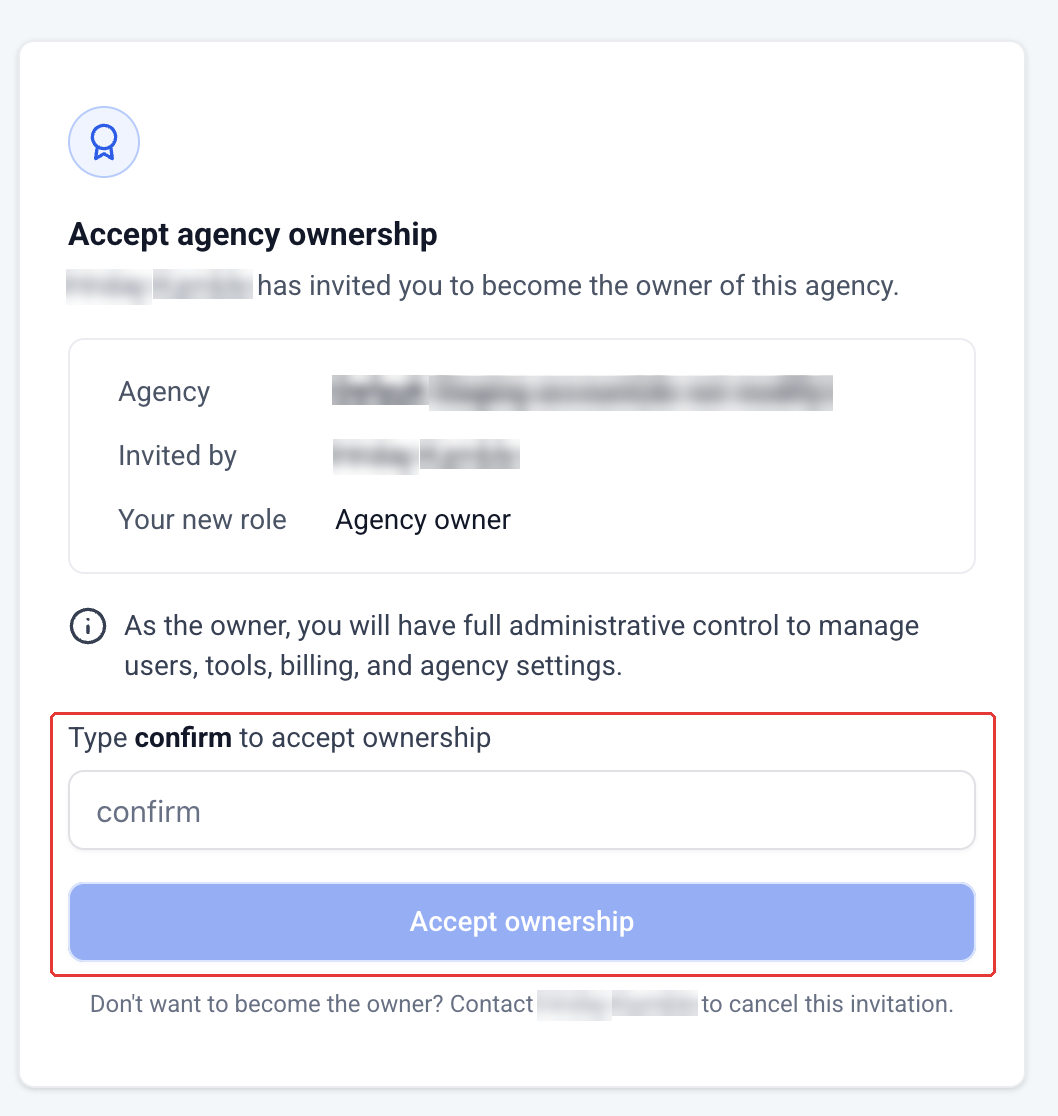
The new owner receives an email with the subject 'Action Required: Accept Agency Ownership Transfer'. They click Accept ownership.
A page opens showing the agency, who invited them, and their new role (Agency owner). To confirm, they type confirm in the box and click Accept ownership.
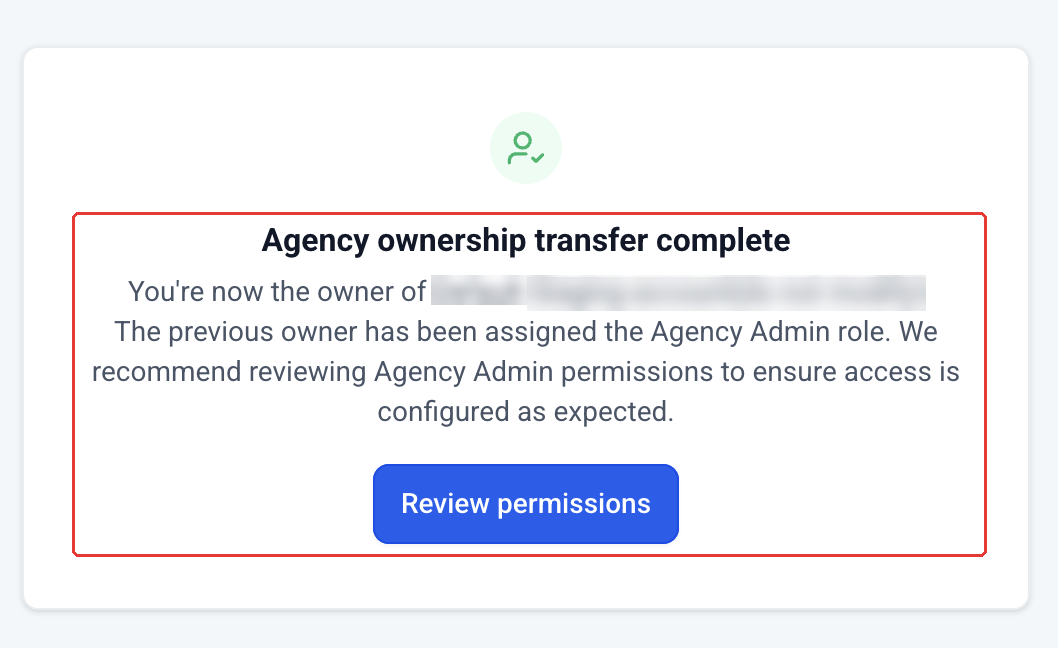
They'll see 'Agency ownership transfer complete'. The previous owner is now an Agency Admin. Click Review permissions to check the previous owner's Agency Admin access is set up as you want
The previous owner sees 'Ownership transfer complete'. They still have access as an Agency Admin and need to click Reload page to continue.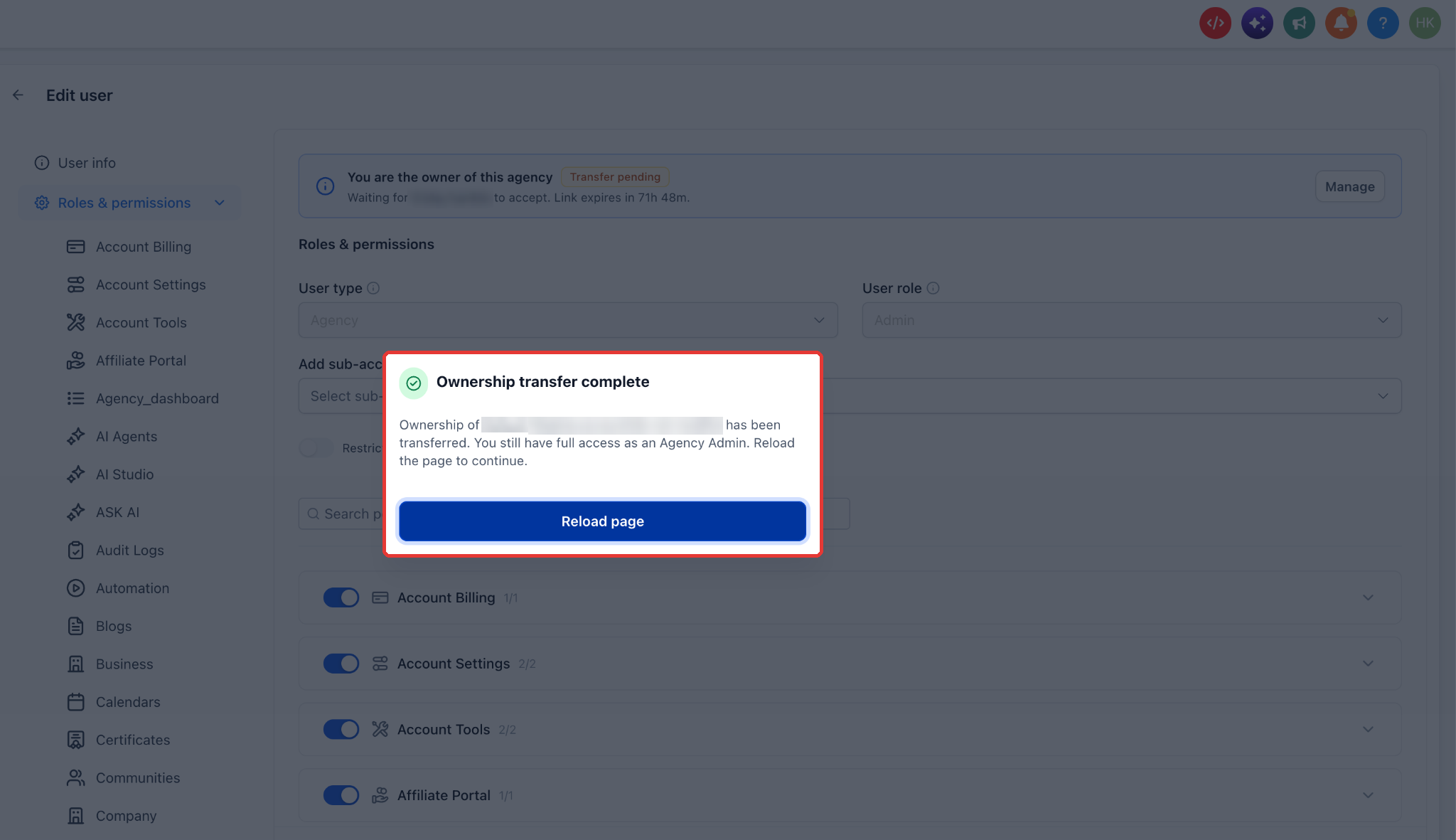
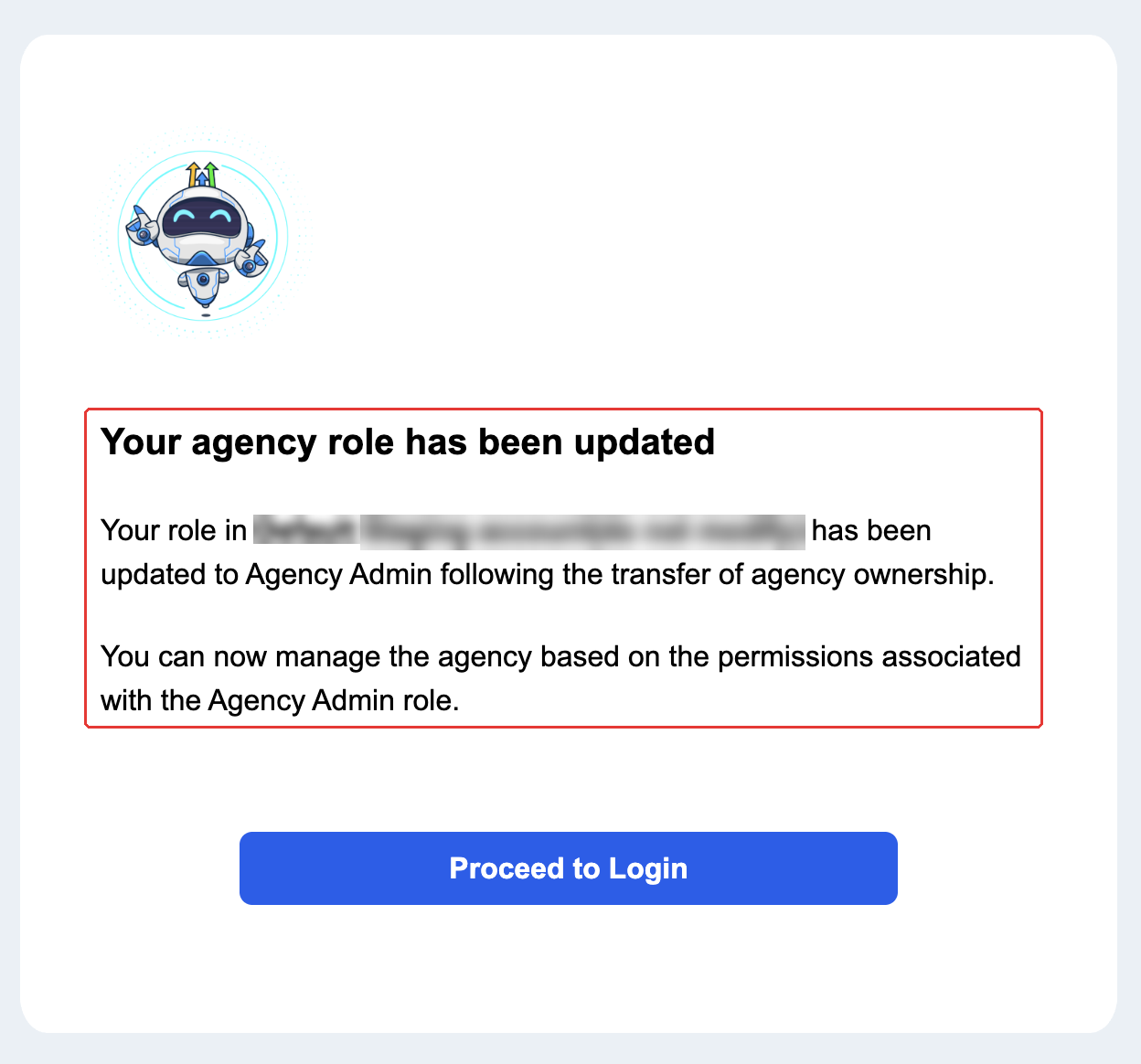
They also receive an email, 'Agency Role Updated: You're Now an Agency Admin', confirming the role change.
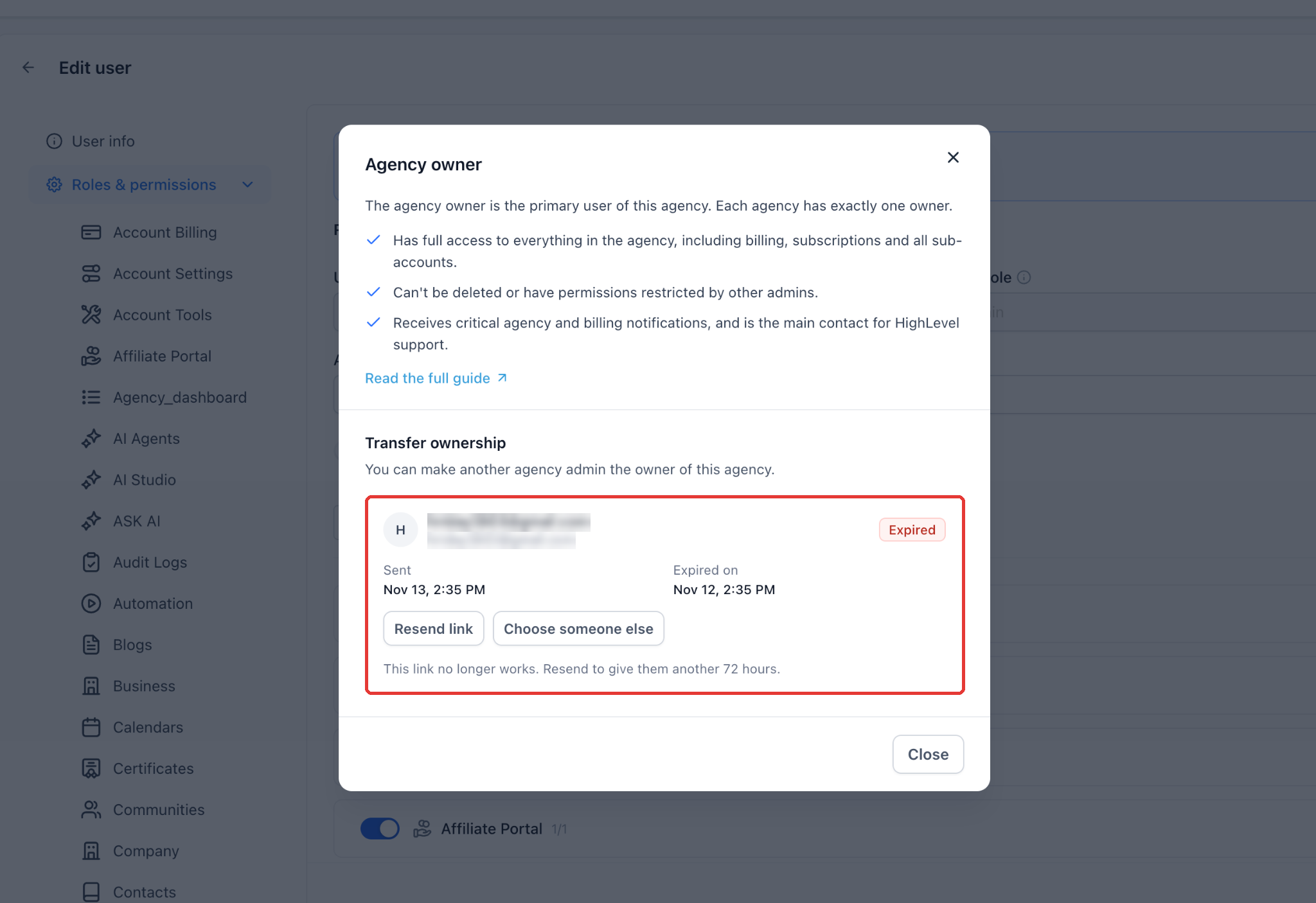
The invitation link is valid for 72 hours. If the new owner doesn't accept in time, the request shows as Expired and you remain the owner. Open the Agency owner window and click Resend link to give them another 72 hours, or Choose someone else.
Transferring Ownership:
Before you start:
Go to Agency view > Settings > Users. Edit your own user and open Roles & permissions. At the top you'll see the banner 'You are the owner of this agency'. Click Manage.
FAQs
Q: Can an agency account have multiple Agency Owners?
A: No, an agency account can only have one Agency Owner at a time. If the current owner wishes to change, they must transfer the ownership to another user with an Agency Admin role.
Q: What happens if an Agency Owner is deleted from the system?
A: If an Agency Owner is deleted, the system automatically assigns ownership to the following User based on the created date, in descending order. If no users with appropriate permissions (Agency, Admin) exist, the system will hold assigning ownership until a user with the required role structure is added.
Q: Can other Agency Admins change the Agency Owner's user role?
A: Other Agency Admins cannot change the Agency Owner's user role. Only the Agency Owner can change their user role by transferring ownership to another Agency Admin.
Q: Will the introduction of the Agency Owner role impact the permissions and functionalities of the Agency Admin role?
A: No, the Agency Owner role will not impact the permissions and functionalities of the Agency Admin role. The Agency Owner will have the same permissions as the Agency Admin, with added privileges for transferring ownership and being the main point of contact for account-related actions.
Q: Who can I transfer ownership to?
A: Only a user who is already an Agency Admin. If you're selling or handing over your agency to someone new, first add them as a user with User type Agency and role Admin, then start the transfer.
Q: Do I stop being the owner as soon as I send the request?
A: You stay the owner until the new owner accepts. You can revoke the request at any time before then.
Q: How long is the invitation link valid?
A: 72 hours. After that it expires and you stay the owner. You can resend the link or choose someone else.
Q: Why am I asked for a one-time code?
A: To protect your agency, you must confirm your identity before a transfer request is sent. You can use email, SMS or an authenticator app, depending on what's set up on your account.
Q: The new owner didn't get the email. What should they do?
A: Ask them to check their spam or junk folder. You can also click Resend link, which sends a new link and cancels the old one.
Q: What happens to the previous owner after the transfer?
A: You stay in the agency as an Agency Admin. Your open tabs will ask you to reload, and you'll get an email confirming your new role. The new owner can review and change your Agency Admin permissions.
Q: Can I send transfer requests to two people at once?
A: Only one request can be active. Revoke the current request before nominating someone else.
Was this article helpful?
That’s Great!
Thank you for your feedback
Sorry! We couldn't be helpful
Thank you for your feedback
Feedback sent
We appreciate your effort and will try to fix the article