Google Ad Reporting provides live reporting and analysis for your client's digital ad campaigns. Google Ad Reporting provides big-picture campaign analysis so it is easy to understand your client's ad performance and increase their ROI.
TABLE OF CONTENTS
- 1. Impressions
- 2. Clicks
- 3. Conversions
- 4. Client Spend
- 5. Average CPC (Cost per Click)
- 6. Cost Per Conversion (CPA)
- 7. Conversion Rate
- 8. Revenue
- 9. ROI
- 10. Sales
- 11. CPS (Cost per Sales)
- 12. Leads
- 13. CPL (Cost per Lead)
1. Impressions
The total number of times your Google ad was displayed. An impression is counted each time your ad appears, even if no one clicks it.
2. Clicks
The total number of times people clicked your Google ads, like on the Blue Headline or Phone Number of a Text Ad, Google Ads Counts That As A Click. Clicks help you understand how often users interact with your ads.
3. Conversions
The number of valuable actions attributed to your Google ads, such as purchases, form submissions, sign-ups, or phone calls.
What counts as a conversion depends on the conversion actions you've configured in Google Ads.
For example, if I visit your site and view a specific webpage, that would be one type of conversion. If I download your eBook, sign up for your newsletter, or take another action, that would also be considered a conversion. The goal of conversions is to convert visitors into customers.
4. Client Spend
The total cost of running your Google ads, including any management fees added by your agency.
Client Spend = Advertising Cost + Agency Management Fees
This setting is available to Agency Admins and Agency Users.
5. Average CPC (Cost per Click)
The average amount you pay each time someone clicks your Google ad. It helps you understand how much you're spending to attract visitors through your ads.
Average CPC = Total Click Cost ÷ Total Clicks
The cost of placing an advertisement can vary depending on many factors such as:
- Advertiser’s budget
- Number of impressions
- Location and time of day
- Type of content in which
6. Cost Per Conversion (CPA)
The average amount you spend to generate one conversion, such as a lead, sign-up, or purchase.
Cost per Conversion = Total Conversion-Eligible Ad Cost ÷ Total Conversions
A lower cost per conversion generally means you're spending less to generate each tracked action.
7. Conversion Rate
The percentage of eligible ad interactions that result in a conversion. It helps you understand how effectively your ads encourage people to take action.
Conversion Rate = (Total Conversions ÷ Eligible Ad Interactions) × 100
For example, if your ad generates 50 conversions from 1,000 eligible interactions, your conversion rate is 5%.
8. Revenue
The total monetary value of Google Ads-attributed opportunities marked as Won in HighLevel.
Revenue reflects the value of won opportunities, which may differ from the actual payments you've collected.
Please note: When adding a lead value only use numerical integers. There is no need to add a $ sign as its already accounted for in the field (See example below)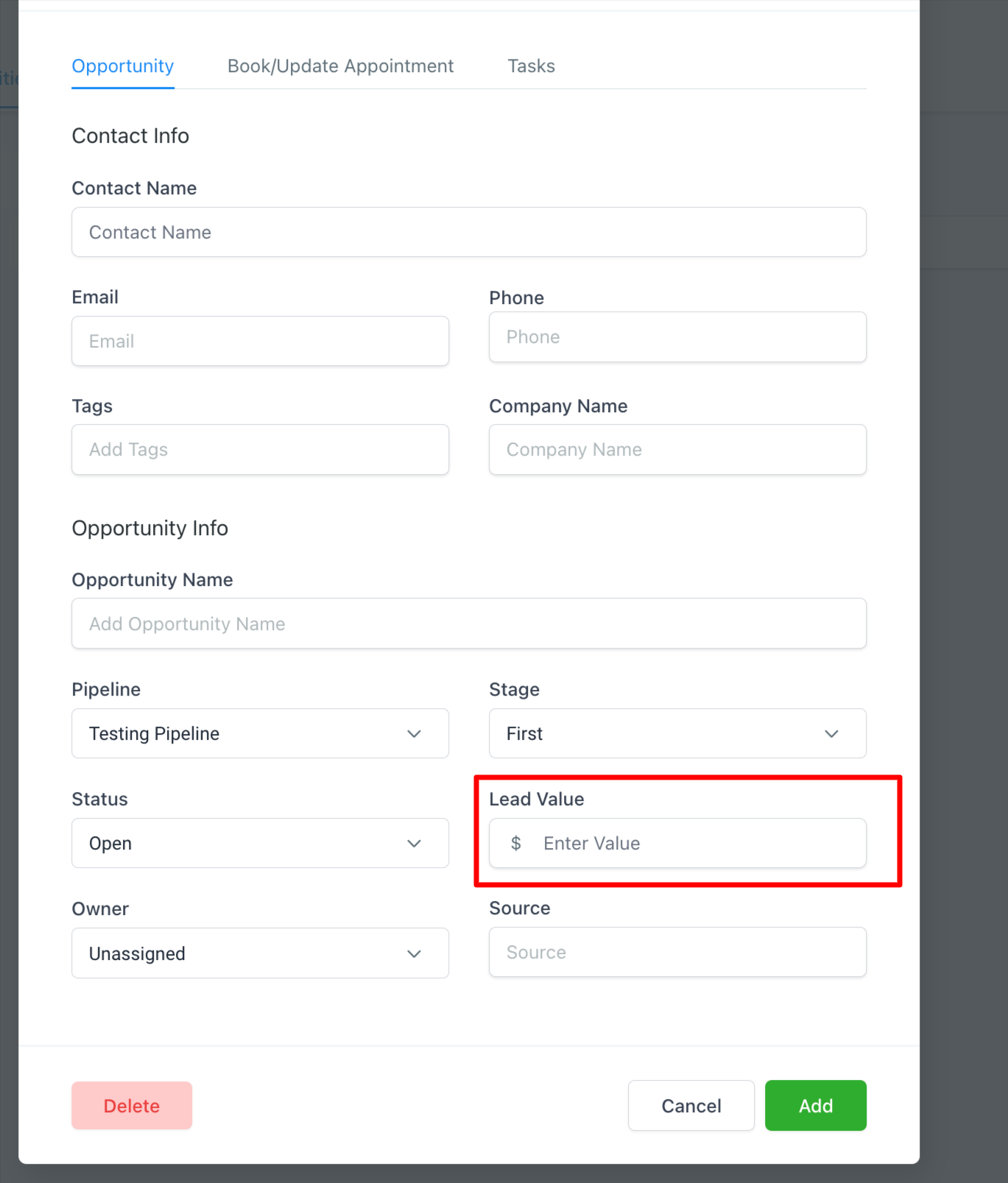
9. ROI
ROI measures the financial return generated by your Google Ads campaign relative to its costs, expressed as a percentage.
It helps you evaluate whether your advertising investment is generating sufficient value compared to what you spend.
10. Sales
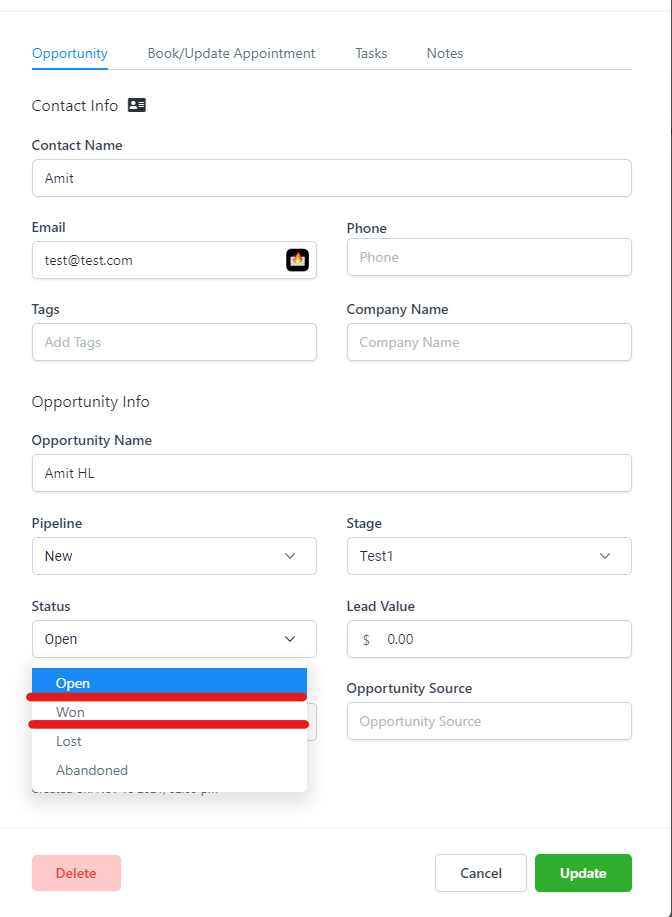
The number of Google Ads-attributed opportunities marked as Won in HighLevel.
Sales are based on opportunity status, not necessarily completed payments. The count can change when an opportunity's status is updated.
11. CPS (Cost per Sales)
The average amount spent on advertising to generate one sale, based on opportunities marked as Won.
CPS = Total Campaign Cost ÷ Total Sales
12. Leads
The number of leads attributed to your Google Ads campaigns and tracked in HighLevel.
Leads may come from form submissions, chat widgets, or phone calls when attribution is correctly configured.
13. CPL (Cost per Lead)
The average advertising cost of generating one lead through your Google Ads campaign.
CPL = Total Campaign Cost ÷ Total Leads
This metric helps you understand how much you're spending to attract potential customers.
Was this article helpful?
That’s Great!
Thank you for your feedback
Sorry! We couldn't be helpful
Thank you for your feedback
Feedback sent
We appreciate your effort and will try to fix the article