Download AI Studio Codebase as ZIP
This article explains how to download your AI Studio project codebase as a ZIP file, including accessing previous versions from your project history.
You'll learn multiple download methods and understand how this feature enables external development, local editing, and custom hosting options.
What is Download Codebase?
Download Codebase allows you to export your entire AI Studio project as a ZIP file containing all project files and code. This gives you direct access to the websites, applications, and tools you build inside AI Studio.
You can download the current version of your project or access previous versions through your project history. Each downloaded ZIP file includes the complete codebase as it existed at that point in time.
This feature enables you to work with your project code outside of HighLevel, whether you want to edit locally, continue development with external tools, or host your application on your own infrastructure.
Key Benefits
Downloading your codebase provides flexibility and control over your AI Studio projects:
How to Download Your Codebase
You can download the current version of your project codebase using either of these methods:
Click Code from the top navigation menu in your AI Studio project.
Scroll down to the bottom of the Code section.
Click the Download Codebase button. Your project will download as a ZIP file to your default download location.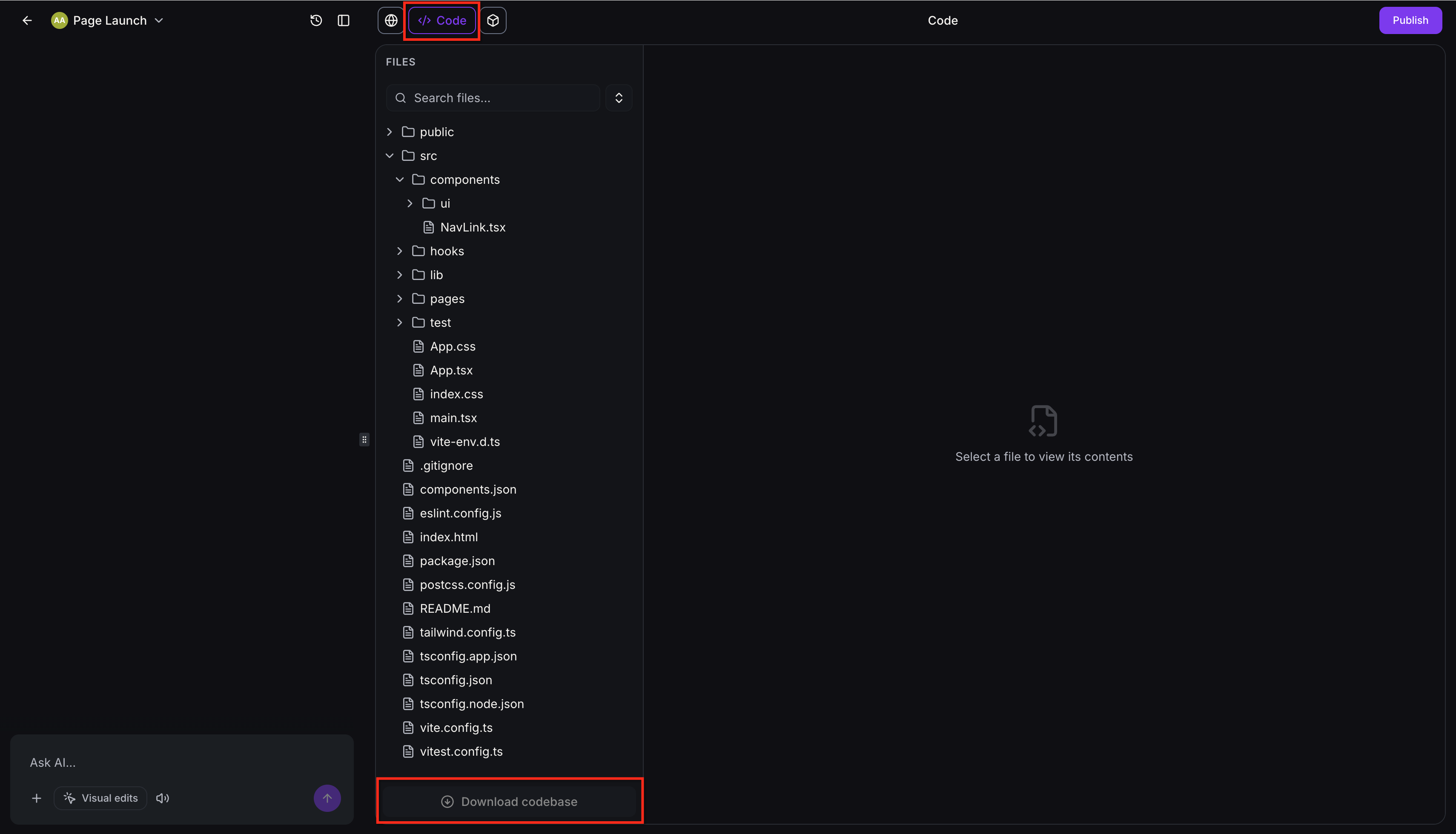
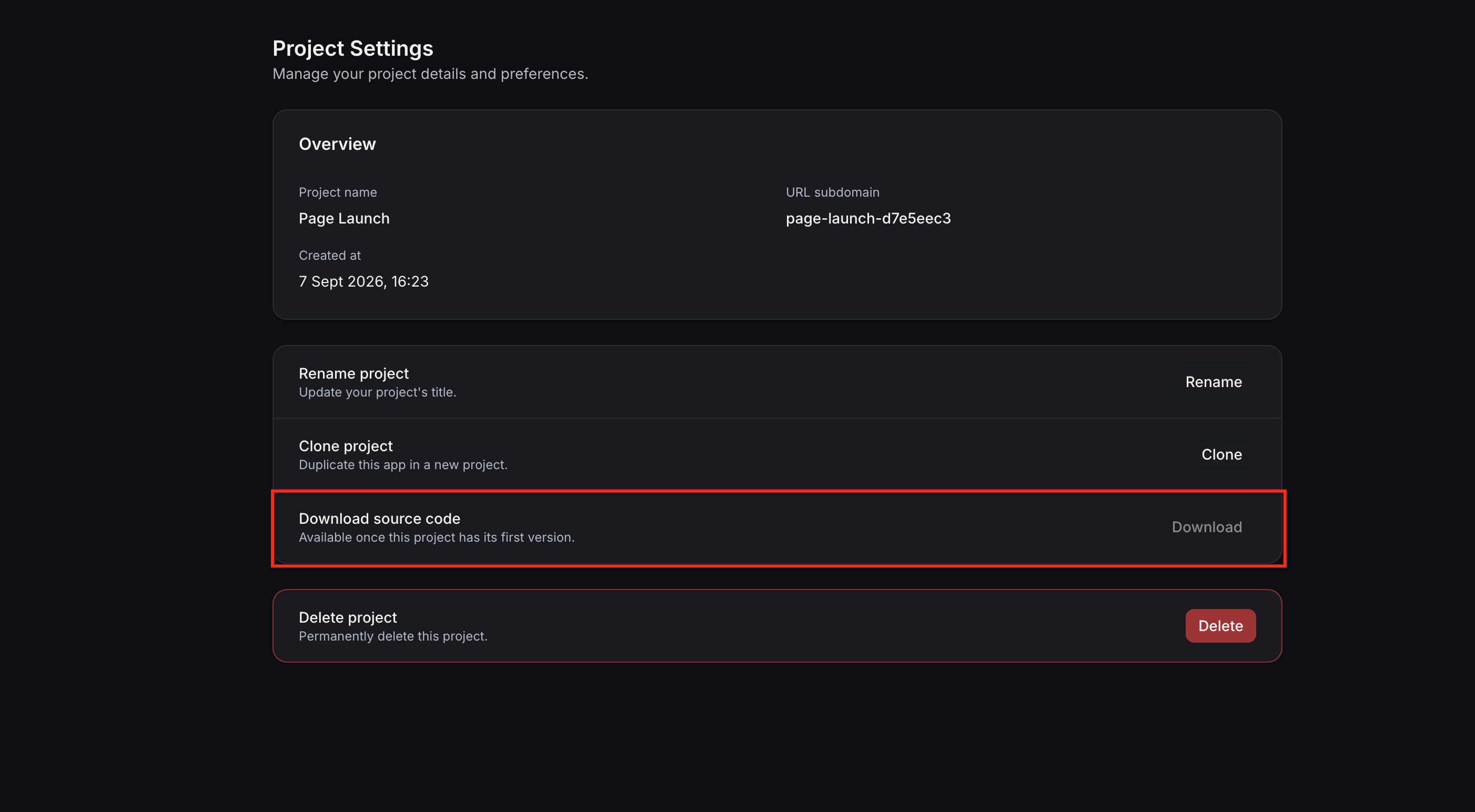
Navigate to Project Settings in your AI Studio project.
Locate the Download Codebase option within Project Settings.
Click the Download Codebase button to download your project as a ZIP file.
Download Previous Versions
You can download any previous version of your project from Version History. This allows you to access older code states or compare different iterations of your project.
Navigate to your project's Version History in AI Studio.
Find the version you want to download from the history list. Click the three-dot menu icon next to that version.
Select Download ZIP from the menu. The selected version will download as a separate ZIP file containing the codebase as it existed at that point in time.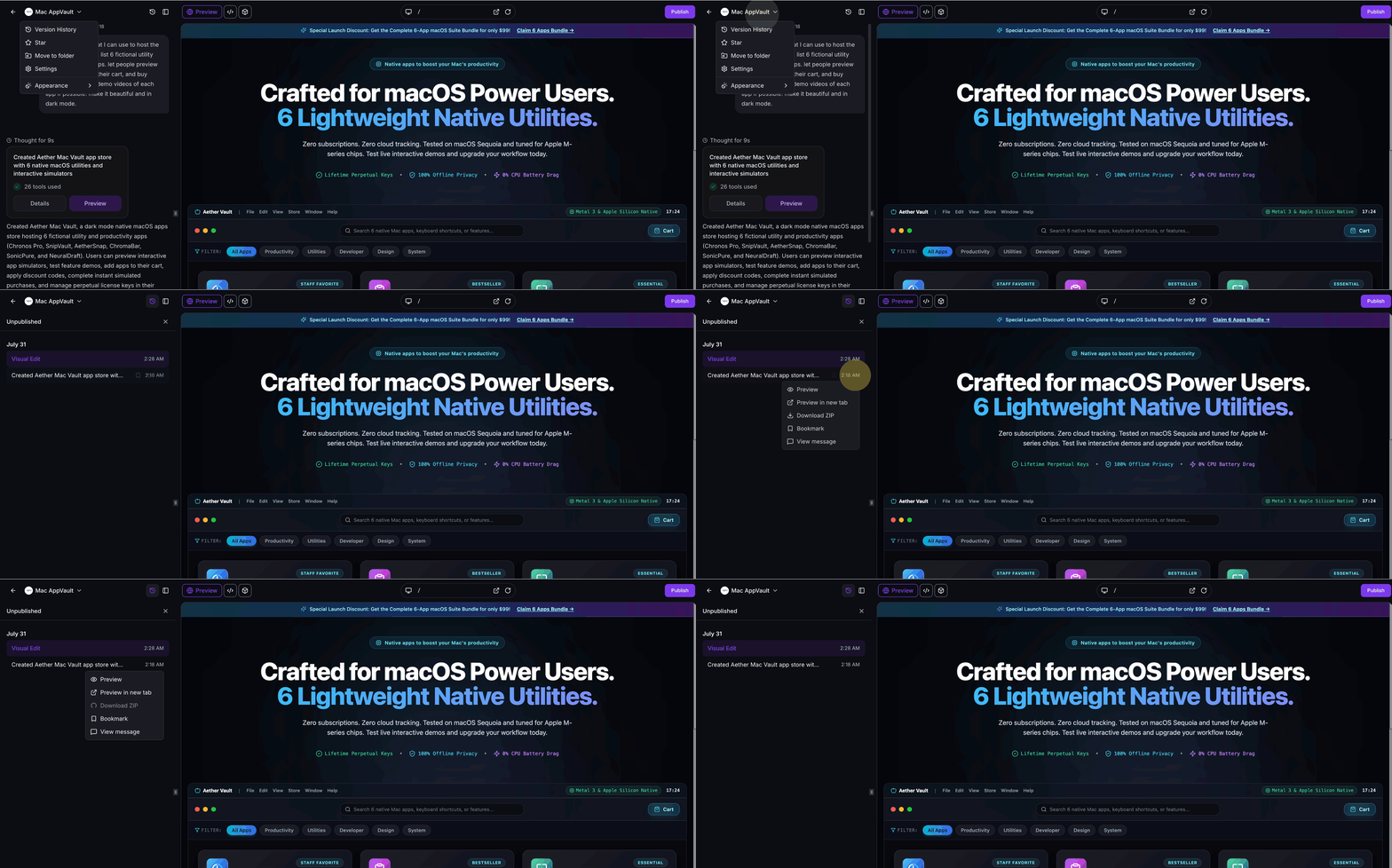
Each version download creates an independent ZIP file. You can download multiple versions to compare code changes or recover specific implementations from your project history.
Frequently Asked Questions
Was this article helpful?
That’s Great!
Thank you for your feedback
Sorry! We couldn't be helpful
Thank you for your feedback
Feedback sent
We appreciate your effort and will try to fix the article