Zero-Dollar Checkout for Sell Products
The Require Credit Card setting on the Sell Products element allows you to hide payment fields when an order totals $0 with no recurring charges. This article explains how to configure the setting, when payment fields are hidden, and how the feature handles edge cases like coupons, subscriptions, and Funnel-embedded forms.
You'll learn step-by-step setup instructions, key behaviors, and frequently asked questions about zero-dollar checkouts in Forms and Surveys.
What is Zero-Dollar Checkout?
Zero-Dollar Checkout allows customers to complete free orders in Forms and Surveys without entering credit card details. When a product order totals $0 and has no recurring charges scheduled, the payment fields are hidden automatically, creating a frictionless checkout experience for free offers.
The feature is controlled by a new Require Credit Card toggle on the Sell Products element. When disabled, the system evaluates the order total and recurring schedule—if both are zero, payment collection is skipped. Free orders are still recorded in submission and order history, maintaining complete tracking.
This functionality works across Forms and Surveys on desktop and mobile, and integrates with coupons, order bumps, and Funnel-embedded contexts.
Key Benefits
Zero-Dollar Checkout improves conversion rates and user experience by removing unnecessary friction from free offers. The feature provides several operational and customer-facing advantages.
How Payment Fields Are Hidden
Payment fields are hidden automatically when the Require Credit Card toggle is disabled and specific conditions are met. The system evaluates the order in real time to determine whether to show or hide the payment section.
The combined price of all selected products, variants, and order bumps must equal zero. This includes base prices, quantity adjustments, and any applied coupons.
The order must not include any subscriptions, recurring payments, or free trials that will charge the customer in the future. Even if the total is $0 today, a card is required if a future payment is scheduled.
The pricing summary must load successfully and remain stable. If a customer submits the form while the total is updating (e.g., after a product, variant, coupon, or order bump change), card collection is shown to prevent payment errors.
If any condition fails or cannot be confirmed, the system defaults to showing the payment fields and collecting card details. This fail-safe behavior ensures that paid orders are never incorrectly processed as free.
When all conditions are met, the payment element is removed from the form entirely—customers proceed directly to submission without encountering card fields.
How to Enable Zero-Dollar Checkout
Enabling Zero-Dollar Checkout requires disabling the Require Credit Card toggle on the Sell Products element in your Form or Survey. Follow these steps to configure the setting.
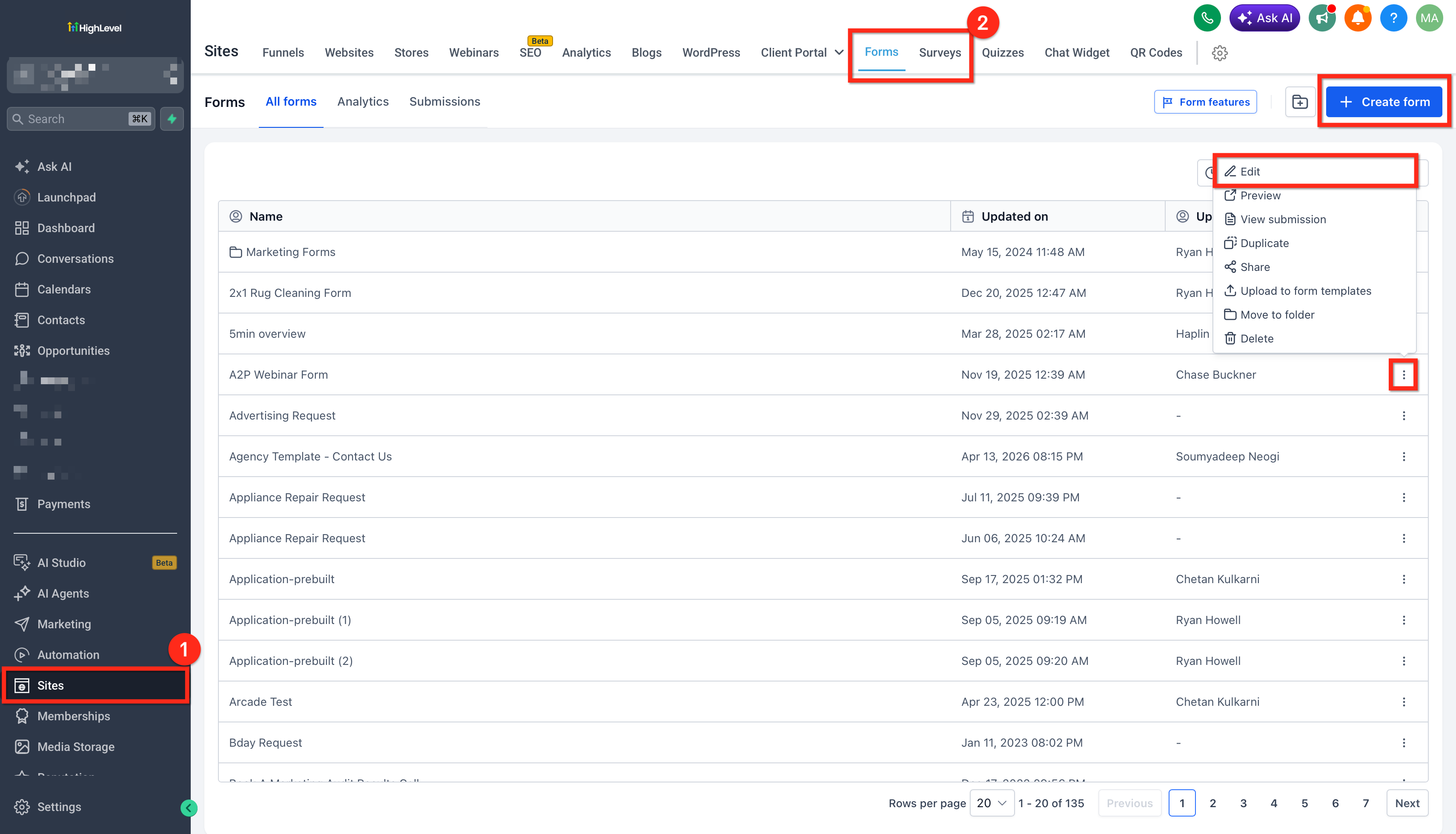
Navigate to the Form or Survey where you want to enable Zero-Dollar Checkout. Open the builder interface to access the element settings.
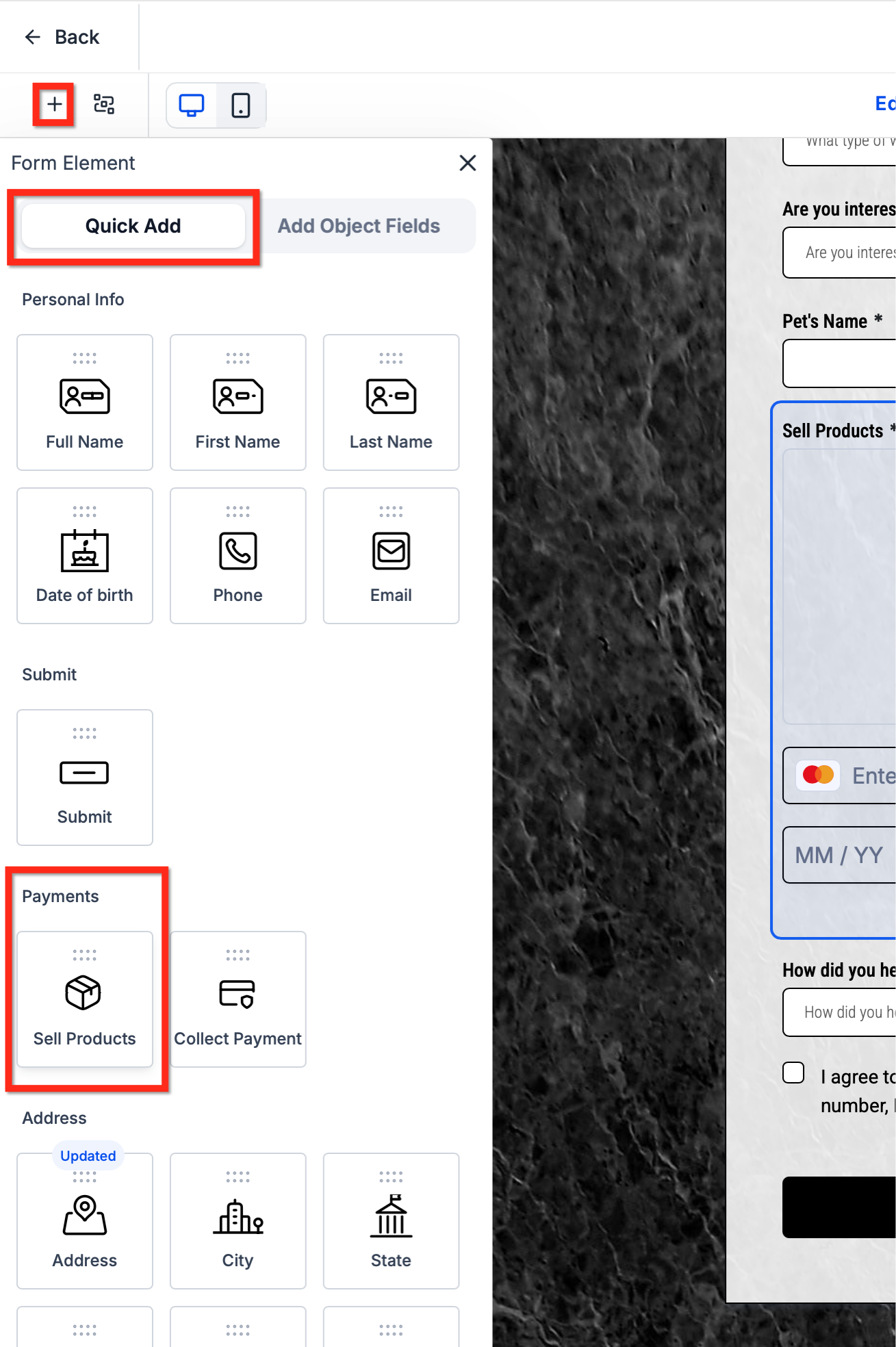
Click on the Sell Products element in your form. If you haven't added one yet, add a new Sell Products element from the element panel.
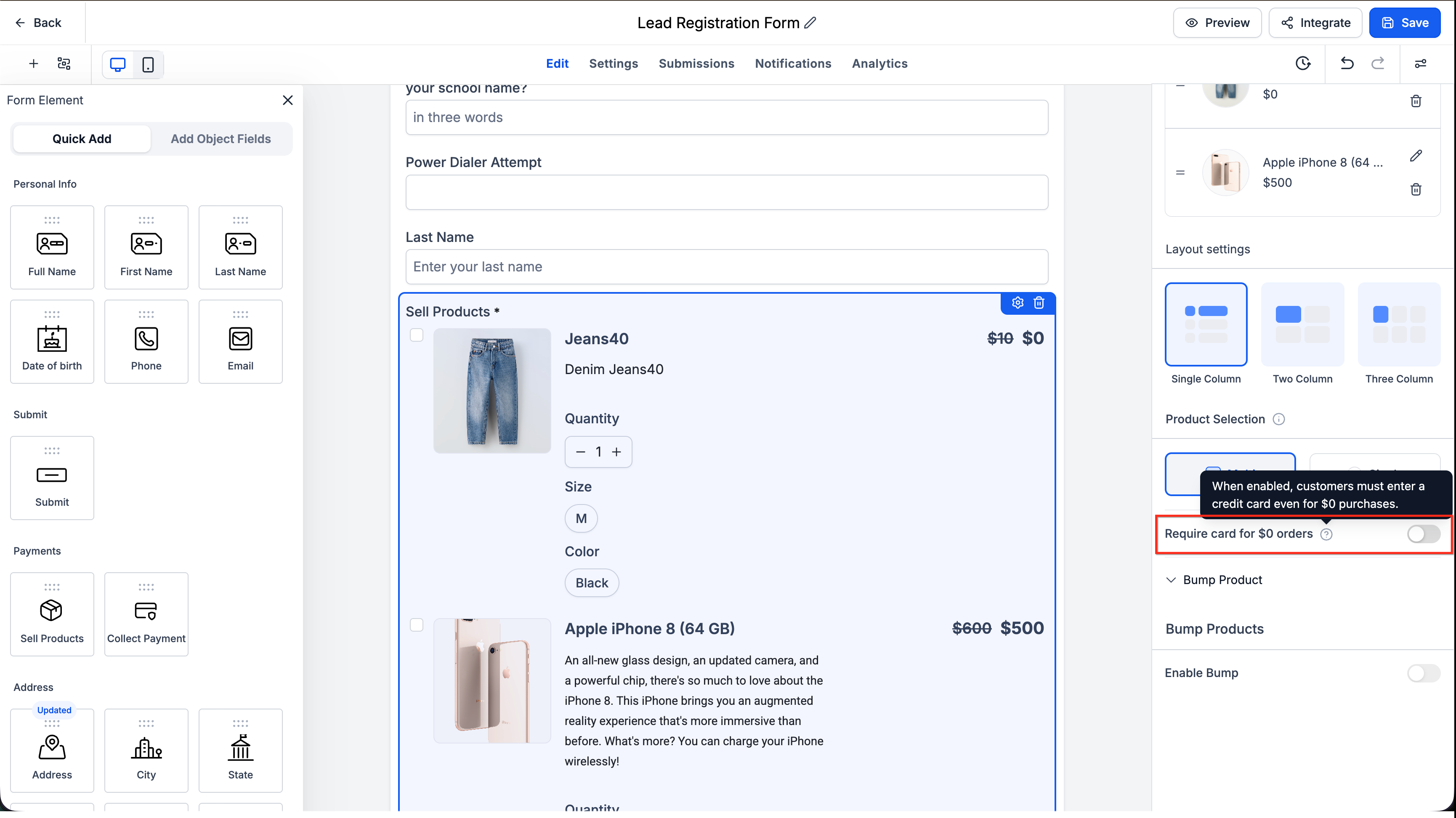
In the element settings panel, locate the Require card for $0 orders toggle. Turn the toggle OFF to enable Zero-Dollar Checkout. When disabled, orders that total $0 with no recurring charges will hide payment fields automatically.
Save your changes and publish the Form or Survey. The new behavior will apply immediately for any orders that meet the zero-dollar conditions.
The setting defaults to ON (requiring card), so you must manually disable it for each Sell Products element where you want to allow zero-dollar checkouts. This ensures existing forms continue to work as expected.
Special Cases and Behaviors
Zero-Dollar Checkout handles several edge cases and special scenarios to ensure reliable payment processing. Understanding these behaviors helps you design forms that work correctly across different use cases.
When a Form or Survey is embedded in a Funnel, the Funnel-level Require Credit Card setting takes precedence over the element-level setting. Configure the Funnel's payment settings to control zero-dollar behavior for embedded forms.
Subscriptions and free trials always require a credit card, even when the current charge is $0. A card is needed to process future recurring payments, so payment fields are shown regardless of the Require Credit Card setting.
When a customer applies a 100% discount coupon that reduces the order total to $0, payment fields are hidden automatically as soon as the total updates. This works dynamically in real time as the customer interacts with the form.
If the pricing summary fails to load, or if the customer submits the form while the total is still updating after a product, variant, coupon, or order bump change, the system shows payment fields and collects card details. This fail-safe prevents payment processing errors.
Donation and custom-amount payment types are out of scope for this feature. Their behavior is unchanged, and payment fields are always shown regardless of the Require Credit Card setting.
Card details entered on paid orders are now preserved when changing quantity or applying a coupon. Customers no longer need to re-enter payment information when modifying their order.
The payment element no longer briefly appears and disappears on $0 orders, creating a smoother visual experience. Additionally, Surveys embedded in Funnels now receive Funnel context correctly, ensuring consistent behavior across all form types.
Frequently Asked Questions
Was this article helpful?
That’s Great!
Thank you for your feedback
Sorry! We couldn't be helpful
Thank you for your feedback
Feedback sent
We appreciate your effort and will try to fix the article