You can arrange your pipelines in the order that works best for you, right from the Opportunities pipeline view. Reorder by dragging, or move a pipeline to an exact position. Your custom order is saved automatically and stays in place when you refresh the page.
TABLE OF CONTENTS
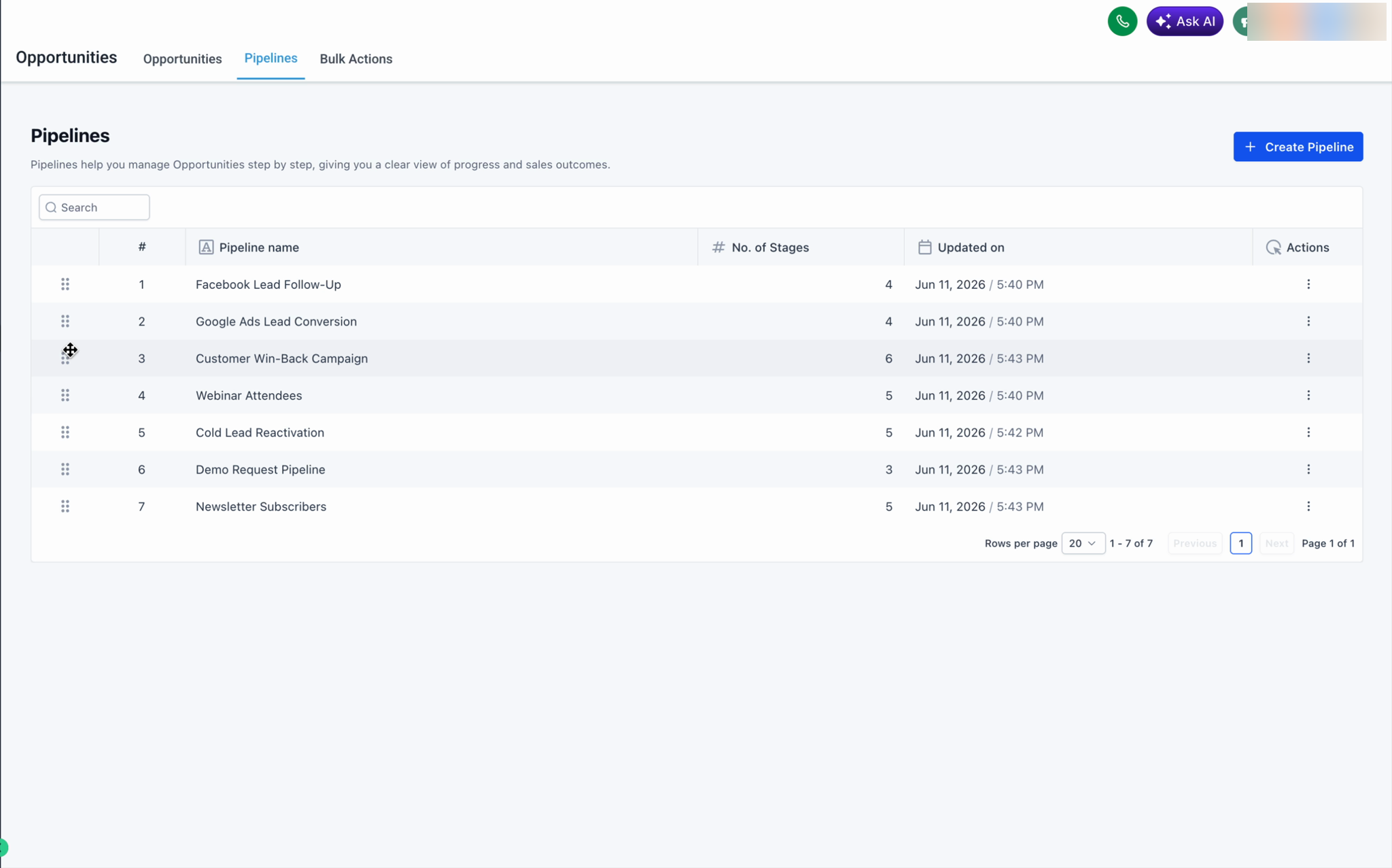
Reorder by drag and drop
- Go to Opportunities and open the Pipelines tab.
- Hover over the drag handle (the dotted icon) on the left of any pipeline row.
- Drag the pipeline up or down to the position you want, then release.
Move a pipeline to a specific position
Use this option when you want to place a pipeline at an exact spot. It also works across pages, so you can reposition a pipeline even if it isn't on the page you're currently viewing.
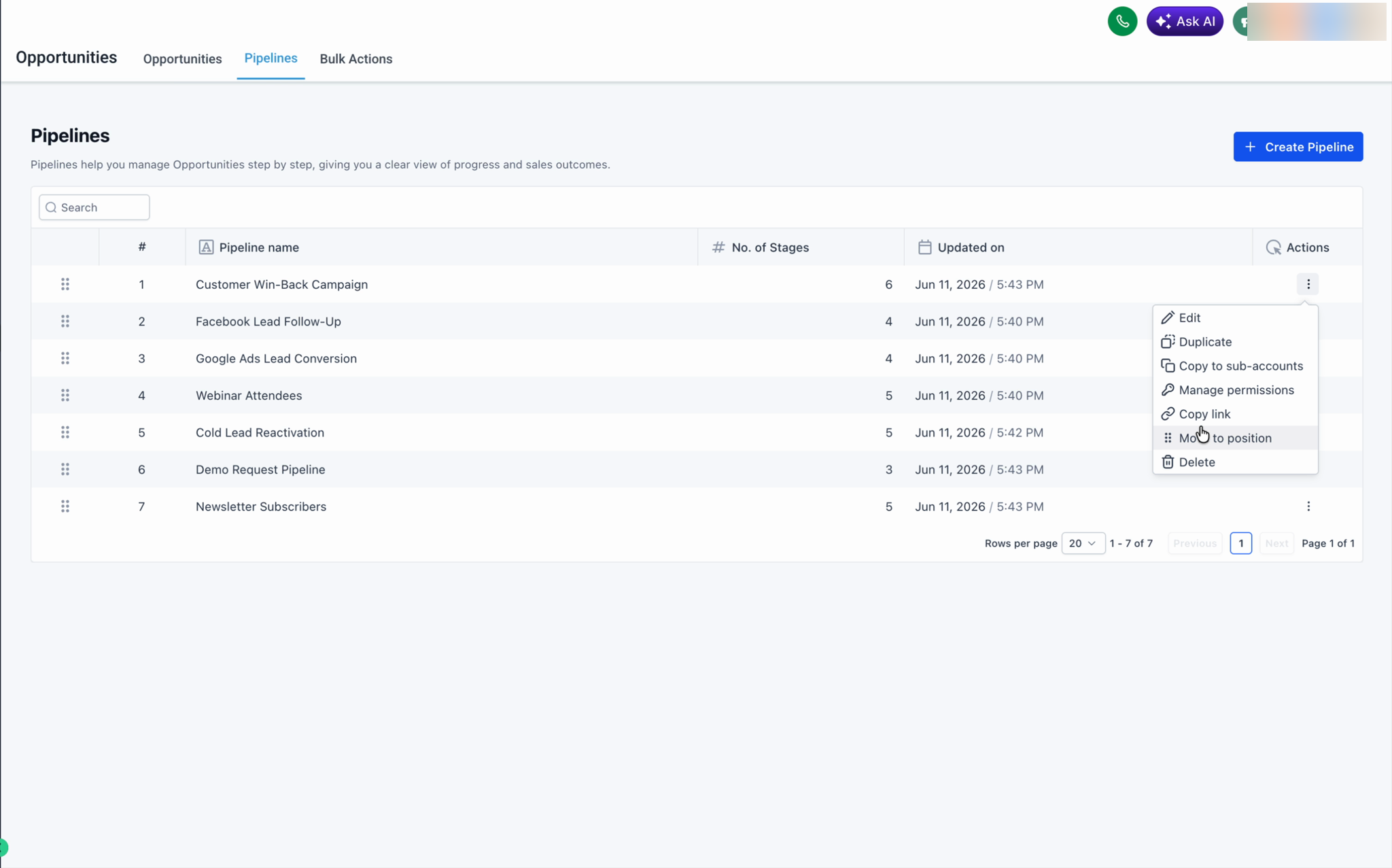
- On the pipeline row, click the ⋯ (three-dot) Actions menu.
- Select Move to position.
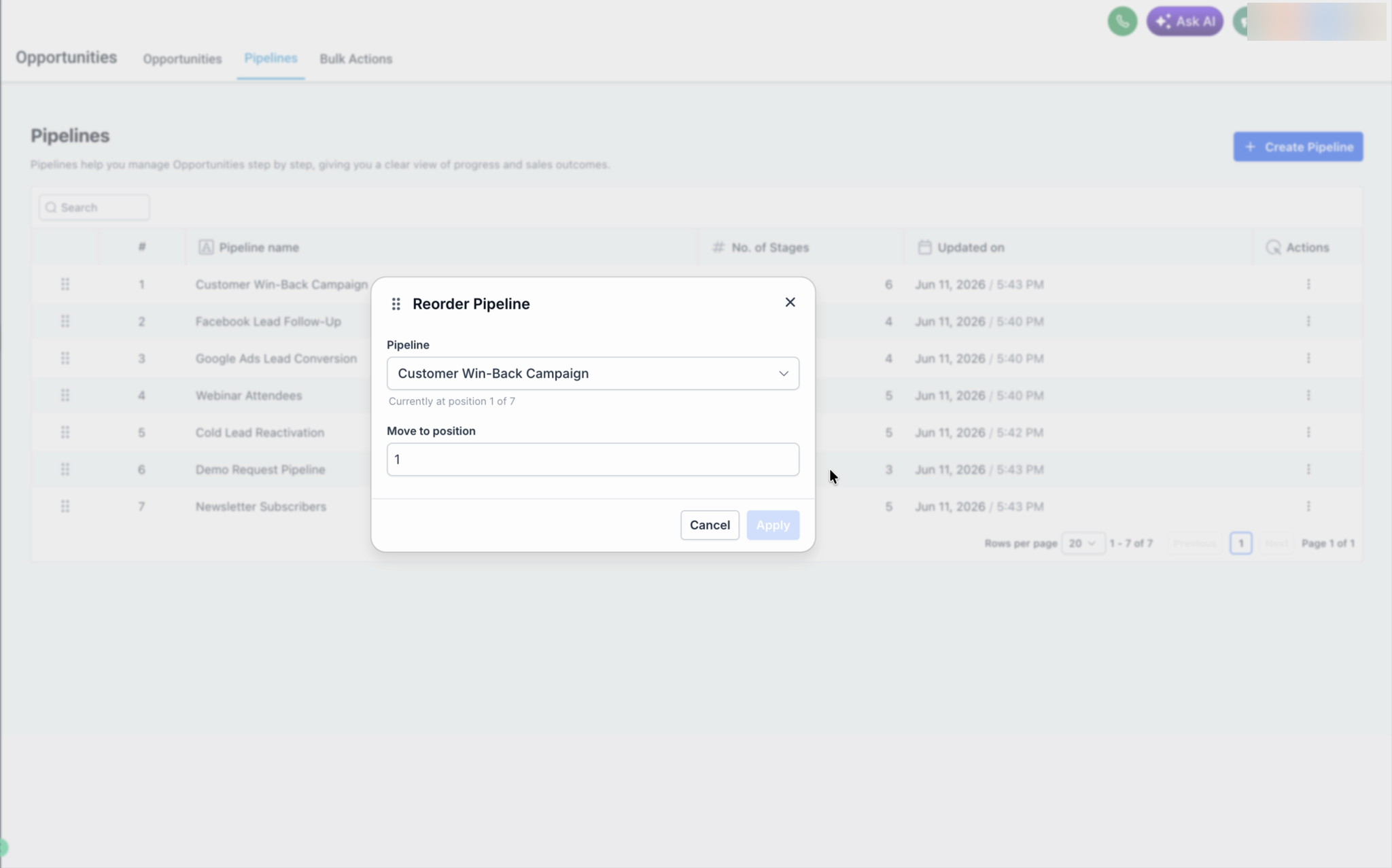
- In the Reorder Pipeline dialog, enter the position number you want.
- Click Apply.
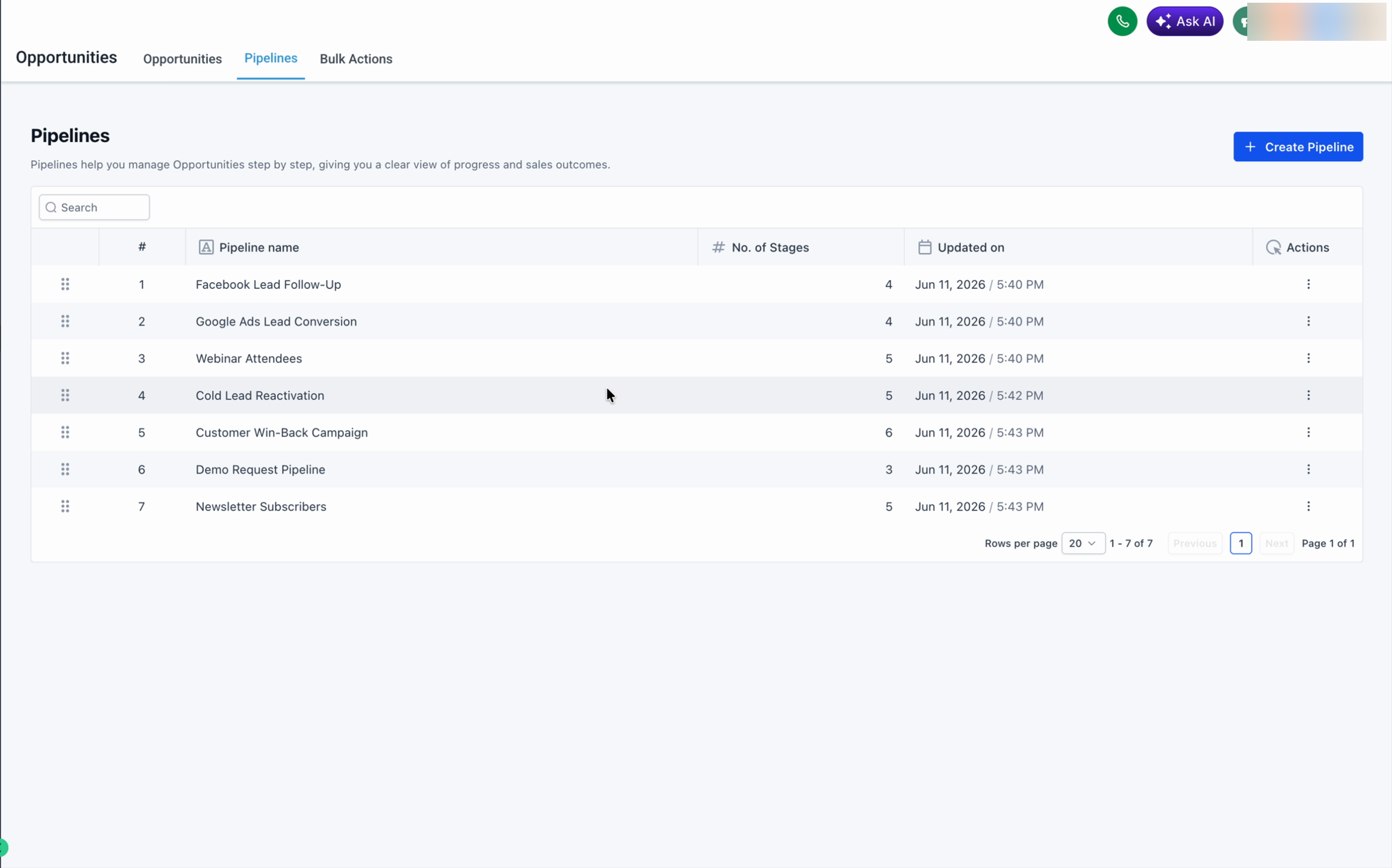
The pipeline moves to that position and the list renumbers automatically.
Good to know
- Your custom order is saved automatically — there is no separate Save button.
- The order persists across page refreshes.
- Move to position supports moving a pipeline across pages, which is useful when you manage many pipelines.
- This feature is available only for admins and the setting is saved across the location for all users.
Was this article helpful?
That’s Great!
Thank you for your feedback
Sorry! We couldn't be helpful
Thank you for your feedback
Feedback sent
We appreciate your effort and will try to fix the article