Ask AI now helps agencies create and update SaaS plans in HighLevel using natural language prompts. Instead of navigating every setting manually in SaaS Configurator, you can describe the plan you want to create or the changes you want to make, and Ask AI can help configure supported plan details through chat. This makes SaaS plan setup faster, easier to iterate, and more accessible for team members who prefer a conversational workflow.
TABLE OF CONTENTS
- What is Ask AI SaaS Plan Management?
- Key Benefits of Ask AI SaaS Plan Management
- How To Setup Ask AI SaaS Plan Management
- Frequently Asked Questions
What is Ask AI SaaS Plan Management?
Ask AI SaaS Plan Management allows agencies to create and update supported SaaS plan details through the Ask AI chat interface. This gives agencies a faster way to configure plan structure, pricing, features, and basic settings without starting every change manually inside SaaS Configurator. SaaS Configurator remains available for reviewing, refining, and managing the full SaaS plan setup.
Ask AI can help with two main SaaS plan actions:
- Creating new SaaS plans
- Updating existing SaaS plans
Use Ask AI when you want to move quickly, test pricing ideas, create draft plan structures, or make common updates to an existing SaaS plan.
Key Benefits of Ask AI SaaS Plan Management
Ask AI reduces the manual effort involved in SaaS plan setup by letting agencies describe what they want in plain language. This helps teams move faster, test plan ideas more easily, and make SaaS configuration more accessible to non-technical users.
- Faster Plan Creation: Create SaaS plans through chat without manually navigating every step in SaaS Configurator.
- Easier Plan Updates: Modify supported pricing, features, and basic configurations using natural language.
- Lower Setup Friction: Help non-technical team members configure SaaS plans with simpler instructions.
- Faster Experimentation: Test new SaaS plan structures, pricing tiers, and feature bundles more efficiently.
- Conversational Workflow: Manage supported SaaS plan actions by describing the change you want Ask AI to make.
- Better SaaS Scalability: Use AI-assisted workflows as a foundation for faster SaaS onboarding and future SaaS optimization.
How To Setup Ask AI SaaS Plan Management
Proper setup helps ensure Ask AI can understand your SaaS plan request and apply supported changes accurately. Before creating or updating plans, confirm that your agency has access to SaaS functionality and that the user making the request has the necessary permissions.
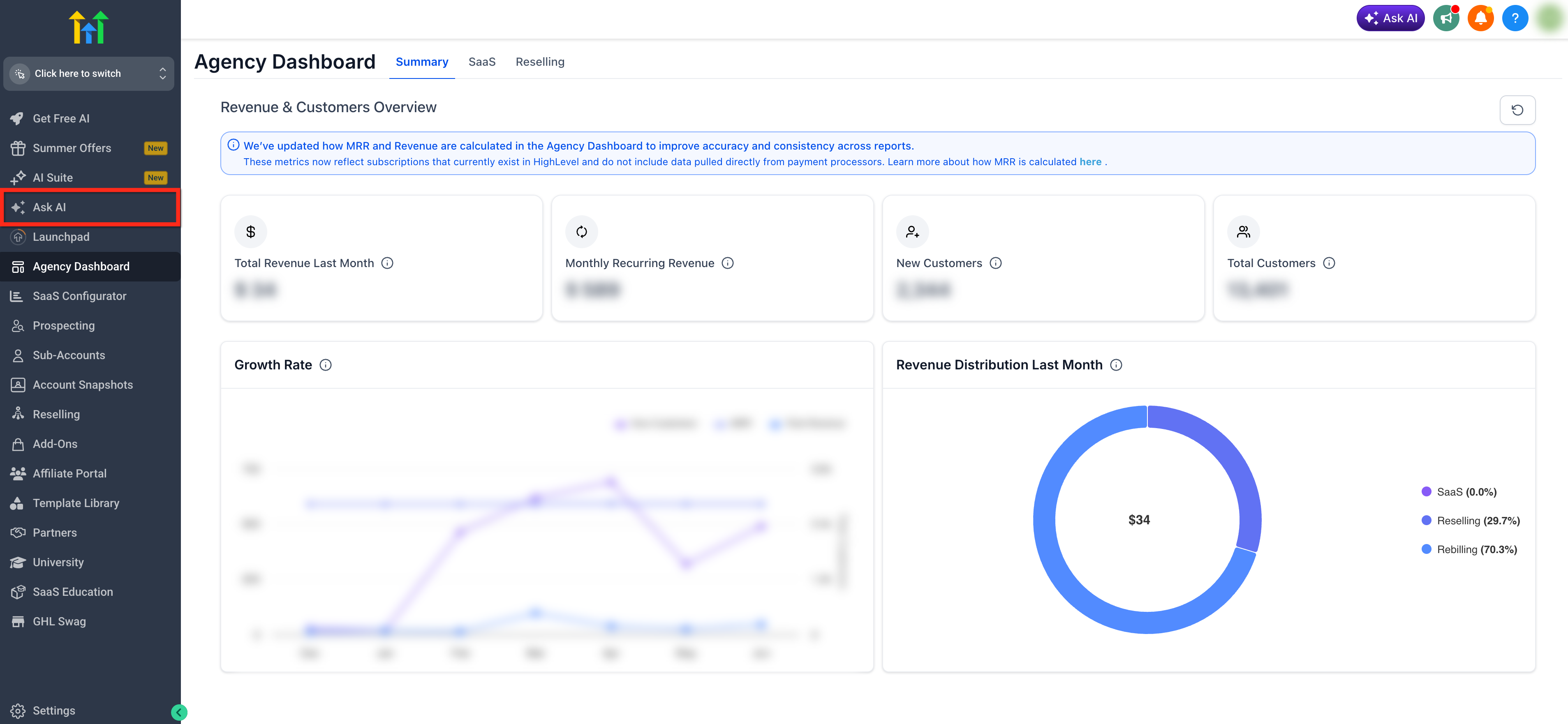
- From your agency dashboard, open the Ask AI tab.
- Enter a clear prompt describing the SaaS plan you want to create or update. For updates, include the exact name of the existing SaaS plan and the specific change you want Ask AI to make.
Example: “Update my Growth SaaS plan from $197 per month to $247 per month.”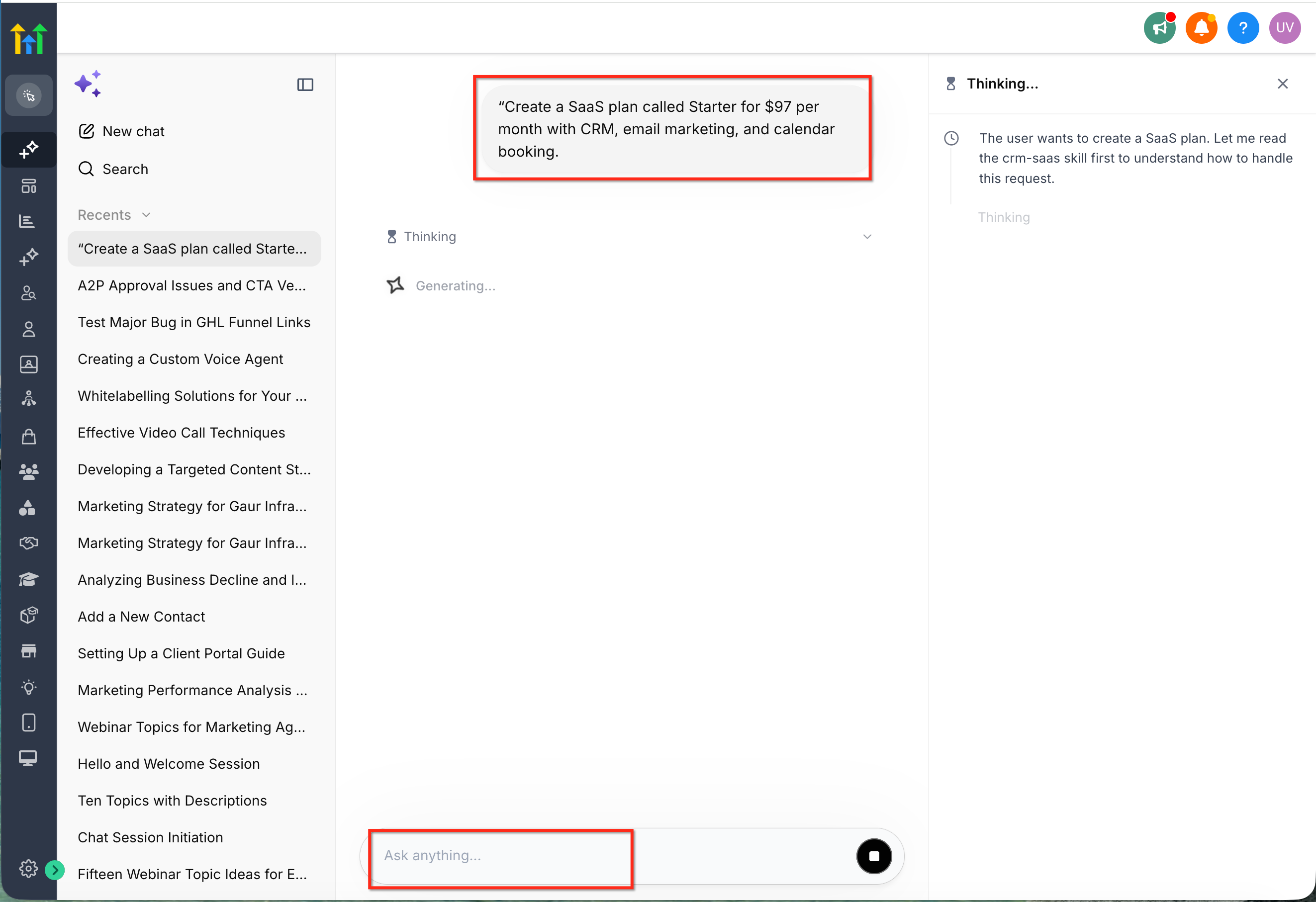
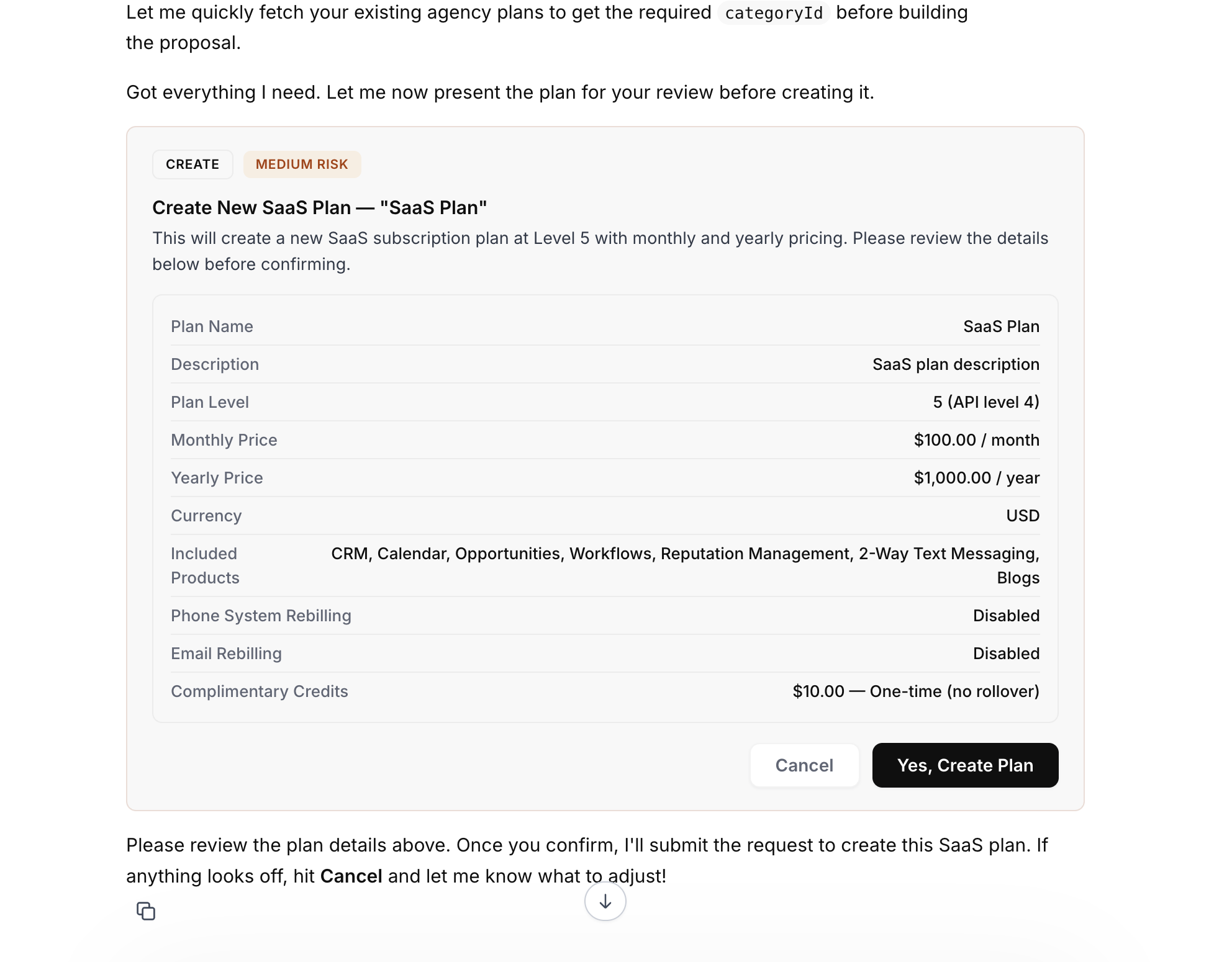
- Review the response from Ask AI. Confirm or continue refining the plan details if Ask AI asks for more information.
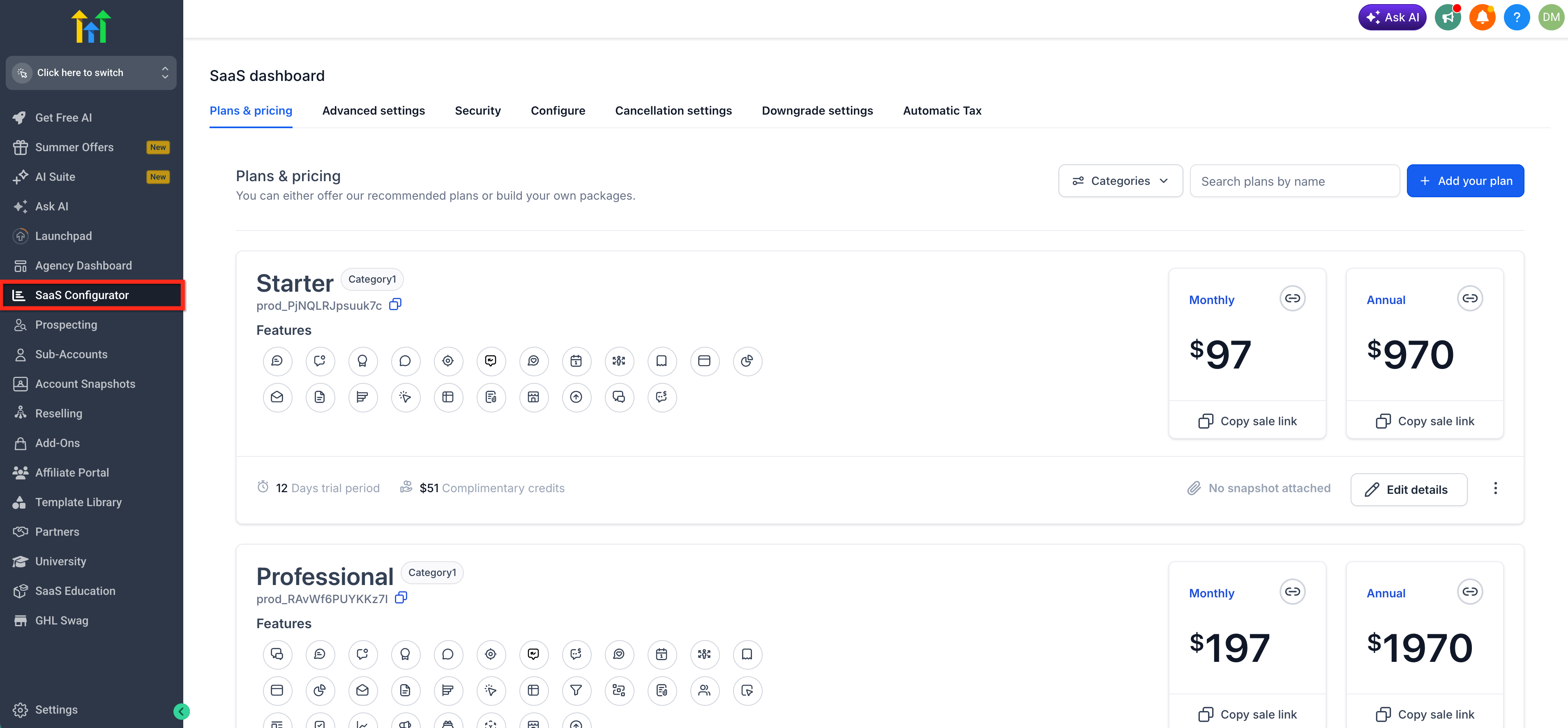
- Open SaaS Configurator to review the plan details after creation or update. Make any advanced adjustments manually if needed. Save or finalize the plan once the settings are correct.
Frequently Asked Questions
Q: Can Ask AI create SaaS plans from scratch?
Yes. Agencies can prompt Ask AI to create supported SaaS plans, including plan structure, pricing, and basic configuration.
Q: Can Ask AI update an existing SaaS plan?
Yes. Ask AI can help modify supported details of existing SaaS plans, such as pricing, features, and basic configurations.
Q: Do I still need to use SaaS Configurator?
Yes. Ask AI helps speed up supported creation and update actions, but SaaS Configurator should still be used to review, refine, and manage the full SaaS plan setup.
Q: Can Ask AI create multiple SaaS plan tiers?
Ask AI can help draft multi-tiered SaaS plan structures when you provide the names, pricing, and feature differences you want included.
Q: What should I include in a SaaS plan creation prompt?
Include the plan name, price, billing frequency, included features, target customer type, and any basic configuration details.
Q: Can Ask AI enable SaaS for sub-accounts?
Not as part of the current release described here. The current supported SaaS skills focus on creating and updating SaaS plans.
Q: Can Ask AI update rebilling configurations?
Rebilling configuration updates are listed as a planned future enhancement and should not be treated as a current Ask AI SaaS plan capability unless separately confirmed.
Q: Can Ask AI recommend SaaS pricing strategies?
Smarter pricing recommendations are planned for future enhancements. Current functionality focuses on creating and updating SaaS plans based on the details provided in your prompt.
Q: What happens if my prompt is missing details?
Ask AI may ask for clarification or provide a draft based on the available information. Clear prompts usually produce better results.
Related Articles
Was this article helpful?
That’s Great!
Thank you for your feedback
Sorry! We couldn't be helpful
Thank you for your feedback
Feedback sent
We appreciate your effort and will try to fix the article