Automating marketing audit reports in HighLevel allows you to instantly generate insights for your prospects and deliver them through personalized outreach. By leveraging workflow automation and custom values, you can seamlessly include audit report links and business-specific details in your emails or SMS messages. This eliminates manual steps and helps you scale lead engagement efficiently. Whether you're nurturing new leads or running outbound campaigns, this feature enhances both speed and personalization.
TABLE OF CONTENTS
- What is Marketing Audit Report Automation in Workflows?
- Key Benefits of Marketing Audit Report Automation
- Generate Marketing Audit Report Action
- Custom Values for Audit Reports
- Using Audit Reports in Email and SMS
- How To Setup Marketing Audit Report Automation
- Frequently Asked Questions
- Related Articles
What is Marketing Audit Report Automation in Workflows?
Marketing Audit Report Automation in HighLevel enables you to automatically generate a detailed audit report for a prospect and use that report within your workflow-driven communications. This functionality connects lead capture, analysis, and outreach into a single streamlined process, allowing you to deliver immediate value without manual intervention.
When the Generate Marketing Audit Report action is added to a workflow, HighLevel creates a report for the prospect and generates dynamic custom values. These values—such as the audit report link and the prospect’s business name—can then be inserted into downstream steps like emails or SMS messages for personalized communication.
Key Benefits of Marketing Audit Report Automation
Automating audit reports within workflows helps businesses deliver faster, more personalized outreach while reducing manual work and improving scalability.
- End-to-End Automation: Automatically move from lead capture to audit generation to outreach without manual steps
- Personalized Messaging: Use dynamic data like business name and report links to tailor communication
- Faster Response Time: Instantly deliver value to new leads, improving engagement rates
- Scalable Outreach: Handle large volumes of prospects without additional effort
- Improved Lead Conversion: Provide actionable insights upfront to build trust and credibility
Generate Marketing Audit Report Action
The Generate Marketing Audit Report action is the core component that powers this feature. It allows workflows to automatically create a marketing audit report for each prospect, making the data immediately usable in subsequent steps.
- Generates a unique audit report per contact
- Works with leads from forms, ads, imports, or other triggers
- Outputs dynamic custom values for use later in the workflow
Custom Values for Audit Reports
Custom values generated by the audit report action allow you to dynamically personalize your outreach. These values are populated automatically once the audit report is created, ensuring your messages include relevant and accurate information.
Available Custom Values:
- Prospect Web Report Link: A direct link to the generated audit report
- Prospect Business Name: The name of the prospect’s business used for personalization
These values can be inserted into email or SMS steps within the same workflow.
Using Audit Reports in Email and SMS
Incorporating audit report data into your messaging helps create highly personalized and value-driven communication.
This improves engagement by giving prospects immediate, actionable insights about their business.
Example Email:
Hi {{prospect_business_name}},
We’ve created a free marketing audit for your business. You can view it here:
{{prospect_web_report_link}}
Example SMS:
Hi {{prospect_business_name}}, check out your free audit: {{prospect_web_report_link}}
How To Setup Marketing Audit Report Automation
Proper setup ensures that audit reports are generated and delivered seamlessly within your workflow. Following the correct sequence of steps guarantees that custom values are available when needed for personalization.
- Navigate to Automation → Workflows in HighLevel
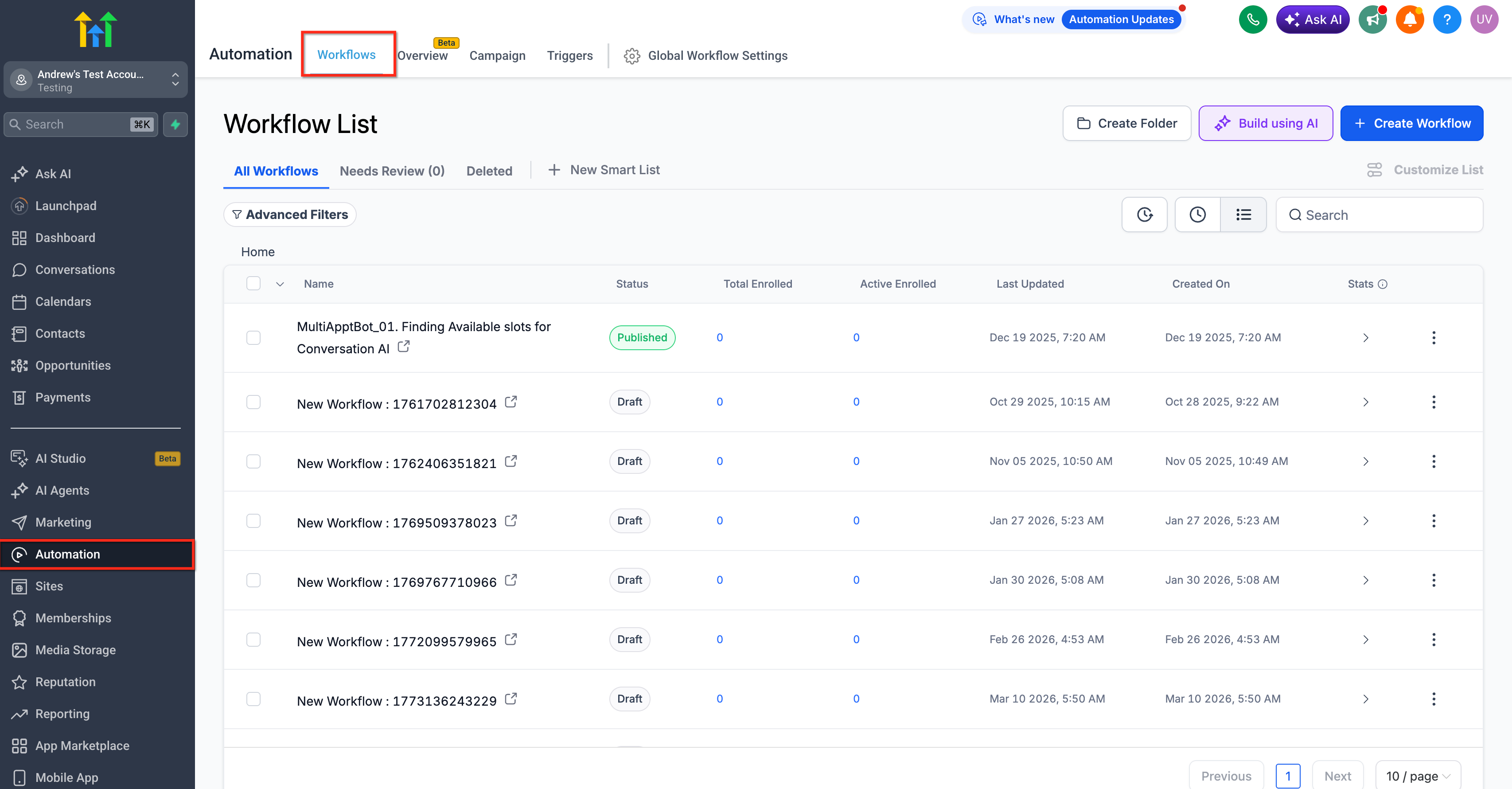
- Create a new workflow or open an existing one
- Add a trigger (e.g., form submission, new lead, or import)
- Click + Add Action and select Generate Marketing Audit Report
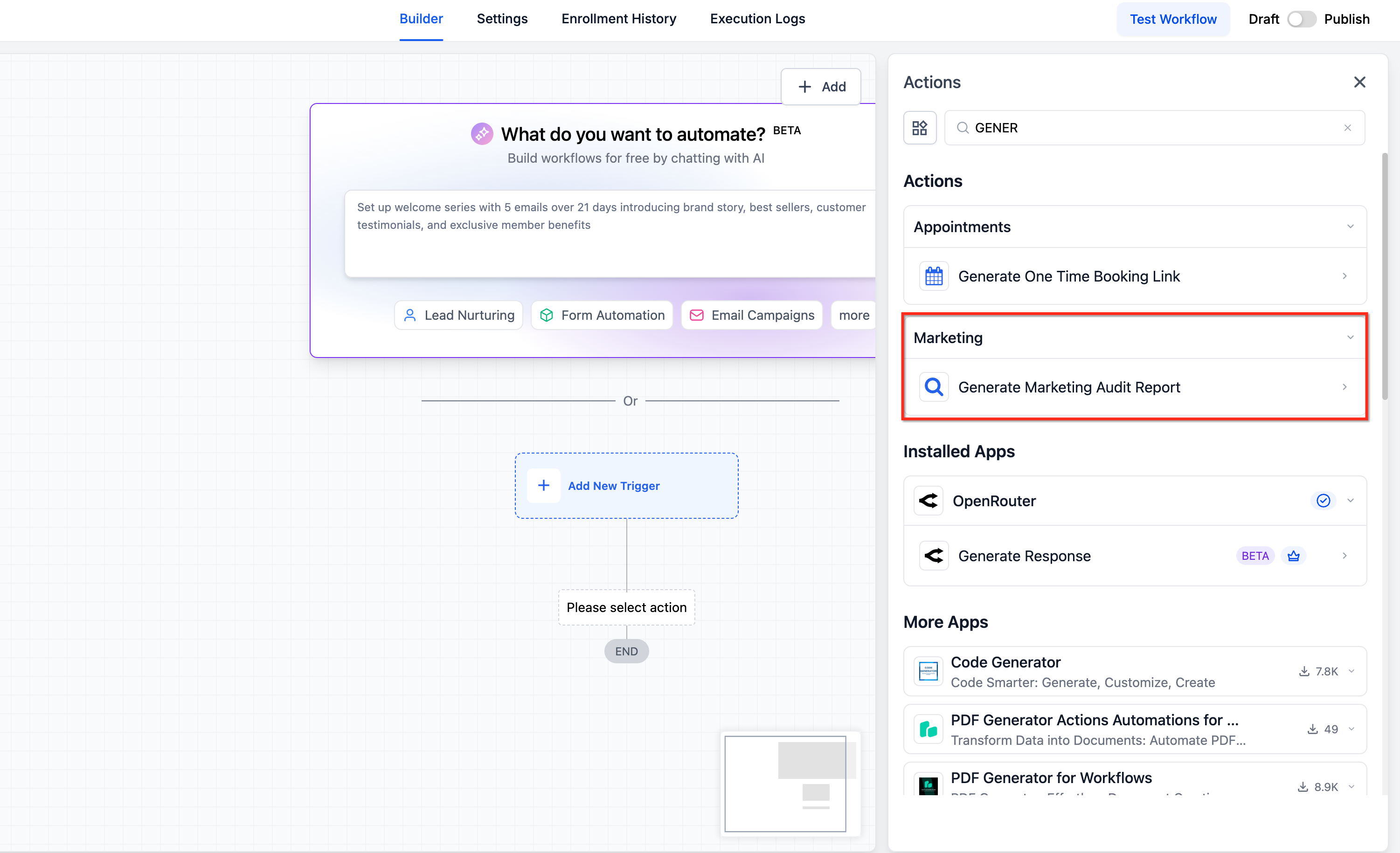
- Add a follow-up action such as Send Email or Send SMS
- In the message editor, insert:
- Prospect Web Report Link
- Prospect Business Name
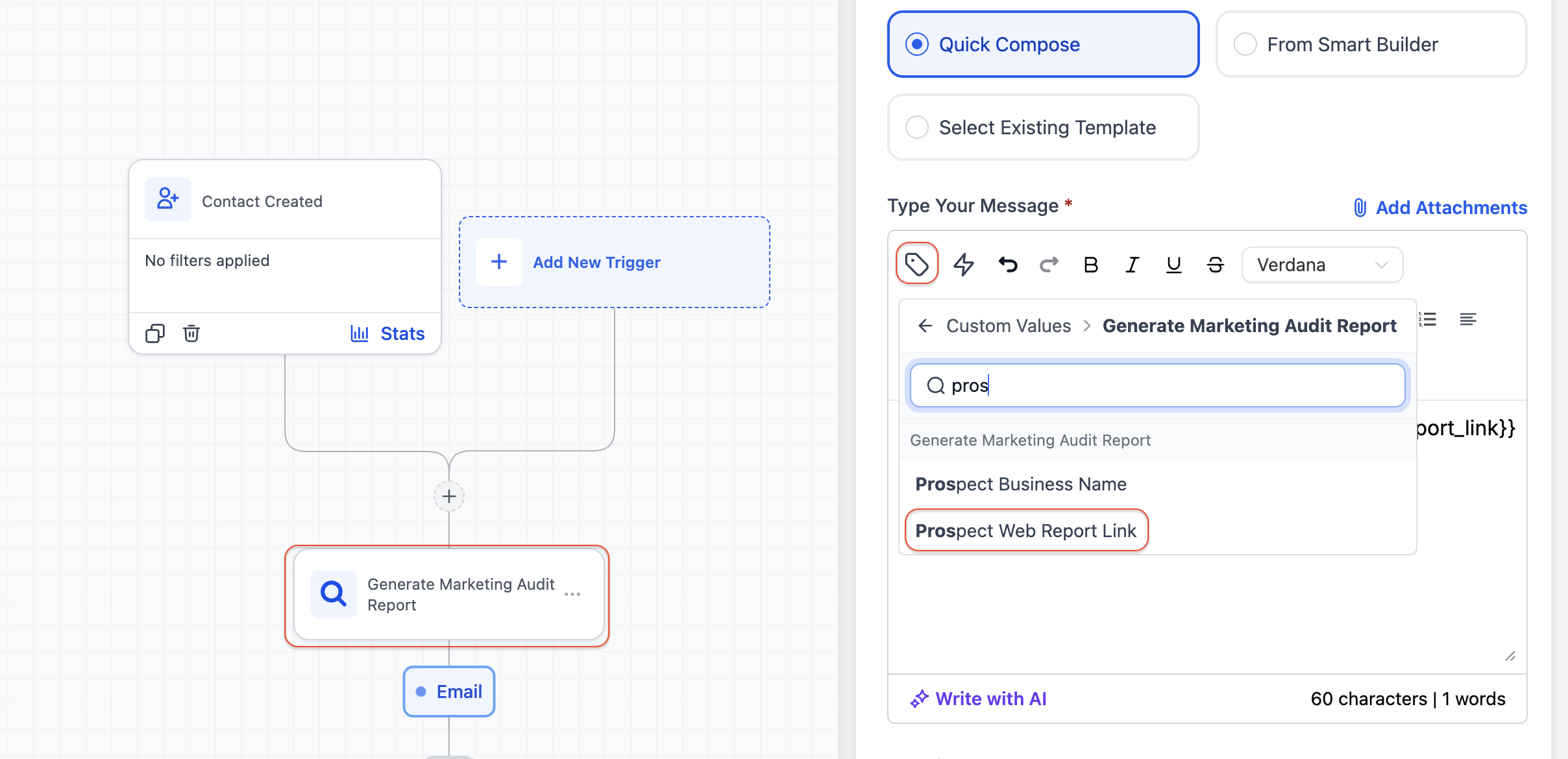
- Prospect Web Report Link
- Customize your message content as needed
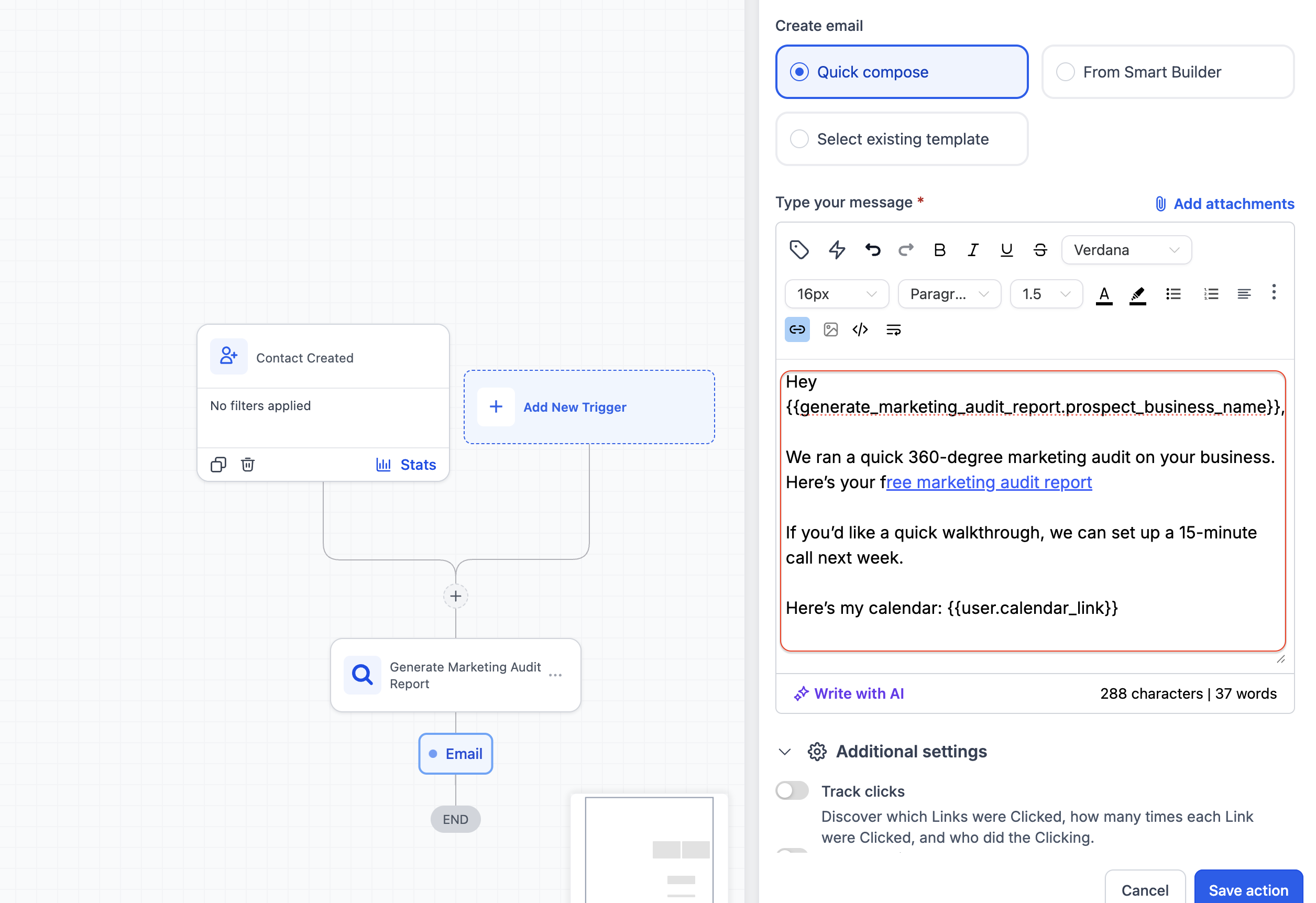
- Save and publish the workflow
Frequently Asked Questions
Q1: When are the custom values populated?
A: Custom values are generated immediately after the “Generate Marketing Audit Report” action runs in the workflow.
Q2: Can I use these custom values outside workflows?
A: These specific values are generated within workflows, so they are primarily intended for use in downstream workflow steps.
Q3: What happens if I add the email step before the audit action?
A: The custom values will not be available. Ensure the audit report action comes before any messaging steps.
Q4: Can I use this feature for leads from any source?
A: Yes, it works with leads from forms, ads, imports, and other workflow triggers.
Q5: Is the audit report link unique for each prospect?
A: Yes, each generated report link is unique to the individual prospect.
Q6: Can I customize the audit report content?
A: Customization options depend on the audit report feature settings within HighLevel.
Related Articles
Was this article helpful?
That’s Great!
Thank you for your feedback
Sorry! We couldn't be helpful
Thank you for your feedback
Feedback sent
We appreciate your effort and will try to fix the article