Its an automated series of emails sent as a single threaded conversation based on timing, conditions, and user behaviour.
Walkthrough video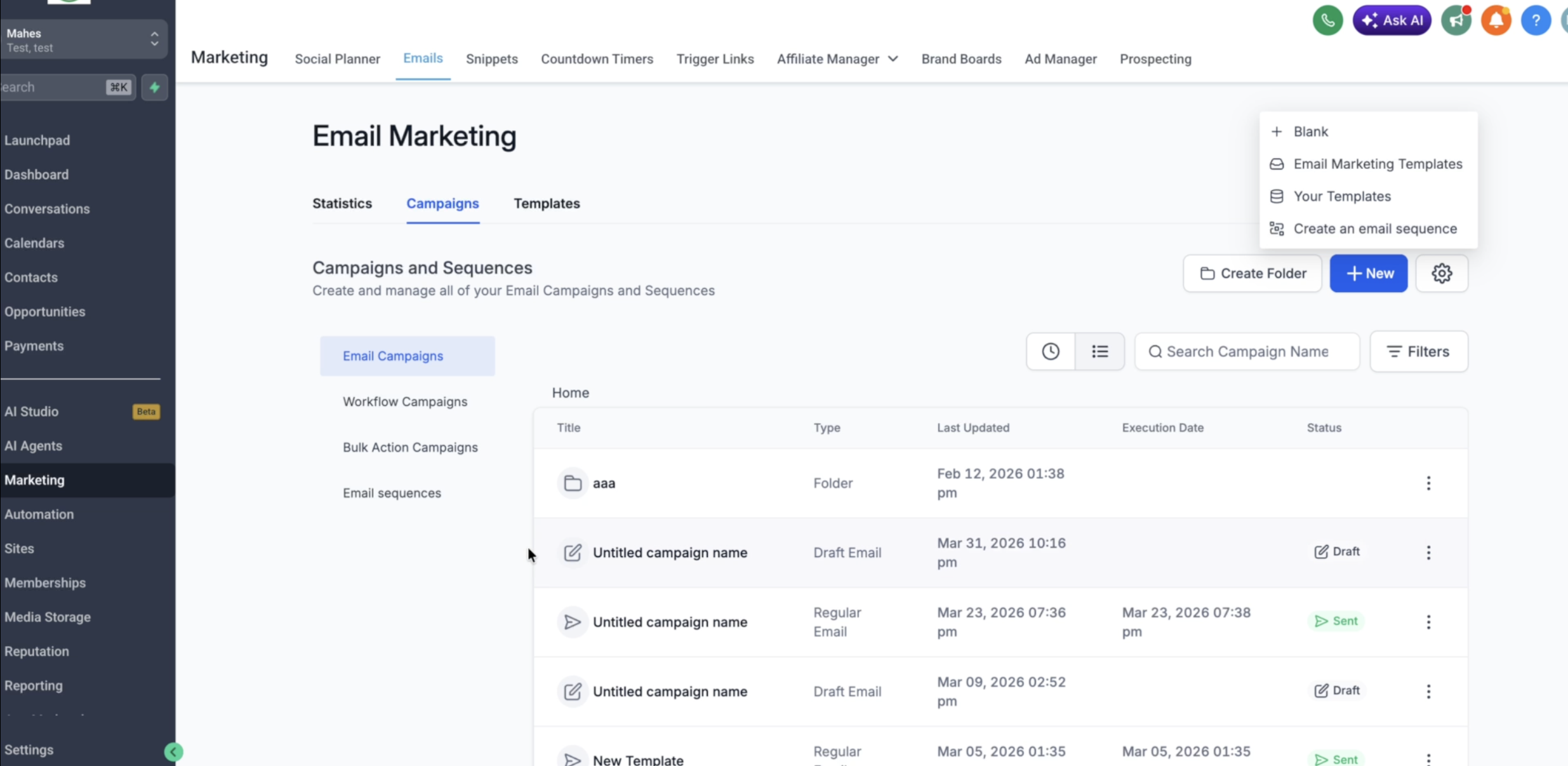
TABLE OF CONTENTS
- What is an Email Sequence?
- When Should You Use Email Sequences?
- How to Create an Email Sequence?
- How to Pause an Email Sequence?
What is an Email Sequence?
An Email Sequence is a set of automated emails sent in order, forming a single threaded conversation with your contact.
Each sequence can include:
- Multiple email steps
- Time delays between emails
- Conditions (e.g., send only if email is opened)
- Automatic stopping when a contact replies
This allows you to create personalised, behavior-based communication without manual follow-ups.
When Should You Use Email Sequences?
Email Sequences are ideal for:
- Follow-ups: Automatically follow up with leads who haven’t responded
- Welcome Series: Onboard new users or customers
- Reminders: Send scheduled reminders for events, demos, or actions
- Nurture Campaigns: Gradually engage and educate your audience
Use sequences when you want to maintain consistent, timely communication without manual effort.
How to Create an Email Sequence?
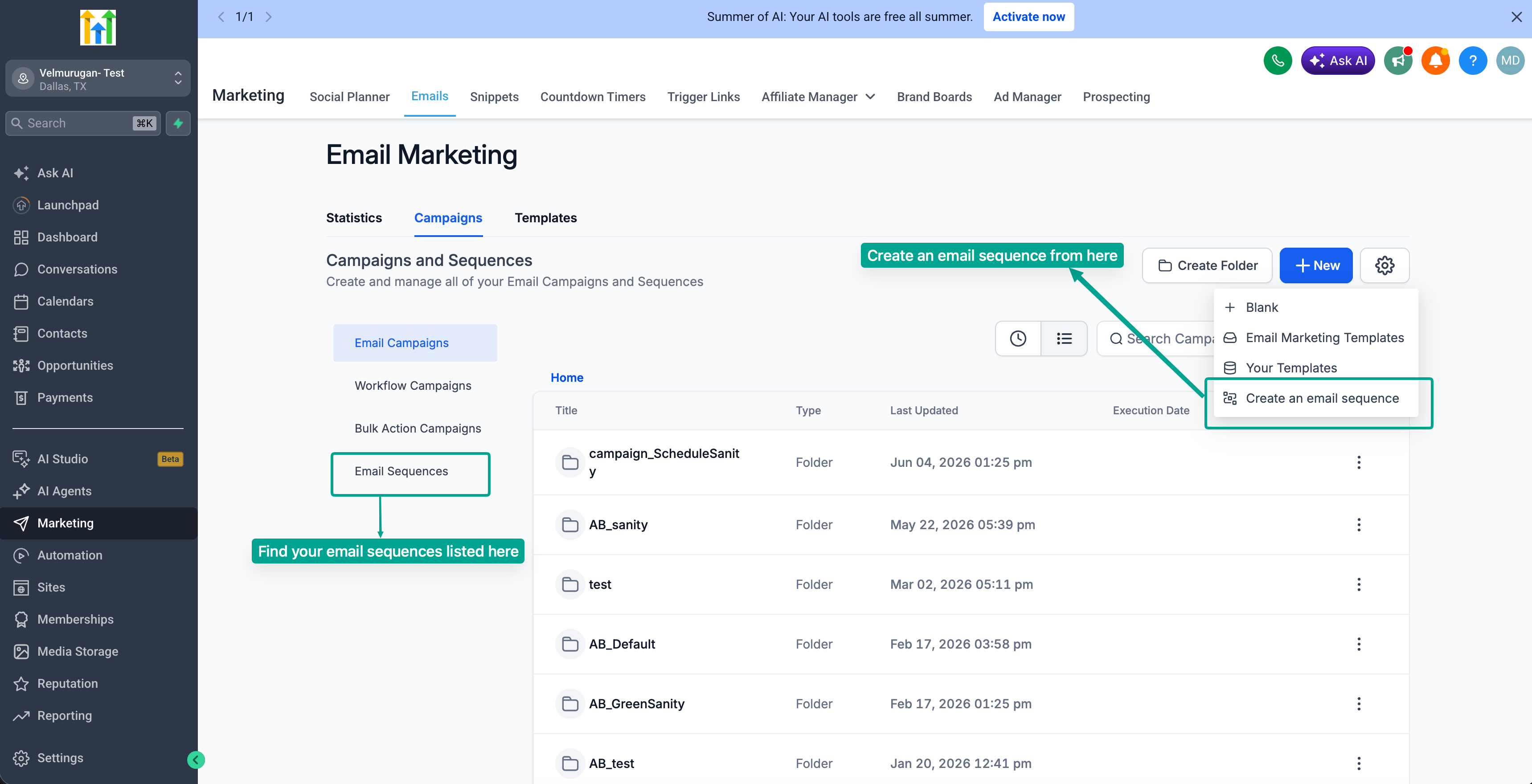
1. Navigate to Sequences
- Go to Marketing → Email → Campaigns
2. Create a New Sequence
- Click on Create New Sequence
3. Set the Trigger
- Choose when the sequence should start:
- Immediately
- At a scheduled time
- Depending on sequence type configure the "Stop on Reply"
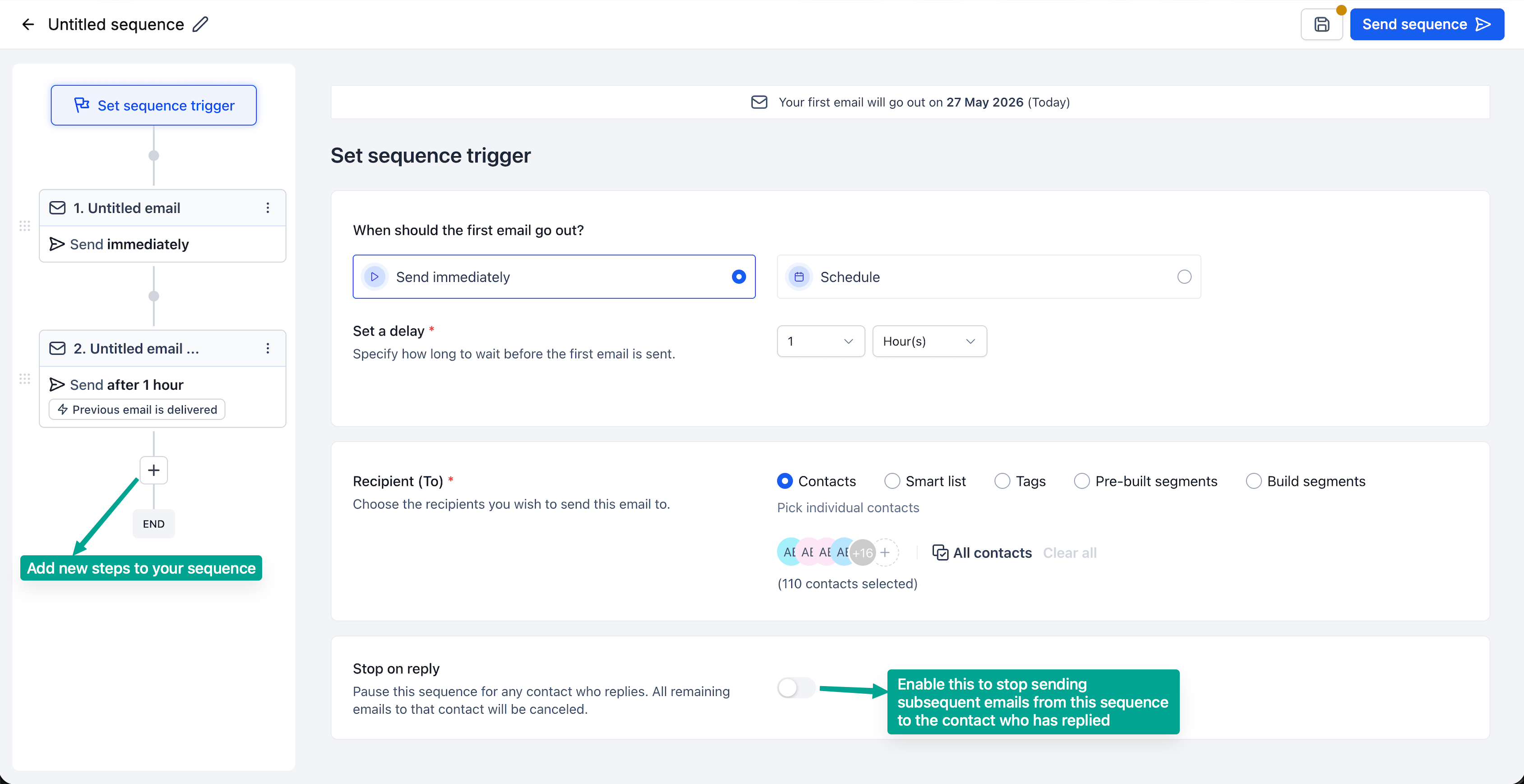
4. Select Your Audience
- Choose from:
- Lists
- Segments
- Individual contacts
- Enable Stop on Reply if needed
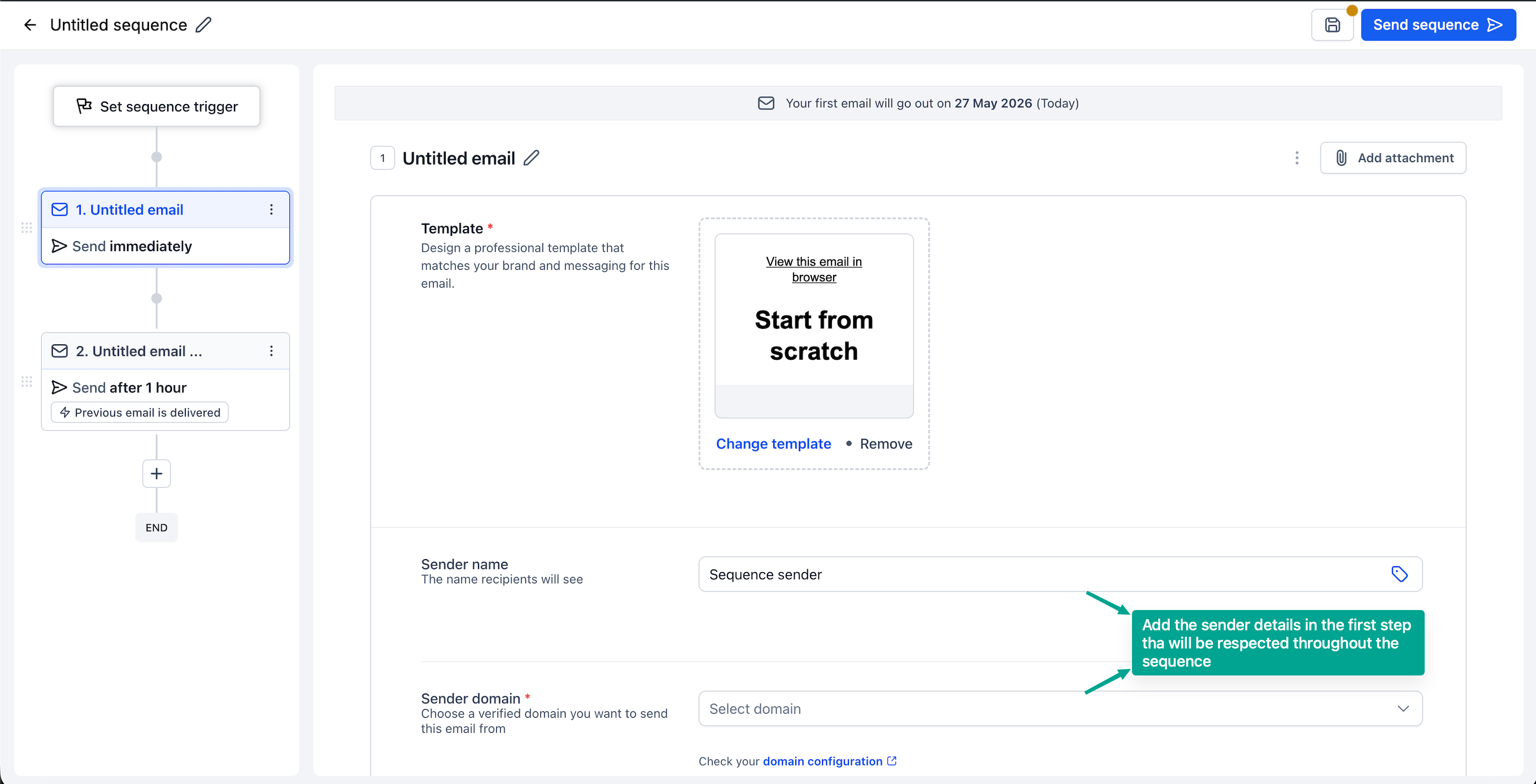
5. Add Email Steps
- Add multiple steps to your sequence
- Define delays between each step
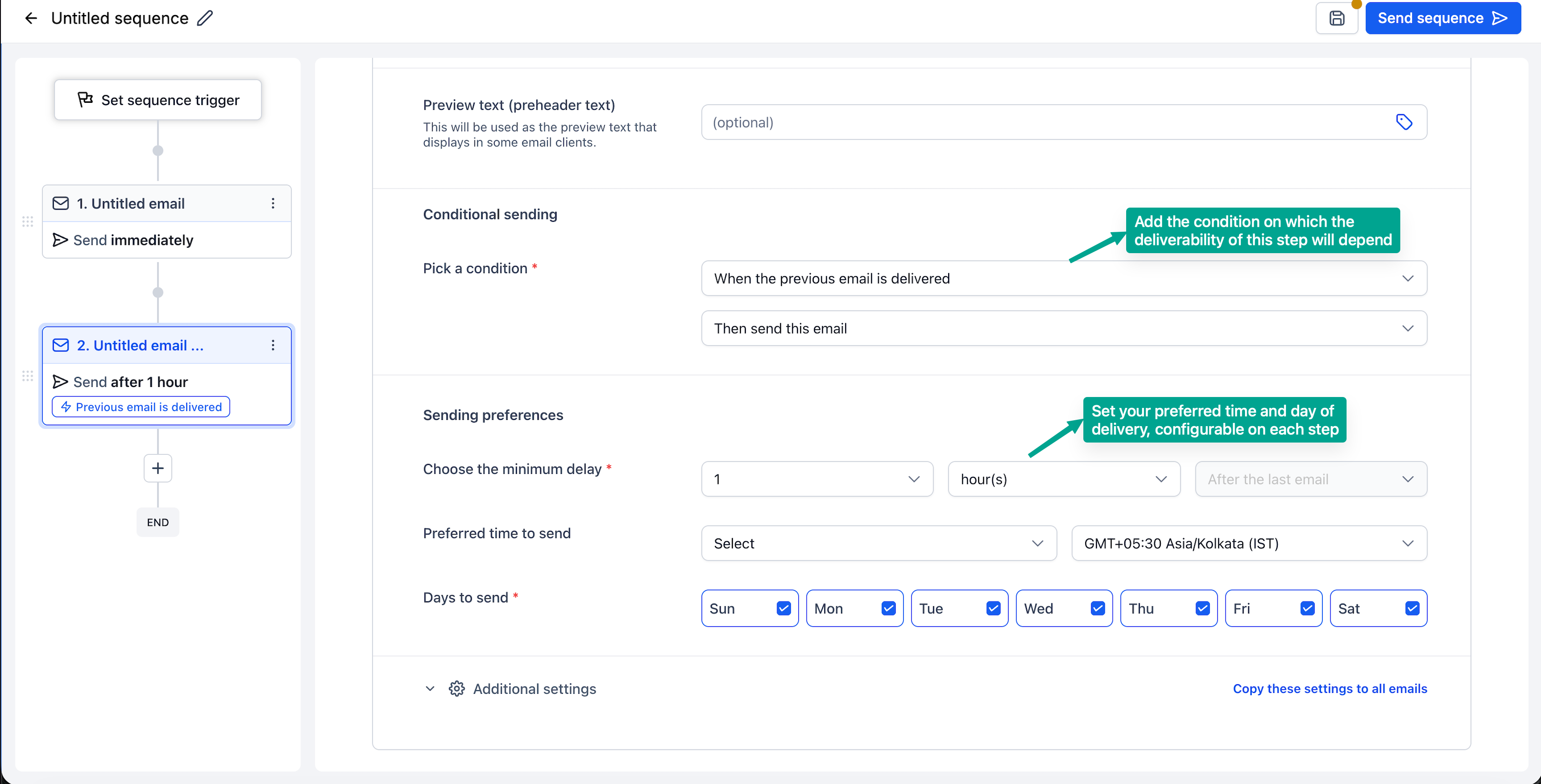
6. Configure Each Step
For every email:
- Select or design a template (or use plain text)
- Set conditions (e.g., send only if previous email was opened/delivered)
- Enable tracking as needed
7. Review and Launch
- Double-check your sequence flow
- Activate the sequence.
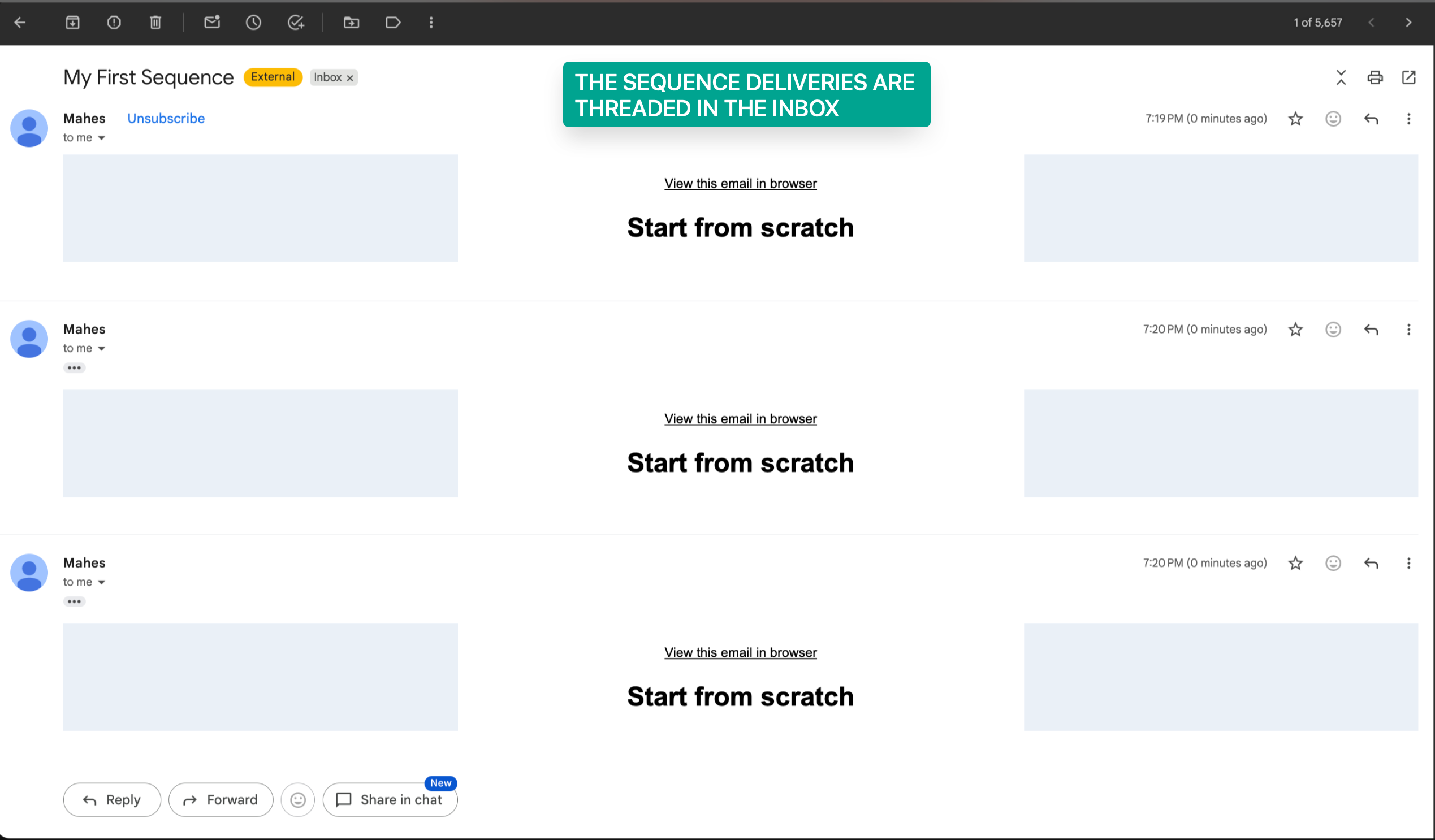
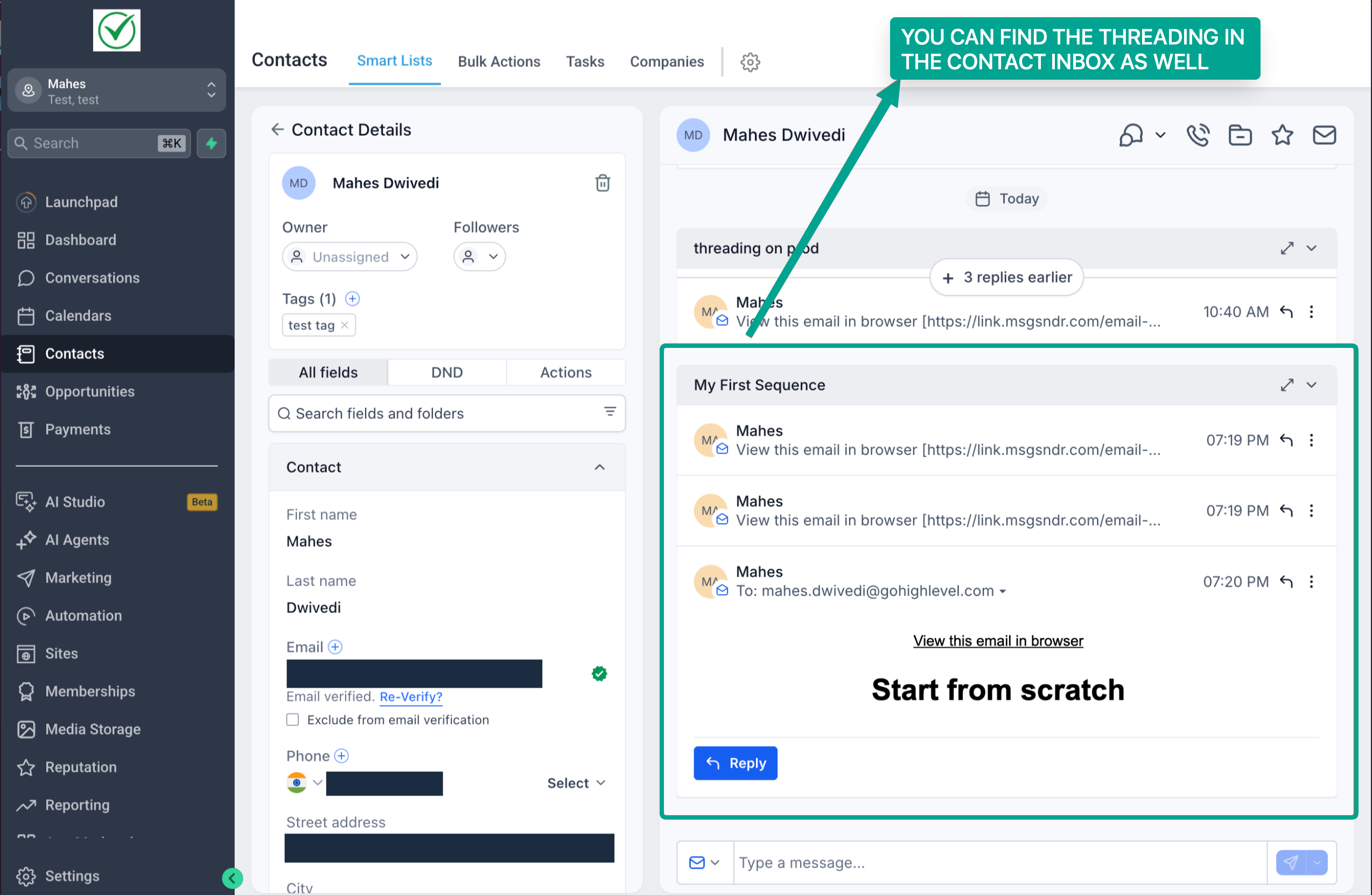
- You would find all emails are threaded in a sequence in our conversations section as well
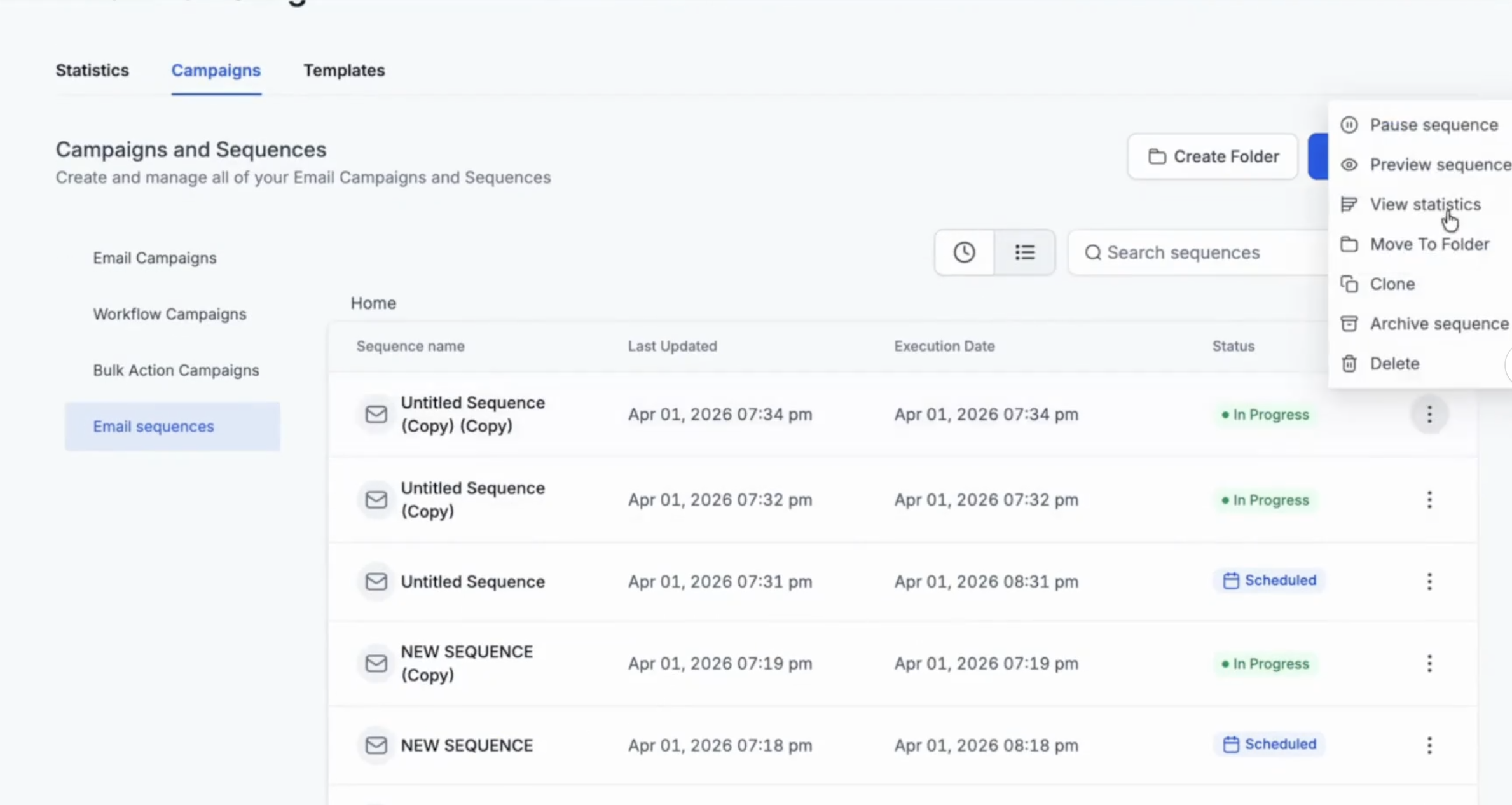
8. In the list view, click on three dots to access all the statistics - individual email step level and overall email action level.
9. To look at all sequences statistics, you can also check the statistics dashboard in email marketing.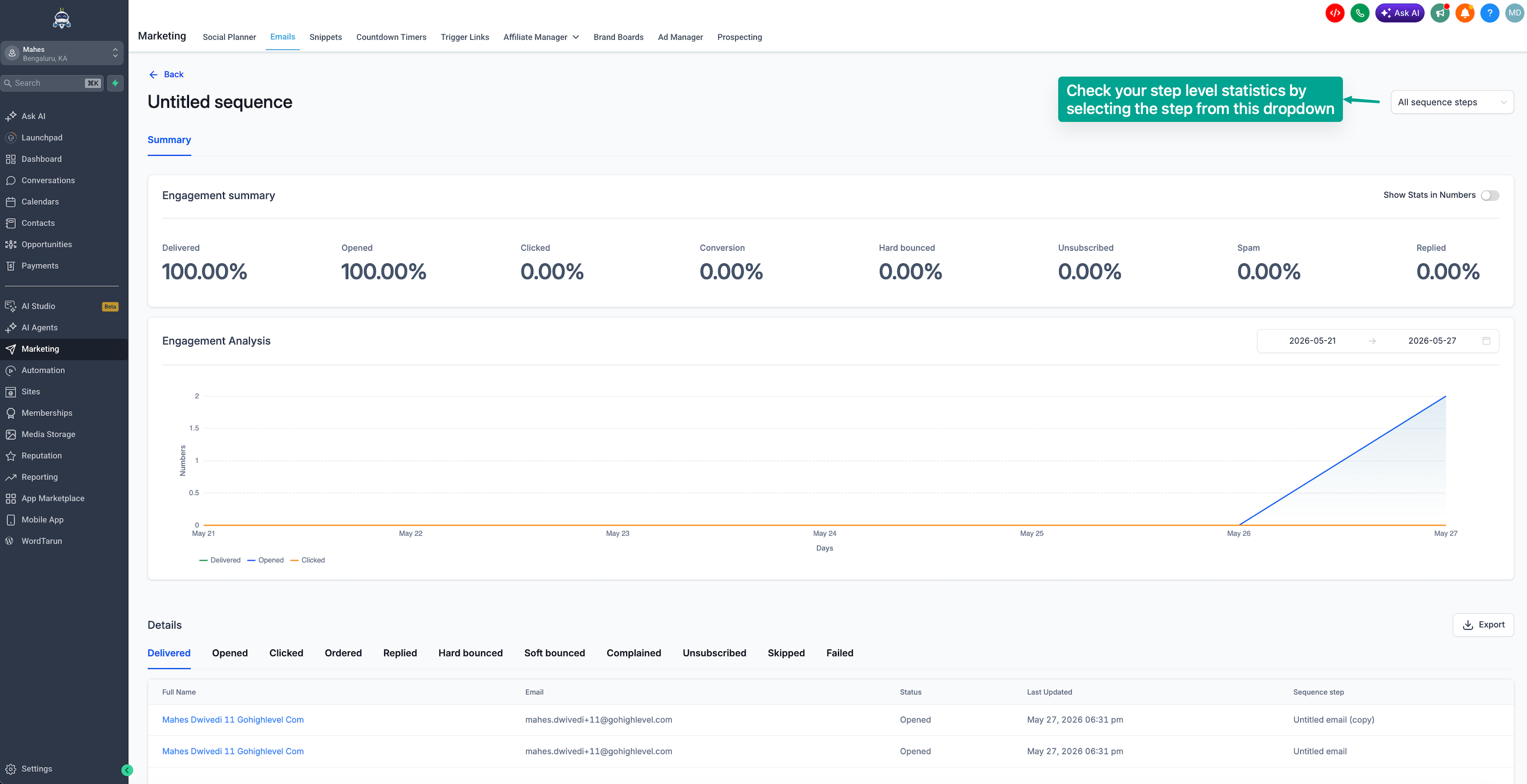
How to Pause an Email Sequence?
Users can move a published sequence back to draft. However, any contacts who become eligible for the next step while the sequence is paused or in draft will be skipped.
For example, if Email 2 is set to send only after Email 1 is opened, and Contact A opens Email 1 while the sequence is paused, Contact A will not receive Email 2 and will be skipped.
Also note: once Step 1 has been executed, or the first email in Step 1 has been sent, users cannot pause the sequence to edit the trigger or Email Step 1.
FAQs
1. What happens if a contact replies?
If Stop on Reply is enabled, the sequence will automatically stop for that contact.
2. Can I send both designed and plain text emails?
Yes, sequences support both designed templates and plain text emails.
3. Can I control who receives each email?
Yes, you can apply conditions to each step (e.g., based on open or delivery status).
4. How do I track performance?
You can view performance metrics at:
- Sequence level
- Individual step level
Access stats from the three-dot menu → Statistics.
5. Will emails appear as separate messages?
No, emails are sent as part of a single threaded conversation, helping maintain context.
Was this article helpful?
That’s Great!
Thank you for your feedback
Sorry! We couldn't be helpful
Thank you for your feedback
Feedback sent
We appreciate your effort and will try to fix the article