Automate Facebook engagement with HighLevel's Facebook Comment(s) On A Post workflow trigger. This feature allows you to start workflows when someone comments on a Facebook post. You can filter comments by specific words or phrases and automatically respond using workflow actions.
- What Is The Trigger - Facebook Comment(s) On A Post?
- Key Benefits of the Facebook Comment(s) On A Post Trigger
- How to Set Up the Facebook Comment(s) On A Post Trigger
- Facebook Comment Trigger Filters
- Track First Level Comments Only
- Frequently Asked Questions
What Is The Trigger - Facebook Comment(s) On A Post?
The Facebook Comment(s) On A Post trigger starts a workflow when someone comments on a selected Facebook post and meets your configured conditions.
For example, when someone comments "INFO" on your post, you can automatically reply to their comment or send a private Messenger message.
Key Benefits of the Facebook Comment(s) On A Post Trigger
This trigger helps you engage with your audience without manually responding to every Facebook comment.
Automated Responses: Start workflows when someone comments on your Facebook posts.
Targeted Engagement: Trigger workflows based on specific words or phrases.
Flexible Comment Tracking: Choose whether to include replies to comments.
Improved Efficiency: Save time by automating public replies and Messenger interactions
How to Set Up the Facebook Comment(s) On A Post Trigger
Navigate to Automations > Workflows, then open an existing workflow or create a new one. Click Add Trigger and select Facebook Comment(s) On A Post.
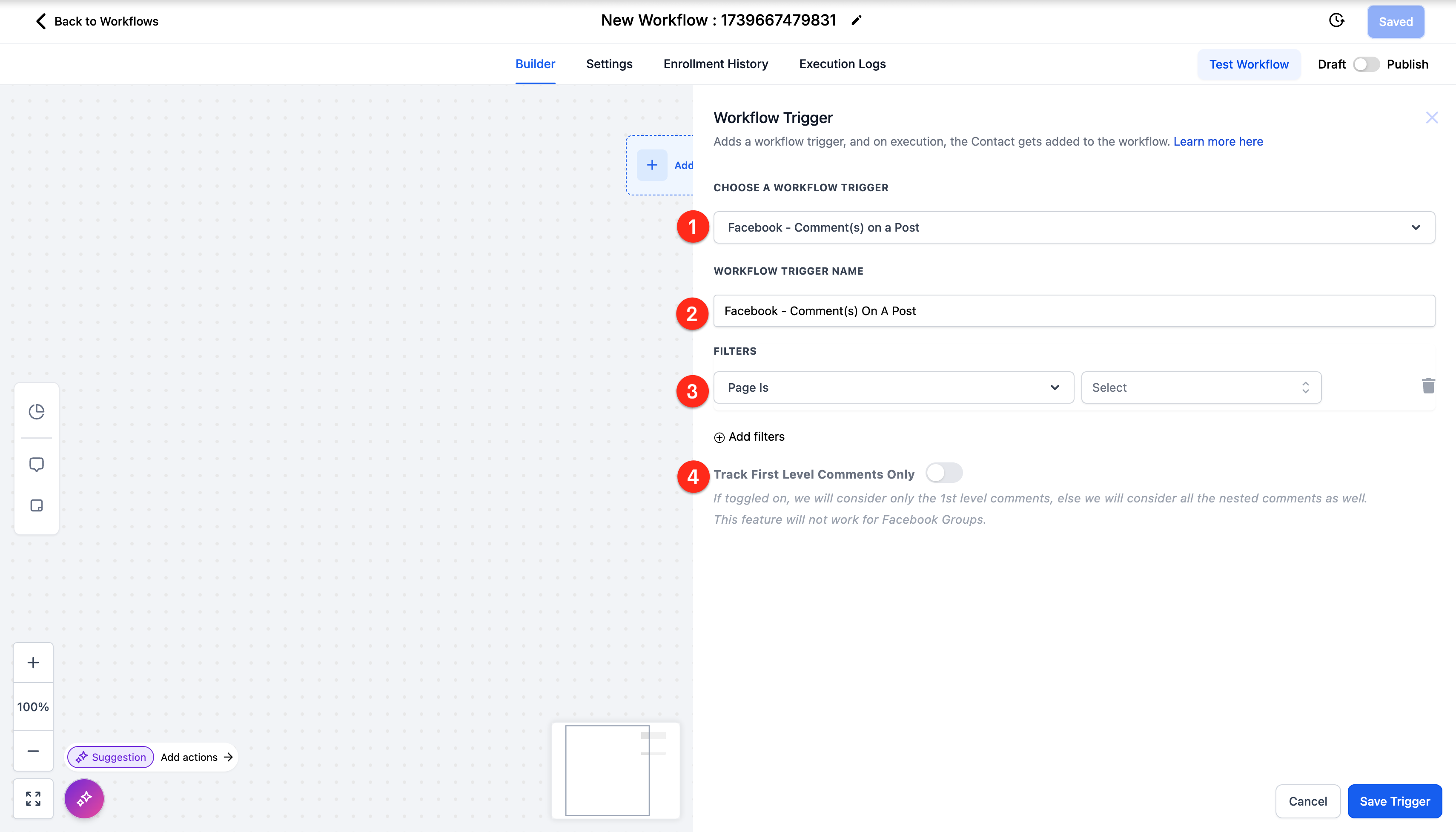
- Under Page Is, select your connected Facebook Page.
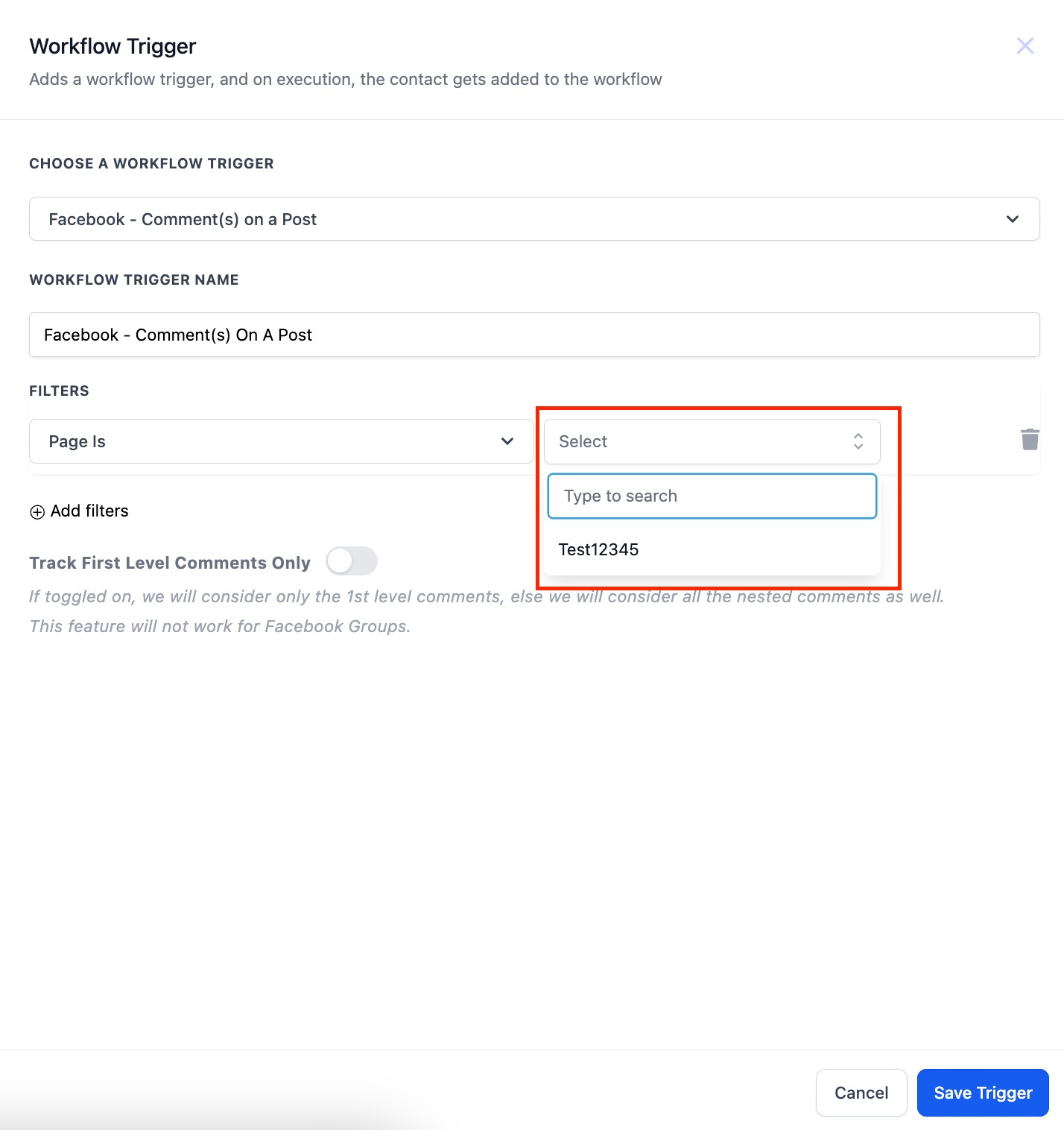
3. Under Post Type, choose Published Post or Custom Post, then use Post Is to select your post or enter its URL or ID.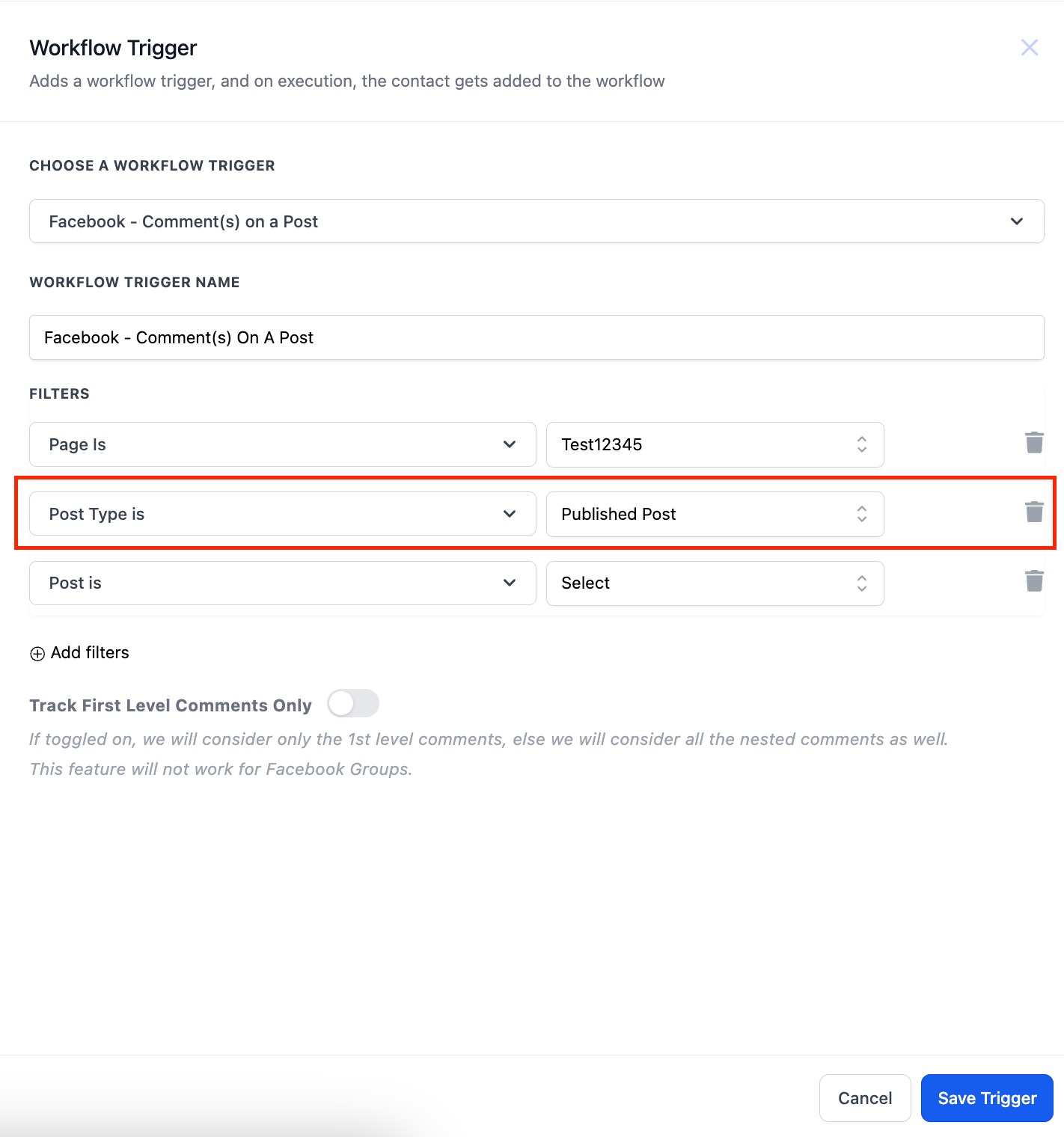
- Optionally, configure Contains Phrase, Exact Match, or Track First Level Comments Only to control which comments trigger the workflow.
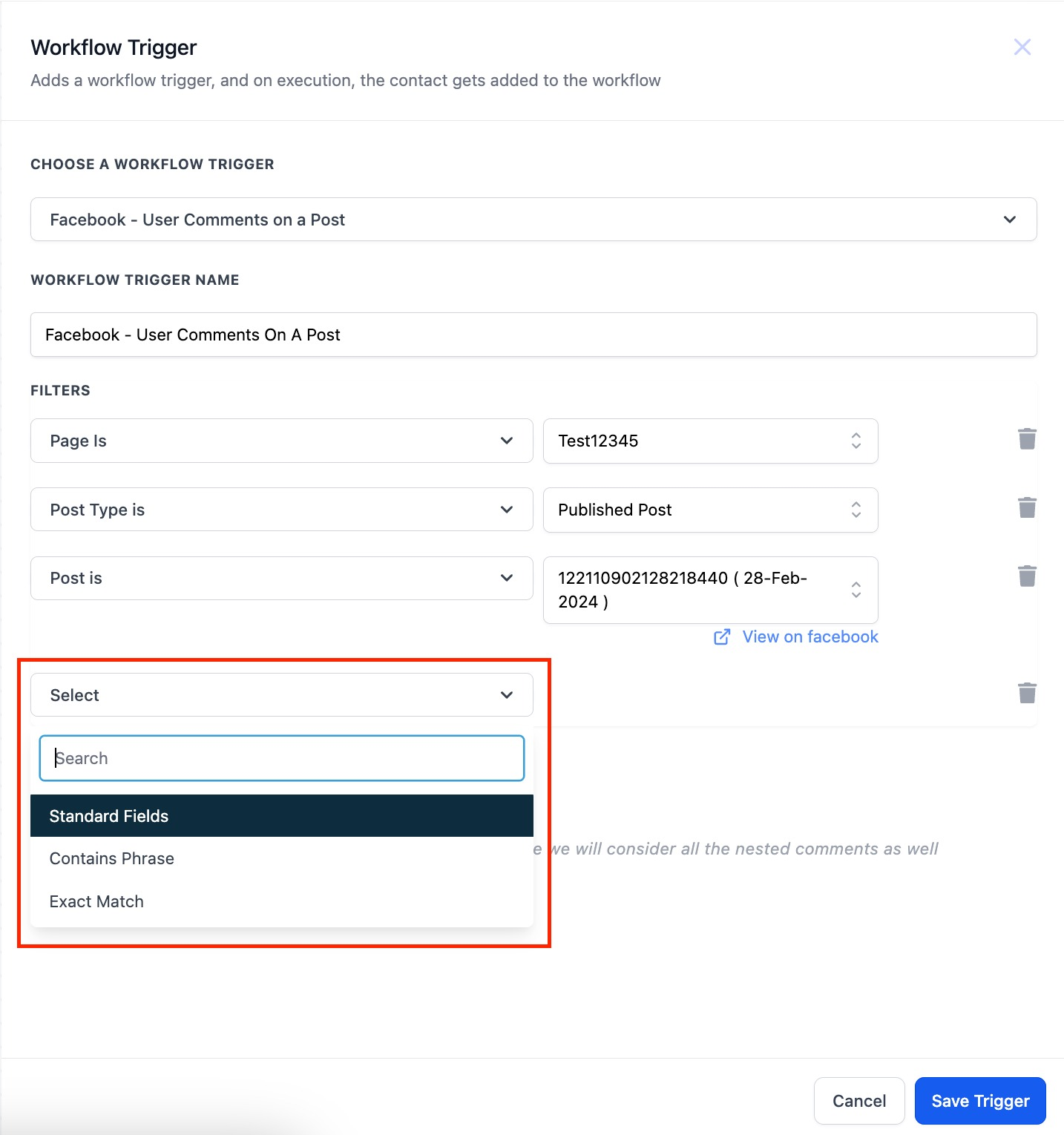
- Save the trigger and add an action, such as Reply In Comments or Facebook Interactive Messenger.
- Save and publish your workflow.
Facebook Comment Trigger Filters
| Filter | Description |
|---|---|
| Page Is | Select the connected Facebook Page you want to monitor. |
| Post Type | Choose Published Post or Custom Post. |
| Post Is | Select a published post or enter a Facebook post URL or ID. |
| Contains Phrase | Triggers when a comment includes the specified phrase, even with additional text. |
| Exact Match | Triggers only when the entire comment matches the specified text. |
Example: If your configured phrase is "INFO":
Contains Phrase: Both "INFO" and "Send me INFO" qualify.
Exact Match: Only "INFO" qualifies.
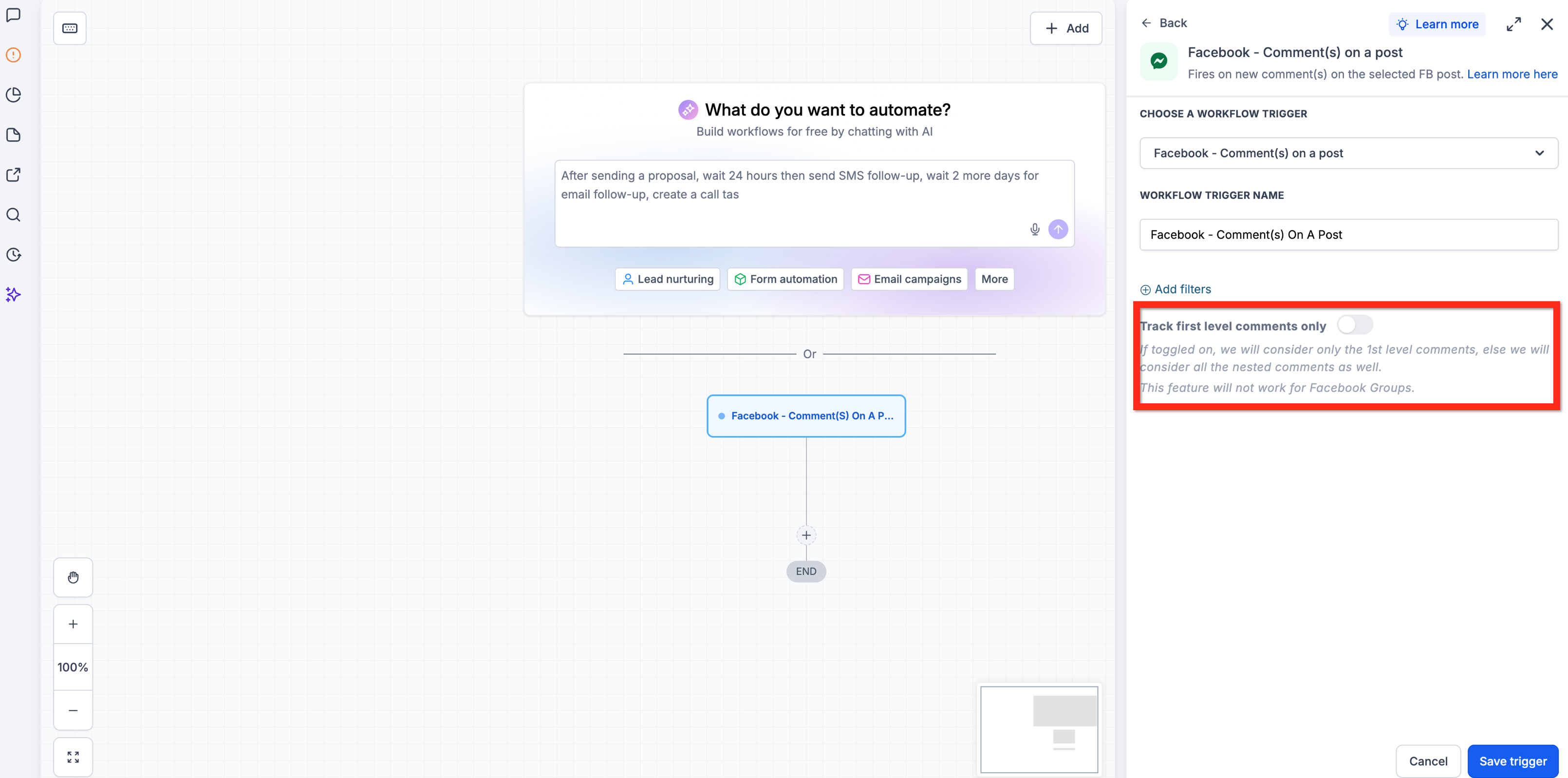
Track First Level Comments Only
Facebook posts can receive direct comments and replies to those comments. This setting determines which comments can trigger your workflow.
Enabled: Only direct comments on the Facebook post can trigger the workflow.
Disabled: Both direct comments and replies to comments can trigger the workflow.
Frequently Asked Questions
Q: Can I use this trigger for Instagram comments?
A: No. Use the Instagram Comment(s) On A Post trigger instead.
Q: Can the same person trigger the workflow multiple times?
A: Yes, depending on the workflow's re-entry settings.
Q: Can I automatically send a private message when someone comments?
A: Yes. Add the Facebook Interactive Messenger action and select Reply to Comment via DM. Meta's messaging restrictions apply.
Q: Why isn't my Facebook comment triggering the workflow?
A: Check that your Facebook Page is connected, the workflow is published, and the comment matches your configured filters. Also verify whether first-level comment tracking is enabled.
Q: Will automated replies trigger the workflow again?
A: No. Comments created by workflow actions are ignored to prevent automation loops.
Was this article helpful?
That’s Great!
Thank you for your feedback
Sorry! We couldn't be helpful
Thank you for your feedback
Feedback sent
We appreciate your effort and will try to fix the article