Conversation AI bots can be used in different ways depending on whether they are set as the primary bot or added to workflows as non-primary bots. This article shows how primary and non-primary Conversation AI bots work, when each bot type responds, and why channel assignments must match the bot’s intended use.
TABLE OF CONTENTS
- What are Primary & Non-Primary Conversation AI Bots?
- How Primary Bots Function
- How to Assign "Primary Status" to a Bot
- Adding Conversation Channels to Primary Bots
- How Non-Primary Bots Function
- Matching Non-Primary Bot Channels to Workflow
- Frequently Asked Questions
- Related Articles
What are Primary & Non-Primary Conversation AI Bots?
Primary bots manage general inbound conversations and serve as the main AI bot for your communication strategy. Non-primary bots support workflows by responding to specific tasks based on assigned channels when they are added to a workflow. Assigning the correct communication channels to both bot types is essential for seamless operation and consistent customer interactions.
How Primary Bots Function
Primary bots handle conversations from assigned communication channels, such as SMS, Facebook, or live chat, as long as those conversations are not already being handled by Conversation AI bots inside a workflow. They act as the default responder for your business’s communication channels and help maintain seamless customer interactions.
General Conversations: Primary bots automatically respond to messages received outside of workflow automation.
Channel Dependence: A primary bot’s ability to respond is determined by the communication channels assigned to it.
PLEASE NOTE: You can change primary bots at any time. Changing which bot is primary will not affect that bot’s configurations, but you should make sure any missing communication channels are assigned to the new primary bot if needed.How to Assign "Primary Status" to a Bot
Go to AI Agents > Conversation AI > Agent List.
Create a new bot or select an existing bot you want to set as the primary bot.
Click Set as Primary to set the bot as the primary bot.
Click Save to save your changes.

Adding Conversation Channels to Primary Bots
Assigning channels ensures that bots can communicate through specific conversation channels. Supported channels are WhatsApp, Instagram, Facebook, SMS, Chat Widget (SMS chat), Live Chat, and Email. The primary bot handles general inbound messages from assigned channels, as long as the conversation was not initiated in a workflow being handled by another Conversation AI bot.
Go to AI Agents > Conversation AI > Agent List.
Create a new bot or select an existing bot you want to add channels to.
Go to Bot Settings > Supported Communication Channels/Providers.
Select the Channels where you want the Bot to be Active On.
Click Save to save your changes.

How Non-Primary Bots Function
Non-primary bots are not involved in general inbound communication. Instead, they work exclusively within the workflows they are assigned to.
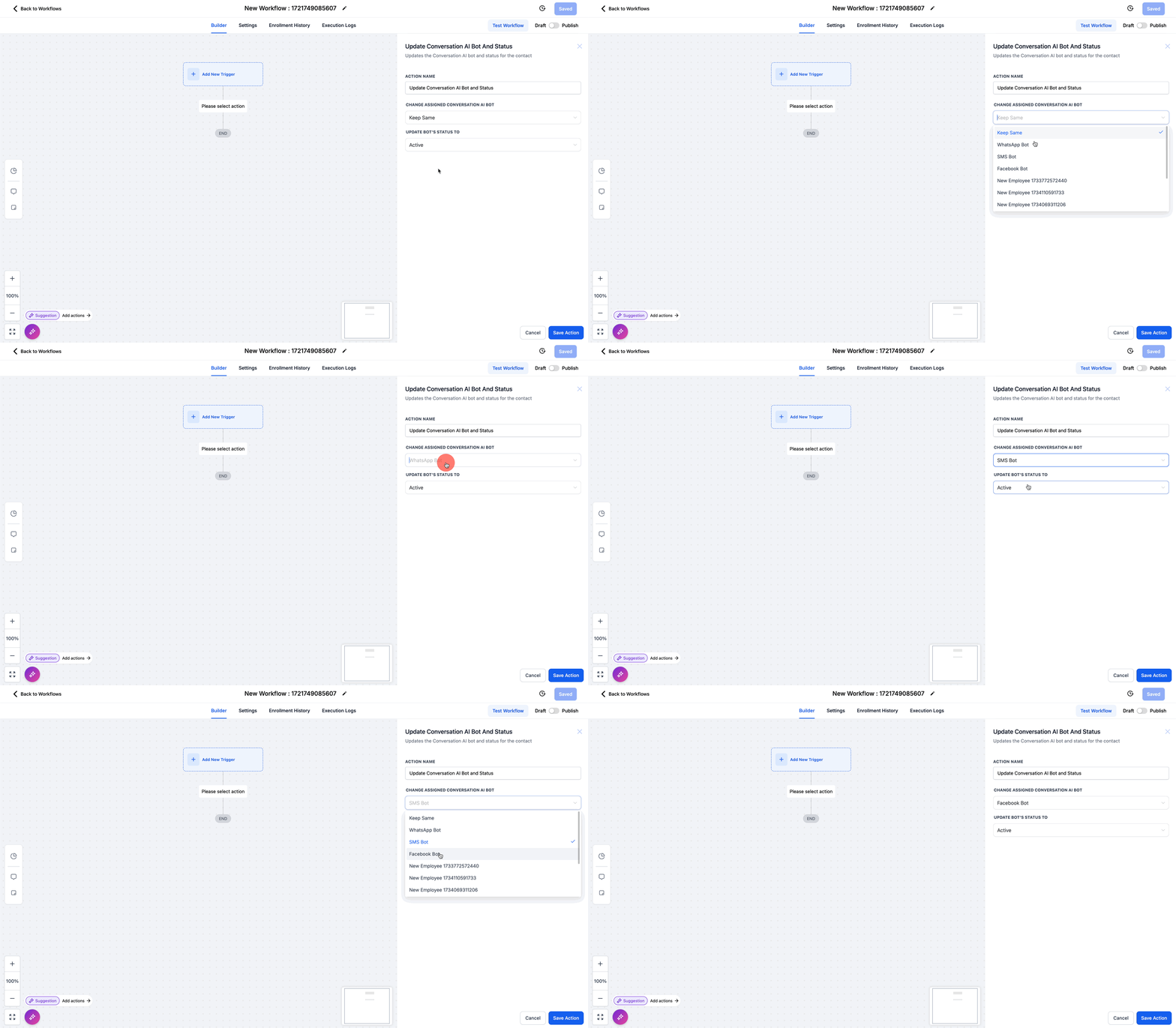
Workflow Triggered: Non-primary bots respond only when a workflow step activates them. You can transfer the conversation to different bots at different steps of the workflow, but only one bot can be present in a conversation at any given time.
Channel-Dependent: A non-primary bot’s ability to respond depends on the channels configured in the bot’s settings and whether they match the communication channels in the workflow that triggers the bot.
Specialization: Non-primary bots are ideal for tasks such as appointment booking, follow-ups, or specific support for conversations managed within workflows.
Matching Non-Primary Bot Channels to Workflow
Assigning channels ensures that non-primary bots can communicate through the specific channels required for their intended use within workflows.
For example, if you are setting up a non-primary bot that is trained to respond to leads from Facebook and Instagram, the following must be true:
✅ The non-primary bot has Facebook and Instagram assigned as communication channels.
✅ A lead nurture workflow is created that triggers from Facebook and Instagram messages.
✅ The non-primary bot is added to the same lead nurture workflow as an action.
IMPORTANT: Ensure that the channels used in a workflow match the channels assigned to the bot.
If a workflow includes Facebook and SMS steps, ensure the assigned bot can handle both platforms or designate separate bots for each channel.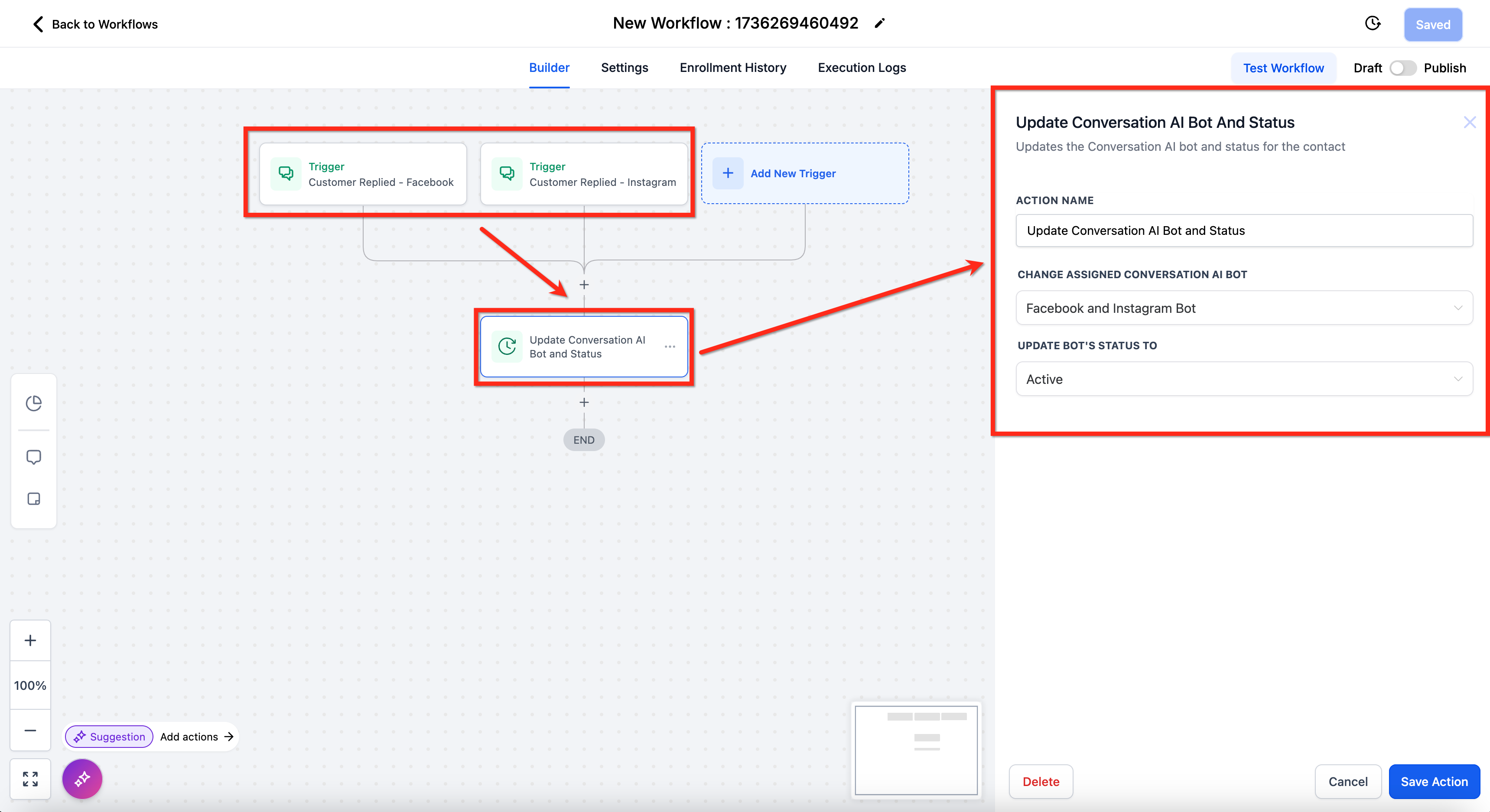
Frequently Asked Questions
Q: What’s the difference between a primary bot and non-primary bots?
The primary bot handles all general inbound messages unless they are assigned to a different bot in a workflow. Non-primary bots are used exclusively within workflows to handle specific tasks.
Q: What happens if I don’t assign all necessary channels to my primary bot?
If channels are missing from the primary bot’s configuration, it will not be able to respond to messages on those platforms. Make sure all relevant communication channels are assigned to the primary bot to avoid interruptions in customer interactions.
Q: Can I have more than one primary bot?
No. Only one bot can be designated as the primary bot at a time. If you need to switch primary bots, you can do so, but make sure all required channels are reassigned to the new primary bot.
Q: Can non-primary bots respond to general inbound messages?
No. Non-primary bots are designed to respond only within workflows. General inbound messages are managed by the primary bot.
Q: How do I ensure a non-primary bot responds to a specific workflow step?
Assign the non-primary bot to the appropriate step in the workflow and verify that the workflow uses channels that match the bot’s assigned channels. For example, an SMS bot will not respond to Facebook messages within the same workflow.
Q: Can I assign multiple non-primary bots to a single workflow?
Yes. You can assign multiple non-primary bots to a workflow, with each bot configured for different tasks or channels. For example, you could use one bot for appointment booking and another for customer support within the same workflow.
Q: What happens if a workflow includes a channel not assigned to the non-primary bot?
The bot will not respond to messages on channels it is not configured for. To avoid this, make sure the channels in the workflow match the channels assigned to the bot.
Q: Can I switch a non-primary bot’s channel assignments after it has been added to a workflow?
Yes. You can modify a non-primary bot’s channel assignments at any time. However, you will need to review the workflows using that bot to make sure its new channel configuration aligns with the workflow steps.
Related Articles
Was this article helpful?
That’s Great!
Thank you for your feedback
Sorry! We couldn't be helpful
Thank you for your feedback
Feedback sent
We appreciate your effort and will try to fix the article