If your sub-account no longer needs a paid Ad Manager subscription, you can cancel it directly from Ad Manager settings. This article explains where to find your subscription, how to cancel it, what happens after cancellation, and what to do if the cancellation cannot be completed.
TABLE OF CONTENTS
- Where to find Ad Manager subscription details in a sub-account?
- How do I cancel my Ad Manager subscription?
- What Happens When You Cancel Ad Manager
- Why You May Be Unable to Cancel Your Subscription
- What to Do If Cancellation Fails
- Frequently Asked Questions
Where to find Ad Manager subscription details in a sub-account?
You can view your current Ad Manager subscription and its billing details from Ad Manager settings.
- Go to Marketing > Ad Manager in the sub-account.
- Click the Settings gear icon.
- Under Global Settings, select Subscription.
- Review your active subscription details, including the applicable monthly charge and Subscription ID.
Note: Ad Manager is currently available to agencies at no base cost. This article applies to sub-accounts that have an active paid Ad Manager subscription through their agency.
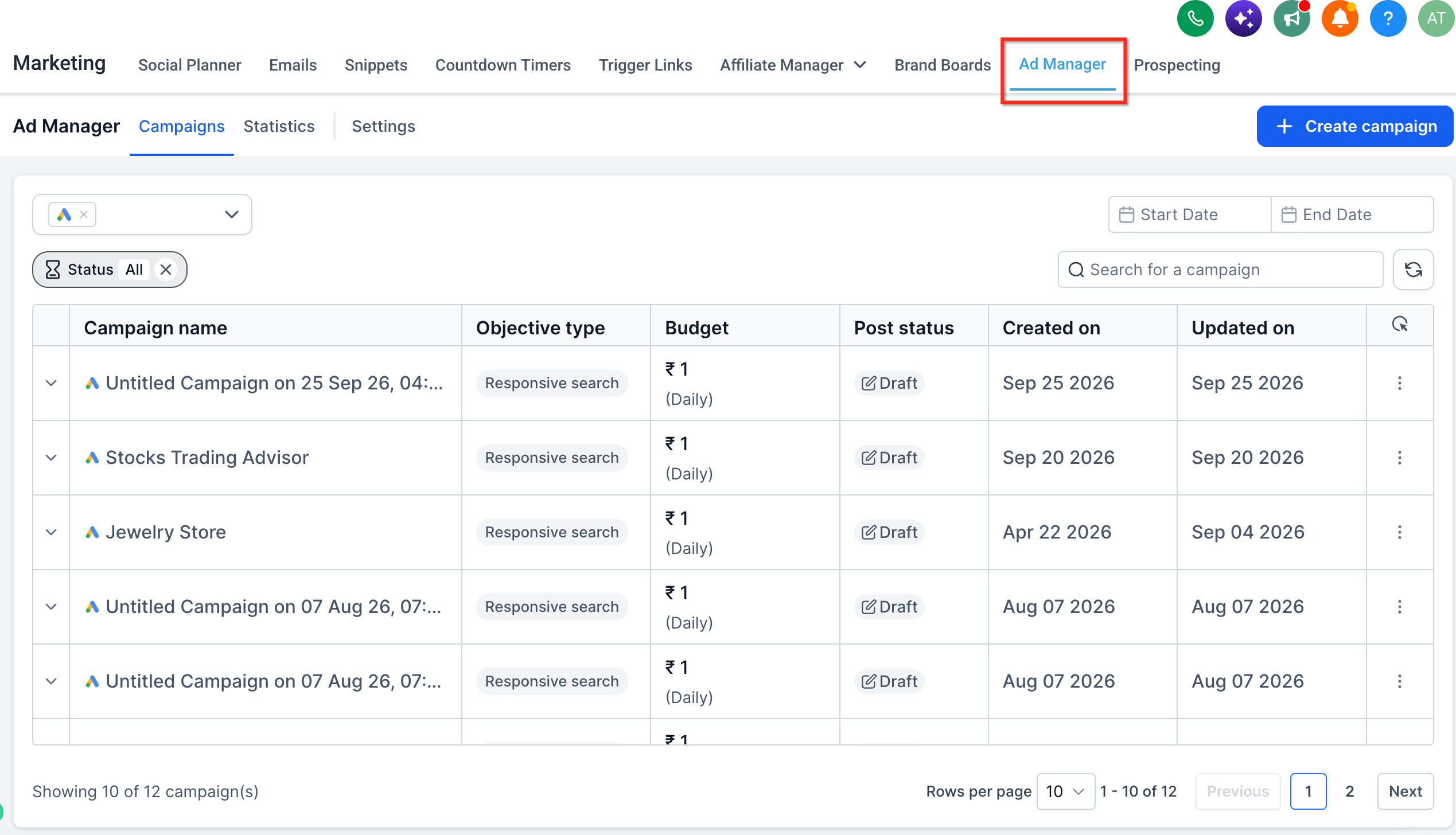
A dedicated "Subscription" tab is present along with other tabs under Ad Manager settings:
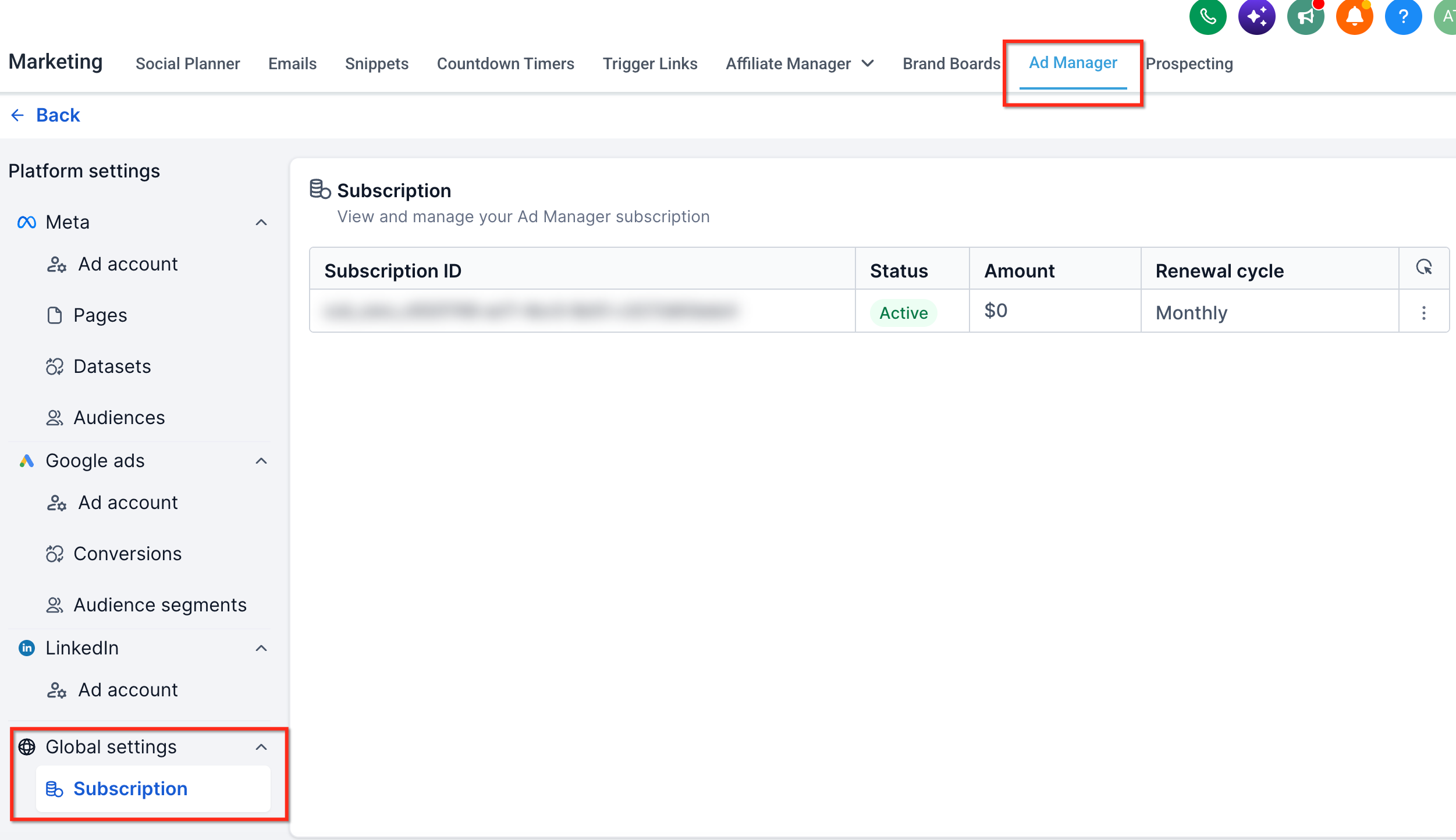
The relevant details pertaining to your Ad Manager subscription like, monthly charges and subscription ID are specified with an option to cancel the subscription.
How do I cancel my Ad Manager subscription?
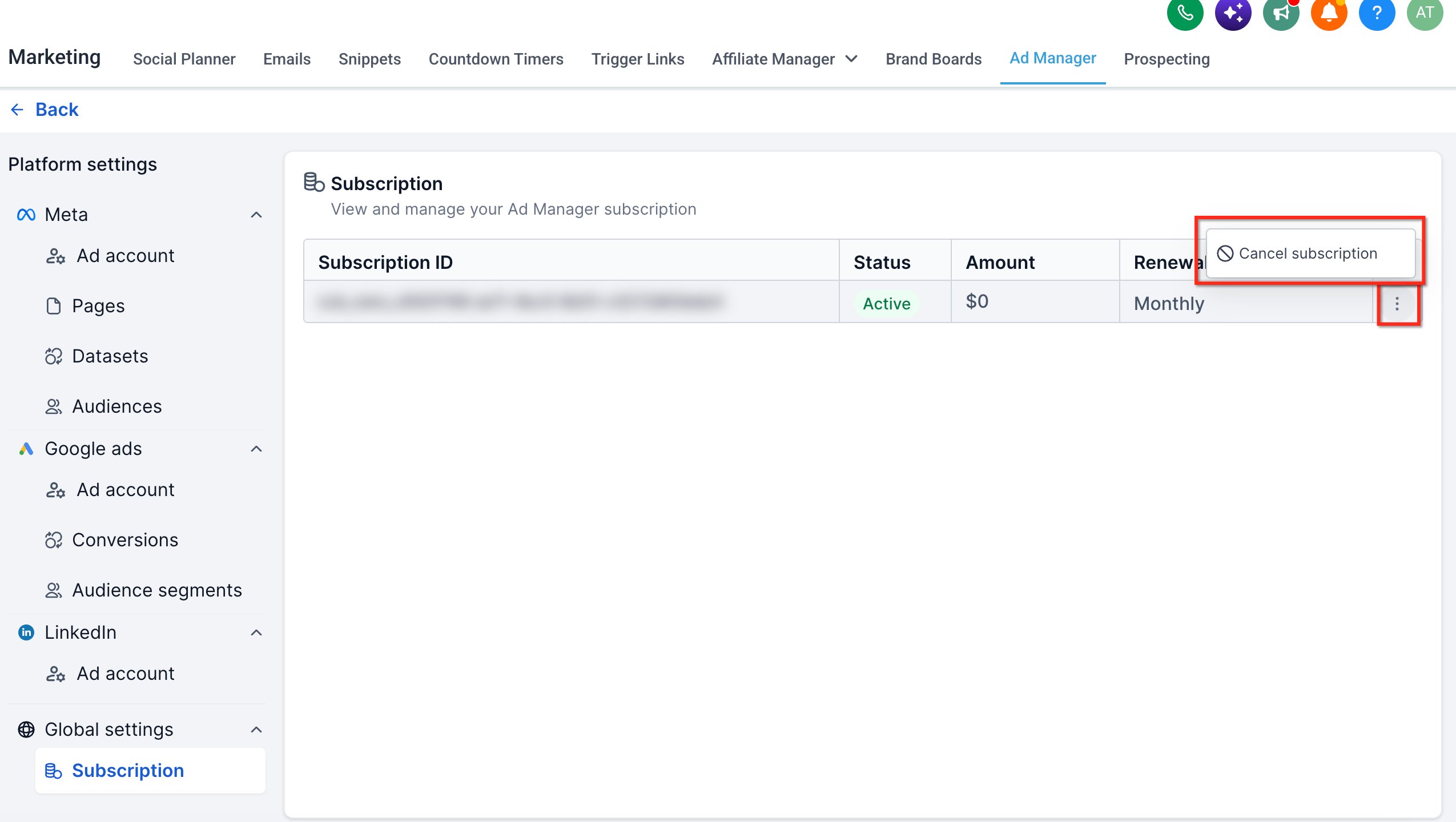
Under Ad Manager settings > Subscription tab, the subscription details are mentioned with an ellipses(three dots) at the end of the row. On click of the ellipses, we get an option to cancel the subscription:
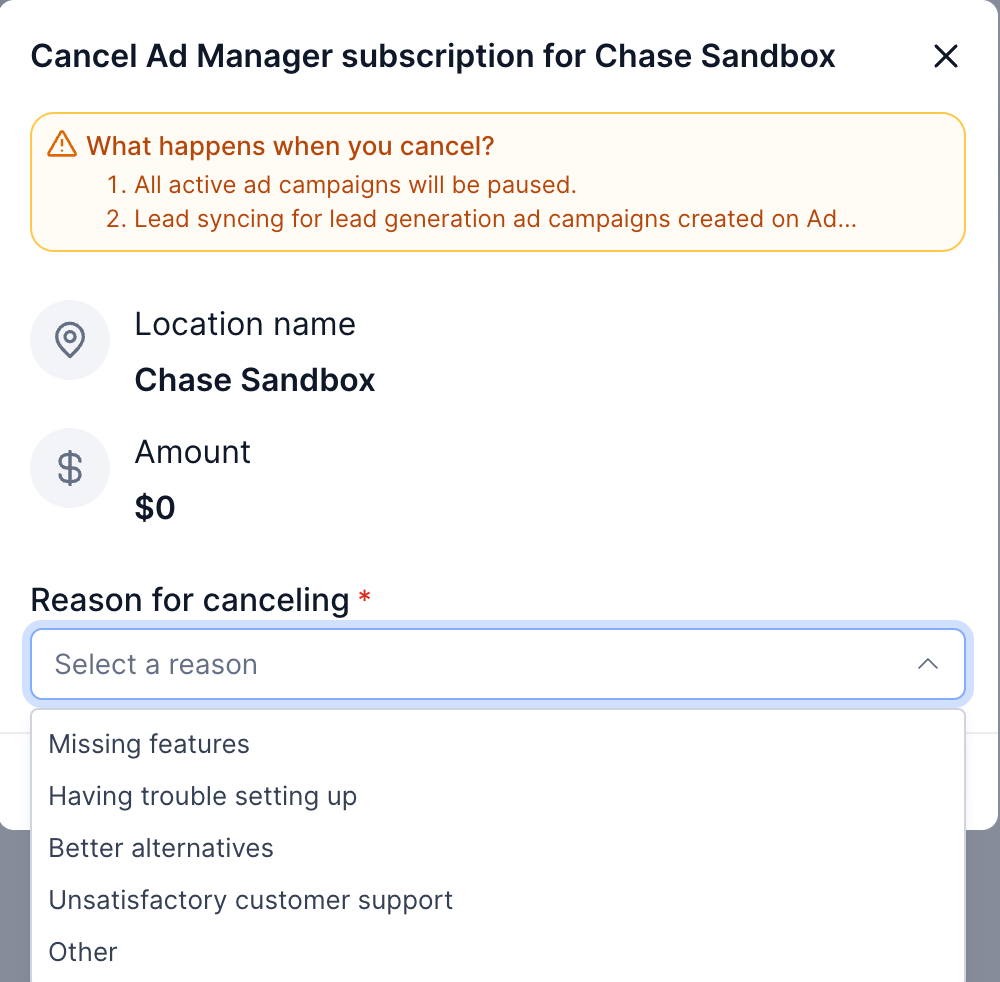
On click of the 'Cancel Subscription' button, a dialog opens up to show important information to the user as to what will happen if they choose to proceed, which is as follows:
- All active ad campaigns that are published using your Ad Manager will be paused.
- Lead syncing for lead generation ad campaigns created on Ad Manager will stop.
- Any connected ad accounts will be disconnected, and you won't have access to Ad Manager until the subscription is renewed.
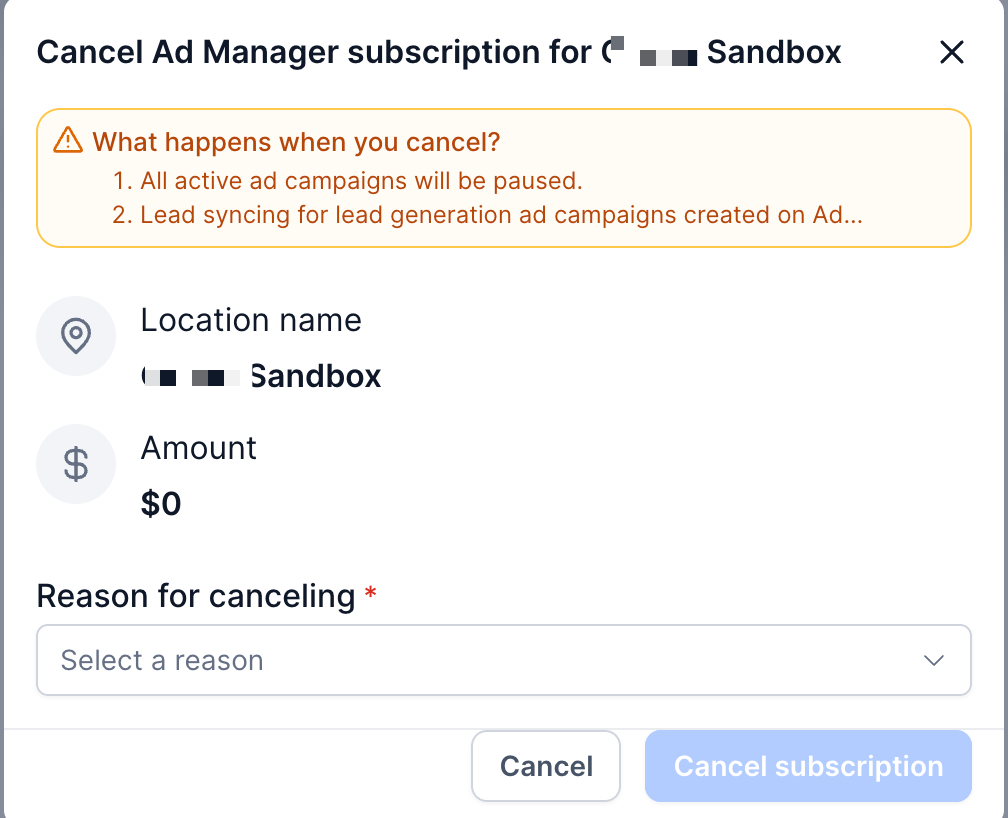
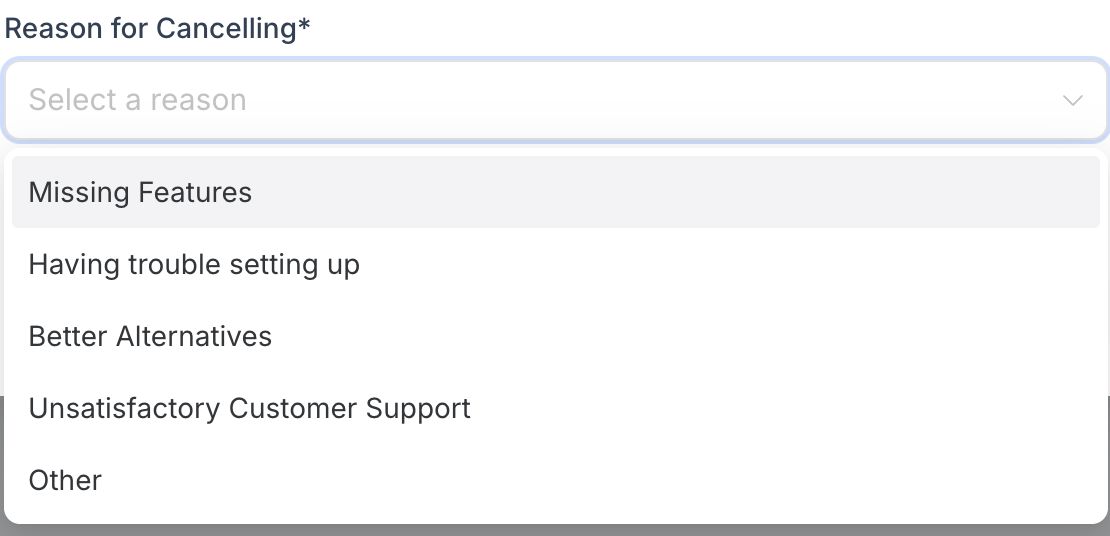
In the above dialog, select a reason to cancel the subscription from the given options or choose 'Other' and specify your specific reason to do so.
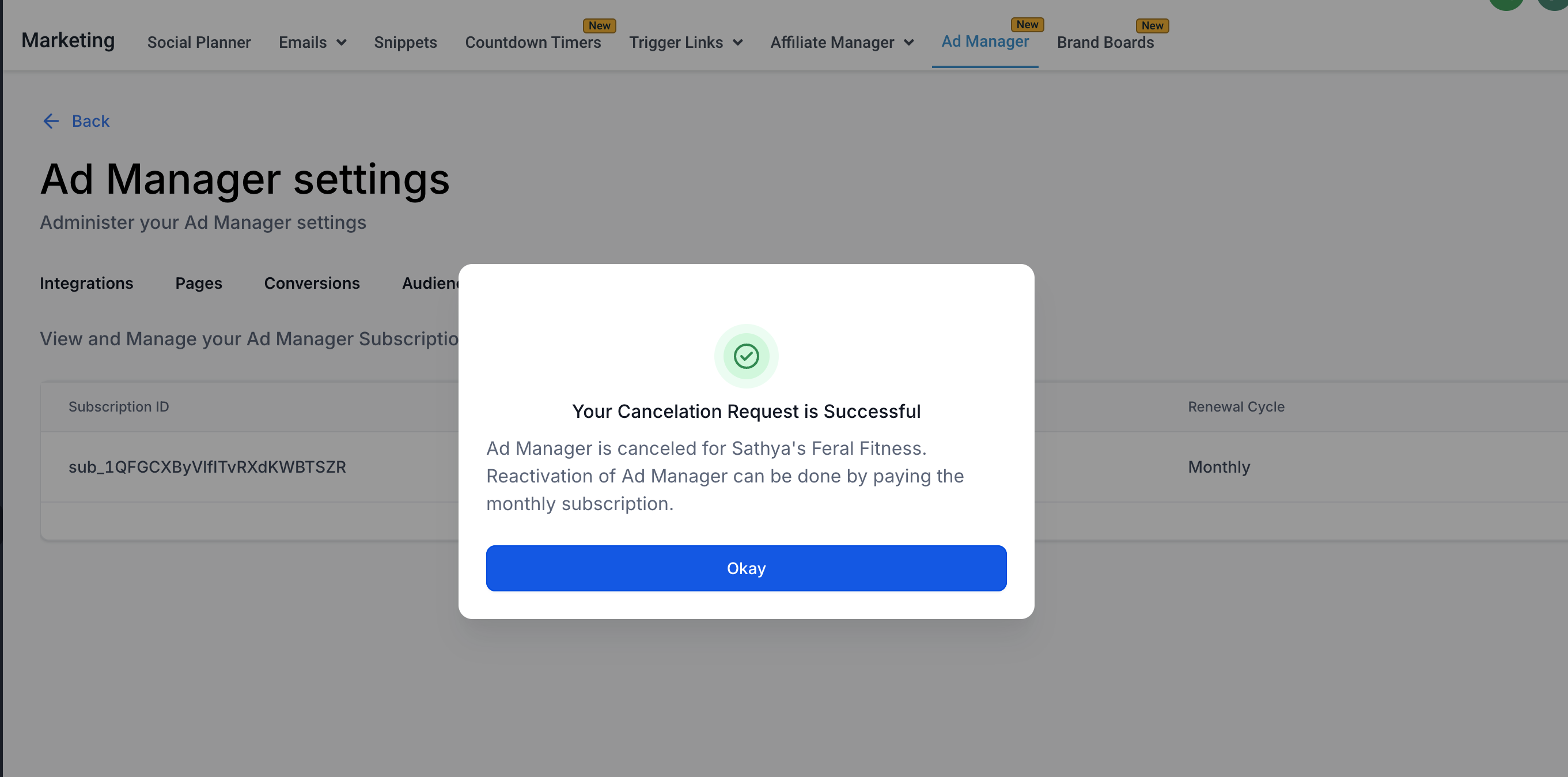
Post reason selection, the 'Cancel Subscription' button gets activated and on click of the same, your active Ad Manager subscription gets canceled and a dialog confirming the same gets shown.
What Happens When You Cancel Ad Manager
Before confirming the cancellation, review how it affects your Ad Manager setup.
After cancellation:
- Active campaigns published through Ad Manager are paused.
- Lead syncing for Lead Generation campaigns created through Ad Manager stops.
- Connected ad accounts are disconnected.
- The sub-account loses access to Ad Manager until access is activated again.
Review active campaigns and any lead-generation processes that depend on Ad Manager before canceling the subscription.
Why You May Be Unable to Cancel Your Subscription
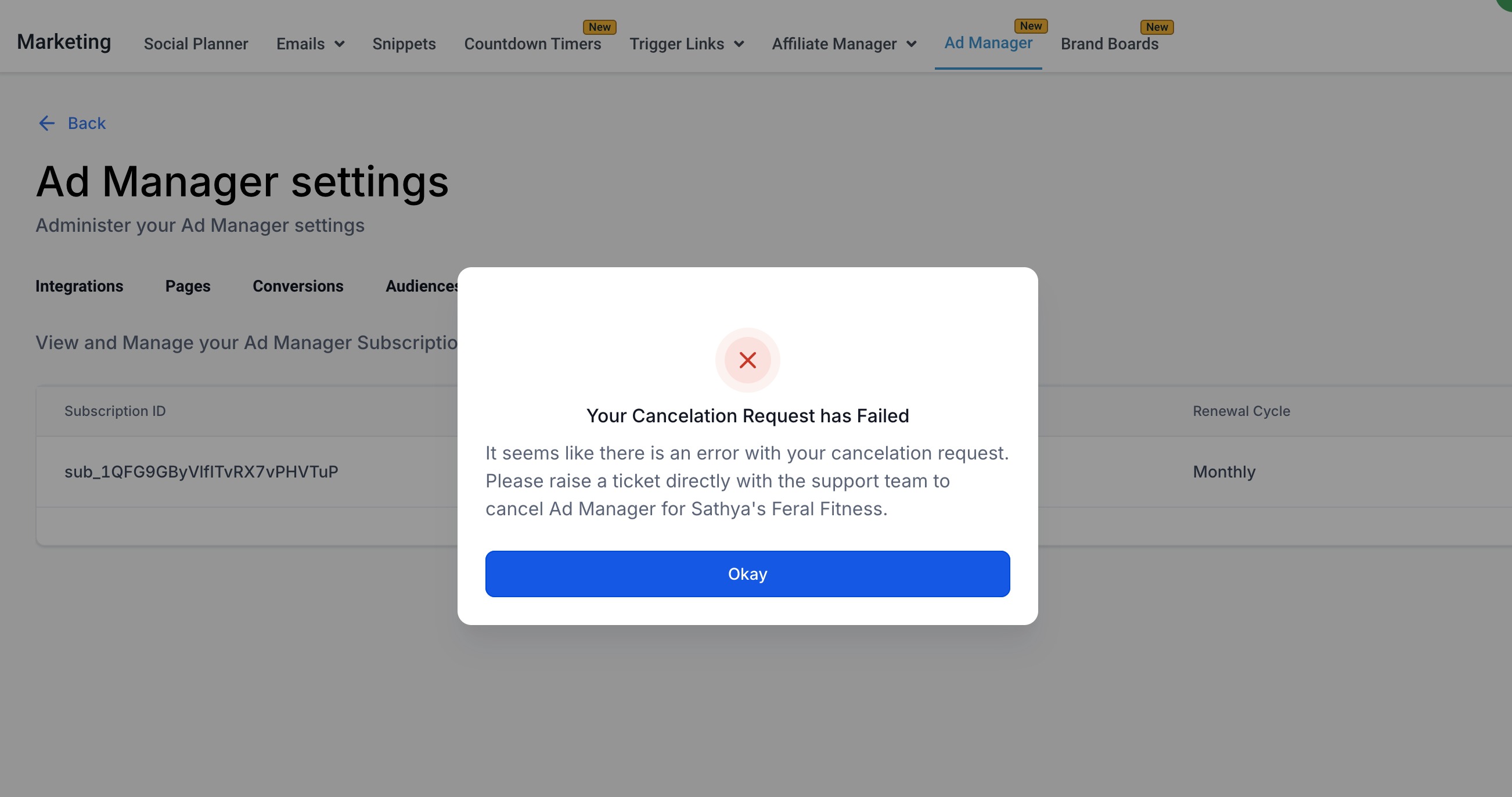
You may be prevented from canceling Ad Manager while a recently published campaign is still under review by the advertising platform.
If a campaign is undergoing review, wait until the review process is complete and try canceling the subscription again.
What to Do If Cancellation Fails
If Ad Manager displays an error and the subscription remains active:
- Confirm that no recently published campaign is currently under review.
- Try the cancellation again after the review is complete, if applicable.
- If cancellation continues to fail, contact HighLevel Support for assistance.
Provide the relevant sub-account and subscription information when contacting Support to help with troubleshooting.
Frequently Asked Questions
Q. Does canceling Ad Manager delete my campaigns?
Active campaigns published through Ad Manager are paused when the subscription is canceled. Review your campaigns before canceling to understand how cancellation will affect active advertising.
Q. What happens to Lead Generation campaigns after cancellation?
Lead syncing for Lead Generation campaigns created through Ad Manager stops after the subscription is canceled.
Q. What happens to my connected ad accounts?
Connected ad accounts are disconnected as part of the cancellation process, and the sub-account loses access to Ad Manager until access is activated again.
Q. Why can't I cancel my Ad Manager subscription?
Cancellation may be blocked when a recently published campaign is still undergoing review by the advertising platform. Wait for the review to finish and try again.
Q. What should I do if my subscription still appears active after cancellation?
If the cancellation fails and the subscription remains active, contact HighLevel Support for assistance.
Q. Does canceling a sub-account's subscription affect the agency's Ad Manager access?
No. The cancellation applies to the individual sub-account's Ad Manager subscription. Agency-level Ad Manager access is currently available at no base cost.
Was this article helpful?
That’s Great!
Thank you for your feedback
Sorry! We couldn't be helpful
Thank you for your feedback
Feedback sent
We appreciate your effort and will try to fix the article