Private Integrations allow you to securely connect your HighLevel account with third-party applications using API tokens. You can create custom integrations, automate workflows, and control which data external applications can access.
Private Integration Tokens (PIT) are available across HighLevel subscription plans. However, access to certain API endpoints depends on your subscription plan and the permissions assigned to the token.
What Are Private Integrations?
Private Integrations allow you to connect HighLevel with external applications without creating a public Marketplace app. You can either install an existing application from the App Marketplace or create a custom integration using HighLevel APIs.
Key benefits:
Secure Access: Control the permissions assigned to each integration.
Easy Management: Create, edit, and rotate tokens from your account settings.
Flexible Integration: Connect external applications and automate business processes.
Agency and Sub-Account Support: Create integrations at the appropriate account level.
API Access Across HighLevel Plans
HighLevel supports API access across its subscription plans. Both OAuth 2.0 and Private Integration Tokens are available, but some API endpoints have additional plan requirements.
Current Subscription Plans
| Plan | Monthly Price | API Access |
|---|---|---|
| Starter | $97 | Standard API access, subject to endpoint restrictions |
| Unlimited | $297 | Basic API Access |
| Founder | $497 | Higher-tier API capabilities; endpoint eligibility should be verified |
| Enterprise | Custom Pricing | Full highest-tier feature set; increased API limits available by request |
Note: The pricing page currently lists the $497 plan as Founder, while existing API documentation refers to it as Agency Pro. The relationship between these plan names and endpoint entitlements should be confirmed before publication.
API Availability
| API Capability | Starter | Unlimited | $497 Tier |
|---|---|---|---|
| OAuth 2.0 | Available | Available | Available |
| Private Integration Tokens | Available | Available | Available |
| Standard API Endpoints | Available | Available | Available |
| Higher-Tier Restricted Endpoints | Restricted | Restricted | Subject to endpoint eligibility |
Plan-Restricted API Endpoints
Certain API operations require higher-tier access. The API documentation currently identifies the following Agency Pro-restricted endpoints:
Create Sub-Account: Create new sub-accounts programmatically.
Enable SaaS for Sub-Account: Enable SaaS functionality for a sub-account.
Important: Having a Private Integration Token does not automatically grant access to every API endpoint. Access also depends on the subscription plan, assigned scopes, account permissions, and endpoint-specific requirements.
For current subscription details, visit HighLevel Pricing.
Private Integrations vs. API Keys
Private Integration Tokens are the recommended alternative to legacy API keys.
| Private Integration Tokens | Legacy API Keys |
|---|---|
| Support permission-based access | Use the older API V1 authentication model |
| Support modern API integrations | Limited to legacy API functionality |
| Can be managed and rotated | Legacy key creation is being discontinued |
| Recommended for new integrations | API V1 reached end-of-support on December 31, 2025 |
Existing API V1 integrations may continue working, but API V1 no longer receives updates or technical support.
Private Integrations vs. OAuth 2.0 Access Tokens
Both authentication methods provide secure API access but are designed for different use cases.
| Private Integration Tokens | OAuth 2.0 Access Tokens |
|---|---|
| Generated from account settings | Generated through an OAuth authorization flow |
| Remain valid until rotated or revoked | Expire and require refreshing |
| Suitable for internal or account-specific integrations | Suitable for public apps and user-authorized integrations |
| Permissions are selected during setup | Permissions depend on authorized scopes |
How to Create a Private Integration
You can create up to 20 Private Integration Tokens at both the Agency and Sub-Account levels.
Navigate to Settings > Private Integrations.
Click Create New Integration.
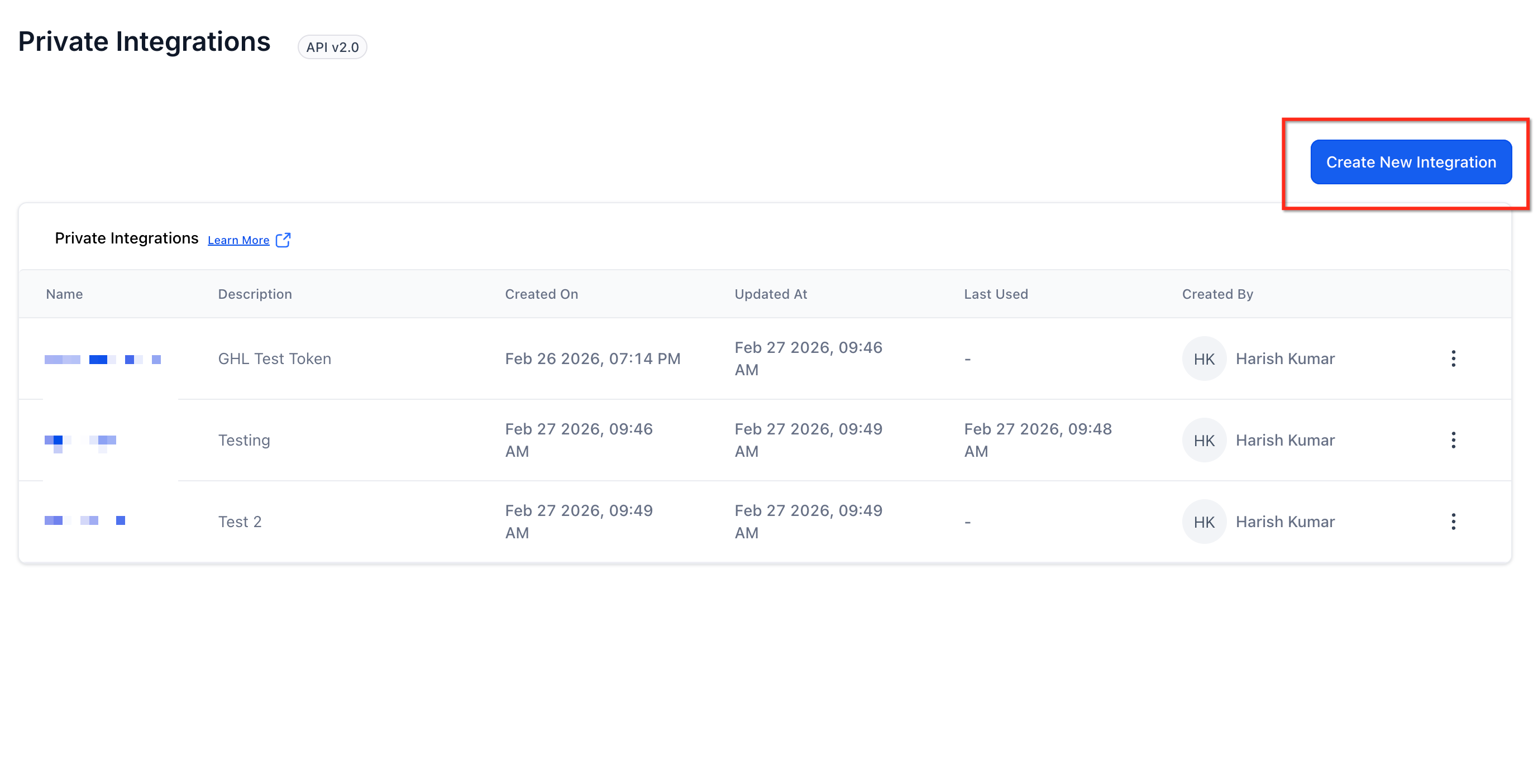
Enter a name and description.
Select the required scopes and permissions.
Generate the Private Integration Token.
Copy and securely store the token.
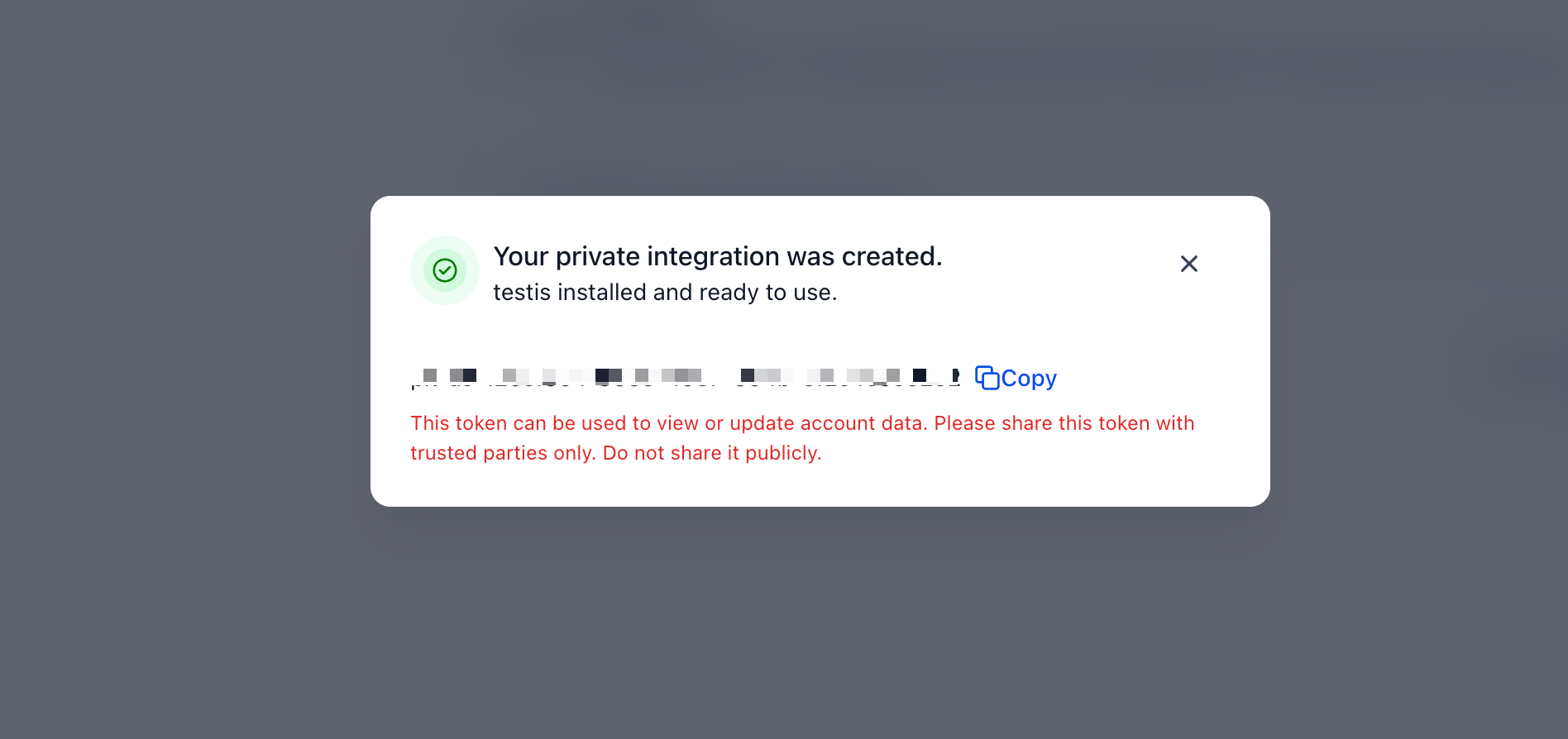
Note: The generated token may only be displayed once. Store it securely and share it only with trusted developers or applications.
How to Use Private Integration Tokens
Private Integration Tokens authenticate API requests through the Authorization header. To use a token:
Generate a Private Integration Token.
Identify the API endpoint you want to access.
Add the token to the request's Authorization header.
Include any required API version headers, parameters, and request data.
Send the request and review the response.
Make sure the selected token has the required scopes and your subscription plan supports the endpoint.
Refer to the API Documentation for current request examples and supported API versions.
How to Manage Private Integrations
Agency admins can create and manage Private Integrations by default. Permissions can be controlled under Settings > Users > Roles & Permissions. Administrators can manage access separately for agency-level and sub-account-level Private Integrations.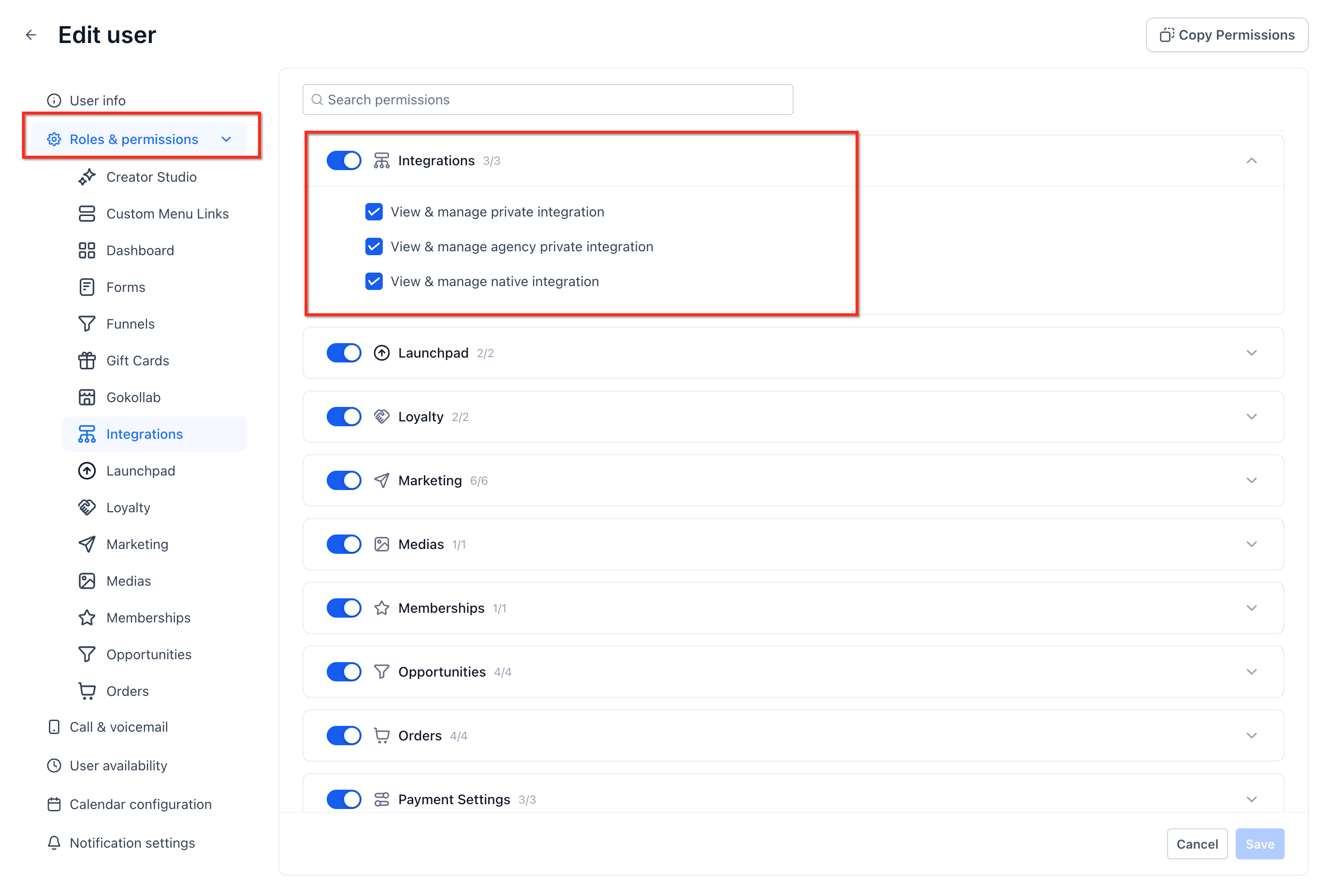
How to Rotate a Private Integration Token
Rotating tokens regularly helps maintain security. A 90-day rotation schedule is recommended.
Navigate to Settings > Private Integrations.
Select the integration.
Click Rotate and expire this token later.
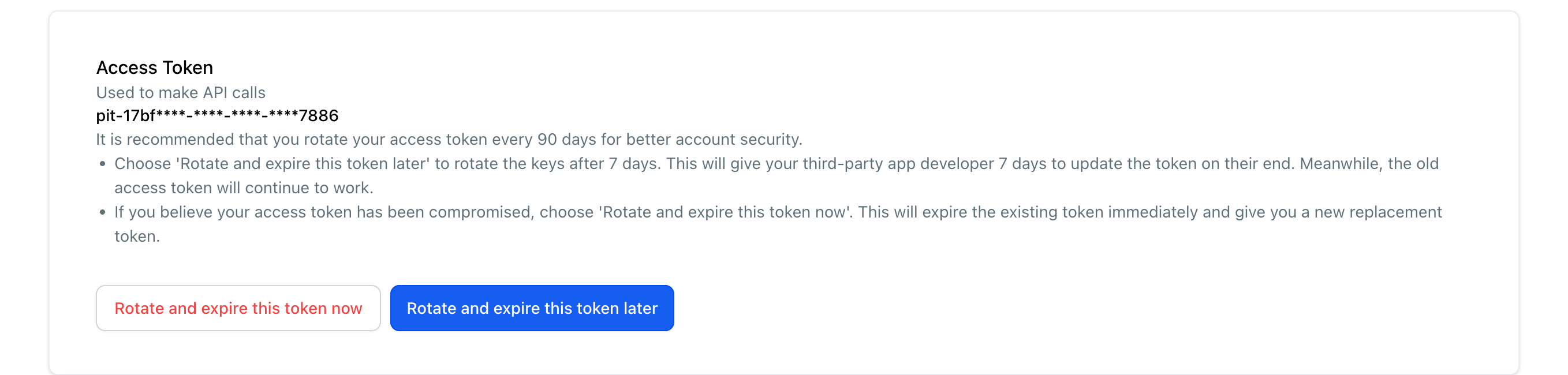
Confirm the rotation.
Copy the new token and update your connected application.
During scheduled rotation, both tokens remain active for seven days. You can cancel the rotation or expire the old token earlier.
What to Do if a Token Is Compromised
If you suspect unauthorized access:
Open Settings > Private Integrations.
Select the affected integration.
Click Rotate and expire this token now.
Confirm the action.
Update your connected application with the new token.
This invalidates the compromised token.
How to Edit Private Integration Permissions
You can update an integration's name, description, and assigned scopes without generating a new token.
Navigate to Settings > Private Integrations.
Select Edit from the three-dot menu.
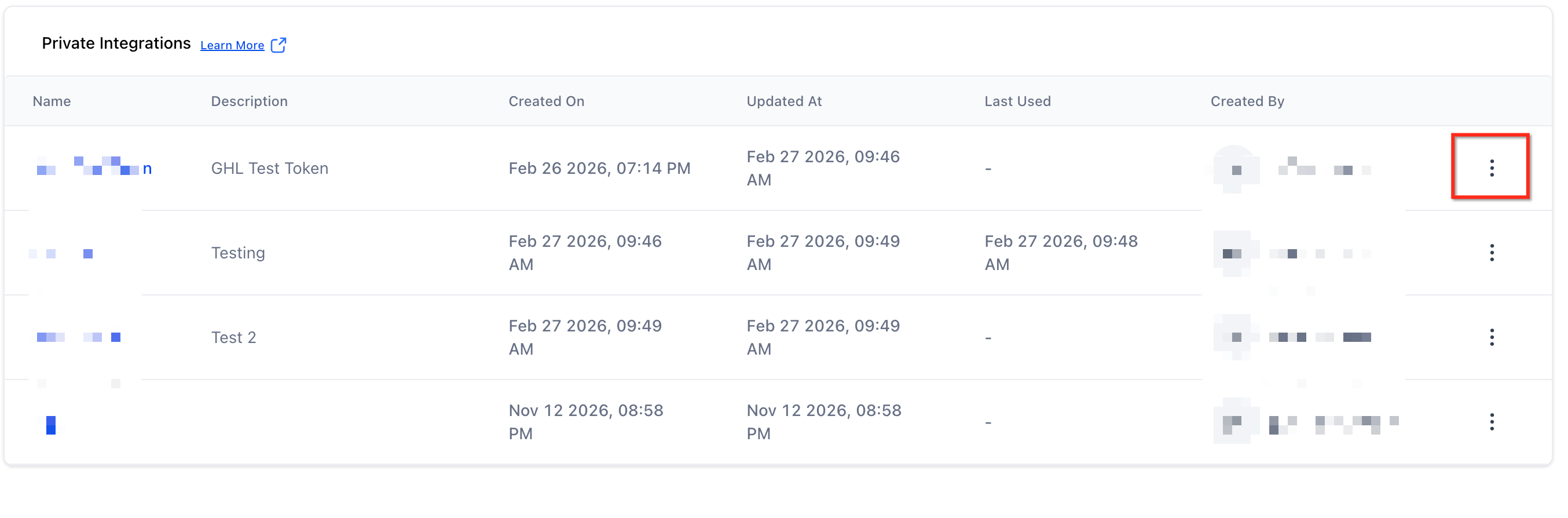
Update the required details.
Modify the scopes if necessary.
Click Update to save your changes.
The existing token remains valid after updating these details.
How to Delete a Private Integration
To remove an integration you no longer need:
Navigate to Settings > Private Integrations.
Locate the integration.
Select Delete from the three-dot menu.
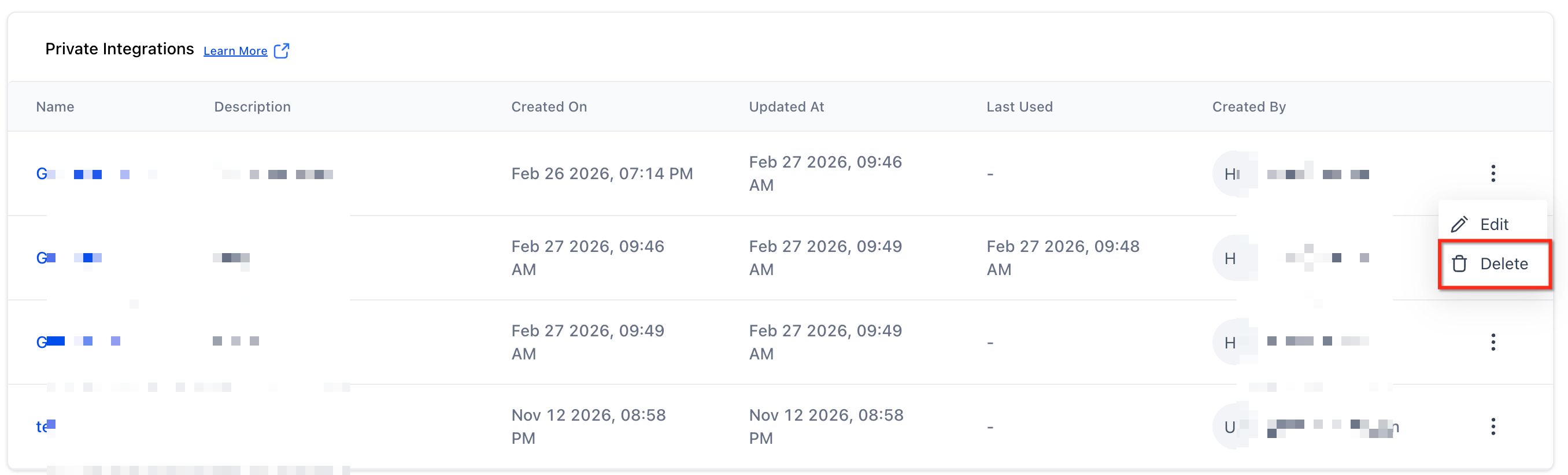
Confirm the deletion.
Deleting the integration prevents applications from continuing to authenticate using its token.
Frequently Asked Questions
Q: Are Private Integration Tokens available on all HighLevel plans?
Yes. Private Integration Tokens are available across Starter, Unlimited, and higher-tier plans. However, individual API endpoints may have additional subscription restrictions.
Q: Does the Starter plan support API access?
Yes. Standard API access is available on Starter, subject to the endpoint's requirements and permissions.
Q: What is the difference between Basic and Advanced API Access?
These are subscription-level API capability labels. The exact endpoints available depend on the applicable plan restrictions. Refer to the official API documentation for endpoint-specific requirements.
Q: Do I need a higher-tier plan to create sub-accounts using APIs?
The Create Sub-Account endpoint is documented as requiring Agency Pro access. Confirm the corresponding entitlement under the current Founder pricing structure before using this endpoint.
Q: Can I use API V1 keys for new integrations?
Private Integration Tokens are recommended for new integrations. API V1 reached end-of-support on December 31, 2025.
Q: Can I change token permissions without generating a new token?
Yes. You can update the assigned scopes and integration details without rotating the token.
Related Articles
Was this article helpful?
That’s Great!
Thank you for your feedback
Sorry! We couldn't be helpful
Thank you for your feedback
Feedback sent
We appreciate your effort and will try to fix the article