Community tagging lets you mention specific members in posts, comments, and replies to bring them into relevant conversations. This guide explains how to tag members and how Community notification preferences affect tag and mention notifications.
TABLE OF CONTENTS
- Tag Members in Posts
- Tag Members in Comments
- Email Notifications for Tags
- Frequently Asked Questions
- Related Articles
Tag Members in Posts
Tagging a member in a Community post helps direct their attention to relevant content and can notify them based on their notification preferences.
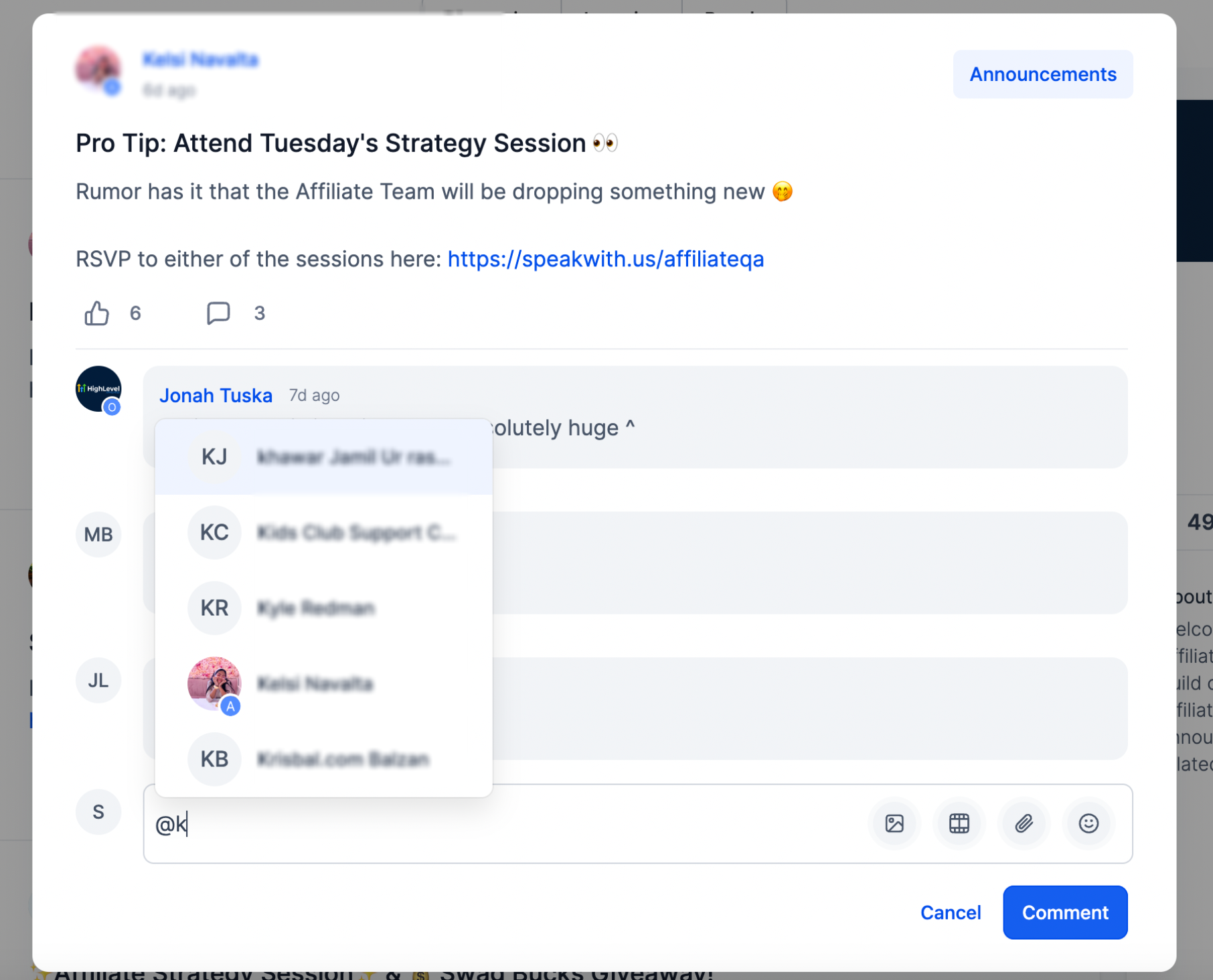
- Start a tag: While drafting a post, type the @ symbol followed by the first characters of the member's name.
- Select a member: As you type, matching members appear in the suggestion list. Select the member you want to tag.
- Insert the tag: The selected member's name appears in the post as a highlighted tag.
- Publish: Publish the post when it is ready. Tagged members can receive a notification based on their notification preferences.
Tag Members in Comments
You can also tag members in comments and replies to bring specific people into an active discussion.
- Start a tag: While writing a comment, type the @ symbol followed by part of the member's name.
- Select a member: Choose the member from the suggestion list.
- Insert the tag: The selected member's name appears as a highlighted tag.
- Publish: Publish the comment when it is ready. Tagged members can receive a notification based on their notification preferences.
- Tag in replies: You can also tag members when replying to an existing comment.
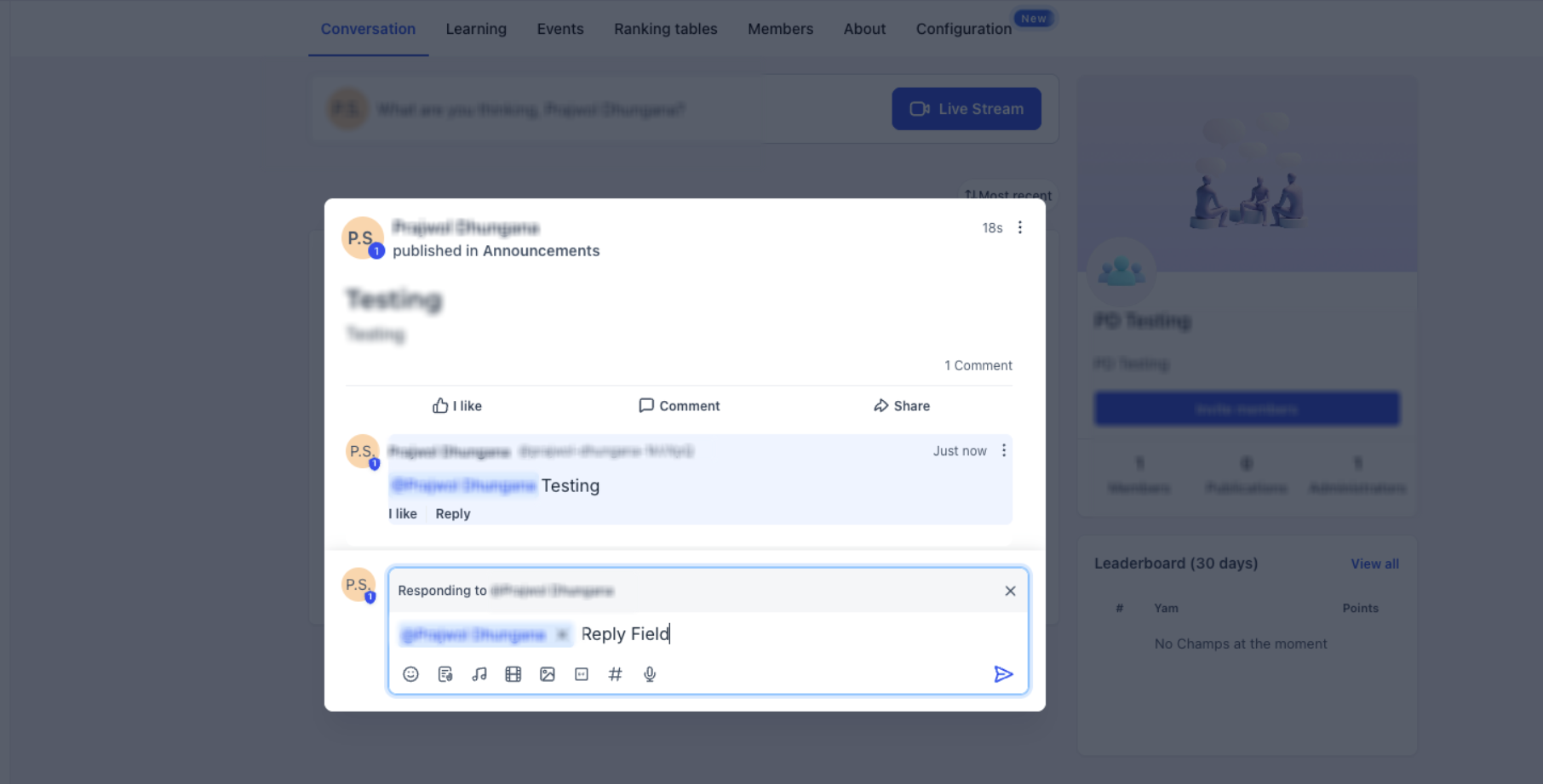
Note: You can tag multiple members in the same post, comment, or reply.
Email Notifications for Tags
Tag and mention notifications help members return directly to conversations that involve them. Whether an email is delivered depends on the member's Community notification preferences.
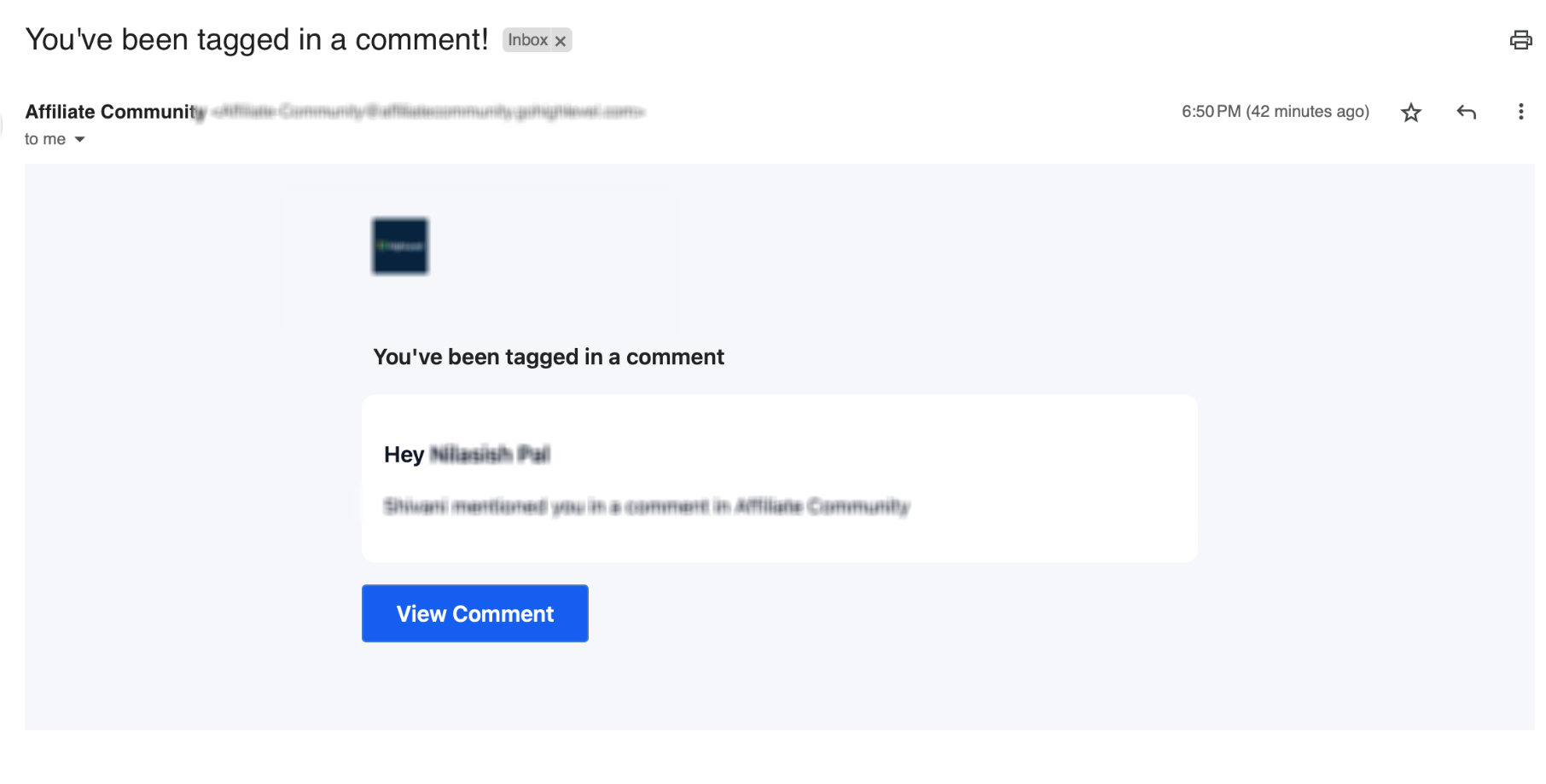
- Receiving notifications: When someone tags you in a post or comment, you can receive an email notification based on your Community notification preferences.
- Direct navigation: Supported email notifications include a direct link to the post or comment where you were tagged.
Note: If you click Unsubscribe in an eligible Community tag or mention email, the preference applies only to the specific notification type and community shown on the unsubscribe page.Other notification types from the same community remain enabled. The same notification type from other communities also remains enabled, and unrelated platform emails are not affected.

You can re-enable the notification from your notification settings at any time.
Frequently Asked Questions
Q: How do I tag someone in a Community post?
Type the @ symbol followed by part of the member's name, then select the member from the suggestion list.
Q: Can I tag members in comments and replies?
Yes. Tagging works in posts, comments, and replies to existing comments.
Q: How will I know if someone has tagged me?
When you are tagged in a post or comment, you can receive a notification based on your Community notification preferences. Supported email notifications include a direct link to the content where you were mentioned.
Q: Does unsubscribing from a tag or mention email disable all Community emails?
No. The preference applies only to the notification type and community shown on the unsubscribe page. Other notification types, other communities, and unrelated platform emails remain enabled.
Q: Can I turn tag or mention emails back on?
Yes. Open the Client Portal, Communities, or Courses area, click your profile icon, select Manage Your Account, then open Notifications and re-enable the applicable notification.
Q: Can I tag multiple members at once?
Yes. You can tag multiple members in the same post, comment, or reply.
Related Articles
- Notifications inside Client Portal
- How to Setup, Customize, and Manage Your Communities
- Communities: Announcement Channel and Notification
Was this article helpful?
That’s Great!
Thank you for your feedback
Sorry! We couldn't be helpful
Thank you for your feedback
Feedback sent
We appreciate your effort and will try to fix the article