This is a common question from clients. If you are using Stripe, the payment methods shown at checkout such as Klarna, Afterpay, cards, and others are dynamically decided by Stripe. Even if a method is enabled in Stripe and enabled in LC, Stripe may still hide it for some payments.
Why a payment method might not appear?
Stripe determines which methods to show based on several conditions, including:
Your Stripe account default currency
Presentment currency (the currency of the product or invoice being purchased)
Payer location and IP address
Eligibility and restrictions on the payment method for your account
Transaction amount limits for that method
Whether the method is supported in the payer’s country or region
Because Stripe Payment Element adapts per payer and per transaction, you can see different payment methods for different customers.
How to check why a method is missing?
You can troubleshoot this in two ways.
Option 1: Use Stripe’s troubleshooting tool
Stripe provides a dedicated tool to debug missing payment methods:
https://support.stripe.com/questions/troubleshoot-missing-payment-methods
Example -
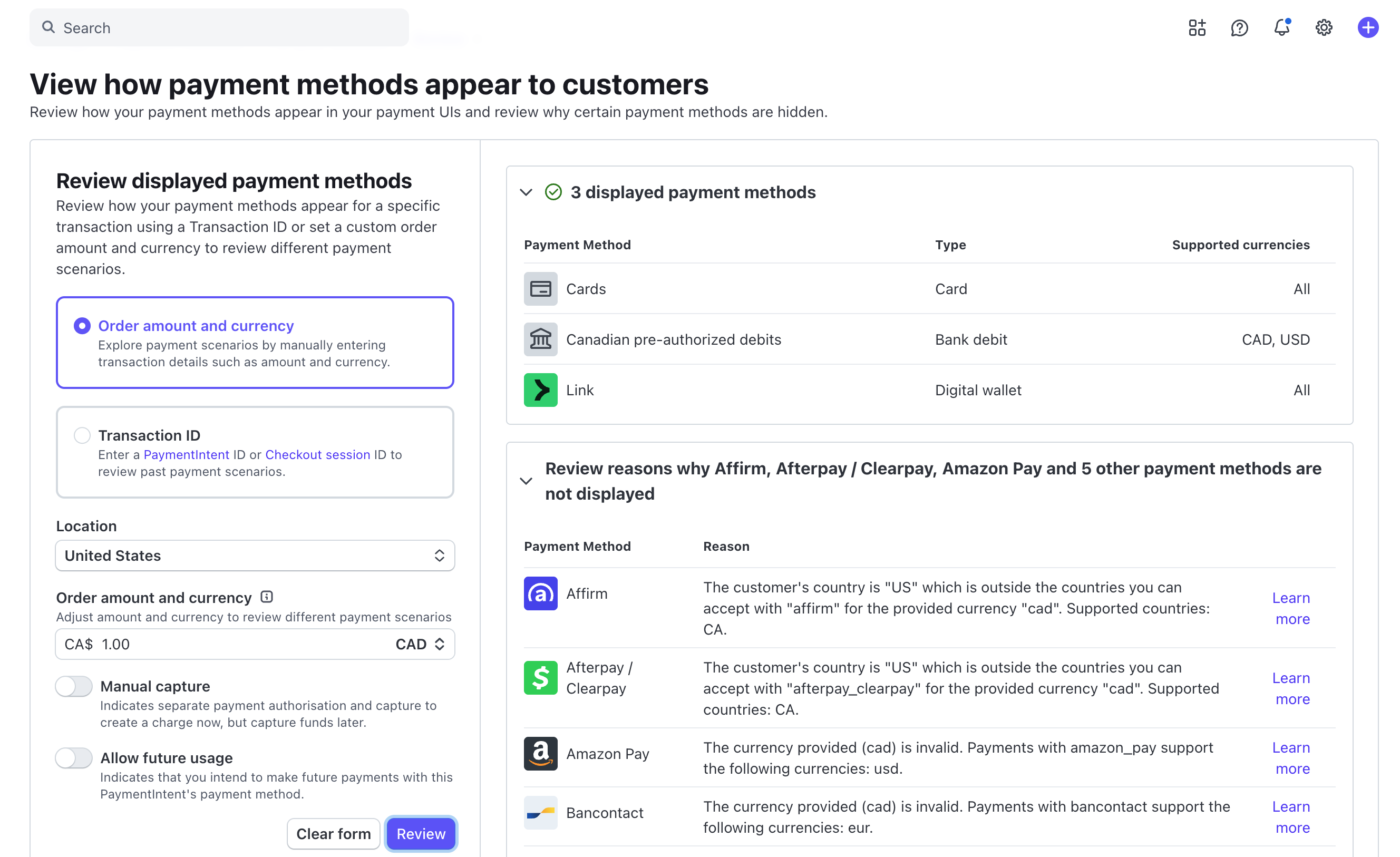
Option 2: Check method requirements inside Stripe dashboard
Open Stripe Dashboard
Go to Settings (top right gear icon)
Under Product settings, open Payments
Open the Payment methods tab
Look for the payment method that your payer cannot see
Click View details
A panel will open with the method requirements and eligibility details. Common reasons a method is not shown include mismatches in:
- Transaction amount limits
- Presentment currency support
- Customer location support
- Global availability and restrictions
If any of these requirements are not met for that transaction, Stripe will hide the method.
Example -
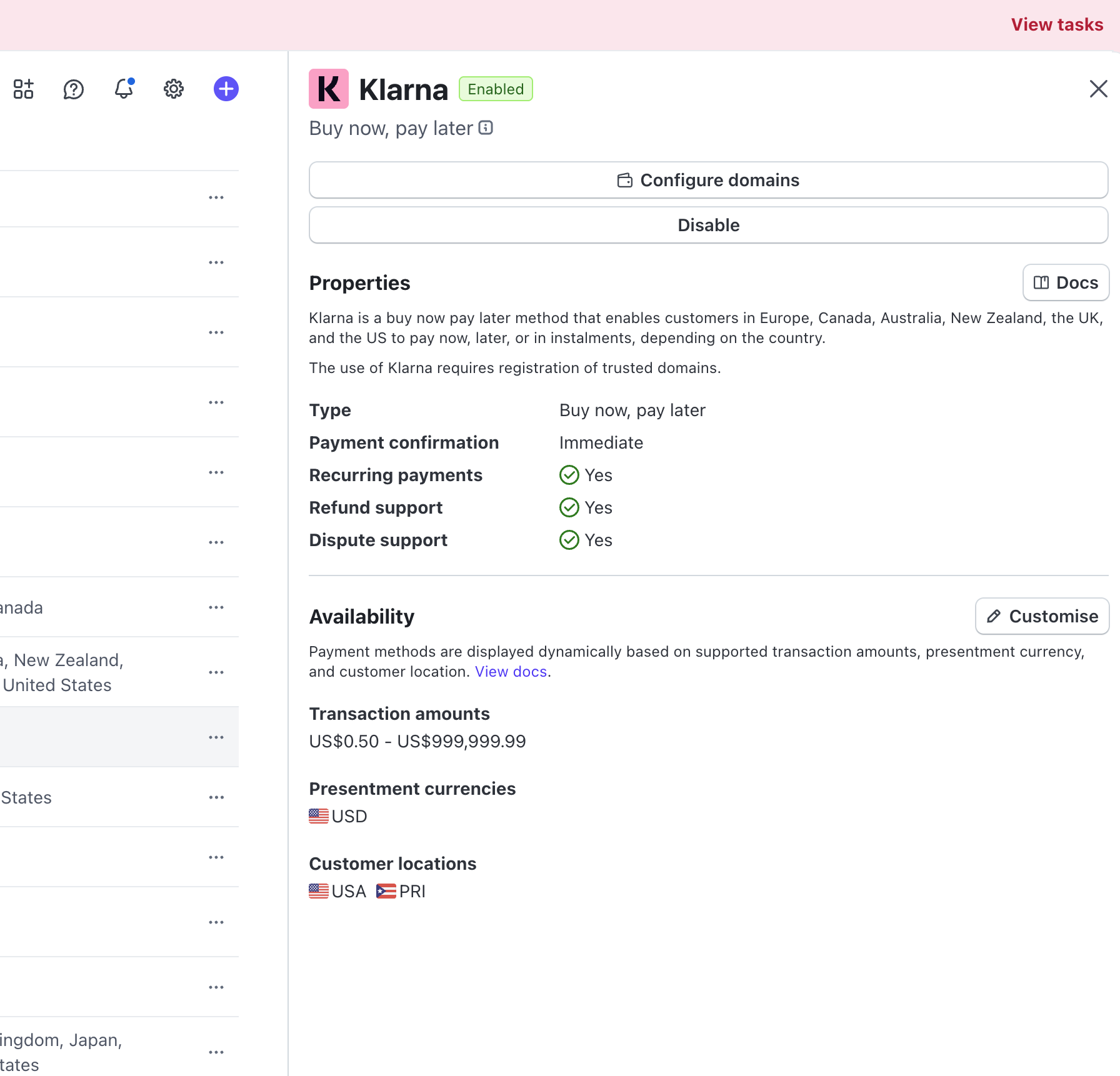
,So in this case, for your account, Klarna will only work is your payer is in USA and Puerto Rico with the currency on checkout being USD.
What LeadConnector Payments can control?
Stripe fully renders the checkout element and decides which payment methods appear. LeadConnector Payments only controls whether a payment method is globally enabled on the LC side.
If Stripe shows a message like “blocked by LC payments”, that means the method is not yet enabled for LC and may require LC support to enable it after internal testing.
Even in that case, LC still cannot force Stripe to display a method. Stripe decides whether it appears based on eligibility rules for the payer and transaction.
Was this article helpful?
That’s Great!
Thank you for your feedback
Sorry! We couldn't be helpful
Thank you for your feedback
Feedback sent
We appreciate your effort and will try to fix the article