The Affiliate Manager Dashboard gives admins a centralized view of affiliate campaign performance, including revenue, customers, conversions, affiliate performance, pending actions, and recent activity. Use it to monitor your affiliate program and quickly access common Affiliate Manager tasks.
Note: The Affiliate Manager Dashboard is the admin-facing workspace for managing your affiliate program. Affiliates use the Affiliate Portal to view their own campaigns, referral links, commissions, payouts, and performance.
- Quick CTAs
- Campaign Picker
- Core Metrics
- Conversion Trend
- Affiliate Leaderboard
- Pending Actions
- Latest Updates
Quick Actions
New Campaigns & Affiliates: Easily create new campaigns or add affiliates directly from the dashboard by clicking the "New" button.
- New Campaigns & Affiliates: Easily create new campaigns or add affiliates directly from the dashboard by clicking the "New" button.

Campaign Picker
- View Options: Select "All Campaigns" for a comprehensive overview or choose specific campaigns to focus on particular insights.

Core Metrics
- Key Data Points: Track essential metrics like Total Revenue, Total Customers, and Conversion Percentage to gauge your campaign’s performance.

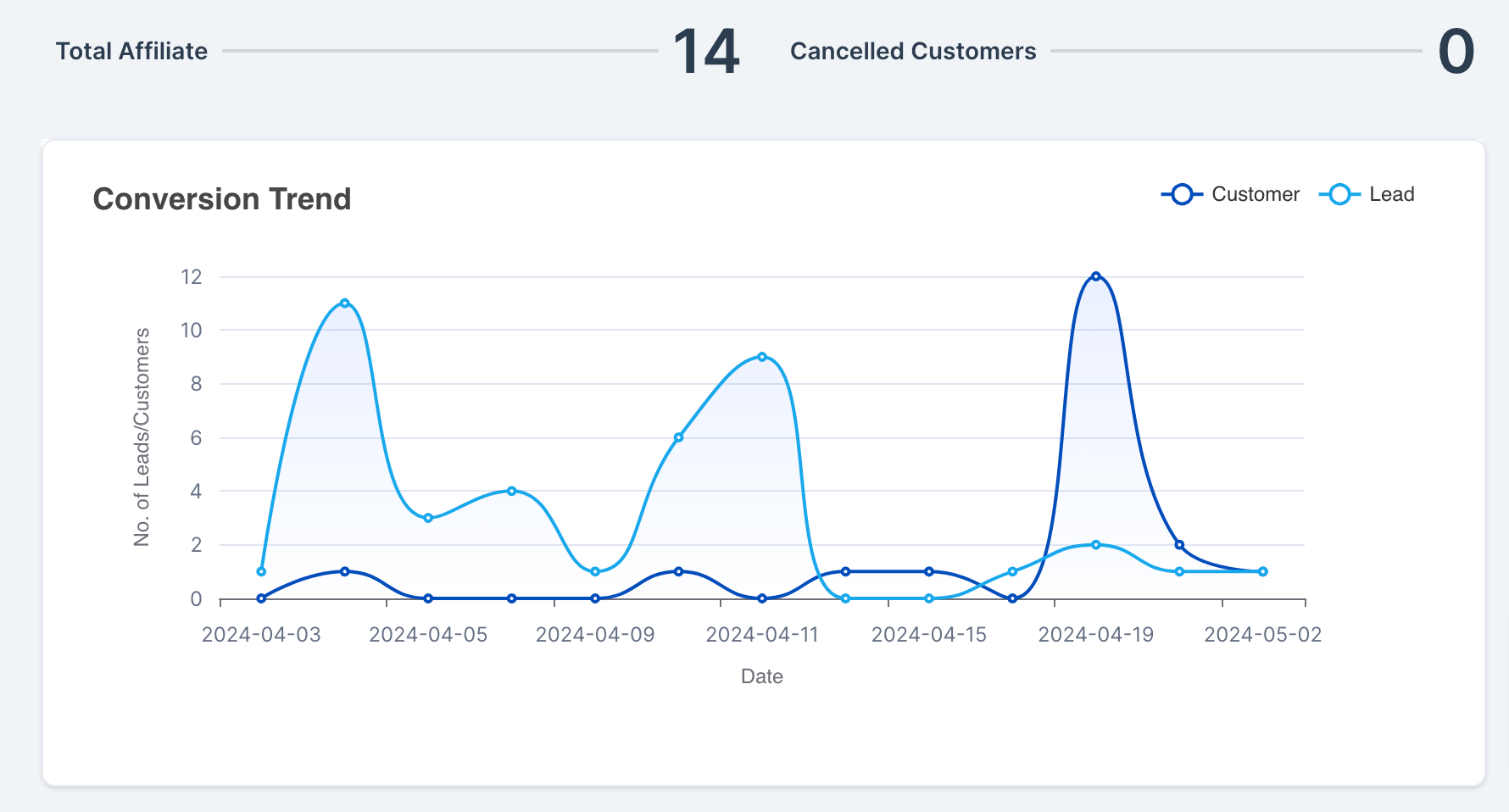
Conversion Trend
- Detailed Insights: Use the Conversion Trend graph to compare affiliate-generated leads and customers over time. This helps you understand how effectively affiliate referrals are turning into customers.
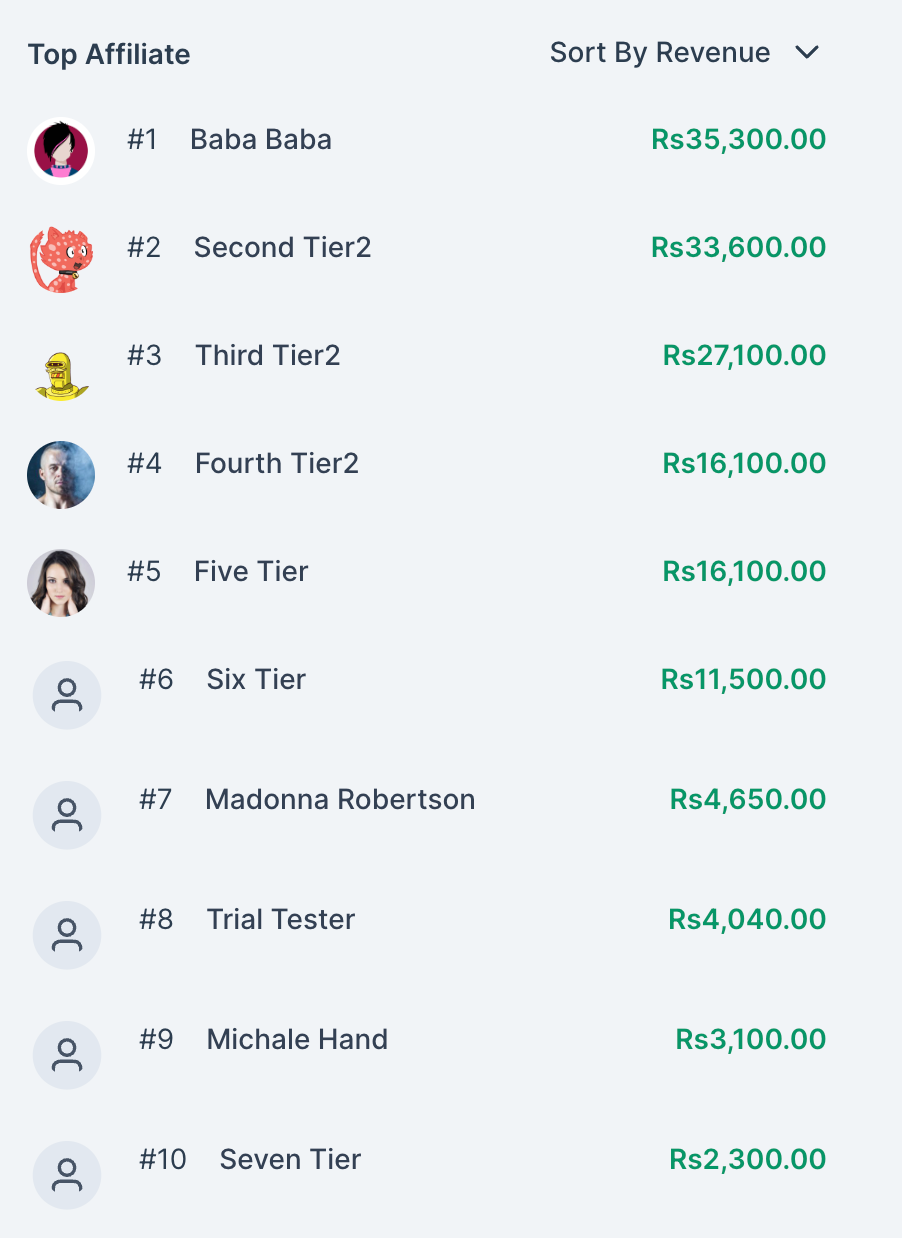
Affiliate Leaderboard
- Top Performers: Compare your top 10 affiliates using performance metrics such as revenue, commissions, leads, or customers. The leaderboard ranking changes based on the metric you use to evaluate affiliate performance.
Pending Actions
- Stay on Track: Review pending affiliate payouts and commissions that require attention. Click Pending Payouts to open the Payouts page, where payouts can be reviewed and approved before they move to Approved for Payout and are paid.
Note: When a payout becomes due depends on the payout term configured for the affiliate program. Available payout terms range from NET-7 through NET-90.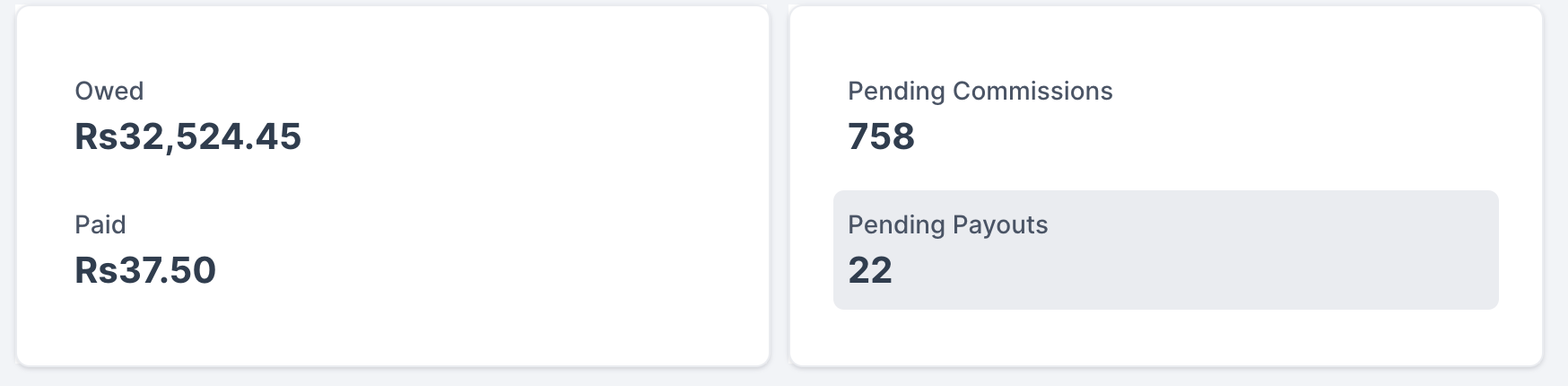
Recent Affiliate Activity
- Recent Activity: Review recently added affiliates and recent commission activity from the dashboard. Use this area to stay informed about affiliate activity that may require your attention.

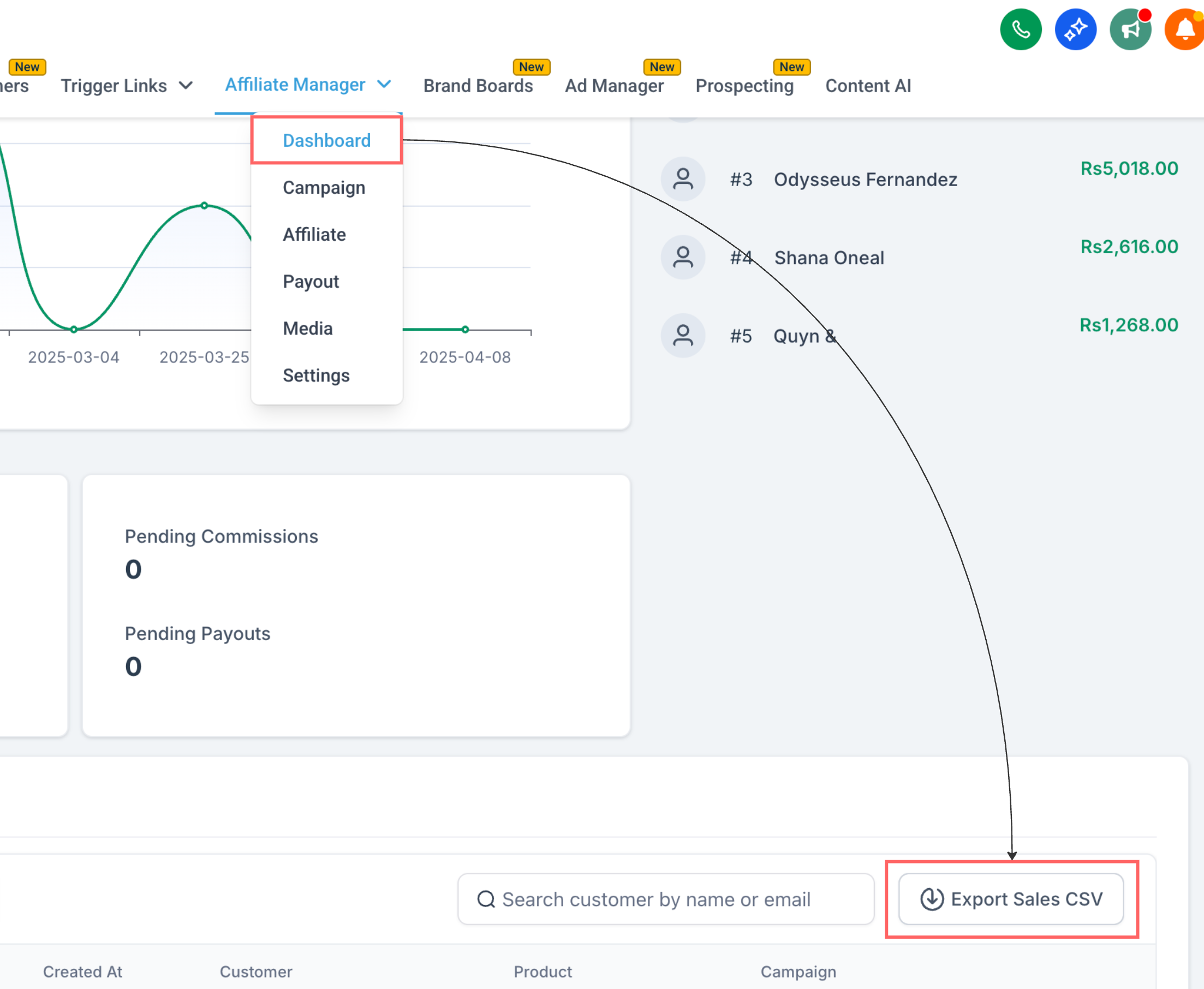
Export Sales CSV
- You can now download affiliate sales data directly from the Affiliate Manager Dashboard in CSV format. Get a clear, exportable view of your affiliate activity and performance, all in one file. The CSV includes the following fields: Campaign Name, Affiliate ID, Affiliate Name, Affiliate Email, Customer Email, Customer Name, Transaction Date, Revenue, Commission, Currency and Status
This dashboard offers a centralized location to manage, monitor, and optimize your affiliate marketing efforts effectively.
What's Next:
Was this article helpful?
That’s Great!
Thank you for your feedback
Sorry! We couldn't be helpful
Thank you for your feedback
Feedback sent
We appreciate your effort and will try to fix the article